Blogs

Explore blogs about photo printers topics for the latest tech, creative ideas, and printing tips. Elevate your printing experience and capture moments.

Explore by Topic

Zink Photo Paper in Everyday Life - From Instant Cameras to Portable Printers

Amidst the ever-evolving landscape of modern photography, Zink photo paper has emerged as a groundbreaking innovation. This revolutionary technology eliminates the need for traditional ink cartridges, instead employing advanced photo paper embedded with intricate color crystals. Its profound impact is most keenly felt in the realms of instant photography and portable printing, offering a seamless and environmentally conscious alternative. Now, without further ado, let’s dive in! Understanding Zink Technology: Inkless Printing with Environmental Advantages Zink (Zero Ink) technology redefines the art of printing by embracing an ingenious, inkless approach. This segment offers a concise yet insightful explanation of the inner workings of Zink photo paper, highlighting its inkless nature. Additionally, we'll touch on the environmental merits that set Zink technology apart from traditional ink-based printing methods. Zink photo paper contains embedded colorless dye crystals, a hidden marvel to the naked eye. These crystals lie in wait until activated by heat, a process initiated by Zink printers. When printing occurs, the printer strategically heats the crystals, prompting them to melt and release precise amounts of color. This meticulous activation results in vibrant, high-quality images. Notably, this process doesn't rely on messy ink cartridges, simplifying the printing mechanism significantly. In addition to its technical prowess, Zink technology is a staunch advocate for environmental sustainability. Unlike traditional ink-based printing methods, Zink eliminates the requirement for liquid ink, thus mitigating the issue of disposable ink cartridge waste. This not only simplifies the printing process but also contributes to a reduction in the carbon footprint associated with ink production and disposal. Zink's eco-friendly approach perfectly aligns with the increasing call for cleaner and more sustainable printing solutions, establishing itself as the pioneering choice for conscientious consumers concerned about the environment. Zink in Instant Photography: A Revolutionary Resurgence The origins of instant cameras trace back to the mid-20th century when Polaroid unveiled the inaugural commercially successful instant camera. These devices were considered technological marvels of their era, granting users the ability to swiftly capture moments and obtain tangible prints within minutes. Nonetheless, the advent of digital photography heralded a decline in the popularity of instant cameras. In recent years, instant photography has experienced a remarkable resurgence. Nostalgia and a desire for tangible memories have driven this revival. Modern instant cameras pay homage to their predecessors while incorporating cutting-edge technology. Zink Technology's Impact on Instant Photography Zink (Zero Ink) technology has been instrumental in driving this resurgence. By eradicating the necessity for cumbersome ink cartridges, Zink has streamlined the instant printing procedure. With Zink, users can relish immediate gratification, free from the complications associated with traditional instant cameras. The inkless, heat-activated printing process inherent to Zink technology has ushered in a revolution in instant photography. It guarantees top-notch, smudge-proof prints with each shutter click. This innovation not only elevates the convenience of instant photography but also bestows users with prints that are robust and enduring. The Rise of Portable Printers Utilizing Zink Technology In recent times, the market has witnessed the emergence of portable, mobile printers equipped with Zink technology, revolutionizing on-the-go printing. This section presents these groundbreaking devices that have reshaped the landscape of photo and document printing. Within the market, a diverse range of portable Zink printers is available, each distinguished by its unique features and capabilities. When evaluating these printers, three fundamental aspects come to the forefront: Portability:The compactness and ease of transport are crucial, ensuring that the printer is suitable for travel and mobility. Ease of Use: User-friendly interfaces and setup processes are key for a hassle-free printing experience. Print Quality: The print resolution and color accuracy determine the quality of the output, ensuring vibrant and sharp prints. Portable Zink printers have found applications in a range of scenarios, making them indispensable tools for various purposes: Travel:These printers empower travelers to instantly print and share memories, creating physical photo albums on the go. Events: Event organizers leverage portable Zink printers to provide attendees with immediate photo souvenirs, adding a memorable touch to gatherings. Business: Professionals benefit from the convenience of portable Zink printers, generating on-site documents and visual aids during meetings or presentations. While delving into the multifaceted realm of portable Zink printers, we shall spotlight particular models renowned for their exceptional portability, user-friendliness, and print excellence. These devices are meticulously crafted to cater to the requirements of users across diverse scenarios, ushering in an era of enhanced accessibility and unparalleled printing convenience. Comparing Zink Prints with Traditional Photo Prints Within the sphere of photo printing, the juxtaposition of Zink prints with traditional photo prints emerges as a subject of profound fascination. This section undertakes an in-depth exploration of the quality, durability, and inherent advantages associated with Zink prints when placed in juxtaposition with conventional photo printing techniques. Print Quality: Vibrancy vs. Realism Zink prints are celebrated for their vibrant colors and sharpness. The heat-activated color crystals embedded in Zink paper ensure that each print bursts with life, offering an eye-catching, almost hyper-realistic appearance. In contrast, traditional photo prints often strive for realism, aiming to replicate the scene's original colors faithfully. The choice between Zink's vibrancy and traditional prints' realism largely depends on individual preferences and the intended use of the photos. Durability: Resisting the Test of Time One common misconception is that Zink prints lack durability compared to traditional prints. In reality, Zink prints hold their own. They are resistant to water and fingerprints, making them ideal for casual handling and sharing. However, traditional prints on high-quality photo paper may have a slight edge in terms of long-term archival stability. It's essential to consider the intended use: Zink prints excel for immediate sharing and displaying, while traditional prints may be preferred for long-term preservation. Advantages of Zink Printing Immediate Gratification:Zink's ability to provide instant prints is a game-changer for events, parties, and gatherings. It eliminates the wait associated with traditional photo processing. Portability:Portable Zink printers allow for on-the-go printing, making them perfect for travelers and business professionals needing quick visuals. Ease of Use: Zink printing is incredibly user-friendly, requiring no ink cartridges or complex setup, unlike traditional photo printers. In conclusion, the choice between Zink prints and traditional photo prints depends on personal preferences and specific use cases. Zink excels in immediacy, portability, and user-friendliness, while traditional prints may be favored for long-term preservation and a focus on realistic color reproduction. Ultimately, both technologies have their place in the world of photography, catering to diverse printing needs and preferences. Creative Applications of Zink Photo Paper: Unleash Your Imagination Zink (Zero Ink) photo paper transcends the realm of instant prints; it serves as a canvas for boundless creativity. In this section, we plunge into the realm of inventive applications for Zink prints in crafting, scrapbooking, and home decor, providing readers with a wellspring of inspiration for their own artistic endeavors. Crafting with Zink Prints Zink prints are versatile materials for craft enthusiasts. Here are some creative craft ideas: Greeting Cards:Design personalized greeting cards with Zink prints to add a unique touch to your messages. Stickers:Turn Zink prints into stickers for decorating laptops, water bottles, and notebooks. Jewelry:Create photo pendants or earrings by sealing Zink prints under glass or resin. Scrapbooking with Zink Prints Scrapbooking becomes more dynamic with Zink prints: Mini Albums: Craft mini albums with Zink prints to capture special memories in a compact format. Borders and Frames: Use Zink prints as decorative borders or frames for your photos and mementos. Journaling: Add Zink prints alongside journal entries to create visually appealing diary pages. Zink Photo Paper in Home Decor Zink prints can transform your living space: Photo Wall:Design a photo wall with Zink prints for a dynamic, ever-changing gallery at home. Table Centerpieces:Create unique table centerpieces by incorporating Zink prints into flower arrangements or table settings. Wall Decals: Use Zink prints as removable wall decals, perfect for adding a personal touch to any room. Inspiration for Your Projects Here are some inspiring project ideas to spark your creativity: Travel Journal: Craft a travel journal using Zink prints to document your adventures with style. Family Tree Art: Design a family tree display with Zink prints as the leaves, celebrating your lineage. Recipe Book:Create a recipe book filled with Zink-printed photos of your culinary creations, adding a visual feast to your recipes. Zink photo paper's flexibility and ease of use make it an ideal choice for injecting creativity into various projects. With these ideas as a starting point, readers can embark on their own Zink-powered creative journeys, turning their memories into unique works of art. The possibilities are as boundless as one's imagination. Summing up As we conclude, remember that Zink photo paper is your ticket to a world of creativity. Its inkless technology and eco-friendliness have revolutionized photography. Whether you're relishing instant moments, using portable printers, or crafting with flair, Zink empowers your imagination. Your memories are transformed into unique masterpieces. Embrace this creative journey and make every photo a work of art with Zink as your canvas.

How to Print Locket Photos with Portable Photo Printers

Locket photos hold a special place in the realm of personal adornments, encapsulating memories, love, and cherished moments in a compact, wearable form. These tiny, intimate portraits offer a unique way to keep loved ones close, serving not only as a piece of jewelry but as a personal treasure imbued with sentiment and history. Learning how to print locket photos in today's fast-paced world has been revolutionized by the advent of portable photo printers. These devices marry convenience with technology, allowing anyone to easily transform digital memories into tangible keepsakes. With just a few clicks, portable photo printers simplify the task of personalizing lockets with special photos, making this cherished form of expression more accessible than ever. How to print locket photos step by step Creating the perfect locket photo is a blend of art and precision, turning digital memories into physical tokens of affection. This step-by-step guide on how to print locket photos ensures that anyone can achieve professional-looking results right at home, using portable photo printers for maximum convenience. Measuring the Locket Space: Begin with precise measurements of your locket's photo compartment using a ruler or measuring tape. This accuracy is key to a seamless fit, eliminating unsightly gaps. Choosing an Ideal Photo: Opt for a photo of high resolution where the focal point is well positioned. Clarity, brightness, and a thoughtful composition are crucial for maximizing the limited space of a locket. Adjusting Photo Size: Employ photo editing software or tools to scale your image to match the locket's specifications. Resources like Adobe Photoshop or various free online platforms can assist in resizing without compromising image quality. Perfecting the Image: Enhance your photo by modulating brightness, contrast, and color saturation levels. This refinement step guarantees a vibrant and lucid print that faithfully reproduces every nuance. Selecting a Suitable Portable Photo Printer: Search for portable printers renowned for their superior print quality, compatibility with smaller photo formats, and straightforward connectivity features. Preference should be given to models lauded for their efficiency in photo printing. Optimizing Printing Conditions: Choose the highest-grade photo paper compatible with your printer and fine-tune the printing settings to achieve a high-resolution output. This attention to detail ensures your photo emerges sharp and colorful. Trimming and Inserting the Photo: With precision, trim the printed photo along the previously determined dimensions. A sharp pair of scissors is essential for accurate cuts. Subsequently, place the photo into your locket, making sure it fits securely. Adhering to these steps allows for the conversion of any digital photograph into an exquisite locket photo, crafting an everlasting piece of jewelry or a deeply moving present. Why choose a portable photo printer to print locket-size photos In the realm of personal keepsakes, locket photos hold a dear place, offering a tangible connection to moments and loved ones. The advent of portable photo printers has revolutionized how we bring these tiny treasures to life. Here’s why a portable photo printer is your best ally for creating the perfect locket photo. 1. Tailored for Locket Photos Precision Printing: Portable photo printers offer the capability to print at the exact dimensions required for locket photos, ensuring a perfect fit every time without the need for extensive trimming. High-Resolution Output: These printers produce clear, detailed images crucial for the small scale of locket photos, capturing every smile and glance with vivid clarity. 2. Flexibility and Convenience Print Anytime, Anywhere: Capture a moment on your phone and print it directly into a photo ready to be placed in a locket, whether you're at a family event, on a trip, or cozy at home. Easy to Carry: Their compact size means you can easily bring your printer with you, making it possible to print and update locket photos whenever you wish. 3. Personal Touch: Custom Editing: Before printing, photos can be edited to perfection, ensuring the image not only fits the locket’s size but also reflects the desired mood and tone, making each locket photo deeply personal. With the Liene K100 Portable photo printer, you can print on professional photo paper, either color or black and white, and the photo paper is designed with adhesive backing and can be pasted. 4. Economical and Efficient: Cost-Effective: Printing photos at home reduces the need for professional printing services, offering a more economical way to frequently update locket photos. Immediate Results: Avoid the wait times associated with professional services, printing photos as soon as they’re chosen and edited. Compared to traditional printing methods and professional services, portable photo printers deliver a level of immediacy, customization, and intimacy perfectly suited for the creation of locket photos. They empower individuals to bring their cherished memories to life in a form that's not only portable but deeply personal, ensuring that your locket remains a dynamic, ever-evolving token of love and memory. For your convenience, here is a guide on how to print photos from Android phones and how to choose portable printers for iPhone-users. Creative Ideas for Locket Photos Locket photos are a timeless way to carry memories close to your heart, but with the evolution of photo technology, there are now more creative avenues to personalize these miniature keepsakes. Do you know how to print locket photos in a creative way? Here are some innovative ideas for making locket photos even more special, perfect for gifting or commemorating significant moments: Innovating with Photo Enhancements Filters for Mood Setting Apply filters to give your locket photo a vintage look, a warm glow, or a black-and-white classic feel, enhancing the emotional impact of the memory it holds. Creating a Mini Collage Use photo editing software to combine several images into a single, cohesive mini collage. This is especially poignant for lockets, as it allows you to carry multiple memories or represent multiple loved ones within the same space. Text Overlay for Personal Messages Overlay a meaningful date, name, or short message on the photo before printing. This can add a layer of personal significance, making the locket photo a message and a memory. Memorable Occasion and Gifting Ideas Commemorative Keepsakes For anniversaries, create a locket photo from the wedding day and pair it with a current photo to symbolize the journey together. For graduations, a cap-and-gown photo with a motivational quote overlay can inspire and commemorate the achievement. Personalized Lockets for Every Relationship For friends, blend photos of shared adventures or inside jokes into a collage that captures the essence of your friendship. For parents and children, a photo capturing a candid moment together, enhanced with a soft filter, can make a heartwarming gift that carries the warmth of family bonds. Seasonal and Thematic Creativity Seasonal lockets can rotate photos with seasonal themes, such as autumn leaves or snowy landscapes, keeping the locket in tune with the time of year. Thematic lockets for hobbyists, incorporating images related to their passions (e.g., musical notes for musicians, written words for writers) with subtle background textures to match. Implementation Tips Use High-Quality Images: To ensure that your creative efforts translate well into the small format of a locket photo, start with the highest quality image possible. Experiment Before Printing: Take advantage of photo editing software to try different ideas before settling on the final version for print. Consider the Locket's Shape: Whether it's round, oval, or heart-shaped, design your photo or collage to complement the locket's form for a visually harmonious effect. By infusing creativity into your locket photos, you transform a simple image into a multifaceted story, deepening the emotional value of the locket and making it an even more treasured item. Whether for yourself or as a personalized gift, these creative ideas can turn lockets into unique, meaningful keepsakes that capture not just a moment, but a rich tapestry of memories and sentiments. Troubleshooting common issues of printing Printing locket photos with a portable photo printer should be a seamless process, but occasionally, you might encounter some hitches. Here are troubleshooting tips for common issues and advice for maintaining your printer to ensure it continues to produce high-quality prints. 1. Color Inaccuracies Calibration: Ensure your printer is calibrated for color accuracy. Many printers come with a calibration function that can be performed via the printer's settings or a connected app. Monitor and Printer Alignment: The colors on your screen might not always match your print output due to differences in device color profiles. Adjust your monitor settings and use printer profiles that match your paper type to improve color accuracy. 2. Paper Jams Proper Loading: Ensure the paper is loaded correctly according to your printer's guidelines. Avoid overfilling the paper tray and ensure that the paper is not bent or damaged. Regular Cleaning: Clean your printer's rollers regularly to prevent paper dust buildup, which can cause jams. Consult your printer's manual for the recommended cleaning procedure. 3. Size Mismatches Check Printer Settings: Before printing, double-check that the print size settings on your printer or in the printing app match the dimensions needed for your locket photo. Software Accuracy: Use reliable photo editing software to resize your images accurately. Ensure that the dimensions and resolution are correctly set before printing. By addressing common printing issues promptly, you can enjoy consistent, high-quality prints from your portable photo printer for years to come. Keeping your device in top condition ensures that every locket photo you print captures the essence of your cherished memories perfectly. Crafting Locket Memories with Portable Printers Embracing the art of how to print locket photos using a portable photo printer is a blend of convenience and personal expression. This process turns digital memories into tangible mementos, deepening the emotional value embedded in each locket. Let’s delve into creativity and customization, making every locket photo a distinct gem. Seize the chance to keep cherished moments close to your heart and share this heartfelt expression of affection and remembrance with others, all through the convenience and excellence of portable printing.

Inkless Printing: Why Choose it for a Portable Photo Printer?

Inkless printing is a process that generates text, images, or graphics without relying on traditional liquid inks. This innovative technique utilizes alternative methods like heat, pressure, chemical reactions, or different processes to create visible impressions on a surface. The advantage of this approach is its environmental friendliness, significantly reducing or completely eliminating the waste and pollution typically linked with the production, use, and disposal of ink. In this blog, we will explore the intriguing realm of inkless printing technologies. About Inkless Printing Technology Inkless printing technologies are diverse, each suitable for different applications and offering unique advantages such as durability, cost-effectiveness, and the ability to print on various materials. Let’s learn several main methods of inkless printing. Different Methods of Inkless Printing Thermal Printing: Commonly used for receipts and labels, thermal printers use heat to produce an image on specially treated paper. Initially, this was limited to monochrome printing, but advancements have led to color thermal printing as well. ZINK (Zero Ink) Technology: This technology uses paper that is embedded with color crystals that become visible when activated by heat. ZINK printers can produce full-color images without needing separate ink cartridges. Liene Laser Etching or Engraving: This method involves using lasers to etch or burn an image onto a surface. While traditionally monochrome, advancements in laser technology have allowed for some level of color printing on certain materials. Electrophotography (Laser Printing): While not entirely inkless since it uses toner, laser printers differ from traditional inkjet printers. They can print in both monochrome and color. With the advancement of technology, the potential of inkless printing is continuously growing, presenting options that could be more sustainable and efficient compared to conventional ink-based printing. Nonetheless, factors such as the quality, spectrum of colors, and the variety of materials that can be used with inkless printing differ based on the particular technology used and how it is applied. Impacts of Traditional Printing Technology on the Environment Traditional printing technology can have a significant environmental impact due to several factors: Ink Usage: Traditional inkjet and offset printing use inks that often contain volatile organic compounds (VOCs) and heavy metals. These substances can be harmful to the environment and human health. VOCs contribute to air pollution, and improper disposal of inks can lead to soil and water contamination. Paper Consumption: Printing, especially in large quantities, consumes a lot of paper. This can contribute to deforestation if the paper is not sourced from sustainable forests. Additionally, the production of paper itself is resource-intensive, requiring large amounts of water and energy, and it often involves the use of chemicals that can be environmentally harmful. Energy Usage: Traditional printing processes, especially on an industrial scale, require significant amounts of energy. This contributes to the carbon footprint of the printing industry, particularly if the energy is sourced from non-renewable resources. Waste Production: Printing processes can generate waste in various forms, including excess paper (trimmings, test prints, misprints), used cartridges, and other consumables. If not properly recycled or disposed of, this waste can contribute to pollution and landfill issues. Chemical Usage: Apart from inks, other chemicals are used in traditional printing, such as cleaning agents and solvents. These chemicals can be toxic and pose risks to both the environment and human health. Emissions: The transportation of printing materials (paper, ink, finished products) also contributes to greenhouse gas emissions. Reasons Why Inkless Printing is Considered Superior to Traditional Printing Methods For sure, inkless printing still requires energy and paper (or other substrates), but it is often considered better than traditional printing for several environmental and practical reasons: No Ink or Fewer Chemicals: The most significant advantage of inkless printing is that it doesn't use traditional ink, which often contains volatile organic compounds (VOCs), heavy metals, and other potentially harmful chemicals. By eliminating the need for these inks, inkless printing reduces the chemical impact on the environment. Reduced Waste: Inkless printing technologies, such as thermal printing or ZINK (Zero Ink), often result in less waste compared to traditional printing. There are no ink cartridges or toners to dispose of, reducing the amount of waste that goes into landfills and the environmental impact associated with ink production and disposal. Energy Efficiency: Some inkless printing technologies are more energy-efficient than traditional inkjet or laser printers. For example, thermal printers and ZINK printers typically consume less power. However, energy efficiency can vary depending on the specific technology and its implementation. Sustainable Materials: The development of inkless printing has often gone hand-in-hand with the development of more sustainable printing materials. For instance, thermal paper can be made more environmentally friendly, and there are ongoing efforts to improve the recyclability and sustainability of materials used in inkless printing. Reduced Air Pollution: Since inkless printing doesn't use volatile organic compounds (VOCs) found in many traditional inks, it contributes less to air pollution. Versatility and Innovation: Inkless printing opens up new possibilities for printing on different materials, some of which might be more sustainable or recyclable than traditional paper. This versatility encourages innovation in sustainable printing practices. To sum up, although inkless printing still necessitates the use of energy and paper, its possible decrease in chemical utilization, waste generation, and in some cases, energy use positions it as a more eco-friendly alternative to traditional printing methods. Nevertheless, the extent of these environmental advantages is contingent on the specific technologies and methodologies employed in inkless printing. Introducing Portable Photo Printer Featuring Inkless Printing Technology In the modern, swiftly evolving digital age, the capability to instantly capture and share memories holds growing importance. The emergence of compact photo printers, especially those equipped with cutting-edge inkless printing technology, represents a notable advancement in this field. These portable, easy-to-use gadgets provide the ease of printing photos while on the move, bypassing the complexities associated with conventional printing techniques. Unlike conventional printers that rely on ink cartridges, these devices use advanced methods such as ZINK (Zero Ink) or thermal printing. This technology not only simplifies the printing process but also makes it more environmentally friendly. The absence of ink cartridges means less waste and reduced environmental footprint, aligning with the growing global emphasis on sustainability. Now let me introduce Liene Pearl Portable Photo Printer. Liene Pearl Portable Photo Printer The Liene Pearl represents a significant advancement in the realm of portable photo printers, embracing the principles of inkless printing technology. This device exemplifies the shift towards more sustainable and convenient printing solutions. The Liene Pearl utilizes ZINK (Zero Ink) Technology, which operates without the need for separate ink cartridges. Instead, it relies on specialized paper embedded with color crystals that are activated by heat to produce vivid, full-color images. One of the key features of the Liene Pearl is its portability. Designed for on-the-go usage, it is compact and lightweight, making it ideal for travel, events, or casual home use. This mobility adds a layer of convenience for users who wish to print photos directly from their smartphones or other devices, anywhere and anytime. The use of ZINK technology in the Liene Pearl also highlights its commitment to environmental sustainability. By eliminating the need for traditional ink cartridges, the printer reduces the environmental burden associated with ink production, disposal, and the often toxic chemicals found in conventional inks. This approach aligns with the growing consumer demand for eco-friendly products. Furthermore, the Liene Pearl boasts a simple and user-friendly interface, allowing easy connection to devices via Bluetooth. This seamless integration ensures that users can quickly print their memories without the hassle of complex setup procedures. Despite its many advantages, it's important to acknowledge the environmental considerations specific to inkless printing. The specialized ZINK paper used by Liene Pearl, while convenient, raises questions about sustainability and recycling. As with any technology, the overall environmental impact depends on factors like the lifecycle of the materials used and the energy sources powering the device. In summary, the Liene Pearl portable photo printer, featuring inkless printing technology, signifies a move towards more sustainable, efficient, and convenient printing options. Although it tackles various environmental issues related to traditional printing methods, continuous advancements in the sustainability of materials and energy efficiency remain crucial to fully realize its environmental potential. Summing Up In conclusion, inkless printing technologies, exemplified by innovations like the Liene Pearl portable photo printer, offer a promising path towards more sustainable and efficient printing practices. By eliminating the need for traditional inks, these technologies reduce the environmental burden associated with chemical usage and waste production. The portability and user-friendliness of devices like the Liene Pearl underscore the practical benefits of inkless printing, making it accessible and convenient for a wide range of users. However, it is crucial to continue addressing the environmental challenges associated with the materials and energy sources used in inkless printing. As technology evolves, it has the potential to significantly lessen the ecological footprint of printing and contribute to a more environmentally conscious and resource-efficient future. The journey towards sustainability in printing is ongoing, and innovations like inkless printing are pivotal steps in the right direction.

Mini Printer for iPhone - A Comprehensive Guide to it

Are you thinking about getting a mini printer tailored for your iPhone? Dive into the fascinating realm of these tiny marvels. A mini printer for iPhone is more than just handy - it revolutionizes personal photography. In this guide, we will uncover the remarkable features and capabilities of these compact yet mighty gadgets. Ideal for printing on the move, they provide a flawless integration with your iPhone, enabling you to materialize your digital memories in an instant. Whether for amusement, professional tasks, or artistic endeavors, these mini printers are crafted to cater to your unique requirements. Prepare to unleash the full potential of your iPhone photography with our detailed exploration of mini printers. What are mini photo printers and why are they so popular? A mini photo printer is a compact, portable printing device designed specifically for printing photographs. These printers are often small enough to be carried easily, making them ideal for printing photos on the go. Mini printers have gained popularity for several reasons, aligning with the contemporary trends in technology and lifestyle. Here are some key factors that contribute to their popularity: Portability: One of the most significant advantages of mini printers is their portability. They are small, lightweight, and often battery-powered, making them easy to carry around. This portability appeals to people who are always on the go, like travelers, business professionals, and students. Convenience: Mini printers offer the convenience of printing anywhere and anytime. Whether it's printing photos at a party, documents in a café, or labels at a small business, these printers eliminate the need to find a print shop or return to a home or office to print. Instant Photo Printing: In an age dominated by digital media, the ability to instantly print and share physical photos holds a certain charm. Mini photo printers allow users to quickly turn digital memories into physical keepsakes, which is appealing in a social setting. Ease of Use: Most mini printers are designed to be user-friendly, with simple interfaces and seamless connectivity to smartphones and other devices. This ease of use makes them accessible to a wide range of users, regardless of their technical expertise. Compatibility with Mobile Devices: As smartphones have become ubiquitous, the demand for mobile-compatible accessories has risen. Mini printers often come with apps or features that allow easy connection and printing from mobile devices, meeting this growing demand. Personalization and Creativity: Many mini printers offer creative options, such as printing stickers, labels, or using different paper types and sizes. They often come with apps that provide editing tools, filters, and templates, catering to creative individuals who enjoy personalizing their prints. Users can often edit and customize their photos by adding text, filters, or drawings before printing, enhancing the creative aspect of photo printing. Gift and Novelty Appeal: Mini printers are popular as gifts due to their novelty factor. They are seen as fun, trendy gadgets that offer a unique experience compared to traditional printing. Eco-Friendly Options: With a growing awareness of environmental issues, some mini printers offer eco-friendly features like Zero Ink (ZINK) technology or recyclable materials, which is attractive to environmentally conscious consumers. In summary, the mini printer for iPhone caters to the modern desire for mobility, convenience, and instant gratification, while also tapping into the nostalgia of physical photos and the appeal of compact, stylish gadgets. They are a perfect fit for today's fast-paced, digitally connected, and yet print-appreciating lifestyle. What to Consider When Choosing Your Mini Printer for iPhone Choosing the right mini photo printer for your iPhone involves considering several factors to ensure you get the best device for your needs. Here are some key points to consider: 1. Does It Work with Your iPhone? Just like making sure a spare key fits, check that the printer pairs up with your iPhone without any hassle. You don’t want any tech headaches! 2. Picture Lookin’ Good? You want those photos to be as clear as the day at the park, right? Look for something that gives you crisp, bright pictures. Some of these printers even let you tweak the photo to look its best. 3. Size and Taking It Around Think about where you'll use it. If it's for the house, size might not be a big deal, but if you're taking it to family gatherings, you might want something that fits in your bag. Also, the photo sizes vary, so pick what you like! 4. Battery Life It’s like a flashlight; you don’t want it dying when you need it most. Check how long it lasts and how you charge it. USB charging is handy if you ask me. 5. Running Costs Some printers use special paper, and others need ink. See which one works out cheaper or easier for you in the long run. 6. What Can the App Do? Most come with an app that's like a mini photo studio. Some are super simple, others let you get fancy with your photos. 7. Your Budget and Brand Balance how much you’re willing to spend with a brand you trust. Sometimes paying a bit more upfront saves you headaches later. So there you go, like choosing the right tool for a job, it’s all about what fits your needs and wallet. And hey, if you get one, I’d love to see what it does. Maybe it’ll convince me to get one too! The Technology Behind Mini Photo Printers Mini photo printers have revolutionized the way we print and share images, thanks to their compact size and innovative printing technologies. Understanding how these printers work and the different types of printing technologies they employ is key to appreciating their capabilities and advantages. How the Mini Printer for iPhone Works The mini printer for iPhone usually connects through Bluetooth or Wi-Fi. Users can choose photos from their iPhone and utilize a corresponding app to modify or personalize these images prior to printing. These printers are crafted for ease of use, providing swift and hassle-free printing options without requiring conventional printing materials like ink cartridges. Different types of printing technologies (e.g., ZINK, Dye-Sublimation) Different Types of Printing Technologies ZINK (Zero Ink) Technology: How it Works: ZINK printers use heat to activate color-forming molecules embedded within the paper. The paper passes through layers that heat it to different temperatures, forming different colors (cyan, magenta, yellow) to produce the final image. Advantages: No need for ink cartridges, which reduces maintenance. Compact and portable design. Dye-Sublimation Technology: How it Works: Dye-sublimation printers operate using a method where heat transfers dye onto paper. During this process, the paper is fed through the printer multiple times, with each pass adding layers of colors (cyan, magenta, yellow) along with a protective coating. Advantages: High-quality, durable prints with good color accuracy. The final print is less prone to fading and water damage. Introducing Liene Photo Printers Liene Amber 4x6” Instant Photo Printer The Liene Amber Instant Photo Printer is a sophisticated choice for printing 4x6” photos. Key features include its ability to deliver high-quality prints with vivid colors and sharp details. This printer stands out for its ease of use and compatibility with various devices, allowing for seamless printing from smartphones and tablets. Its unique selling points are its exceptional print quality and user-friendly functionality, making it a popular choice among users who value both performance and convenience. Liene Pearl K100 2x3” Portable Photo Printer The Liene Pearl Portable Photo Printer offers the flexibility of printing 2x3” photos, which can also be used as stickers, adding a creative touch. It's known for its portability and ease of connection to iOS and Android devices via Bluetooth. The use of Zink technology means no ink cartridges are needed, emphasizing its convenience and mess-free operation. Its main appeal lies in its portability and the creative potential it offers through its sticker printing capability and user-friendly app. Overall, the Liene Amber and Pearl photo printers stand out in the market for their specific qualities. The Amber is ideal for those seeking high-quality, larger prints and user-friendly operation, while Pearl caters to the needs of those looking for portable, creative printing solutions with its unique sticker feature. Both models reflect Liene's dedication to integrating innovative technology with user preferences, offering diverse options for personal photo printing. How to Get the Best Out of Your Mini Printer for iPhone To maximize the performance and longevity of your mini printer, consider the following key tips: Maintaining Your Printer: Regularly clean your printer to avoid dust buildup. Check for firmware updates and use recommended paper for optimal performance. Quality Photo Printing: For high-quality prints, use the best resolution photos. Adjust brightness and contrast settings before printing and ensure your device's screen brightness is at an optimal level for true-to-life colors. Creative Uses for Mini Photo Prints: Beyond traditional photo albums, use your prints for scrapbooking, personalized greeting cards, or even as wall art. Mini prints are great for DIY projects like custom magnets or coasters, offering a personal touch to everyday items. These tips help ensure your mini printer remains in good condition while allowing you to explore various creative avenues with your photo prints. Conclusion This guide has journeyed through the universe of the mini printer for iPhone, examining its technology, highlighting popular models such as Liene's Amber and Pearl, and offering useful advice for its best use. From grasping various printing technologies to selecting the ideal printer for your requirements, and creatively employing your photo prints, these insights are designed to enrich your printing journey. Now let's discover the delight of printing and safeguarding precious memories with these helpful suggestions and inventive printer choices.

2023 Christmas Gifts for Friends and Yourself - Liene Amber and Pearl Printers

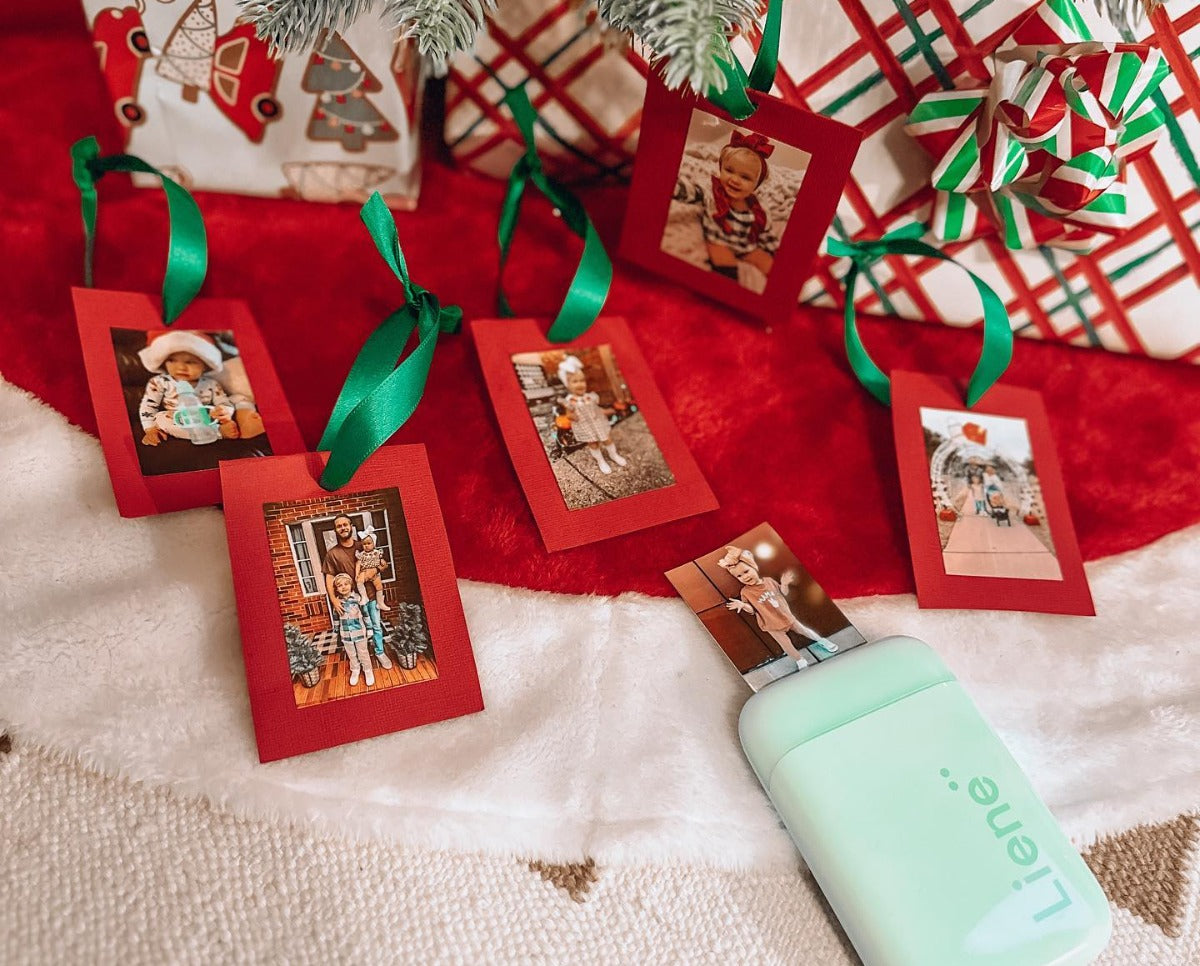
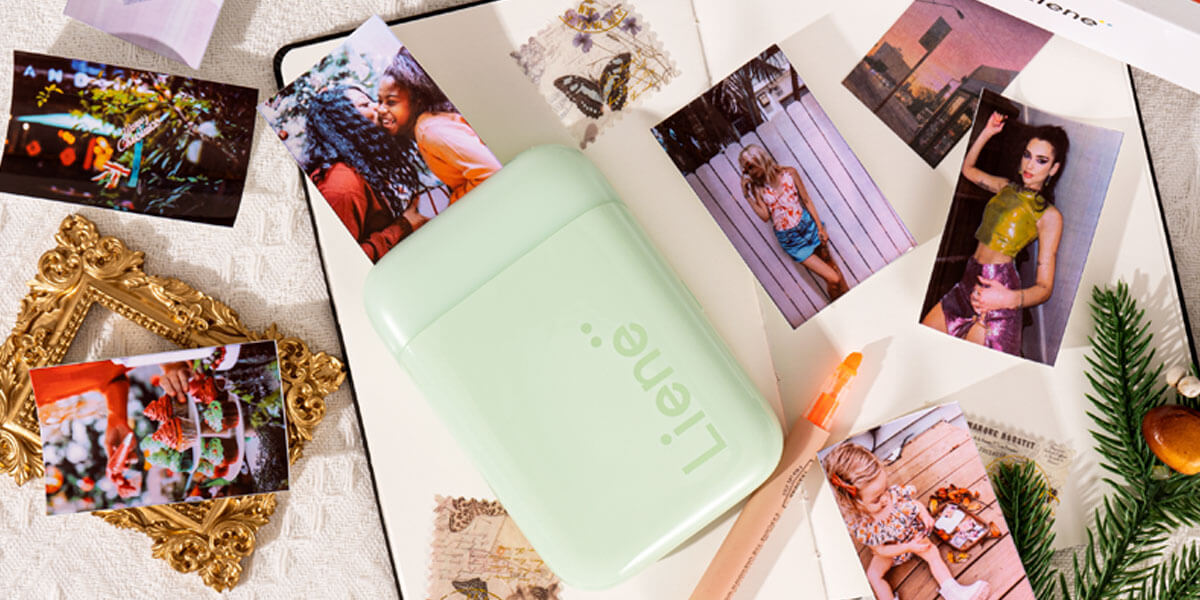
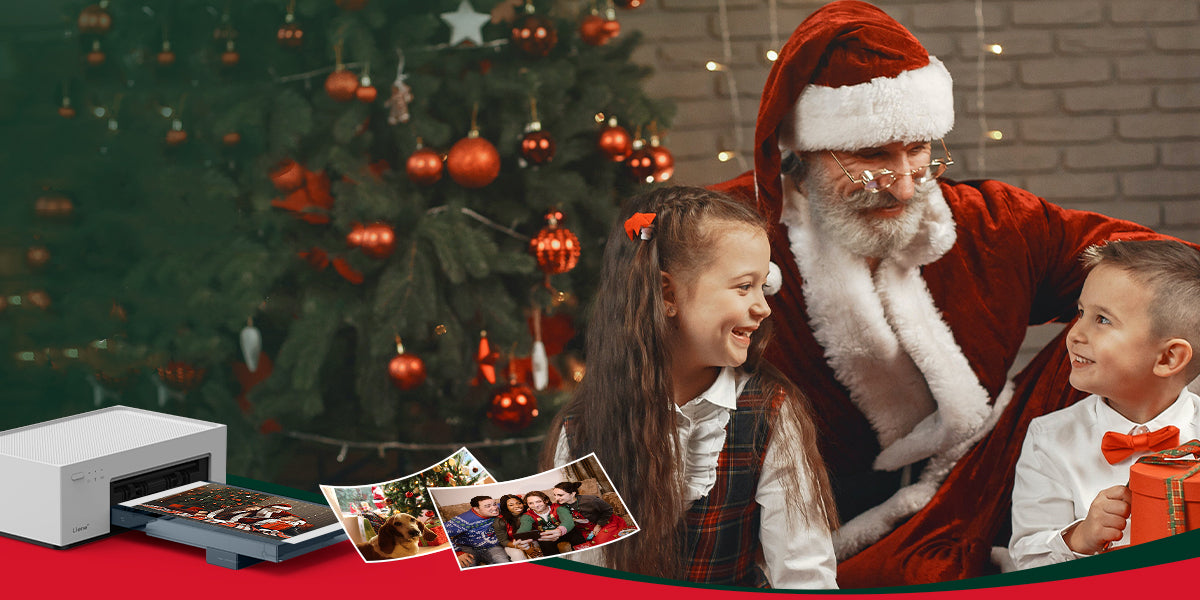
The holiday season is upon us, bringing with it the joy of giving and receiving. Christmas, in particular, holds a special place in our hearts as a time for celebration, reflection, and the creation of lasting memories. In this comprehensive gift guide, we delve into the world of Liene’s two unique products: amber instant photo printers and pearl portable photo printers, offering you insights into why these innovative devices make for exceptional Christmas gifts. Amber 4x6 Instant Photo Printer Introducing Amber 4x6 Instant Photo Printer, an innovative solution for on-the-go printing enthusiasts. This compact and portable device combines convenience with high-quality printing to transform your cherished moments into tangible memories. With user-friendly features and advanced Thermal-Dye Sublimation Printing Technology, the Amber 4x6 Instant Photo Printer ensures that your photos come to life with vibrant colors and sharp details. Say goodbye to the hassle of traditional printing methods and embrace the simplicity and efficiency of the Amber 4x6 Instant Photo Printer for all your instant photo needs. Capture, print, and share your memories anytime, anywhere. ● Key Recommendation Ideal for Families, Parents, and Photography Enthusiasts, the Amber 4x6 Instant Photo Printer makes for an unforgettable Christmas gift. This innovative device caters to the diverse interests of families and parents who want to capture and preserve precious moments with their loved ones. For photography enthusiasts, it offers a seamless way to bring their creative visions to life. Consider gifting the Liene Amber printer to families and friends, especially those who value preserving the essence of Christmas through visual storytelling. The Amber printer stands out as a thoughtful and practical gift that adds a personal touch to the holiday festivities. ● Why Choose Amber The Liene Amber printer boasts exceptional print quality, ensuring that every photo captures the true spirit of the moment. Its user-friendly design makes it accessible to all, including those who may not be tech-savvy. The printer becomes a catalyst for strengthening connections between family and friends by providing a means to share and preserve precious memories. Positioned within the $100-$160 price range, the Liene Amber printer stands as a valuable choice for a Christmas gift during the Black Friday sale. Falling within this range, the Amber printer offers a balance of affordability and high-end printing quality, making it an ideal gift for families and photography enthusiasts looking to capture their Christmas memories in stunning detail. ● Creating Christmas Memories Unleash the full potential of the Liene Amber printer by incorporating it into your Christmas celebrations. Print out snapshots of family gatherings, unwrapping presents, or the joyous chaos of decorating the Christmas tree. Use these prints to create personalized albums or festive decorations, turning your home into a gallery of cherished memories. ● Gift Wrapping Suggestions Enhance the appeal of the Liene Amber printer by incorporating creative and festive wrapping ideas. Consider a thematic approach by wrapping it in festive paper adorned with miniature photo prints. This not only adds an element of surprise but also sets the tone for the gift as a portal to capturing and reliving Christmas moments. Additionally, including a personalized note that highlights the potential for creating lasting memories with the Liene Amber printer adds an emotional touch. Share a brief note of how the device has brought joy to other families during the holiday season, creating a sense of anticipation and excitement for the recipient. ● Creative Features Diving deeper into the Liene Amber 4x6 Instant Photo Printer, let's explore its printing prowess. The device employs cutting-edge printing technology to produce vivid and high-quality prints. The color accuracy and detail capture ensure that each photo encapsulates the genuine emotions of the moment. The ease of use is a standout feature of the Liene Amber printer. Its user-friendly interface ensures that even those with limited technical expertise can effortlessly navigate the printing process. This accessibility makes it an excellent gift for parents and grandparents, fostering inclusivity in capturing and preserving family memories.   Pearl K100 2x3" Portable Photo Printer Pearl K100 2x3" Portable Photo Printer is a lightweight and compact device that utilizes Zink zero ink technology for mess-free printing. With 2*3" adhesive photo paper, keep your most amazing moments close to your heart. With wireless connectivity via Bluetooth 5.0, it allows instant printing of high-quality 2x3" photos from iOS and Android devices, making it convenient for on-the-go photo printing. Now let’s see how this can be a valuable asset for you to be gifted on Christmas. ● Key Recommendation The Liene’s pearl portable photo printers are an enchanting gift choice, crafted with a distinct audience in mind. Tailored for girlfriends, colleagues, or children, this portable printer is perfect for individuals who appreciate the beauty of spontaneous moments and want to express their creativity instantly. Whether used to create personalized gifts, decorate workspaces, or enhance playtime for children, this portable photo printer is sure to bring smiles and joy to its diverse audience. ● Pearl's Portable Charm The Liene Pearl K100 2x3" Portable Photo Printer possesses a distinctive allure rooted in its compact design and instant printing features, making it an ideal companion for those who are constantly on the move. Its sleek and portable design ensures that the Pearl seamlessly integrates into travel adventures, allowing users to capture and print memorable moments on the go. ● Pearl's Portable Charm The Liene Pearl K100 2x3" Portable Photo Printer possesses a distinctive allure rooted in its compact design and instant printing features, making it an ideal companion for those who are constantly on the move. Its sleek and portable design ensures that the Pearl seamlessly integrates into travel adventures, allowing users to capture and print memorable moments on the go. ● Christmas Creative Uses Discover the endless possibilities of the Liene Pearl Portable Photo Printer as it seamlessly integrates into your Christmas festivities. Leverage its instant printing capabilities to craft personalized Christmas cards that capture the warmth of the season. Elevate your decorations by printing festive snapshots and adorning your space with a touch of personal flair. Take spontaneity to the next level by using the Pearl to create impromptu photo walls at holiday gatherings, turning every moment into a lasting memory. ● Tailored for Creative Individuals The Liene Pearl Portable Photo Printer is not merely a device; it's a creative companion tailored for artists, journal enthusiasts, and DIY lovers. Its portable charm and instant printing features cater to the spontaneous creativity of individuals. Whether it's adding a personalized touch to journal entries, creating on-the-spot DIY decorations, or expressing artistic flair through printed visuals, the Pearl meets the diverse needs of those who find joy in crafting their unique narratives. ● Pairing Gift Suggestions For an added touch of festive flair, envision pairing the Liene Pearl printer with an assortment of decorating materials – think vibrant markers, festive stickers, and glittering embellishments. This dynamic duo not only encourages creativity but transforms the act of printing into a personalized and joyous holiday crafting experience. Consider coupling the Pearl with a beautifully crafted photo album, providing the recipient with a ready canvas to curate their instant prints into a visual narrative of their Christmas celebrations. ● Features of Portable Photo Printer The Pearl K100 2x3" Portable Photo Printer is a compact and lightweight device designed for on-the-go photo printing. The Liene Pearl K100, with its innovative Zink zero ink technology, is a remarkable choice for a Christmas gift that falls within the $60-$99 price range. This range makes the Pearl a budget-friendly option, perfect for those looking for a thoughtful yet affordable gift during the festive season. Its portability and creative potential make it an excellent choice for capturing spontaneous holiday moments. Conclusion: Boosting Your Christmas Experience Both the Liene Amber and Pearl printers offer unique features that make them ideal Christmas gifts for different audiences. When choosing between the two, consider the recipient's preferences, interests, and how they might best utilize the printer. Whether it's capturing family moments or fueling creative expression, both the Liene Amber and Pearl printers contribute to the magic of Christmas by turning fleeting moments into tangible memories.

Inkjet vs. Zink: Understanding the Printing Technology Behind Portable Photo Printers

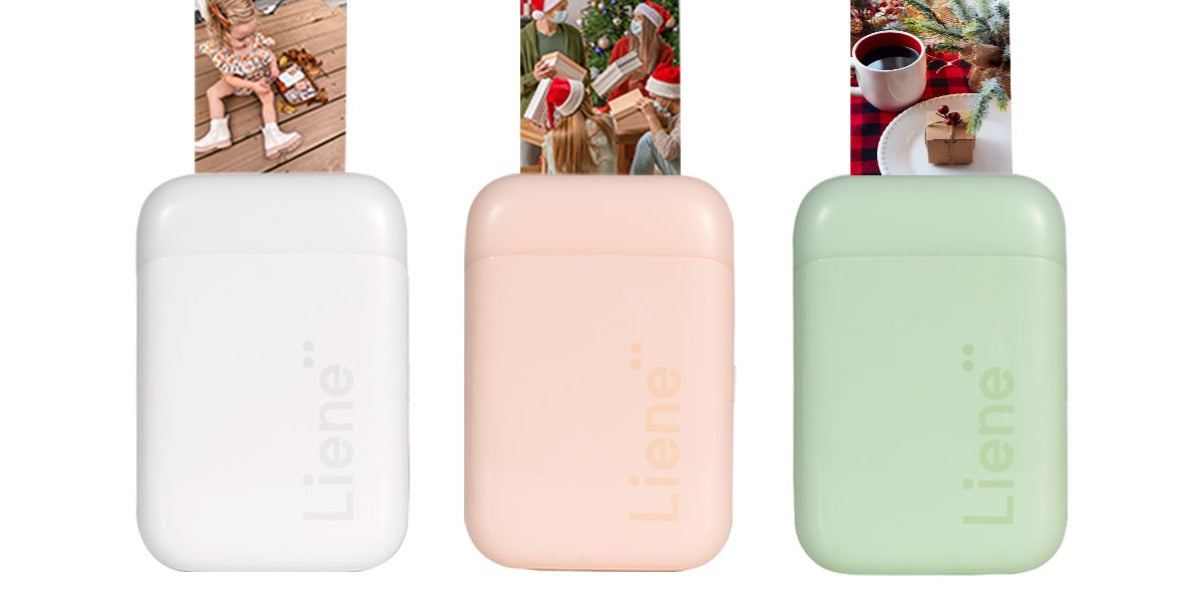
In the age of digital photography, where images are often confined to the screens of our smartphones and computers, the allure of tangible photographs persists. This desire for physical copies of cherished moments has given rise to the popularity of portable photo printers. These compact devices allow users to transform digital images into tangible prints instantly. However, not all portable photo printers are created equal, and one crucial aspect that differentiates them is the printing technology they employ. In this article, we delve into the intricacies of two prevalent printing technologies in the realm of portable photo printers: Inkjet and Zink, and the reasons why Zink is gaining ground. The Basics: How Inkjet and Zink Work? Before diving into the nuanced comparison of Inkjet and Zink technologies in portable photo printers, let's unravel the fundamental workings of these printing marvels. Both technologies embark on distinct journeys to bring digital images to life on paper. Inkjet relies on the precision of liquid ink cartridges, expertly sprayed onto paper through microscopic nozzles, while Zink takes a revolutionary path, utilizing specially coated paper embedded with dye crystals activated by heat. As we delve into the intricacies of these processes, a clearer understanding will emerge, setting the stage for a comprehensive exploration of their respective strengths and applications. ● Inkjet Printing: The Traditional Player Inkjet printing, a well-established technology used in a variety of printing applications, relies on the deposition of liquid ink droplets onto paper or other substrates. In the case of portable photo printers, these droplets are precisely sprayed onto specially coated photo paper. The combination of different colored inks—typically cyan, magenta, yellow, and black—creates a full spectrum of colors, producing vibrant and detailed prints. While inkjet technology has proven its worth in delivering high-quality prints, it does come with certain drawbacks. Traditional inkjet printers often require individual ink cartridges for each color, and the cost of replacement cartridges can add up over time. Additionally, the liquid nature of the ink may lead to issues such as smudging and drying out if not used regularly. ● Zink Technology: A Paradigm Shift in Photo Printing Zink, short for Zero Ink, represents a departure from the traditional liquid ink approach. Zink photo printers use specialized paper that contains embedded dye crystals. These crystals are colorless initially, but when subjected to heat from the printer, they activate and produce vibrant colors. Zink technology eliminates the need for ink cartridges entirely, offering a convenient and mess-free printing experience. The Zink process is not only efficient but also eco-friendly, as it avoids the waste associated with disposable ink cartridges. The simplicity of Zink technology has led to the development of compact and portable photo printers that are easy to use on the go. Choosing Between Inkjet and Zink: Considerations and Use Cases When deciding between an inkjet and a Zink portable photo printer, several factors come into play, depending on your preferences, printing needs, and budget. ● Print Quality Inkjet:If print quality is your top priority, an inkjet portable photo printer is the way to go. The ability to produce high-resolution prints with accurate colors and fine details makes it suitable for photography enthusiasts and those who value professional-grade results. Zink:While Zink prints may not match the quality of inkjet prints, they are more than sufficient for casual use, scrapbooking, and creating small mementos. If convenience and portability are paramount, Zink printers offer a good compromise. ● Portability Inkjet:Inkjet portable photo printers, while more advanced in print quality, are often bulkier and may require additional accessories such as ink cartridges and power adapters. This can impact the overall portability, making them less suitable for on-the-go printing. Zink:Zink portable photo printers are designed with portability in mind. Their compact size, lightweight construction, and the absence of liquid ink make them ideal for instant printing in various settings, from parties to vacations. ● Cost Inkjet:While the upfront cost of an inkjet portable photo printer might be higher, the cost per print is often lower compared to Zink. However, this calculation should consider additional expenses such as ink cartridge replacements. Zink: Zink printers are generally more affordable upfront, but the cost per print can be higher. Additionally, the simplicity of Zink technology may offset the need for purchasing and replacing ink cartridges over time. ● Versatility Inkjet: If you prioritize versatility and want the option to print on different paper types and finishes, an inkjet portable photo printer is the better choice. The ability to customize the printing experience based on the occasion is a significant advantage. Zink: Zink printers may offer limited options in terms of paper types and finishes. While they provide convenience, the lack of versatility in media compatibility may be a drawback for users seeking a more customizable printing experience. If you want a unique and cost-effective go-to portable photo printer, visit pearl portable photo printers offered by Liene. Why Choose Zink for Portable Photo Printing? ● No Cartridges, No Hassle One of the most significant advantages of Zink technology is the absence of ink cartridges. Traditional inkjet printers often require users to manage and replace individual cartridges for each color, which can be cumbersome and expensive. Zink photo printers, on the other hand, eliminate this hassle entirely. Users can simply load Zink paper into the printer, and the embedded dye crystals take care of the rest. This not only simplifies the printing process but also reduces the overall cost of ownership. ● On-The-Go Convenience Portable photo printers are designed for convenience, allowing users to print memories on the spot. Zink technology takes this convenience to the next level. With no need for ink cartridges, Zink printers are more compact and lightweight, making them ideal for on-the-go use. Whether you're at a family gathering, a party, or a scenic outdoor location, Zink portable photo printers are ready to capture and print your memories with minimal effort. ● Zink Paper: Adhesive and Fun Zink paper, the heart of Zink technology, is more than just a printing medium. The paper itself is adhesive, allowing users to turn their photos into stickers. This opens up a world of creative possibilities, from decorating personal items to crafting unique photo collages. The Liene Pearl K100 2x3" Portable Photo Printer mentioned earlier takes full advantage of this feature, allowing users to print and stick their moments wherever they desire. ● Cost-Effective Printing Ink cartridges can be a significant ongoing expense for traditional inkjet printers. Zink technology, by eliminating the need for cartridges, provides a cost-effective alternative. The Liene Pearl K100, with its Zink technology, ensures that users can enjoy high-quality photo prints without the constant worry of running out of ink or the financial burden of replacing cartridges. ● Environmentally Friendly Zink technology is inherently eco-friendly. With no disposable ink cartridges to contribute to electronic waste, Zink printers align with the growing trend toward sustainable and environmentally conscious products. By choosing Zink, users not only enjoy the convenience of portable photo printing but also contribute to a greener future. ● Simplified Printing Process The simplicity of Zink technology cannot be overstated. Users do not need to worry about managing ink levels, replacing cartridges, or dealing with potential ink-related issues. Zink printers offer a hassle-free printing process, allowing users to focus on capturing and sharing moments without technical distractions. ● Creative Freedom with Adhesive Prints The adhesive nature of Zink paper opens up a world of creative possibilities. Users can turn their photos into stickers, adding a personal touch to everyday items. Whether it's decorating a journal, customizing a laptop, or creating a unique photo collage, Zink technology empowers users to express their creativity beyond traditional photo prints. Liene Pearl K100: Merging Quality and Innovation The Liene Pearl K100 2x3" Portable Photo Printer stands as a testament to the advancements in Zink technology. Available in white, pink, and green, this portable printer not only offers a variety of color options but also incorporates user-friendly features that enhance the overall printing experience. ● Variety of Color Options The Liene Pearl K100 is available in three stylish colors: White, Pink, and Green. This variety allows users to choose a printer that aligns with their personal style or preferences, adding a touch of customization to the photo printing process. ● Bundle Deals and Savings The Liene Pearl K100 is not just about style; it's also about value. The bundle deals offered, such as the package with 50 Zink photo papers or the discounted prices on smaller paper quantities, provide users with savings while ensuring they have an ample supply of Zink paper for their printing needs. ● User Reviews and Community With a multitude of user reviews available for each color variant, potential buyers can gain insights into the real-world experiences of others. This sense of community feedback adds a layer of transparency, helping users make informed decisions about their purchases. Conclusion: Choosing the Future of Portable Photo Printing In the Inkjet vs. Zink showdown, Zink technology emerges as the frontrunner for portable photo printing, especially with innovations like the Liene Pearl K100. The advantages of Zink—no cartridges, on-the-go convenience, cost-effective printing, and creative possibilities with adhesive prints—make it a compelling choice for those who value simplicity and versatility in their photo printing experience. As technology continues to advance, Zink's eco-friendly and user-friendly approach positions it as a technology for the future. The Liene Pearl K100, with its stylish design, bundle deals, and commitment to customer satisfaction, exemplifies the seamless integration of Zink technology into our everyday lives. For those seeking a portable photo printer that not only captures memories with clarity but also does so effortlessly and creatively, the Liene Pearl K100 with Zink technology stands out as a beacon of innovation in the ever-expanding landscape of photo printing. Embrace the future of portable photo printing with Zink—where memories come to life at the touch of a button.

User Guidance for Liene Portable Photo Printer: Comprehensive Using Tutorial

In the digital age, where memories are often stored in the cloud and screens, the charm of physical photographs can be easily overlooked. Liene presents a solution to this modern dilemma with its Pearl Portable Photo Printer, a device designed to bridge the gap between the digital and the tangible. The Liene Pearl Portable Photo Printer is not just a device; it's a statement. It redefines the way we preserve and share memories in the digital era, bringing back the joy of holding a physical photograph in your hands. In this article, we will explore the features of the Liene Pearl Portable Photo Printer and provide a comprehensive user guide to make your printing experience seamless and enjoyable. Features of Liene Pearl Portable Photo Printer ● Portable and Compact Size The Liene Pearl Portable Photo Printer boasts a sleek and compact design, measuring just 4.9 x 3.3 x 1 inches. Weighing in at a mere 0.4 lbs, it's a lightweight companion for capturing and printing memories on the go. Whether you're traveling, attending an event, or simply at home, this mini printer fits effortlessly into your lifestyle. ● Dust/Water Resistant Zink Paper Liene understands that printed memories are meant to be cherished, and the Zink photo paper used by the Pearl Portable Photo Printer reflects this sentiment. The photos produced are not only resistant to dust and water but also smudge-resistant. This ensures that your captured moments remain pristine, standing the test of time. ● App with Multiple-Customized Effects The accompanying Liene app opens up a world of creative possibilities. With various customizable effects, including frames, color filters, and enhanced modes, you can add a personal touch to your photos. The app serves as a creative hub, allowing you to tailor each print to your unique style and preferences. ● Stunning Picture Quality The Liene Pearl Portable Photo Printer delivers exceptional picture quality with a resolution of 300 DPI. This ensures that your prints capture every detail and nuance, resulting in sharp, vivid images that mirror the beauty of your original memories. ● Bluetooth 5.0 Ultra Fast Printing Connectivity is key, and Liene has integrated Bluetooth 5.0 technology into the Pearl Portable Photo Printer for ultra-fast and reliable printing. This feature ensures a seamless connection between your device and the printer, making the entire printing process quick and efficient. What Does the Package Include? The Liene Pearl Portable Photo Printer comes in two variants: 1) 2x3" Printer with 50 pcs Zink Photo Papers Package box Portable printer User manual Zink photo paper x50 Type-C cable 2) 2x3" Printer with 5 pcs Zink Photo Papers Package box Portable printer User manual Zink Photo Paper x 5 Type-C cable This comprehensive package ensures that you have everything you need to start printing and preserving your memories. Step-By-Step Guide to Use the Mini Printer Before we delve into the step-by-step guide for using the Liene Pearl Portable Photo Printer, it's crucial to appreciate the broader significance of mini printers in our daily lives. These compact printers have revolutionized the way we capture and share moments, offering unparalleled convenience. Now, let's navigate through a comprehensive step-by-step guide to maximize the potential of your Liene Pearl Portable Photo Printer and bring your digital memories to life. ● Step 1: Install the Photo Paper The process of installing the Zink paper is straightforward. The Liene Pearl Portable Photo Printer boasts a compact design with dimensions of 4.9 x 3.3 x 1" and a lightweight build of 0.4 lbs, making it incredibly portable for on-the-go printing. To begin the printing process, slide open the paper compartment and insert the Zink Paper with the glossy side facing upward. It's crucial to ensure that the smart sheet is positioned at the bottom for optimal printing quality. The printer has a capacity for up to 10 sheets of Zink Paper, allowing for multiple prints without frequent reloading. Once the paper is securely in place, simply slide to close the paper compartment, and you're ready to bring your digital memories to life with the Liene Pearl Portable Photo Printer. ● Step 2: Download Liene Photo App Depending on your device, follow the instructions given below to simplify the process. On iOS Devices: To initiate the seamless use of the Liene Pearl Portable Photo Printer on iOS devices, locate the "Liene Photo" app in the App Store or effortlessly download it by scanning the provided code within the user manual. On Android Devices: Similarly, for Android devices, access the app by searching "Liene Photo" in the Google Store or scan the designated code in the user manual. Register an Account: Once the app is installed, proceed to register your account by selecting your country and region, consenting to the Terms of Service and Privacy Policy, and signing up through email, Apple ID, or Google ID. This streamlined process ensures a quick and efficient setup, paving the way for a hassle-free printing experience with your Liene Pearl Portable Photo Printer. ● Step 3: Connect the Printer Connecting the Liene Pearl Portable Photo Printer is a breeze. To start using the Liene Pearl Portable Photo Printer, first, ensure that your phone's Bluetooth is turned on. Keep in mind that only one device can be connected at a time. Add the printer to your Bluetooth settings by selecting "Pearl K 100 Portable Photo Printer." Once paired, long-press the power button on the printer for 3 seconds and wait for the light to turn to orange blinking, indicating a successful connection. This simple step-by-step process establishes a seamless link between your phone and the printer, allowing you to effortlessly print your cherished memories with the Liene Pearl Portable Photo Printer. ● Step 4: Print Photos Printing with the Liene Pearl Portable Photo Printer is a delightful experience. To unleash the full potential of your Liene Pearl Portable Photo Printer, start by selecting the desired photo through the Liene app, as printing is exclusively facilitated through this platform. Within the app, delve into the diverse options it offers—explore the four photo frame modes to match your preferred style. Inject a creative flair by experimenting with the eight color filter modes, allowing you to customize the aesthetic appeal of your prints. For those with specific color preferences, the enhanced mode enables personalized color grading. Once satisfied with your choices, simply press start, and witness the transformation of your digital memories into tangible prints, creating a unique and cherished representation of your special moments. Benefits of Using Liene Mini Photo Printer ● Fast Photo Printing The Liene Pearl Portable Photo Printer is not only fast in printing but also energy-efficient. With the ability to produce a print in just 43 seconds, you can capture and share your memories almost instantly. Additionally, a fully charged printer can produce up to 30 prints, ensuring that you have ample power for your printing needs. ● Amazing Zink Zero Ink Tech The  Zink technology employed by Liene eliminates the need for traditional ink cartridges. This not only simplifies the printing process but also reduces costs associated with ink replacement. The result is a hassle-free and cost-effective printing solution. ● Cost Effective The combination of Zink Zero Ink technology and affordable paper refills makes the Liene Pearl Portable Photo Printer a low-cost printing solution. Enjoy high-quality prints without breaking the bank, making it an economical choice for anyone who values tangible memories. ● Clear Image The 300 DPI resolution ensures that each print is crystal clear and detailed. Whether it's a landscape, portrait, or group photo, the Liene Pearl Portable Photo Printer faithfully reproduces the essence of your captured moments with clarity and precision. ● 2x3” Adhesive Photo Paper The 2x3" adhesive photo paper adds versatility to your prints. Stick your photos anywhere – in diaries, scrapbooks, or on personal items. The adhesive backing allows you to personalize your surroundings with your favorite memories. Conclusion: Your Roadmap to Stunning Prints In a world dominated by digital screens, the Liene Pearl Portable Photo Printer emerges as a beacon, bringing back the joy of tangible memories. Its portable design, coupled with features like water-resistant prints, customizable effects, and Bluetooth 5.0 connectivity, make it a must-have for those who appreciate the value of physical photographs. Following the user guide provided in this article ensures that you can make the most of your Liene Pearl Portable Photo Printer. From the simple installation of Zink paper to the creative customization options in the Liene app, every step is designed to enhance your printing experience.

1 / 1