


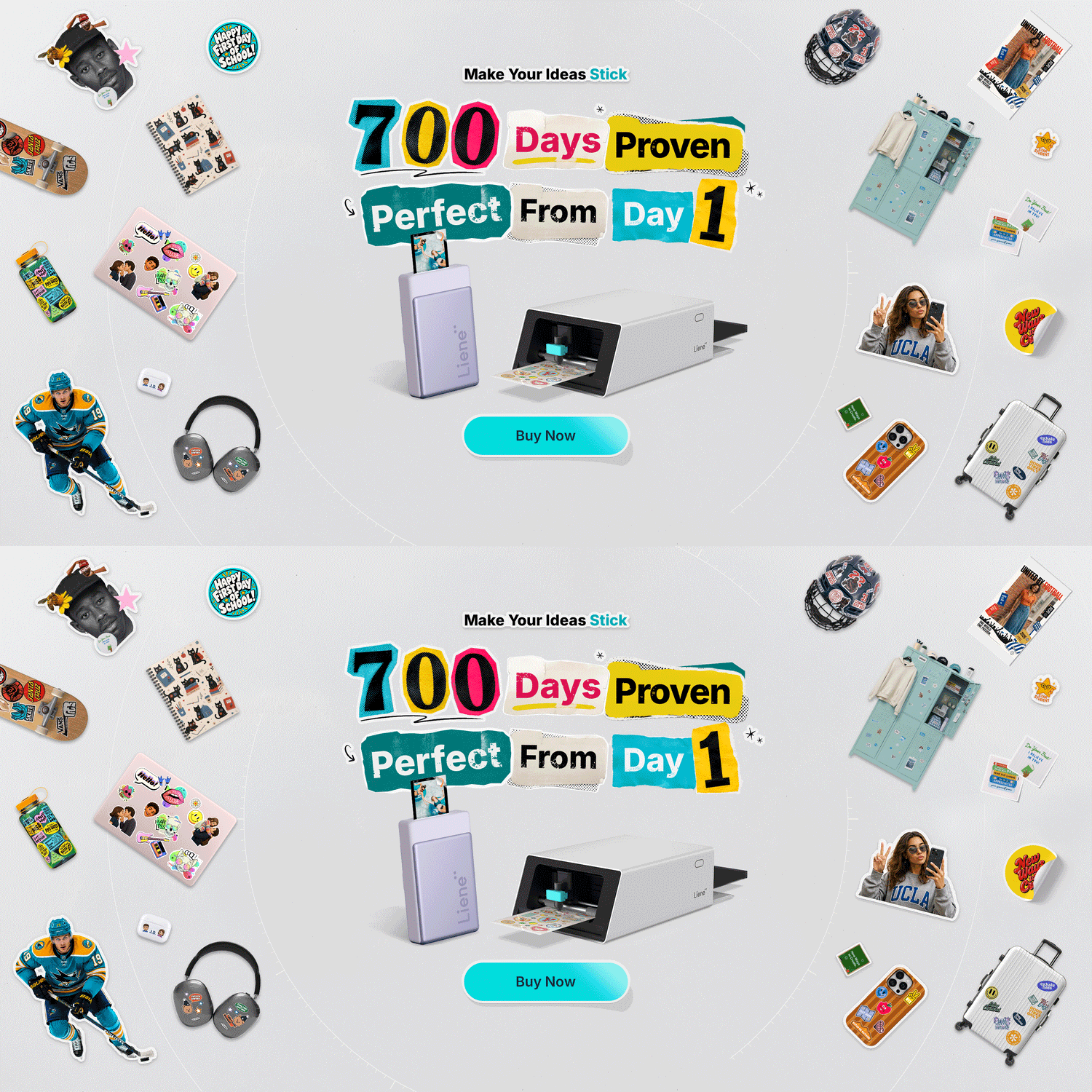

Day one, and 700 days later. Two years of real use behind it.
Search "sticker printer" and you'll get a page of machines. A lot of them can't print.
That isn't a typo. A Cricut has no ink in it. Neither does a Silhouette, or a Brother ScanNCut. They cut shapes out of sheets you printed somewhere else. Go the other way and a Canon IVY or a Kodak Step will print a sticky-backed photo but can't cut a shape out of it.
The Liene PixCut S1 does both, and it got there first. It has been on sale for 700 days now, long enough that the question isn't whether the idea works, but what it looks like after two years on real desks.
That makes it an unusual thing to shop for. Normally you'd wait: a rival lands, prices drop, version two fixes version one. Here the machine that opened the category is also the one with the longest track record, so the question worth asking is how it has held up. A first-week review can't answer that. Two years of sheets can.
What 700 days proves

The jar labels and the kids' sticker sheets come off the same machine.
A printer and a cutting machine working side by side is a known quantity. People have run that setup for fifteen years.
An all-in-one is a different proposition. The PixCut S1 puts a print head and a blade on the same paper path, so a sheet is printed, laminated and cut without ever being unloaded. On paper that removes the alignment step entirely. What a spec sheet can't tell you is whether that holds up after a thousand sheets, in a warm room, with a blade that's done some work.

Labels for the business, stickers for the fridge, photos in the album.
That's what 700 days answers and a launch review can't. Every unit is tested for print, cut and connectivity before it ships, and the machine is rated for 5,000+ continuous prints. But the evidence that matters most is the sheets run by people who weren't treating it as a demo product, on desks nobody controlled, for the last two years.
Still the only one of its kind

Five things in one machine and two years of real creators using it.
Reviewing the S1 for Tested, Norm Chan called it the first device of its kind he'd seen in the prosumer market, and ended by asking for company: "It just makes a lot of sense to have both the printing and the cutting in one device. I want to see more of these machines out there by different manufacturers."
Two years later, Liene is still the one shipping it. Two years of customer feedback have gone back into the paper, the app and the template library
Cricut launched two new machines in February 2026. Both are excellent cutters. Neither has ink in it, and both still need a printer you supply. Brother's ScanNCut scans and cuts but doesn't print. Canon's IVY and Kodak's Step print sticky-backed photos but can't cut a contour. Open any current "best sticker printer and cutter" roundup and the all-in-one column still points back to one product family.
That changes how the buying decision works. Normally, waiting is the smart move: a competitor arrives, prices settle, the second generation improves on the first. Here the head start is the point: the S1 has spent those two years being used, and there's no shortcut to that.
What people are making with it

Make stickers of anything, all on one machine.
The clearest picture of a machine at 700 days comes from what people do with it once the novelty wears off.
Journalers use it hardest. Reading journals, memory spreads, planner layouts. The pattern is always the same: you need one specific sticker, in one specific style, and it either doesn't exist for sale or it costs more and takes longer to ship than the project is worth. Making it yourself removes the problem entirely.
Creative journal maker Erin Smith built an entire reading-journal spread using nothing but elements printed and cut on the S1. Her workflow is a fair picture of what the machine is for: pick a template, print, peel, and the first sticker was in her hand about three minutes after she found the design.
For book cover stickers, she sized six large covers at 2 inches and six small ones at 1 inch, and fitted all twelve onto a single 4×7" sheet with very little left over. At $0.60 a sheet, that's five cents a sticker.
The other repeat use is labels. Spice jars, storage bins, name tags, product branding for small shops. Anything that needs to look bought rather than handwritten.
What holds up
The one-pass workflow. This is the whole product, and it's the thing that still surprises people. Design, print, peel. The sheet never leaves the machine: it prints on one side and cuts on the other, and there's nothing to unload, re-mount or line up. The app finds the edges of your artwork automatically, so there are no manual cut lines and no cutting-pressure settings to learn.
No ink to manage. Dye-sublimation means there's no cartridge to dry out or clog, and no cost difference between a full-bleed sheet and a sparse one. Colour comes from a ribbon that arrives with the paper, so paper and colour are a single purchase. Refills run $42.99 for 72 4×7" sticker sheets, about $0.60 a sheet. Two years on, that number hasn't moved.
Print quality. 300 DPI dye-sublimation, a 1280-dot thermal print head, 16.7 million colours in continuous tone. The machine lays down yellow, magenta and cyan in separate passes and finishes with the laminate, which is why prints come out without a dot pattern or banding. Reviewers who print photos on it describe results closer to a lab print than a home printer.
The laminate. A four-layer protective coat is applied automatically as each sheet prints, leaving stickers waterproof, fade-resistant and scratch-resistant. It's the step that makes a sticker read as bought rather than homemade, and it's one you'd otherwise be doing by hand.
Accuracy you can tune. Contour cuts land within ±0.5 mm, and the machine can be calibrated: it prints a reference sheet, makes test cuts, and you tell it what it produced so it can correct itself. Worth doing before your first real project.
What it's built for

Yellow, magenta and cyan go down separately, then the laminate.
The S1 is a sticker and photo machine, and it's worth being precise about that because it's what makes the workflow as short as it is.
It prints on two things: 4×7" sticker sheets and 4×6" photo paper, both glossy, both supplied by Liene with the ink cartridge included. The sticker stock is closer to a vinyl than a paper, thick enough to feel substantial but not enough to bulk out a journal page. It takes pen, too. Fineliners, ballpoints, gel pens, acrylic markers and water-based brush markers all write on it, which is what makes functional planner stickers possible.
At 28.1 × 19.7 × 10.5 cm and just under 3 kg, it's small enough to leave out permanently, which matters more than it sounds. A machine that lives in a cupboard gets used at weekends. One that sits on the desk gets used when the idea arrives.
If your projects run to heat-transfer vinyl, cardstock or leather, a cutting machine is the right tool and the S1 isn't trying to replace it. What it replaces is the printer, the cutter, the mat and the laminating step for anyone whose output is stickers.
Design from anywhere

Phone, tablet or computer. The machine takes the file either way.
The Liene Photo app runs on iOS, Android, iPad, Android tablets, Windows 10 or later and macOS 12 or later. It connects over Bluetooth 5.0 and pairs with up to three devices, or over USB-C straight to a computer.
The desktop version is the one to use for laying out a full sheet. Sizing elements precisely and arranging twelve of them on a 4×7" canvas is simply easier on a large screen, and the app switches between inches and millimetres if you'd rather work in metric. The phone app is the faster route when you already know what you want: photo in, background removed, printing.
Both come with the same library, now more than 50,000 templates and design assets. Seasonal sticker sheets, home organisation labels, phone case and travel card designs, planner sets. You can also upload your own artwork as a single image and let the machine find the edges of each element on it, which is how most people end up working once they've got the hang of it.
The verdict at 700 days
The case for the PixCut S1 hasn't changed in two years. It has only been proven.
One paper path. No alignment step. No ink to buy separately. Laminated output at about $0.60 a sheet. Contour cuts to ±0.5 mm. That was the promise at launch, and two years of sheets is what turned it into a track record.
What has changed is the context around it. At launch, the sensible question was whether to wait. Two years later, the newest cutting machines have arrived and they're very good at cutting, they still need a printer sitting next to them. The S1 spent those two years in people's hands instead.
Two years is a long time in hardware, and most of what you can learn about a machine only shows up inside that window. The PixCut S1 got to the idea first, and it's the only one in this category with two years of real sheets behind it.
Frequently Asked Questions
Is the Liene PixCut S1 worth it? If you make stickers regularly, yes. It's the only consumer machine that prints, laminates and cuts in one pass, sticker sheets work out around $0.60 each with no separate ink to buy, and a well-packed sheet brings the cost per sticker down to a few cents.
How much does a PixCut S1 sticker cost to make? Refills are $42.99 for 72 4×7" sticker sheets, about $0.60 a sheet. How that divides depends on how you fill the page: twelve stickers to a sheet works out around five cents each. Because it's dye-sublimation, a full-colour sheet costs exactly the same as a mostly-empty one.
Does the PixCut S1 work with a computer? Yes. The Liene Photo app runs on Windows 10 or later and macOS 12 or later, as well as iOS, Android, iPad and Android tablets. It connects over Bluetooth 5.0 or USB-C. The desktop version is the better choice when you're laying out a full sheet.
Are PixCut S1 stickers waterproof? Yes. A four-layer protective laminate is applied automatically as each sheet prints, leaving stickers waterproof, fade-resistant and scratch-resistant straight out of the machine.
Can you write on PixCut S1 sticker paper? Yes. The glossy sticker stock takes fineliners, ballpoints, gel pens, acrylic markers and water-based brush markers, so functional planner and journal stickers work as well as decorative ones. Give ink a moment to dry.
Is there anything else like the PixCut S1? Not currently. Cutting machines from Cricut, Silhouette and Brother all require a separate printer, and mini photo printers like the Canon IVY or Kodak Step print sticky-backed sheets but can't cut a contour. As of 2026, the PixCut S1 family is the all-in-one option in this category, and the only one with two years of user feedback behind it.
Ready to make it three steps? See the Liene PixCut S1, read how it compares to a printer plus a cutting machine, or browse 20 things people are making with theirs.

Leave a comment
All comments are moderated before being published.
This site is protected by hCaptcha and the hCaptcha Privacy Policy and Terms of Service apply.