


Photo Stickers at Home: What a Photo Sticker Printer Does (and What to Look For)
A photo printed on sticker paper isn't a sticker yet. Here's how to make photo stickers at home, and what a photo sticker printer does that a photo printer can't.
Explore blogs about photo printers topics for the latest tech, creative ideas, and printing tips. Elevate your printing experience and capture moments.
A photo printed on sticker paper isn't a sticker yet. Here's how to make photo stickers at home, and what a photo sticker printer does that a photo printer can't.

Somewhere between the first "can I buy that?" at a market table and the fiftieth online order, sticker making stops being a hobby with byproducts and turns into a business with costs. The machine question changes at that point too. A hobbyist can shrug off a wasted sheet or a fussy workflow. A business feels both, week after week, in margin and in evenings. So this guide works through the choice the way a seller has to: what one sticker costs to make, what the consumables add up to over a season, how much desk the setup claims, and where each route stops making sense. What Changes When You Start Selling Three things, mainly. Volume goes up, so the cost of a single sticker matters in a way it never did when you were decorating your own planner. Consistency starts to matter, because a customer who reorders expects the second batch to match the first. And waste turns into a line item: a crooked cut or a smudged sheet used to be a shrug, and now it is materials you paid for producing nothing you can sell. None of that requires industrial equipment. Most sticker businesses at the market-table and online-shop stage run on the same desktop machines hobbyists use. It just means the buying decision leans harder on the numbers, so that is where to start. Most sticker businesses start exactly here: a planner, a pile of designs, and the first sheets other people ask to buy. Price One Sticker Before You Price Any Machine On the Liene PixCut S1, the math is short. Refills run $42.99 for 72 sheets with the ink cartridges in the pack, which lands near $0.60 a sheet, laminated and cut. How many stickers a sheet becomes depends on how densely you pack it, and packing sheets densely is a skill sellers pick up fast. The two-machine route prices out as a stack instead: sticker paper at $23.99 to $29.99 for 50 sheets at Cricut's own prices, inkjet ink on top, laminate sheets where waterproofing matters, and $9.99 a month for Cricut Access if you want its sticker tool doing layout. None of those numbers is scary on its own. The bookkeeping is the difference: one route is a single refill SKU you reorder when the box runs low, the other is four or five supplies that run out on their own schedules. At tax time, or just on a Sunday night when you are counting what a fair paid you after supplies, the single line item is worth something. There is a third route, and a business post should say so: ordering from a print shop. When we ran the numbers on it, home printing stayed cheaper up to roughly 2,200 sheets in a single order. Below that line, which is where nearly every market-table and small-shop seller lives, printing your own wins. Past it, you have outgrown this article and should be negotiating with a print shop. One refill box against the four-supply stack: the reorder list is the difference your bookkeeping feels. Count the Machines on the Desk A sticker machine for a small business earns its desk space or it doesn't, and most sellers are working from a corner of a room rather than a studio. The PixCut S1 is one box about the size of a shoebox: it prints at 300 DPI in dye-sublimation, seals the sheet under a four-layer laminate, and kiss cuts around each design in the same pass. Design happens in the free app, which carries more than 50,000 templates plus AI background removal, and the machine holds a Bluetooth connection with up to three devices. The alternative is a chain: an inkjet to print, a cutting machine to cut, laminate applied by hand or by a laminator in between. It produces sellable stickers, and plenty of shops run this way. What changes at business volume is the cost of the seams. Every handoff between machines is a place where alignment can drift, and a drifted cut at hobby scale is an annoyance, while at business scale it is scrap you paid for. The one-machine route removes the handoffs rather than managing them, which is most of its pitch to a seller. One shoebox-sized machine, one workflow: sheets, strips and a phone case's worth of stickers between orders. What Your Customers End Up Holding Sticker buyers have held a lot of stickers, and they can tell. Two things read as quality in the hand. The first is the laminate: PixCut sheets come out under a four-layer coat that stands up to water, scratches and fading, so the laptop sticker survives the commute and fingerprints wipe clean instead of wearing in. The second is the printing itself. Dye-sublimation lays color down in continuous tone rather than sprayed dots, which is why photo designs keep looking like photos, and why smooth gradients stay smooth on the finished product. Kiss-cut sheets also hand you a small merchandising bonus, since the backing stays whole and a mixed sheet reads like the ones in a stationery shop, with your designs on it. Make: magazine's review made the seller case directly, calling the machine a strong fit for sellers customizing stickers for customers at in-person events. Printing a buyer's name onto a design while they browse the rest of the table is the kind of trick that gets remembered. Where sold stickers end up living: a laptop that leaves the house every day. Printing to Order Instead of Holding Stock The quiet advantage of making stickers in-house is what it does to inventory. A shop that orders 500 of a design is betting the design sells. A shop that prints its own can run 20, watch what happens, and let the market vote before committing a full box of anything. Slow designs die cheaply. Strong ones get printed the night before the next fair, in whatever quantity the last fair suggested. The same logic covers custom work. Personalized orders, name variants, one-off requests: when a full printed sheet costs about $0.60, there is room to say yes to small custom jobs that a print-shop minimum would turn into a loss. And on the durability side, the machine is rated for the long haul, tested through 5,000+ continuous prints, which at small-business volume is a lot of market days. Print twenty, see what sells: small runs make every design a cheap experiment. Where This Setup Stops An honest edge map, because a machine bought for the wrong business is dead weight. If your product line runs past stickers into vinyl decals, iron-on shirts or cardstock, a cutting machine belongs in the plan, since the PixCut only makes its own sticker and photo sheets. If your orders are heading toward true bulk, hundreds of identical sheets at a time, a print shop's pricing eventually beats any desktop machine, ours included. And if you are still deciding what kind of maker business you are, the full buying guide compares every route without the business framing. For the selling side itself, pricing, listings and where the first customers come from, our guide to selling stickers online picks up where the hardware question ends. Organizer and label sheets are a product line of their own, and a steady one at market tables. FAQ What is the best sticker printer for a small business? For a business that is mostly stickers, an all-in-one sticker printer and cutter, and the PixCut S1 specifically: about $0.60 a sheet in supplies from a single refill SKU, laminated output customers can tell apart from paper stickers, and one machine's worth of desk space. Businesses whose product line runs past stickers are better served adding a cutting machine. How much does it cost to make stickers to sell? About $0.60 per printed sheet on the PixCut S1, from refill packs at $42.99 for 72 sheets with ink included. That covers printing, lamination and cutting, and your per-sticker cost is that sheet divided by however many designs you fit on it. Is the print quality good enough to charge money for? Laminated dye-sub output is the same category of printing photo labs use, and the kiss-cut sheets handle like store-bought ones. Quality complaints in this hobby usually trace to unlaminated inkjet prints meeting water, which is the failure the built-in laminate exists to prevent. Do I need a cutting machine to start a sticker business? Not for stickers themselves, since an all-in-one sticker printer and cutter does its own cutting. A cutting machine earns its place when the product line grows into vinyl, iron-on or cardstock, and some shops eventually run both machines side by side for different products. How many stickers does one refill box produce? A box is 72 sheets, and the count depends on how you lay them out. Small designs pack twenty or more to a 4x7" sheet, big die-cut-style designs run four to six, so a single box covers anywhere from a few hundred stickers to well past a thousand. Start With One Market Day Skip the hypothetical business plan and price a real day instead: one fair table, or one week of shop orders. Count the sheets it would take, multiply by $0.60, compare that against what you charge, and the right sticker machine for your small business mostly picks itself. The PixCut S1 starts at $279.99 with 18 sticker sheets and 18 photo sheets in the box, which is enough paper to find out what your customers reach for before the first refill order. Shop PixCut S1

Three machines crafters cross-shop, three different jobs. How the Maker 5, the SELPHY CP1500 and the PixCut S1 compare for making stickers.

Halloween is the stickiest holiday on the calendar, and that is meant literally. Candy bags need sealing, costume pieces need names on them, pumpkins need faces, and the planner wants a countdown. One 4x7" sheet covers a surprising amount of that, at about $0.20 a sticker when you print your own. Here are 40 Halloween sticker ideas, sorted by where they end up, from the front door to the school notebook. The house rule matters double in October: stick to art and photos you made yourself. Halloween is crowded with characters that belong to movie studios, and not one idea below needs them. Ghosts, bats, pumpkins and black cats have been public property for centuries, and a wobbly hand-drawn ghost beats a licensed one on a kid's lunchbox every time. Sketching October sticker designs, on paper and on the tablet. Costume and Prop Labels Costumes come with a lot of loose parts, and the parts start wandering off the moment the season begins. 1. Name labels for costume pieces. Put a small name sticker inside the hat, the cape and anything else that detaches before the school party. Costume pieces turn up in lost-and-found bins, and a name inside is what gets them home. 2. Left shoe, right shoe dots. Useful for little kids whose boots look identical from above. A pumpkin in the left one and a bat in the right settles the question without any reading involved. 3. Prop bin labels. One printed label per storage tub for wigs, makeup and capes. Add the year in small type and next October you will know which wig has already done two Halloweens. 4. A "this is part of a costume" tag. For the week when the living room fills with strange objects nobody is allowed to throw away, and a tag on each one saves the explaining. 5. Costume care notes. A small sticker on the hanger: hand wash, do not tumble, glue is still drying. Candy Bag Seals The candy side of the holiday runs on small round stickers. One sheet prints a party's worth, and a circle seals a paper fold no matter how crooked the fold is. 6. Treat bag seals. A pumpkin or ghost to close each paper treat bag. It holds the fold shut on the walk home, and it looks better than tape. 7. "Boo!" delivery stickers. For the neighbourhood boo-basket tradition, a seal for the note that says you have been booed. The custom says anonymous, so homemade fits the assignment better than store-bought. 8. Allergy-aware markers. A clear nut-free or no-gelatin dot for treat bags headed to school parties. Parents of allergic kids read these first, so keep the text large and the design plain. 9. Guess-the-count jar seal. One large sticker sealing the candy jar for the guessing game, with a blank line for the winner's name. 10. Leftover candy dater. A small date sticker for the post-Halloween stash, mostly so future-you knows which year's candy corn this is. Halloween candy already comes in circles, and seal stickers print the same way. Party and Table Decor A Halloween party looks expensive or homemade depending on the small stuff, and the small stuff is mostly labels. Print the table set the night before and decorating takes one pass around the room. 11. Cup markers. Small spooky designs so guests can tell their cups apart, for less than themed party cups cost. 12. Napkin wraps. A printed strip wrapped around each rolled napkin dresses up a plain stack. Fifteen minutes of wrapping covers a full table. 13. Food tent labels. Witch fingers, monster eyes, swamp punch. Spooky menu names carry a lot of the atmosphere, and a printed label reads better in dim party lighting than marker on a sticky note. 14. Photo-corner stickers. Bats and webs for the corners of a DIY photo wall, which is what makes a bedsheet backdrop look intentional. 15. Game prize seals. A gold-ish pumpkin on the winner's bag from each party game. Kids take prize stickers seriously, so print more than you think you need. One evening of designing turns into a counter's worth of October stickers. Pumpkins and the Front Door Outdoor stickers have to deal with actual weather. Sheets from the PixCut S1 come out under a four-layer laminate, which handles porch drizzle and damp pumpkin skin, and candy fingerprints wipe off the surface. 16. No-carve pumpkin faces. Printed eyes, mouths and eyebrows that get arranged and moved around until the pumpkin looks right. Small kids build the face themselves, and no carving tools come out of the drawer. 17. Door numbers, haunted edition. Your house number in a spooky style near the doorbell, so trick-or-treaters and their parents find the right porch. 18. A "take one please" bowl sign. A big sticker for the unattended candy bowl. It enforces nothing, but the bowl looks more official. 19. Window silhouettes. Bats and cats along a window edge, printed in plain black. With a lamp behind them at dusk, they read from the street surprisingly well. 20. Countdown door dots. Ten numbered dots by the door, one peeled off each morning starting on the 22nd. Like an advent calendar, only shorter and with more bats. Decorated pumpkins without any carving: lettering and doodles do the work. Notebooks, Planners and the October Spread The planner crowd owns October. Orange and black is the one colour scheme that makes a weekly spread look decorated instead of busy. 21. A countdown strip for the weekly spread. Thirty-one small marks across the top of the October spread, filled in or peeled off one day at a time. 22. Party planning icons. A cauldron for the shopping list, a mask for costume errands. Once the icons exist in the app they come back every October without redrawing. 23. Spooky movie night log. One ticket-shaped sticker for each spooky movie watched this season, with the title written in by hand. 24. Trick-or-treat route markers. For families who take the route seriously, small dots on a hand-drawn map of the streets with the good candy. 25. A November 1st recovery sticker. One sticker for the day after, marking out couch time and leftover candy. Water Bottles, Laptops and Everything Else Seasonal stickers work best on the things you carry every day, because those get seen by everyone and swapped out without guilt. Smooth surfaces hold them best, so glass, steel and painted plastic all work. 26. Seasonal bottle swap. A ghost or pumpkin on the school water bottle for October, peeled clean in November. Our water bottle sticker ideas covers the year-round version of this habit. 27. Laptop pumpkin, October only. A single small pumpkin on the corner of the laptop, gone again in early November. Easier to commit to than a permanent one on a work machine. 28. Teacher treat tags. A small printed tag for whatever goes to the teacher this season, with space left for a handwritten line. 29. Pet photo, Halloween frame. Your own pet's photo with bat wings or a witch hat added in the app. The sticker version of a pet costume stays on all night. 30. Candy-grade thank you stickers. For the houses handing out full-size bars, a thank-you sticker on a note through the mail slot. Those neighbours earned it. Glass takes a laminated sticker well, which makes the party glassware fair game. Spooky Mail and Treat Deliveries Not every treat gets handed over in person. The mailable side of the holiday has its own sticker needs, and most of them are small, round and printed twenty at a time. 31. Envelope seals for Halloween cards. A bat or web on the back flap of each card you send. Most mail is bills, so a sealed orange envelope tends to get opened first. 32. Treat jar gift tags. A printed to-and-from tag for jars of candy going to neighbours and coworkers. Write the names in by hand and the jar needs no card. 33. Wax-seal-look stickers. A printed circle designed to look like a pressed wax seal, in deep orange or black. Ceremony without the melted wax. 34. College care-package stickers. For the box of candy heading to a student too far away to trick-or-treat. A few stickers inside the flap make a cardboard box read as a package from home. 35. Party invitation seals. Small stickers closing paper invitations for whatever gathering October brings. Paper invitations are rare enough now that people hold onto them. The Classroom Party Teachers and room parents run a parallel Halloween, usually on a tight budget and a tighter schedule. Printed stickers cover a lot of that ground cheaply, and a design can be run again the week it runs out. 36. October reward stickers. A teacher's own reward designs for the month, with ghosts standing in for gold stars. A sheet of fifty costs about as much as one coffee. 37. Class party cup and pencil tags. Name stickers for cups and pencils at the class party, printed from the roster ahead of time. Twenty-five names fit on one sheet with room to spare. 38. Goodie-bag assembly stickers. Matching seals for the class goodie bags, printed in one batch and split between room parents. 39. Pumpkin contest badges. Small award stickers for a classroom pumpkin-decorating contest, with enough categories that most entries win something. Spookiest, silliest, most glitter. 40. Reading month bookmarks. October bookmark stickers for the classroom library corner, on cardstock cut from whatever is in the supply cupboard. How to Print Them at Home The workflow is short. Design in the free Liene app, which carries more than 50,000 templates alongside your own photos and art, then tap print. The PixCut S1 prints at 300 DPI, laminates and kiss cuts the sheet in one pass, with the print itself running 59 seconds. Kiss cut means each sticker peels off while the backing stays whole, so a mixed sheet survives being carried to a party and handed around. Original designs can start anywhere, and a tablet sketch imports straight into the app. Two practical notes for October. Mixing sizes on one sheet works fine, so a big bowl sign can share space with twenty candy seals, and the cost stays around $0.20 per finished sticker either way. Over-print the small round designs, since seals and dots disappear fastest once a party starts. The lamination is also what lets these live outdoors on damp pumpkins, with no separate sealing step to remember. If this list puts you in a seasonal mood, the same approach runs all year: our back to school sticker ideas covers September, and planner stickers for the school year keeps the notebook side going through June. FAQ What are good Halloween stickers to make at home? The ones that get used up fastest are a good start, meaning candy bag seals, cup markers and name labels for costumes. They print by the dozen on a single sheet. Are printed Halloween stickers waterproof? Laminated ones handle October fine. PixCut S1 sheets come out under a four-layer laminate, which covers porch weather, damp pumpkin skin and sticky fingers. For anything outdoors all month, press firmly onto a clean dry surface. Can I use Halloween movie characters on my stickers? For stickers you sell or share widely, no, those characters belong to studios. For the home crowd, original ghosts, witches, bats and pumpkins are safer, and they come out looking like yours. Do Halloween stickers work on pumpkins? Real pumpkin skin is smooth enough for a good press, and laminated stickers hold on well for the season. Wipe the surface dry first, and expect the pumpkin to give out before the sticker does. How much does a sheet of Halloween stickers cost to print? About $0.20 per finished sticker on the PixCut S1, from refill packs at $42.99 for 72 sheets with the cartridges included. A single sheet covers a party's worth of candy seals with room left over. Print the October Sheet Pick a handful of ideas that match your actual October plans and print one mixed sheet this week. The season is short, a sheet costs a few dollars, and whichever stickers get peeled first will tell you what to print more of next year. The PixCut S1 handles the printing, laminating and cutting, and October takes care of the rest of the calendar. Shop PixCut S1
All blog articles could not be loaded. Only this blog is shown.

Producing top-notch photos through a phone printer represents a revolutionary approach to converting digital memories into tangible mementos. Given that smartphones serve as primary archives for visual moments, the ability to generate vivid and detailed prints directly from these devices introduces an element of personalization and immediacy to the photo-printing process.This article explores key tips and strategies to attain optimal print quality from Bluetooth printers for iPhone, guaranteeing that each photograph mirrors the vibrancy and clarity of the original digital image. Learn the procedure to enhance your photography journey and preserve moments with unparalleled precision. What Does a Phone Printer Do? A phone printer acts as a portable gadget enabling users to print photos directly from their smartphones. Operating as a compact and user-centric accessory, it seamlessly connects the digital and physical domains, converting digital images into tangible prints. Boasting attributes such as wireless connectivity and instant printing, a phone printer offers a hassle-free and prompt method for generating physical copies of digital memories. This portable solution empowers users to instantly materialize their favorite moments, providing a tangible manifestation of cherished memories that transcends the limitations of digital screens. Print High-Quality Photos from a Phone Printer Now! Phone printers offer a seamless and convenient solution for turning your digital snapshots into tangible keepsakes. Let us learn the essential tips and techniques to ensure optimal print quality from your phone printer, enhancing your photography experience and immortalizing your memories with unmatched precision. ● Choosing the Right Phone Printer Liene stands out as a reputable brand in the realm of phone printers, offering a range of models to cater to different preferences. Two notable series are Amber 4x6 Photo Printer and Pearl K100 2x3" Portable Photo Printer. These models combine sleek design, user-friendly interfaces, and cutting-edge printing technology to ensure a hassle-free experience in turning your smartphone photos into high-quality prints. ● Exploring Liene's Phone Printer Models The Amber Series caters to those who prioritize versatility and larger print sizes, generating impressive 4x6-inch prints for users seeking enhanced details in their photos. Its compact and stylish design renders it a portable companion for events, travel, or casual home use. Focusing on portability and smaller print sizes, the Pearl Series is an excellent choice. Capable of printing 2x3-inch photos, it serves as an ideal on-the-go solution for spontaneous moments. The Pearl Series seamlessly combines efficiency with style, offering a compact and sleek design that complements your smartphone. ● Optimizing Your Smartphone Photos Before directing your photos to the mobile bluetooth printers, take a moment to optimize them for optimal results. Consider factors such as resolution, color accuracy, and composition. Ensure that your smartphone camera settings align with lighting conditions, and experiment with diverse angles to capture the essence of each moment. ● Understanding Print Settings Most phone printers, including those from Liene, provide customizable print settings. Familiarize yourself with these settings to fine-tune aspects like brightness, contrast, and saturation. Experimenting with these settings empowers you to tailor the printing process to match your preferences and the unique characteristics of each photo. ● Utilizing Editing Apps for Enhancement For an added layer of creativity and enhancement, leverage editing apps like the Liene Photo APP. This dedicated app furnishes a user-friendly interface for adjusting various aspects of your photos, from filters to cropping. Enhancing your photos before sending them to the printer allows you to achieve personalized and visually striking prints. ● Printing Process Step-by-Step Once you've chosen the perfect photo and made any necessary adjustments, the printing process with a Liene phone printer unfolds seamlessly. Connect your smartphone to the printer using Bluetooth or other compatible options. Access the Liene Photo APP to select your preferred print settings and hit print. Witness your digital memories spring to life in vibrant, high-quality prints. ● Caring for Your Prints Once the printing process comes to an end, it is important to handle your prints delicately. Ensure they are allowed to dry completely and store them in a cool, dry environment to maintain their quality and longevity. Additionally, contemplate the idea of placing these prints in photo albums or frames as an elegant means to exhibit and celebrate your cherished memories. ● Showcasing the Printed Results The joy of holding your smartphone photos as tangible prints is unparalleled. Whether creating a physical photo album, decorating your living space, or sharing prints with loved ones, the results stand as a testament to the fusion of digital convenience with the timeless charm of printed photographs. Conclusion Achieving the process of printing top-notch photos from Liene's phone printer models seamlessly combines technological prowess with creative finesse. The selection of an appropriate printer, enhancement of smartphone photos, utilization of editing apps, and adherence to a straightforward printing procedure yield vivid and personalized prints.
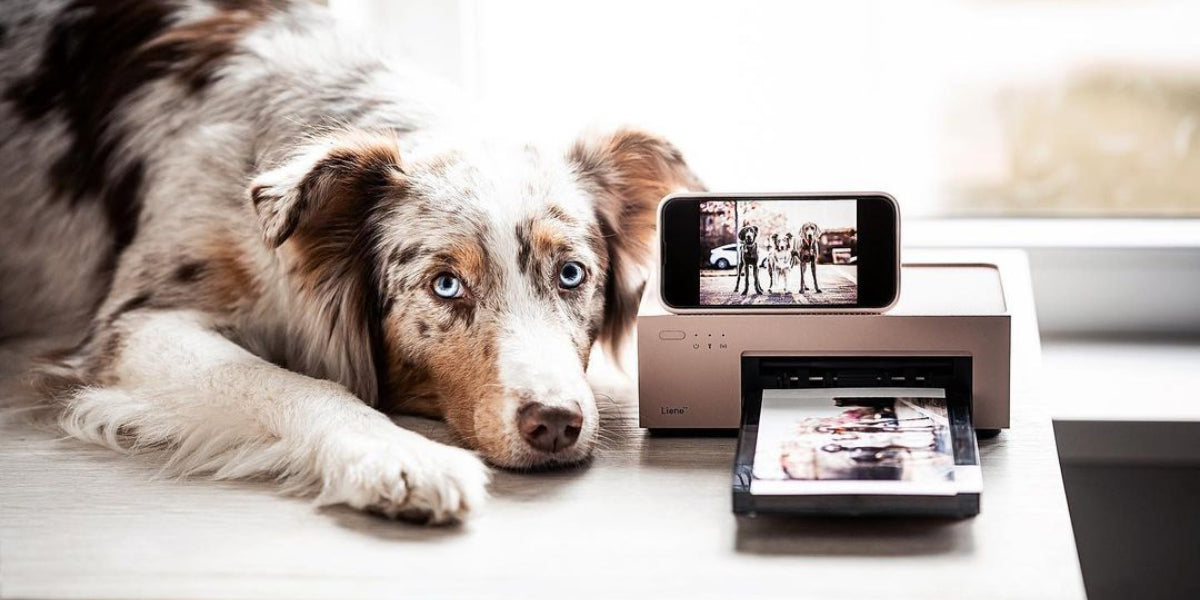
In the digital age, smartphones have become powerful tools not just for communication but also for capturing high-quality photos. The iPhone, in particular, is renowned for its impressive camera capabilities, allowing users to take stunning photos with just a tap. While sharing these photos on social media is common, there's something special about holding a physical print of a cherished memory. This desire for tangible memories has led to the resurgence of photo printing, and with the right photo printer, you can turn your iPhone snapshots into beautiful prints. Choosing the right photo printer for your iPhone can be a daunting task with the myriad of options available in the market. As technology continues to advance, so do the features and capabilities of portable photo printers and instant photo printers. In this comprehensive guide, we will explore the key factors to consider when selecting a photo printer that seamlessly integrates with your iPhone. Whether you are a photography enthusiast, a social media influencer, or just someone who loves capturing and preserving memories, this guide aims to help you make an informed decision that suits your needs and preferences. Understanding Your Needs Before delving into the technical specifications and features of various photo printers, it's essential to identify your specific needs. Consider the following points to find the exact match for your needs. ● Ease of Use The best photo printer for your iPhone should be user-friendly, even if you're not a tech enthusiast. Look for printers with intuitive interfaces, easy setup processes, and clear instructions. Touchscreen displays can enhance the user experience by allowing you to preview and edit your photos directly on the printer. ● Compatibility with iPhone The first and foremost consideration is ensuring that the photo printer is compatible with your iPhone. Most modern photo printers come with wireless connectivity options, such as Bluetooth or Wi-Fi, allowing seamless integration with your iPhone. Some printers even have dedicated mobile apps that enhance the printing experience by providing additional features like editing and creative templates. ● Print Quality The primary purpose of a photo printer is to produce high-quality prints that do justice to the vibrant images captured by your iPhone. Pay close attention to the printer's resolution, measured in dots per inch (DPI). A higher DPI typically results in sharper and more detailed prints. Consider the printer's color accuracy and reproduction capabilities. Some printers come with advanced color management features, ensuring that the prints closely match the colors of the original photos. ● Print Size and Format Photo printers come in various sizes, and the right one for you depends on your preferred print size. If you envision printing standard 4x6-inch photos, most photo printers will suffice. However, if you have a specific print size in mind, make sure the printer supports it. Some printers are designed for larger format prints, making them suitable for framing or creating photo albums. On the other hand, compact printers are great for wallet-sized prints or creating a physical photo collage. ● Portability The portability of a photo printer is a crucial factor, especially if you intend to use it beyond the confines of your home. Portable photo printers are compact, and lightweight, and often come with built-in rechargeable batteries. This makes them ideal for on-the-go printing, whether you're at a party, traveling, or simply want to share prints with friends and family on the spot. ● Connectivity How you connect your iPhone to the photo printer is a crucial consideration for a seamless printing experience. Options generally include Bluetooth, Wi-Fi, or direct USB connections. Bluetooth is convenient for quick, wireless connections, while Wi-Fi allows for more extended ranges and multiple device connections. Direct USB connections offer a traditional wired approach. Evaluate the convenience of each option based on your preferences, ensuring that the chosen connection method aligns with your desired user experience. ● Print Technology Different printers utilize various printing technologies, including Zink, thermal dye sublimation, or inkjet. Each technology comes with its own set of advantages and disadvantages, influencing factors like print quality and cost per print. Understanding these technologies is crucial in aligning your preferences with the capabilities of the chosen printer, ensuring that it meets your expectations for both the aesthetic appeal and economic feasibility of the prints it produces. ● Printing Speed The speed at which a photo printer produces prints can vary significantly. If speed is a priority, especially in event settings where you might have a queue of people waiting to get their photos, opt for a printer with fast printing capabilities. However, bear in mind that faster printing speeds may sometimes come at the expense of print quality. Find a balance that aligns with your preferences, and consider whether the printer offers different quality settings for varying printing speeds. Exploring the Liene Pearl Portable Photo Printers The Liene Pearl series offers compact, portable photo printers designed to connect seamlessly with iOS and Android smartphones. Let's take a closer look at the Liene Pearl K100 2x3" Portable Photo Printers in White, Pink, and Green. ● Liene Pearl K100 2x3" Portable Photo Printer Step into the world of portable printing excellence with the Liene Pearl K100 2x3 Portable Photo Printer, available in captivating White, Pink, and Green variations, each accompanied by a generous supply of Zink Photo Papers (50 in White and Pink, and 5 in Green). Perfect for on-the-go enthusiasts, this compact printer offers a print size of 2x3 inches, ensuring that your memories are captured in a tangible and shareable form. The seamless Bluetooth connectivity adds convenience to the printing process, allowing you to transform your favorite iPhone photos into vivid prints effortlessly. Powered by Zink technology, the Liene Pearl K100 guarantees not only impeccable print quality but also the convenience of a mess-free experience. Say goodbye to the hassle of ink cartridges and welcome a streamlined printing process that fits your dynamic lifestyle. These portable photo printers offer a compact solution for on-the-go photo printing, with Zink technology eliminating the need for ink cartridges. Exploring Liene Amber Instant Photo Printers If you're looking for a larger print size and superior print quality, the Liene Amber series can be a good choice, again depending on your specific requirements. The Amber series utilizes thermal dye sublimation technology to produce high-quality prints. Let's explore more the Liene Amber photo printers. ● Liene Amber 4x6 Instant Photo Printer Introducing the Liene Amber 4x6 Instant Photo Printer, a sleek device designed in a crisp white hue that effortlessly complements any setting. This printer specializes in producing vibrant 4x6-inch prints, perfect for preserving your cherished memories in tangible form. With built-in Wi-Fi connectivity, it seamlessly integrates with your devices, ensuring a hassle-free printing experience. The technology behind this printer is thermal dye sublimation, ensuring that your prints boast exceptional color accuracy and durability. What sets it apart is the additional features, including compatibility with multiple photo papers and the utilization of multiple cartridges, enhancing versatility and allowing you to tailor your prints to perfection. The built-in rechargeable battery in one of the models adds to the convenience of on-the-go printing. Choosing Between Liene Pearl and Amber Series Below are the factors that you can bring to consideration that can further help you select the best printer for your needs. ● Print Size If you prefer smaller, wallet-sized prints, the Liene Pearl series with 2x3" prints might be sufficient. However, if you desire larger prints, the Liene Amber series offers 4x6" prints. ● Print Technology The Liene Pearl series uses Zink technology, while the Amber series utilizes thermal dye sublimation. Zink is known for its simplicity and no-ink convenience, whereas thermal dye sublimation often produces higher-quality prints. ● Connectivity Both series offer wireless connectivity, but the Liene Pearl series uses Bluetooth, while the Liene Amber series features built-in Wi-Fi. Consider your preference for connection methods. ● Additional Features The Liene Pearl series includes the Liene Photo APP for extra customization, while the Liene Amber series provides options with additional sheets, cartridges, and a built-in rechargeable battery. Frequently Asked Questions (FAQ) ● What is the Liene Photo APP, and how does it enhance the printing experience? The Liene Photo APP is a dedicated application that provides additional options for customizing and editing your prints. It can include features like filters, frames, and editing tools to enhance the overall printing experience. ● Is the Zink technology in Liene Pearl printers cost-effective? Zink technology eliminates the need for ink cartridges, making it a relatively cost-effective option for on-the-go printing. However, the cost per print can vary, so it's essential to consider your printing volume and budget. ● How does thermal dye sublimation technology impact print quality? Thermal dye sublimation technology often produces prints with vibrant colors and sharp details, making it a preferred choice for those who prioritize print quality. The technology involves the transfer of dye onto the printing surface, resulting in high-resolution images. ● Can I use Liene photo printers with devices other than iPhones? Yes, both Liene Pearl and Amber series printers are compatible with iOS and Android smartphones. Additionally, the Liene Amber series can connect to laptops and PCs via built-in Wi-Fi, providing versatility in device compatibility. Conclusion Choosing the right photo printer for iPhone involves considering various factors, from print size and technology to connectivity and additional features. The Liene Pearl and Amber series offers portable and high-quality printing solutions, catering to different preferences and needs. Whether you prioritize compact, on-the-go printing or larger, superior-quality prints, Liene photo printers provide versatile options. Before making a purchase, carefully evaluate your specific requirements, compare the features of different models, and consider factors like print size, technology, connectivity, and additional features. With the guidance provided in this ultimate guide, you're well-equipped to make an informed decision and choose the perfect photo printer to complement your iPhone photography journey.

In the era of instant gratification and digital memories, portable photo printers have become indispensable gadgets for individuals who want to turn their digital snapshots into tangible keepsakes. The advent of wireless technology has revolutionized the way we connect and print, offering convenience and flexibility. As we embark on this exploration of wireless printing solutions, it becomes evident that the choices between Wi-Fi and Bluetooth photo printers are not just about connectivity but also about the unique features and user experiences they bring. This article delves into a comprehensive comparison, shedding light on the distinctive attributes of pearl portable photo printers and amber instant photo printers, aiming to guide readers towards informed decisions in choosing the perfect wireless printing solution for their needs. The Rise of Portable Photo Printers: A Niche Fulfilled The evolution of smartphones with powerful cameras has made photography a ubiquitous part of our lives. The seamless integration of advanced imaging capabilities into our daily routines has transformed the way we document and share experiences. While the digital realm allows us to capture countless moments at the tap of a screen, the intrinsic human desire to hold physical copies of these memories has fueled the remarkable popularity of portable photo printers. These compact devices act as bridges between the intangible digital world and the palpable realm of printed photographs, empowering users to transform their virtual memories into tangible keepsakes, creating an immediate and enduring connection to the most cherished moments of their lives. Amber Instant Photo Printers: The Power of Wi-Fi Connectivity ● Introduction to Amber Instant Photo Printers While Bluetooth technology offers convenient short-range connectivity, Wi-Fi-enabled printers, such as the Amber Instant Photo Printers, take wireless printing to the next level. These printers can connect to a broader range of devices, including iOS and Android smartphones, laptops, and PCs, providing users with more flexibility in their printing options. ● Thermal Dye Sublimation for Superior Quality The Amber Instant Photo Printers, distinguished by their use of thermal dye sublimation technology, guarantee top-notch prints with vibrant colors, sharp details, and a robust finish. This method, distinct from Zink technology, necessitates specialized photo paper and cartridges, contributing to its superior print quality and ensuring a lasting visual impact. The meticulous integration of thermal dye sublimation technology in Amber Instant Photo Printers underscores their commitment to delivering a premium and enduring printing experience. ● Built-in Wi-Fi Hotspot: Unleashing Connectivity Potential The Built-in Wi-Fi Hotspot capability of Amber Instant Photo Printers enables them to connect seamlessly to various devices within the Wi-Fi network. This eliminates the need for direct proximity between the printer and the source device, offering greater freedom and flexibility in printing locations. ● Multiple Printing Options Liene Amber models come with different packages, each tailored to specific printing needs. The inclusion of varying quantities of photo papers and cartridges allows users to choose a package that aligns with their intended usage. This flexibility caters to both casual users and those with higher printing demands. ● Built-in Rechargeable Battery: Print Anywhere, Anytime An additional feature that sets the Amber Instant Photo Printers apart is the option for a built-in rechargeable battery. This feature enhances the portability of the printer, allowing users to print photos even in locations without access to power outlets. The convenience of a rechargeable battery makes the printer an excellent companion for travel or outdoor events. Pearl Portable Photo Printers: The Bluetooth Connection ● Overview of Portable Photo Printers Pearl Portable Photo Printers are renowned for their simplicity and ease of use. They leverage Bluetooth technology to establish a wireless connection with both iOS and Android smartphones. This seamless connectivity eliminates the need for cables and allows users to print cherished memories with just a few taps on their mobile devices. ● Zink Technology: A Game-Changer in Printing One standout feature of Pearl Portable Photo Printers is the integration of Zink (Zero Ink) technology. Unlike traditional printers that rely on ink cartridges, Zink technology uses heat to activate and colorize dye crystals embedded in the photo paper. This not only simplifies the printing process but also eliminates the hassle of replacing ink cartridges, making it a cost-effective and environmentally friendly solution. ● 2x3" Adhesive Photo Paper: Sticking Memories Pearl Portable Photo Printers produce 2x3" prints on adhesive-backed photo paper. This unique feature allows users to stick their printed photos onto surfaces, creating instant photo collages or personalized items. The adhesive backing adds a creative dimension to the printing experience, making it more than just a means of producing photos. ● Liene Photo APP: Enhancing Experience To further enhance the user experience, pearl portable photo printers come with the Liene Photo APP. This app provides additional creative options, allowing users to add filters, frames, and text to their photos before printing. The intuitive interface and user-friendly controls make it easy for individuals of all ages to customize their prints. ● Variety of Colors and Quantities The Liene Pearl K100 model is available in white, pink, and green, catering to diverse preferences. Moreover, the printers are offered in different packages, each including a specific quantity of Zink photo papers. This variety allows users to choose a package that suits their printing needs and style. Comparative Analysis: Bluetooth vs. Wi-Fi In the realm of wireless communication, Bluetooth and Wi-Fi emerge as two prominent technologies, each with distinct features and applications. Bluetooth, renowned for its short-range connectivity, excels in linking devices seamlessly for data transfer, making it ideal for peripherals like headphones and speakers. On the other hand, Wi-Fi, designed for broader coverage, facilitates high-speed internet access across a spectrum of devices within a specific range. While Bluetooth prioritizes energy efficiency, Wi-Fi prioritizes data transfer speed. The choice between Bluetooth and Wi-Fi hinges on the specific requirements of the application, emphasizing the need for a comparative analysis to discern the optimal wireless solution for diverse scenarios. Let’s take a deep dive into the intricacies of both technologies understanding the key features and differences of both. ● Connectivity Range One of the primary distinctions between Bluetooth and Wi-Fi is the range of connectivity. Bluetooth typically has a shorter range, making it suitable for short-distance connections, such as between a smartphone and a portable printer. On the other hand, Wi-Fi allows for more extensive coverage, enabling multiple devices to connect to the printer from a greater distance. ● Ease of Connection Bluetooth is known for its simplicity in establishing connections. Devices can pair quickly and seamlessly, making it an ideal choice for small-scale, direct connections. Wi-Fi, while offering more extensive connectivity options, may involve a slightly more complex setup process due to network configurations. ● Printing Speed Both Bluetooth and Wi-Fi can provide sufficient speed for photo printing. However, the actual printing speed may depend on the specific printer model and technology used. Users looking for quick and efficient printing may want to consider the specific printing speed specifications of the chosen printer. ● Print Quality The choice between Zink technology and thermal dye sublimation significantly impacts print quality. Zink technology, as utilized by Pearl Portable Photo Printers, is known for its simplicity and cost-effectiveness but may produce prints with slightly lower color vibrancy compared to thermal dye sublimation. Amber Instant Photo Printers, using thermal dye sublimation, often deliver prints with richer colors and finer details. ● Portability Bluetooth photo printers, like the Pearl Portable models, are inherently portable due to their compact size and reliance on battery power. However, the addition of a built-in rechargeable battery in some Amber Instant Photo Printers enhances their portability, allowing users to print photos in various locations without being tethered to power sources. ● Cost Considerations Zink technology, being inkless, eliminates the ongoing cost of purchasing ink cartridges. This can make Pearl Portable Photo Printers, which utilize Zink technology, a more cost-effective option in the long run. However, the initial cost of the printer and Zink photo paper should be considered. Amber Instant Photo Printers may have a higher upfront cost due to the need for special photo paper and cartridges. Conclusion: Making the Right Choice for Your Printing Needs In the realm of wireless photo printing, the choice between Bluetooth and Wi-Fi connectivity ultimately depends on individual preferences, usage scenarios, and desired features. Pearl Portable Photo Printers, with their Bluetooth connectivity and Zink technology, offer a straightforward and cost-effective solution for on-the-go printing, especially for those who prioritize simplicity and adhesive photo paper. On the other hand, Amber Instant Photo Printers, with their Wi-Fi connectivity and thermal dye sublimation technology, cater to users seeking higher print quality and more extensive connectivity options. The inclusion of a built-in rechargeable battery adds a layer of convenience for users who prioritize portability. Before making a decision, users should consider factors such as the intended usage, desired print quality, budget, and the level of convenience required. Whether it's capturing spontaneous moments with friends or creating a visual diary of travels, the world of wireless photo printers offers options that align with diverse preferences and printing needs. Ultimately, the right choice lies in finding the perfect balance between functionality, convenience, and the joy of transforming digital memories into tangible prints.
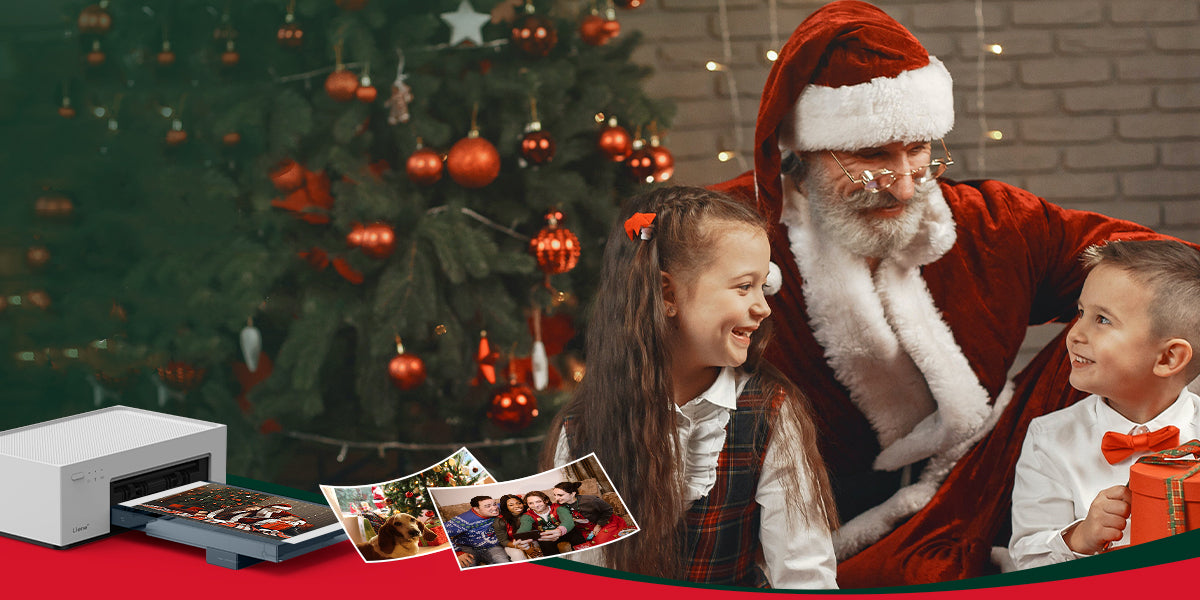
The holiday season is upon us, bringing with it the joy of giving and receiving. Christmas, in particular, holds a special place in our hearts as a time for celebration, reflection, and the creation of lasting memories. In this comprehensive gift guide, we delve into the world of Liene’s two unique products: amber instant photo printers and pearl portable photo printers, offering you insights into why these innovative devices make for exceptional Christmas gifts. Amber 4x6 Instant Photo Printer Introducing Amber 4x6 Instant Photo Printer, an innovative solution for on-the-go printing enthusiasts. This compact and portable device combines convenience with high-quality printing to transform your cherished moments into tangible memories. With user-friendly features and advanced Thermal-Dye Sublimation Printing Technology, the Amber 4x6 Instant Photo Printer ensures that your photos come to life with vibrant colors and sharp details. Say goodbye to the hassle of traditional printing methods and embrace the simplicity and efficiency of the Amber 4x6 Instant Photo Printer for all your instant photo needs. Capture, print, and share your memories anytime, anywhere. ● Key Recommendation Ideal for Families, Parents, and Photography Enthusiasts, the Amber 4x6 Instant Photo Printer makes for an unforgettable Christmas gift. This innovative device caters to the diverse interests of families and parents who want to capture and preserve precious moments with their loved ones. For photography enthusiasts, it offers a seamless way to bring their creative visions to life. Consider gifting the Liene Amber printer to families and friends, especially those who value preserving the essence of Christmas through visual storytelling. The Amber printer stands out as a thoughtful and practical gift that adds a personal touch to the holiday festivities. ● Why Choose Amber The Liene Amber printer boasts exceptional print quality, ensuring that every photo captures the true spirit of the moment. Its user-friendly design makes it accessible to all, including those who may not be tech-savvy. The printer becomes a catalyst for strengthening connections between family and friends by providing a means to share and preserve precious memories. Positioned within the $100-$160 price range, the Liene Amber printer stands as a valuable choice for a Christmas gift during the Black Friday sale. Falling within this range, the Amber printer offers a balance of affordability and high-end printing quality, making it an ideal gift for families and photography enthusiasts looking to capture their Christmas memories in stunning detail. ● Creating Christmas Memories Unleash the full potential of the Liene Amber printer by incorporating it into your Christmas celebrations. Print out snapshots of family gatherings, unwrapping presents, or the joyous chaos of decorating the Christmas tree. Use these prints to create personalized albums or festive decorations, turning your home into a gallery of cherished memories. ● Gift Wrapping Suggestions Enhance the appeal of the Liene Amber printer by incorporating creative and festive wrapping ideas. Consider a thematic approach by wrapping it in festive paper adorned with miniature photo prints. This not only adds an element of surprise but also sets the tone for the gift as a portal to capturing and reliving Christmas moments. Additionally, including a personalized note that highlights the potential for creating lasting memories with the Liene Amber printer adds an emotional touch. Share a brief note of how the device has brought joy to other families during the holiday season, creating a sense of anticipation and excitement for the recipient. ● Creative Features Diving deeper into the Liene Amber 4x6 Instant Photo Printer, let's explore its printing prowess. The device employs cutting-edge printing technology to produce vivid and high-quality prints. The color accuracy and detail capture ensure that each photo encapsulates the genuine emotions of the moment. The ease of use is a standout feature of the Liene Amber printer. Its user-friendly interface ensures that even those with limited technical expertise can effortlessly navigate the printing process. This accessibility makes it an excellent gift for parents and grandparents, fostering inclusivity in capturing and preserving family memories. Pearl K100 2x3" Portable Photo Printer Pearl K100 2x3" Portable Photo Printer is a lightweight and compact device that utilizes Zink zero ink technology for mess-free printing. With 2*3" adhesive photo paper, keep your most amazing moments close to your heart. With wireless connectivity via Bluetooth 5.0, it allows instant printing of high-quality 2x3" photos from iOS and Android devices, making it convenient for on-the-go photo printing. Now let’s see how this can be a valuable asset for you to be gifted on Christmas. ● Key Recommendation The Liene’s pearl portable photo printers are an enchanting gift choice, crafted with a distinct audience in mind. Tailored for girlfriends, colleagues, or children, this portable printer is perfect for individuals who appreciate the beauty of spontaneous moments and want to express their creativity instantly. Whether used to create personalized gifts, decorate workspaces, or enhance playtime for children, this portable photo printer is sure to bring smiles and joy to its diverse audience. ● Pearl's Portable Charm The Liene Pearl K100 2x3" Portable Photo Printer possesses a distinctive allure rooted in its compact design and instant printing features, making it an ideal companion for those who are constantly on the move. Its sleek and portable design ensures that the Pearl seamlessly integrates into travel adventures, allowing users to capture and print memorable moments on the go. ● Pearl's Portable Charm The Liene Pearl K100 2x3" Portable Photo Printer possesses a distinctive allure rooted in its compact design and instant printing features, making it an ideal companion for those who are constantly on the move. Its sleek and portable design ensures that the Pearl seamlessly integrates into travel adventures, allowing users to capture and print memorable moments on the go. ● Christmas Creative Uses Discover the endless possibilities of the Liene Pearl Portable Photo Printer as it seamlessly integrates into your Christmas festivities. Leverage its instant printing capabilities to craft personalized Christmas cards that capture the warmth of the season. Elevate your decorations by printing festive snapshots and adorning your space with a touch of personal flair. Take spontaneity to the next level by using the Pearl to create impromptu photo walls at holiday gatherings, turning every moment into a lasting memory. ● Tailored for Creative Individuals The Liene Pearl Portable Photo Printer is not merely a device; it's a creative companion tailored for artists, journal enthusiasts, and DIY lovers. Its portable charm and instant printing features cater to the spontaneous creativity of individuals. Whether it's adding a personalized touch to journal entries, creating on-the-spot DIY decorations, or expressing artistic flair through printed visuals, the Pearl meets the diverse needs of those who find joy in crafting their unique narratives. ● Pairing Gift Suggestions For an added touch of festive flair, envision pairing the Liene Pearl printer with an assortment of decorating materials – think vibrant markers, festive stickers, and glittering embellishments. This dynamic duo not only encourages creativity but transforms the act of printing into a personalized and joyous holiday crafting experience. Consider coupling the Pearl with a beautifully crafted photo album, providing the recipient with a ready canvas to curate their instant prints into a visual narrative of their Christmas celebrations. ● Features of Portable Photo Printer The Pearl K100 2x3" Portable Photo Printer is a compact and lightweight device designed for on-the-go photo printing. The Liene Pearl K100, with its innovative Zink zero ink technology, is a remarkable choice for a Christmas gift that falls within the $60-$99 price range. This range makes the Pearl a budget-friendly option, perfect for those looking for a thoughtful yet affordable gift during the festive season. Its portability and creative potential make it an excellent choice for capturing spontaneous holiday moments. Conclusion: Boosting Your Christmas Experience Both the Liene Amber and Pearl printers offer unique features that make them ideal Christmas gifts for different audiences. When choosing between the two, consider the recipient's preferences, interests, and how they might best utilize the printer. Whether it's capturing family moments or fueling creative expression, both the Liene Amber and Pearl printers contribute to the magic of Christmas by turning fleeting moments into tangible memories.
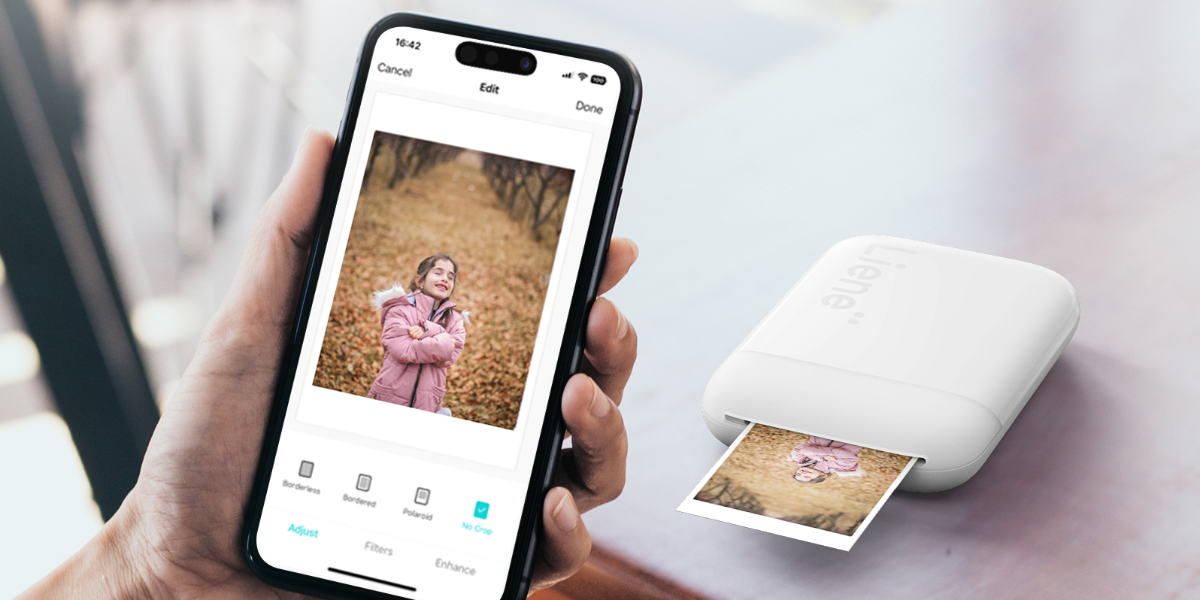
In the age of smartphones and digital photography, the art of printing photos has taken a backseat. We often find ourselves immersed in the digital realm, scrolling through countless images on our devices, reminiscing about precious moments captured in pixels. The ease of access to our photo libraries has undoubtedly transformed the way we view and share memories. However, amidst this digital era, the intrinsic charm of holding a physical photograph in your hands remains unparalleled—a tangible memory that transcends the boundaries of a screen, evoking a sense of nostalgia and sentimentality. The rise of mini photo printers has introduced a delightful resurgence to the tradition of holding and sharing physical prints. These compact and portable devices enable us to transform our smartphones into on-the-go photo studios, facilitating an effortless transition from the digital to the physical realm. The convenience of mini photo printers allows us to capture and cherish our moments in a tangible form, fostering a deeper connection with our memories. The Liene’s portable photo printers stand out with their compact design and wireless capabilities, making them an ideal choice for those who want to capture and share moments on the go. Understanding Mini Photo Printers Before diving into the step-by-step guide, let's explore what mini photo printers are and why they've become a popular accessory for smartphone users. ● What is a Mini Photo Printer? A mini photo printer is a compact, portable device designed to print small photos directly from your smartphone or other compatible devices. These printers typically use thermal or inkless printing technology to produce smudge-proof, durable prints. They are user-friendly, often connect wirelessly to your smartphone, and come in various styles and sizes. Why Use a Mini Photo Printer? ● Instant Gratification Mini photo printers provide instant prints, allowing you to hold your captured moments in your hands within minutes. ● Portability These printers are small enough to fit in your pocket or bag, making them ideal for on-the-go printing at parties, gatherings, or travel destinations. ● No Need for a Computer With mini photo printers, you don't need a computer or any special software. All you need is your smartphone and the printer. ● Creative Possibilities Mini photo printers allow you to get creative with your photos. You can print stickers, create collages, or decorate your space with your favorite memories. Step-By-Step Exploration of Photo Printing from Your Smartphone Now that we understand the appeal of mini photo printers, let's dive into the step-by-step guide on how to print photos from your smartphone. ● Step 1: Choose the Right Mini Photo Printer The first step in printing photos from your smartphone is selecting the right mini photo printer for your needs. Consider factors such as print quality, size, connectivity options, and compatibility with your smartphone. The Liene Pearl K100 2x3" Portable Photo Printer, with its compact design and wireless capabilities, offers a seamless way to bring your digital photos to life. Print Quality: Look for a printer that offers good print quality with vibrant colors and sharp details. Check reviews and sample prints to get an idea of the output. Size and Portability: Mini photo printers come in various sizes. Choose one that fits your lifestyle, whether you want it to be ultra-portable for travel or slightly larger for home use. Connectivity Options: Most mini photo printers connect to your smartphone via Bluetooth or NFC. Ensure that the printer you choose is compatible with your smartphone's operating system (iOS or Android). Print Size: Different printers support various print sizes. Some produce wallet-sized prints, while others offer a square format. Choose a printer that aligns with your preferences. ● Step 2: Install the Printer App Once you've chosen and purchased your mini photo printer, the next step is to install the accompanying app on your smartphone. Most manufacturers provide a dedicated app that allows you to control the printer, select photos, and make adjustments before printing. Visit the App Store: Depending on your smartphone's operating system, visit the App Store (iOS) or Google Play (Android) and search for the app associated with your mini photo printer. Download and Install: Once you find the app, download and install it on your smartphone. Follow the on-screen instructions to complete the installation. Pair Your Smartphone with the Printer: Open the app and follow the prompts to pair your smartphone with the mini photo printer. This usually involves turning on Bluetooth and selecting your printer from the available devices. To unlock the full potential, Liene Pearl offers the Liene Photo App for its K100 Photo printer. Download the Liene Photo App from the App Store (for iOS devices) or Google Play Store (for Android devices). This dedicated app complements the printer, offering a range of customization options and creative features to enhance your printed photos. ● Step 3: Load Paper into the Printer In case you are not using the Liene Pearl Portable Photo Printer which offers the Zink photo papers eliminating the need to install papers from time to time, then follow this step. This feature makes Liene Photo printers more environmentally friendly and easy to carry anywhere you want. With the app installed and your smartphone connected to the printer, it's time to load the printing paper. Mini photo printers use specific types of paper that often come in packs with the printer or are available for purchase separately. Open the Printer: Depending on the model, open the top or side of the mini photo printer to reveal the paper compartment. Insert the Paper: Follow the instructions provided by the manufacturer to load the printing paper correctly. It's crucial to insert the paper with the printing side facing down. Secure the Paper: Ensure that the paper is securely loaded, and close the compartment as per the manufacturer's guidelines. ● Step 4: Choose and Edit Your Photos With the printer set up and paper loaded, it's time to select the photos you want to print. Open the printer app and choose the images from your smartphone's gallery or social media accounts. Select Photos: Navigate through the app to choose the photos you want to print. Some apps allow you to select multiple photos for collage-style prints. Edit if Necessary: Many printer apps offer basic editing features such as cropping, filters, and text overlays. Make any adjustments to your photos to achieve the desired look. Arrange for Printing: Once you've selected and edited your photos, arrange them in the app based on your preferences. Some apps allow you to create collages or add frames to enhance the prints. ● Step 5: Adjust Print Settings Before hitting the print button, take a moment to review and adjust the print settings. Depending on the app and printer, you may have options to tweak aspects such as brightness, contrast, and print size. Print Quality: Some apps allow you to choose the print quality. Higher-quality settings generally result in better prints but may take longer to process. Color Adjustments: If your printer app offers color adjustments, consider tweaking them to ensure your prints match your preferences. Print Size: Confirm that the selected print size aligns with the paper loaded in the printer. Mismatched sizes can result in incomplete or distorted prints. Liene Pearl K100 2x3" Portable Photo Printer comes with all these features to help you elevate the quality of your prints and make them more realistic. If you are looking for a more economical and unique mini photo printer, then this is the right match for you. ● Step 6: Hit the Print Button With all the settings in place, it's time to bring your digital memories to life. Press the print button within the app, and the mini photo printer will start processing and printing your selected photos. Wait for Processing: Depending on the complexity of your selected photos and the print settings, the processing time may vary. Be patient as the printer prepares to bring your images to life. Collect Your Prints: Once the printing process is complete, the mini photo printer will eject the prints. Collect them carefully, and avoid touching the printing surface until the ink or thermal material has fully set. ● Step 7: Share and Decorate Congratulations! You've successfully printed photos from your smartphone using a mini photo printer. Now, it's time to share your prints with others, create a physical photo album, or decorate your space with these tangible memories. Share with Friends and Family: Hand out the prints to friends and family to share the joy of the captured moments. Mini photo prints make excellent keepsakes and gifts. Create a Photo Wall: Consider creating a photo wall or bulletin board to display your favorite prints. You can use frames, string lights, or other creative elements to enhance the visual appeal. Conclusion: Crafting Memories All at a Once Printing photos from your smartphone with a mini photo printer is a delightful and straightforward process that brings your digital memories to life. Whether you're creating a physical album, decorating your space, or sharing prints with loved ones, mini photo printers add a tangible and personal touch to your digital photography experience. The Liene Pearl K100 2x3" Portable Photo Printer, with its user-friendly design and Zink technology, stands as a gateway to the world of instant and portable photo printing. This in-depth guide has unveiled the intricacies of each step, allowing you to navigate the process with confidence. Embrace the nostalgia of tangible photographs, explore your creativity with the Liene Photo App, and let the Liene Pearl K100 be your companion in capturing and sharing moments on the go. With this mini photo printer, the joy of holding memories in your hands is not just a print away; it's a journey of creative expression and cherished keepsakes.

The Christmas season is a time of joy, celebration, and the cherished tradition of gift-giving. The tradition of gift-giving on Christmas symbolizes the act of expressing love, generosity, and goodwill by presenting thoughtful and often wrapped surprises to family and friends. It traces its roots to the biblical story of the Magi presenting gifts to the infant Jesus, embodying the spirit of giving during the festive season. This comprehensive guide aims to navigate through the currents of holiday trends, unveiling the top 10 gifts that are capturing the spotlight in 2023. Moreover, this article will also help you create customized photo calendars for your loved ones using Liene Instant Photo Printers within no time. Understanding Current Trends To comprehend the current trends in Christmas gifts, it is essential to reflect on the evolution of gifting over the past few years. The landscape has witnessed a shift, with technological advancements, sustainable living, and a resurgence of personalized items shaping consumer preferences. As we delve into the trends of 2023, a unique blend of modernity and tradition defines the choices that are captivating the hearts of gift-givers and receivers alike. Uncovering Trend of Modern Christmas Gifts ● Smart Home Gadgets Embracing the era of smart living, the first on our list comprises an array of smart home gadgets. From voice-controlled assistants to intelligent lighting systems, these gadgets seamlessly integrate technology to enhance daily living. The appeal lies not only in their functionality but also in the futuristic experience they bring to homes. ● Sustainable Lifestyle Products With an increasing global focus on sustainability, gifts that align with an eco-friendly lifestyle have gained immense popularity. From reusable water bottles to eco-friendly home decor, consumers are choosing gifts that not only bring joy but also contribute to a greener planet. The emphasis on sustainability reflects a growing awareness of the environmental impact of consumer choices. ● Wellness and Self-Care Kits The year 2023 sees a growing emphasis on well-being, making wellness and self-care kits highly sought-after gifts. These kits often include soothing aromatherapy, skincare essentials, and mindfulness tools, providing a thoughtful and rejuvenating gift for the mind, body, and soul. ● Customized Jewelry In the realm of personalization, customized jewelry takes center stage. From engraved pendants to birthstone-adorned bracelets, these pieces allow for a touch of individuality in every gift. Personalized jewelry carries sentimental value, making it a cherished and timeless choice for gifting. ● Outdoor Adventure Gear For the adventure enthusiasts on your list, outdoor adventure gear makes for a perfect choice. Whether it's camping equipment, hiking gear, or portable accessories, these gifts cater to thrill-seekers and nature lovers. The call of the great outdoors is answered with practical and durable gifts that enhance the outdoor experience. ● High-Quality Kitchen Appliances The kitchen has become a hub of creativity and experimentation, and high-quality kitchen appliances are making their way onto wish lists. From sleek coffee machines to advanced blenders, these gifts elevate the cooking experience, turning the kitchen into a space of innovation and culinary delight. ● Personalized Artwork and Decor In the realm of home decor, personalized artwork takes precedence. Customized paintings, prints, and sculptures add a touch of uniqueness to any space. These gifts allow individuals to express their style and personality, transforming houses into homes filled with personalized art. ● Instant Photo Printers In the age of digital photography, the charm of instant prints has made a remarkable comeback. Among the notable brands, Liene's instant photo printers stand out for their quality and reliability. These printers offer a perfect blend of nostalgia and modern convenience, allowing users to print cherished moments in an instant. The tactile nature of a physical photo brings a unique joy that digital images often lack. ● Fashion-forward Sustainable Clothing Closing our list is the trend of sustainable fashion. Ethically sourced and environmentally friendly clothing options are gaining traction, reflecting a shift towards conscious consumerism. Sustainable clothing gifts not only make a fashion statement but also contribute to a more ethical and sustainable fashion industry. Smart Shopping Guide Navigating the vast landscape of holiday shopping can be overwhelming, but a well-informed approach can simplify the process. Here are some tips to help you make the most of your Christmas shopping: ● Understand the Recipient's Interests Consider the interests and hobbies of the person you're buying for. Whether they are tech enthusiasts, outdoor adventurers, or fashion-forward individuals, tailoring the gift to their passions adds a personal touch. ● Set a Budget Before diving into the world of shopping, establish a budget. Knowing how much you're willing to spend helps narrow down choices and prevents overspending during the holiday season. ● Priceless Presents, Priceless Savings Take advantage of holiday discounts and promotional events. Black Friday, Cyber Monday, and pre-Christmas sales offer opportunities to snag your desired gifts at a fraction of the price. ● Shop Early Avoid the last-minute rush by starting your Christmas shopping early. Early shopping not only ensures that you get the best selection but also alleviates the stress of finding gifts as the holiday approaches. ● Consider Online Shopping Online shopping provides convenience and the opportunity to explore a wide range of options. Be sure to check shipping deadlines to ensure your gifts arrive on time. Ideas for Creative Gift Themes Adding a thematic touch to your gifts can elevate the overall gifting experience. Here are some creative themes to consider: ● Ideal Gifts for Tech Enthusiasts Curate a selection of gifts that cater to the tech-savvy individuals in your life. From smart gadgets to virtual reality experiences, this theme brings the latest in technology to the forefront. ● Christmas Fantasia for Craft Lovers For those who appreciate handmade and artistic endeavors, a Christmas Fantasia theme for craft lovers can include DIY kits, art supplies, and personalized decor items. Christmas Gift DIY Inspirations For a truly unique and personal touch, consider delving into the world of do-it-yourself gifts. Create personalized photo calendars for the perfect Christmas gift! Choose 12 of your favorite memories, add a touch of holiday cheer, and enjoy a year of cherished moments with loved ones. Crafted with love, these custom calendars make every day special. Liene's instant photo printers provide the perfect tool for creating a personalized photo calendar. Follow these simple steps to craft a meaningful and customized gift: ● Select Memorable Photos Begin your creative process by carefully selecting photos that not only encapsulate the essence of the holiday season but also weave a narrative of cherished moments, creating a visual journey through the tapestry of the past year. Consider images that evoke laughter, love, and significant milestones, ensuring each chosen photo becomes a timeless piece of the overall narrative. ● Print with Liene's Instant Photo Printer Harness the power of Liene's instant photo printer to not just print but transform selected photos into tangible treasures. The high-quality prints produced by Liene's printer breathe life into your captured moments, preserving the vivid details and emotions that make each memory truly special. Let the innovative technology of Liene turn your digital snapshots into cherished, physical keepsakes. ● Create a Calendar Template Design a calendar template that includes space for the printed photos. You can use graphic design software or online templates for this step. ● Arrange and Attach Photos Place the printed photos in their corresponding months on the calendar template. You can attach them using adhesive or create a flip calendar with detachable pages. ● Personalize Your Calendar Add personalized dates, captions, or messages to make the calendar even more special. ● Bind or Package Choose a binding method or package the calendar in a decorative way. Consider adding a ribbon or personalized tag for an extra festive touch. A photo calendar made with Liene's instant photo printer not only showcases your creativity but also preserves precious memories throughout the year. Gift Care and Maintenance Certain gifts, especially high-end or delicate items, may require special care to ensure their longevity. Here are some general maintenance tips to ensure that the joy these gifts bring lasts well beyond the holiday season: ●Read and Follow Care Instructions Care instructions are typically provided in the gift box, underscoring the importance of adhering to them to uphold the item's quality. It is essential to thoroughly review these instructions to ensure the long-lasting preservation of your cherished gift. ● Use Protective Measures Make sure to use protective tools such as cases, covers, or storage solutions to prevent wear and tear, especially for gadgets, jewelry, or outdoor gear. ● Regular Cleaning and Inspection Also, it is necessary to regularly clean and inspect the gifts to keep them shining. This is particularly important for items like kitchen appliances or jewelry that can accumulate dirt or tarnish over time. ● Seek Professional Maintenance For high-end or specialized gifts, seek professional maintenance when necessary. This could include servicing for gadgets, cleaning for jewelry, or professional cleaning for certain clothing items. Conclusion: Strengthening Your Relations Christmas gifts encompass a diverse array of choices, catering to various tastes and preferences. As you embark on the journey of selecting the perfect gift, remember to consider the recipient's personality, interests, and values. Let your gifts convey not just material value but also the warmth of thoughtfulness and love. In the spirit of the season, may your holidays be filled with joy, laughter, and meaningful connections. Happy gifting!
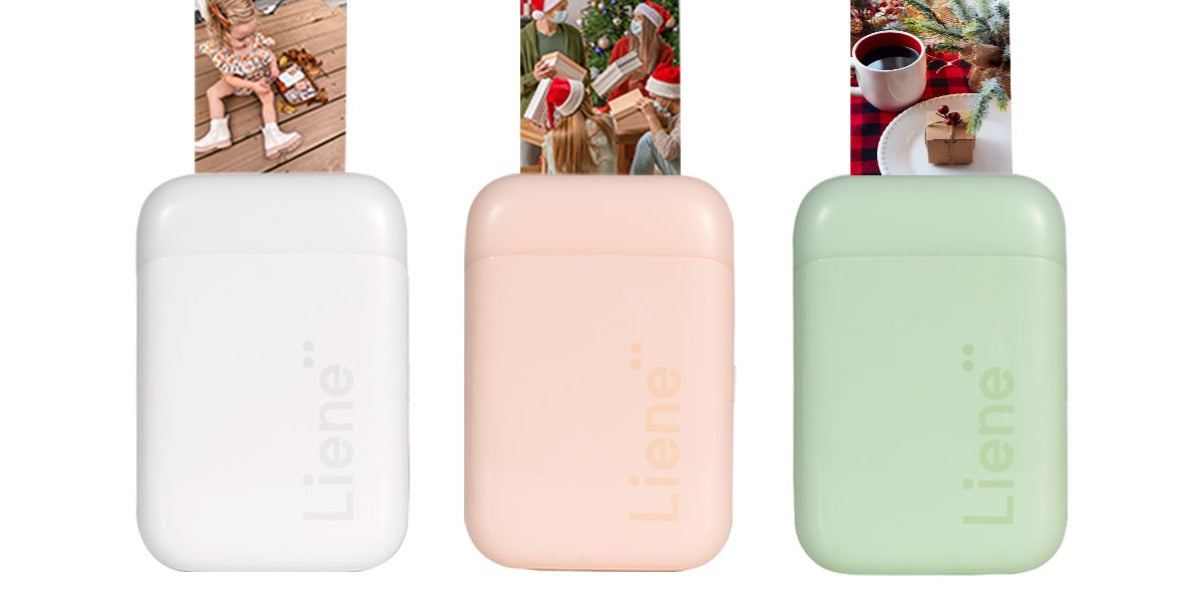
In the age of digital photography, where images are often confined to the screens of our smartphones and computers, the allure of tangible photographs persists. This desire for physical copies of cherished moments has given rise to the popularity of portable photo printers. These compact devices allow users to transform digital images into tangible prints instantly. However, not all portable photo printers are created equal, and one crucial aspect that differentiates them is the printing technology they employ. In this article, we delve into the intricacies of two prevalent printing technologies in the realm of portable photo printers: Inkjet and Zink, and the reasons why Zink is gaining ground. The Basics: How Inkjet and Zink Work? Before diving into the nuanced comparison of Inkjet and Zink technologies in portable photo printers, let's unravel the fundamental workings of these printing marvels. Both technologies embark on distinct journeys to bring digital images to life on paper. Inkjet relies on the precision of liquid ink cartridges, expertly sprayed onto paper through microscopic nozzles, while Zink takes a revolutionary path, utilizing specially coated paper embedded with dye crystals activated by heat. As we delve into the intricacies of these processes, a clearer understanding will emerge, setting the stage for a comprehensive exploration of their respective strengths and applications. ● Inkjet Printing: The Traditional Player Inkjet printing, a well-established technology used in a variety of printing applications, relies on the deposition of liquid ink droplets onto paper or other substrates. In the case of portable photo printers, these droplets are precisely sprayed onto specially coated photo paper. The combination of different colored inks—typically cyan, magenta, yellow, and black—creates a full spectrum of colors, producing vibrant and detailed prints. While inkjet technology has proven its worth in delivering high-quality prints, it does come with certain drawbacks. Traditional inkjet printers often require individual ink cartridges for each color, and the cost of replacement cartridges can add up over time. Additionally, the liquid nature of the ink may lead to issues such as smudging and drying out if not used regularly. ● Zink Technology: A Paradigm Shift in Photo Printing Zink, short for Zero Ink, represents a departure from the traditional liquid ink approach. Zink photo printers use specialized paper that contains embedded dye crystals. These crystals are colorless initially, but when subjected to heat from the printer, they activate and produce vibrant colors. Zink technology eliminates the need for ink cartridges entirely, offering a convenient and mess-free printing experience. The Zink process is not only efficient but also eco-friendly, as it avoids the waste associated with disposable ink cartridges. The simplicity of Zink technology has led to the development of compact and portable photo printers that are easy to use on the go. Choosing Between Inkjet and Zink: Considerations and Use Cases When deciding between an inkjet and a Zink portable photo printer, several factors come into play, depending on your preferences, printing needs, and budget. ● Print Quality Inkjet:If print quality is your top priority, an inkjet portable photo printer is the way to go. The ability to produce high-resolution prints with accurate colors and fine details makes it suitable for photography enthusiasts and those who value professional-grade results. Zink:While Zink prints may not match the quality of inkjet prints, they are more than sufficient for casual use, scrapbooking, and creating small mementos. If convenience and portability are paramount, Zink printers offer a good compromise. ● Portability Inkjet:Inkjet portable photo printers, while more advanced in print quality, are often bulkier and may require additional accessories such as ink cartridges and power adapters. This can impact the overall portability, making them less suitable for on-the-go printing. Zink:Zink portable photo printers are designed with portability in mind. Their compact size, lightweight construction, and the absence of liquid ink make them ideal for instant printing in various settings, from parties to vacations. ● Cost Inkjet:While the upfront cost of an inkjet portable photo printer might be higher, the cost per print is often lower compared to Zink. However, this calculation should consider additional expenses such as ink cartridge replacements. Zink: Zink printers are generally more affordable upfront, but the cost per print can be higher. Additionally, the simplicity of Zink technology may offset the need for purchasing and replacing ink cartridges over time. ● Versatility Inkjet: If you prioritize versatility and want the option to print on different paper types and finishes, an inkjet portable photo printer is the better choice. The ability to customize the printing experience based on the occasion is a significant advantage. Zink: Zink printers may offer limited options in terms of paper types and finishes. While they provide convenience, the lack of versatility in media compatibility may be a drawback for users seeking a more customizable printing experience. If you want a unique and cost-effective go-to portable photo printer, visit pearl portable photo printers offered by Liene. Why Choose Zink for Portable Photo Printing? ● No Cartridges, No Hassle One of the most significant advantages of Zink technology is the absence of ink cartridges. Traditional inkjet printers often require users to manage and replace individual cartridges for each color, which can be cumbersome and expensive. Zink photo printers, on the other hand, eliminate this hassle entirely. Users can simply load Zink paper into the printer, and the embedded dye crystals take care of the rest. This not only simplifies the printing process but also reduces the overall cost of ownership. ● On-The-Go Convenience Portable photo printers are designed for convenience, allowing users to print memories on the spot. Zink technology takes this convenience to the next level. With no need for ink cartridges, Zink printers are more compact and lightweight, making them ideal for on-the-go use. Whether you're at a family gathering, a party, or a scenic outdoor location, Zink portable photo printers are ready to capture and print your memories with minimal effort. ● Zink Paper: Adhesive and Fun Zink paper, the heart of Zink technology, is more than just a printing medium. The paper itself is adhesive, allowing users to turn their photos into stickers. This opens up a world of creative possibilities, from decorating personal items to crafting unique photo collages. The Liene Pearl K100 2x3" Portable Photo Printer mentioned earlier takes full advantage of this feature, allowing users to print and stick their moments wherever they desire. ● Cost-Effective Printing Ink cartridges can be a significant ongoing expense for traditional inkjet printers. Zink technology, by eliminating the need for cartridges, provides a cost-effective alternative. The Liene Pearl K100, with its Zink technology, ensures that users can enjoy high-quality photo prints without the constant worry of running out of ink or the financial burden of replacing cartridges. ● Environmentally Friendly Zink technology is inherently eco-friendly. With no disposable ink cartridges to contribute to electronic waste, Zink printers align with the growing trend toward sustainable and environmentally conscious products. By choosing Zink, users not only enjoy the convenience of portable photo printing but also contribute to a greener future. ● Simplified Printing Process The simplicity of Zink technology cannot be overstated. Users do not need to worry about managing ink levels, replacing cartridges, or dealing with potential ink-related issues. Zink printers offer a hassle-free printing process, allowing users to focus on capturing and sharing moments without technical distractions. ● Creative Freedom with Adhesive Prints The adhesive nature of Zink paper opens up a world of creative possibilities. Users can turn their photos into stickers, adding a personal touch to everyday items. Whether it's decorating a journal, customizing a laptop, or creating a unique photo collage, Zink technology empowers users to express their creativity beyond traditional photo prints. Liene Pearl K100: Merging Quality and Innovation The Liene Pearl K100 2x3" Portable Photo Printer stands as a testament to the advancements in Zink technology. Available in white, pink, and green, this portable printer not only offers a variety of color options but also incorporates user-friendly features that enhance the overall printing experience. ● Variety of Color Options The Liene Pearl K100 is available in three stylish colors: White, Pink, and Green. This variety allows users to choose a printer that aligns with their personal style or preferences, adding a touch of customization to the photo printing process. ● Bundle Deals and Savings The Liene Pearl K100 is not just about style; it's also about value. The bundle deals offered, such as the package with 50 Zink photo papers or the discounted prices on smaller paper quantities, provide users with savings while ensuring they have an ample supply of Zink paper for their printing needs. ● User Reviews and Community With a multitude of user reviews available for each color variant, potential buyers can gain insights into the real-world experiences of others. This sense of community feedback adds a layer of transparency, helping users make informed decisions about their purchases. Conclusion: Choosing the Future of Portable Photo Printing In the Inkjet vs. Zink showdown, Zink technology emerges as the frontrunner for portable photo printing, especially with innovations like the Liene Pearl K100. The advantages of Zink—no cartridges, on-the-go convenience, cost-effective printing, and creative possibilities with adhesive prints—make it a compelling choice for those who value simplicity and versatility in their photo printing experience. As technology continues to advance, Zink's eco-friendly and user-friendly approach positions it as a technology for the future. The Liene Pearl K100, with its stylish design, bundle deals, and commitment to customer satisfaction, exemplifies the seamless integration of Zink technology into our everyday lives. For those seeking a portable photo printer that not only captures memories with clarity but also does so effortlessly and creatively, the Liene Pearl K100 with Zink technology stands out as a beacon of innovation in the ever-expanding landscape of photo printing. Embrace the future of portable photo printing with Zink—where memories come to life at the touch of a button.
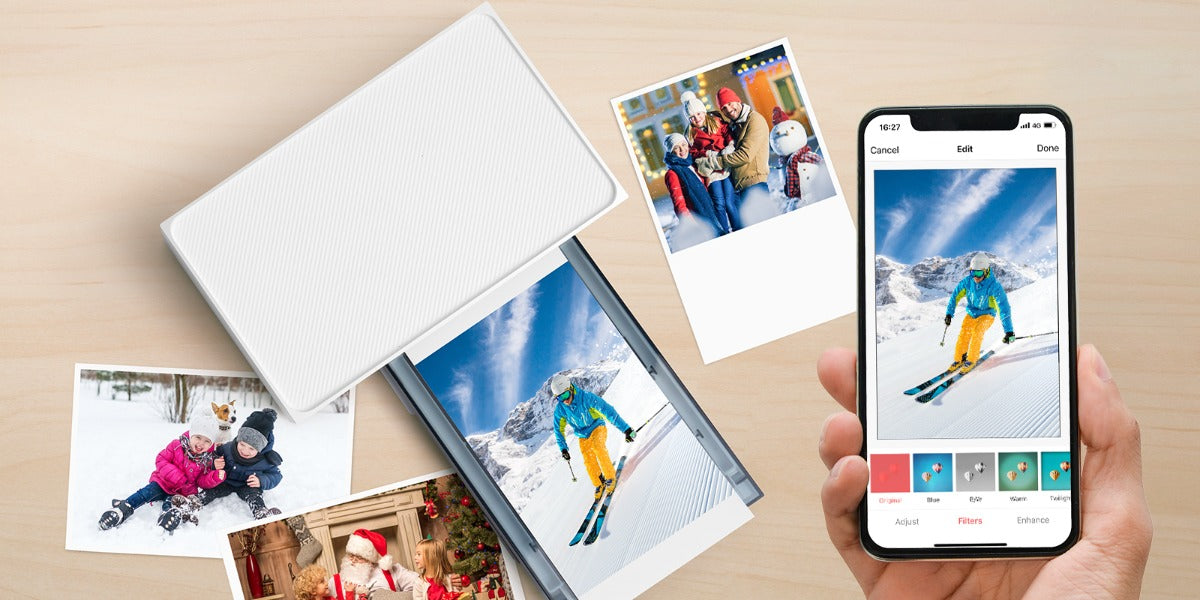
In our fast-changing technology world, preserving special moments is a timeless wish. Smartphones, especially iPhones, have redefined how we capture life. While storing memories digitally is handy, there's something magical about holding actual photos. Enter the captivating world of 4x6 photo printers, focusing on the growing popularity of instant printers connecting effortlessly with iPhones. This article will delve into a deep study of photo printers and the step-by-step guide to printing photos using instant photo printers. Navigating the Universe of 4x6 Photo Printers At the core of photo printing lies the 4x6 photo printer, a device specifically engineered to produce prints of 4 inches by 6 inches—a popular and versatile size for snapshots. These printers vary in technology, with inkjet and thermal dye sublimation printers being two prominent contenders. ● Inkjet Printers: A Versatile Option Inkjet printers utilize the ingenious mechanism of propelling tiny droplets of ink onto the paper. Renowned for their ability to produce vibrant and detailed prints, inkjet printers have been a staple in photo printing for years. However, considerations such as print speed and the cost of ink cartridges come into play. ● Thermal Dye Sublimation Printers: Efficiency Personified On the other hand, thermal dye sublimation printers operate by using heat to transfer dye onto the photo paper. This method often results in prints that are not only visually striking but also resistant to fading. These printers are known for their speed and user-friendly experience, making them an attractive choice for those seeking efficiency in their photo printing endeavors. The Symbiosis of Photo Paper and Cartridges Getting the best prints from your photo printer involves two main partners: the right photo paper and compatible cartridges. Just like a good dance partner, premium photo paper is essential for keeping your prints vibrant and long-lasting. On the other hand, compatible cartridges are like the rhythm of the music, playing a crucial role in maintaining the printer's performance and making sure every step (or print) is of the highest quality. So, when choosing your supplies, think of it as picking the perfect dance shoes and music for a flawless performance! Exceptional Features of Liene Amber 4x6 Instant Photo Printer Amidst the myriad options in the market, Liene Amber 4x6 Instant Photo Printer emerges as a noteworthy contender. Boasting features that prioritize both quality and convenience, this printer has garnered attention for its seamless integration with iPhones.Let's delve into the features that set the Liene Amber apart in the realm of instant photo printers: ● Thermal Dye Sublimation Technology The Liene Amber's innovative thermal dye sublimation technology infuses prints with remarkable vibrancy, creating images that not only captivate the eye but also stand the test of time. This cutting-edge technology ensures that your digital memories are preserved in a form that maintains their vividness and brilliance, offering a timeless quality that transcends the fleeting nature of moments. ● Wireless Connectivity No longer confined by the limitations of wired connections, the Liene Amber's wireless prowess extends beyond iOS devices embracing a diverse spectrum of digital platforms. This broad compatibility ensures that users can effortlessly navigate their digital libraries and transform cherished moments into tangible 4x6 prints, all without the hassles of cables or complicated setups. The freedom bestowed by the Liene Amber's built-in WiFi not only simplifies the printing process but also opens a gateway to a seamless, wireless world of photo printing possibilities. ● Versatile Print Bundle Option Recognizing the diverse needs of users, the Liene Amber is available in various packages. Whether you opt for the printer with 20 sheets and 1 cartridge or the bundle with 100 sheets and 3 cartridges, you have the flexibility to choose the option that aligns with your printing requirements. ● Built-in Rechargeable Battery For the wanderers and explorers, the Liene Amber Instant Photo Printer White with its built-in rechargeable battery is a game-changer. This feature adds a level of portability that traditional printers often lack, allowing you to print your photos anytime, anywhere. ● Pricing and Savings Understanding the pricing structure and potential savings is crucial for consumers. The Liene Amber Instant Photo Printer is competitively priced, with occasional discounts and promotions. For example, a printer bundle with 100 sheets and 3 cartridges can provide you substantial savings from the regular price. Printing 4x6 Photos from iPhone Using Liene Amber: A Step-by-Step Guide Now that we've explored the features of the Liene amber instant photo printers, let's walk through the steps to print your cherished 4x6 photos from your iPhone: ● Step 1: Unboxing and Setup Upon receiving your Liene Amber Instant Photo Printer, embark on the exciting journey of unboxing. Carefully inspect all components, ensuring that the photo papers and cartridges are present. Follow the step-by-step setup instructions provided in the user manual to prepare your printer for its inaugural print. ● Step 2: Print from the iOS Device Liene Desktop Printer allows you to print directly from your iPhone album without any other app assistance. Make sure that the device is connected to the printer Wi-Fi hotspot, and the Wi-Fi hotspot indicator lights on in blue, confirm that you agree to use this network. Open the album and select the photos, then select the printer, adjust the printing parameters, and print. Or Print within the Liene Mobile App ● Step 1: Install Liene Mobile App To streamline the printing process, navigate to the app store on your iPhone and download the Liene mobile app. This app serves as the bridge between your iPhone and the Liene Amber Instant Photo Printer, offering a user-friendly interface for selecting and editing your photos. ● Step 2: Connect Your iPhone to the Printer With the Liene Amber powered on, ensure that it's in wireless printing mode. Open the Liene app on your iPhone and follow the on-screen instructions to establish a Wi-Fi connection between your iPhone and the printer. Once the connection is established, you're primed and ready to commence the printing journey. ● Step 3: Select and Edit Photos Enter the captivating realm of your iPhone's photo gallery within the Liene app. Browse through your collection and select the 4x6 photos that hold a special place in your heart. Utilize the app's editing features to fine-tune aspects such as brightness, contrast, and color saturation, adding a personal touch to your prints. ● Step 4: Initiate the Printing Process With your photos selected and edited to perfection, it's time to bring them to life. Hit the print button within the Liene app, triggering the Liene Amber Instant Photo Printer into action. Witness the magic of thermal dye sublimation technology as your 4x6 prints materialize with a level of detail and vibrancy that pays homage to the original moment. Addressing Common Queries: Liene Amber FAQ As with any technological innovation, users may have questions and concerns. Here are answers to some frequently asked questions about the Liene Amber 4x6 Instant Photo Printer: ● Q1: Why buy from the Liene Store? A: The Liene Store offers compelling reasons to choose its products, making it more than a transaction; it's an experience. The store boasts a 30-day Free Return Policy, Fast and Free Shipping Storewide, and a reassuring 1-Year Warranty on Products. Additionally, all products are backed by Lifetime Customer Support. ● Q2: How long does it take for the Liene Amber to print a 4x6 photo? A: The printing time can vary, but generally, Liene Amber's thermal dye sublimation technology ensures relatively fast printing. The exact time may depend on factors such as the complexity of the image and the printer settings. ● Q3: Are there any special maintenance requirements for the Liene Amber? A: The Liene Amber is designed for user-friendly operation with minimal maintenance. Regularly cleaning the printhead and ensuring the device is stored in a cool, dry place can contribute to optimal performance. Specific maintenance instructions can be found in the user manual. ● Q4: Can I print black and white photos with the Liene Amber? A: Yes, the Liene Amber supports both color and black-and-white printing. You can choose the printing mode within the Liene app when selecting and editing your photos. ● Q5: Can I return or exchange a product? A: Absolutely. The Liene Store understands the dynamic nature of consumer needs. As such, they offer a 30-day Free Return Policy. Details regarding the Return and Exchange Policy can be found on the official website. Conclusion: Bridging the Digital and Tangible Gap As we traverse the ever-evolving landscape of technology, the allure of holding a tangible photograph remains timeless. The Liene Amber 4x6 Instant Photo Printer serves as a bridge between the digital and tangible, offering a user-friendly and efficient means of turning your digital memories into lasting prints. Whether you're printing a single snapshot or curating a collection of cherished moments, the combination of thermal dye sublimation technology, wireless connectivity, and user-centric features positions the Liene Amber as a reliable companion in the quest to immortalize your memories.
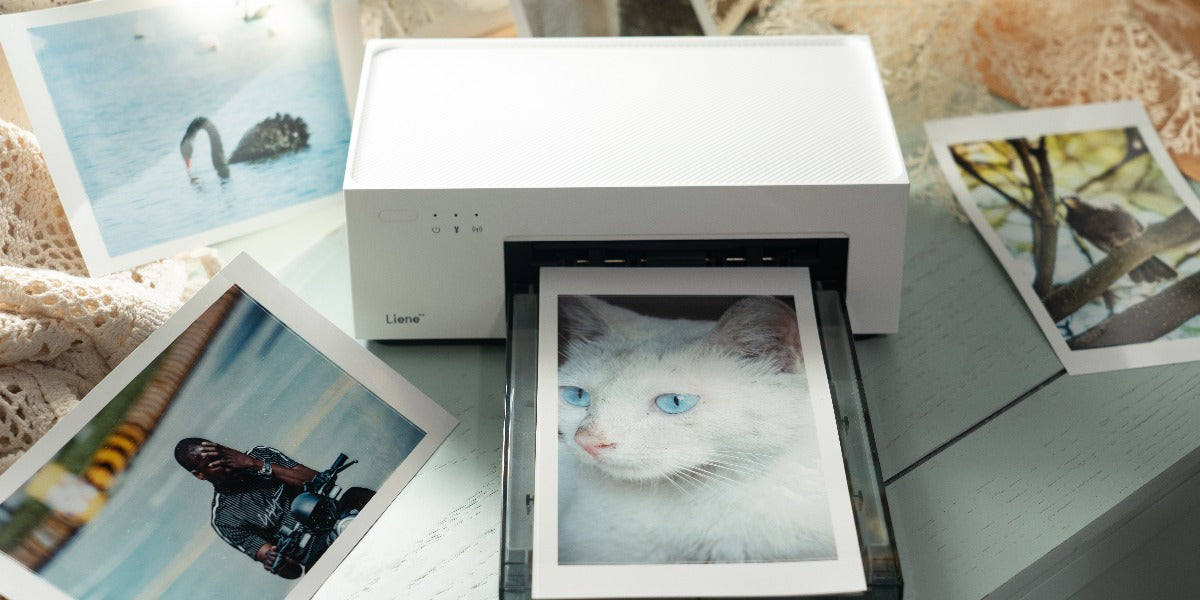
In the ever-evolving landscape of digital photography, where pixels often replace prints, there's a poignant nostalgia for the tactile experience of physical photographs. This resurgence in appreciation for tangible prints is not just a mere throwback; it's a testament to the enduring allure of holding memories in your hands. Instant photo printers, with Liene leading the way in innovation, play a pivotal role in rekindling this tangible joy of capturing and sharing moments.In this comprehensive guide, we will explore essential tips for instant photo printing using Liene instant photo printers, focusing on how to enhance photo quality and ensure the long-term preservation of your precious snapshots. Understanding the Basics of Instant Photo Printing Before delving into the intricacies of enhancing photo quality and preservation, let's take a moment to grasp the fundamentals of instant photo printing. Unlike the traditional photo development process, instant photo printers provide a swift and convenient means to transform digital images into tangible prints. Liene, a reputable brand in this realm, stands out for its commitment to merging cutting-edge technology with the timeless charm of printed photographs. Whether you're a photography enthusiast or someone looking to capture everyday moments, Liene's diverse range of instant photo printers ensures there's a perfect match for everyone, offering features that cater to various preferences and needs. Two Models of Liene Instant Photo Printers Liene's lineup includes the Liene Amber 4x6" Instant Photo Printer and the Liene Pearl K100 2x3" Portable Photo Printer. Liene Amber 4x6 Instant Photo Printer promises superior photo quality, seamless connectivity, and personalized customization—all packed into a compact device. With features like built-in rechargeable batteries, these printers are designed for on-the-go photo printing, ensuring no moment is left undocumented. Pearl 2x3" Portable Photo Printers, adds an extra layer of spontaneity, making it an ideal companion for capturing memories wherever you go. Whether you opt for the Liene Amber for larger 4x6" prints or the Liene Pearl K100 for smaller, pocket-sized photos, both models aim to rekindle the charm of physical photography. Tips for Enhancing Photo Quality Now, let's delve into actionable tips that will elevate the quality of your instant prints, making them stand out and preserving your memories in the best possible way. ● Choose the Right Photo Paper and Cartridges The foundation of a great print lies in the quality of the paper and cartridges used. Liene offers a range of options, such as the Liene Amber 4x6 Instant Photo Printer with 20 photo papers and 1 cartridge or the Liene Pearl K100 2x3" Portable Photo Printer with Zink-Zero Ink printing technology. Each type of paper and cartridge combination may influence color vibrancy, sharpness, and print longevity, so choose according to your preferences and needs. ● Optimize Print Settings Most instant photo printers, including those by Liene, come with adjustable print settings. Experiment with options like color modes, print resolution, and filters to find the combination that best suits your photo. Some printers offer specific modes for classic prints, ID photos, and more, providing flexibility for different occasions. ● Take Advantage of Editing Features Liene's dedicated photo app turns the printing process into a creative adventure. With a variety of editing features, including popular frames, creative filters, and effects, this app becomes your artistic companion. It's not just about printing; it's about transforming your photos into unique pieces of art. So, don't hesitate to explore these features and infuse your prints with a touch of personal flair, making each photo a one-of-a-kind memory to cherish. ● Mind the Dimensions and Resolution Understanding the dimensions and resolution of your photos is crucial for achieving optimal print quality. Ensure that the resolution of your digital image matches the intended print size. Liene's Amber 4x6 Instant Photo Printer, for example, caters to 4" x 6" prints, while the Pearl K100 focuses on 2" x 3" prints. Matching your digital image dimensions to the intended print size helps prevent pixelation and ensures clarity. ● Consider Lighting and Composition Remember that the quality of the original photo impacts the print outcome. Pay attention to lighting and composition when capturing moments. Well-lit, well-composed photos are more likely to translate into stunning prints. Natural light is often preferable, as it brings out the details and colors in your photographs. If you are a travel enthusiast, don’t forget to check the portable photo printers offered by Liene. Tips for Preservation and Longevity Preserving the quality of your instant prints goes beyond the printing process. It's about choosing the right paper size, understanding print technology, and using quality materials. Liene's commitment to providing reliable materials ensures your prints are a testament to vibrant memories. Additionally, storing your prints properly away from sunlight and extreme conditions is vital. Embracing the nostalgia of physical prints while utilizing modern technology for backup ensures your cherished moments remain vivid and lasting, creating a bridge between the past and the future in the world of photography. Let’s take a deep look at these tips to ensure that your memories remain vibrant and intact for years to come. ● Choose the Right Paper Size Liene's instant photo printers offer different paper sizes, such as 4" x 6" and 2" x 3". Consider the purpose and context of your photos when selecting the paper size. Larger prints might be suitable for framing and displaying, while smaller ones are perfect for creating personalized photo albums or sharing with friends. ● Understand Print Technology Different instant photo printers employ various print technologies. Liene's Amber series uses Thermal-Dye Sublimation Technology, ensuring vibrant and detailed prints. The Pearl K100, on the other hand, utilizes Zink-Zero Ink printing technology. Understanding the technology behind your chosen printer can help you appreciate its unique characteristics and make informed decisions about print quality. ● Use Quality Materials Beyond the printer itself, the quality of materials you use plays a role in preserving prints. Ensure that the photo paper and cartridges are of high quality. Liene's commitment to providing a seamless experience includes offering reliable materials for your printing needs. ● Store Prints Properly Once your photos are printed, how you store them matters. Keep them away from direct sunlight, extreme temperatures, and humidity. Consider using photo albums with acid-free pages to prevent yellowing and degradation over time. ● Embrace Technology for Backup While the charm of physical prints is undeniable, consider backing up your digital photos as well. This ensures that even if a physical print is lost or damaged, you have a digital copy for reprinting. FAQs regarding Instant Photo Printing ● Q1: Why should I choose an instant photo printer over traditional printing methods? A1: Instant photo printers offer the convenience of transforming digital images into tangible prints in a matter of seconds. They provide a quick and accessible way to preserve memories without the need for external printing services. ● Q2: How do Liene instant photo printers stand out in the market? A2: Liene instant photo printers, such as the Amber and Pearl series, stand out with features like superior photo quality, seamless connectivity, and personalized customization. The printers cater to different preferences, with options like built-in rechargeable batteries for on-the-go printing. ● Q3: What role does paper size play in the overall printing experience? A3: Paper size determines the physical dimensions of your prints. Larger sizes are suitable for framing, while smaller ones are ideal for creating personalized photo albums or sharing with friends. Liene's printers offer options like 4" x 6" and 2" x 3" to cater to diverse needs. ● Q4: How can I optimize print settings for the best results? A4: Experiment with color modes, print resolution, and filters provided by your instant photo printer. Liene printers, for instance, often come with specific modes for classic prints, ID photos, and more. Adjusting these settings according to your photo and preferences can significantly enhance print quality. ● Q5: What is the significance of understanding print technology? A5: Different instant photo printers use various print technologies. Liene's Amber series employs Thermal-Dye Sublimation Technology for vibrant prints, while the Pearl K100 uses Zink® Zero Ink printing technology. Understanding these technologies helps you appreciate the unique characteristics of your printer and make informed decisions about print quality. Summing Up To wrap it up, making real prints from your digital photos is like making your memories last longer. Liene's printers, with the function of instant photo printing, help you do this in a special way. The tips we talked about aren't hard rules; they're like guides to make your prints look even better and stay safe for a long time.Whether you pick the bigger Amber 4x6 instant printer or the mini portable photo printer Pearl K100 for on-the-go memories, these tips are here to help. It's not just about the steps; it's about making your memories pop with colors and feelings. So, have fun with your instant prints, feel the joy of holding your memories, and turn those moments into treasures you can keep forever.
4 / 5