


Photo Stickers at Home: What a Photo Sticker Printer Does (and What to Look For)
A photo printed on sticker paper isn't a sticker yet. Here's how to make photo stickers at home, and what a photo sticker printer does that a photo printer can't.
Explore blogs about photo printers topics for the latest tech, creative ideas, and printing tips. Elevate your printing experience and capture moments.
A photo printed on sticker paper isn't a sticker yet. Here's how to make photo stickers at home, and what a photo sticker printer does that a photo printer can't.

Somewhere between the first "can I buy that?" at a market table and the fiftieth online order, sticker making stops being a hobby with byproducts and turns into a business with costs. The machine question changes at that point too. A hobbyist can shrug off a wasted sheet or a fussy workflow. A business feels both, week after week, in margin and in evenings. So this guide works through the choice the way a seller has to: what one sticker costs to make, what the consumables add up to over a season, how much desk the setup claims, and where each route stops making sense. What Changes When You Start Selling Three things, mainly. Volume goes up, so the cost of a single sticker matters in a way it never did when you were decorating your own planner. Consistency starts to matter, because a customer who reorders expects the second batch to match the first. And waste turns into a line item: a crooked cut or a smudged sheet used to be a shrug, and now it is materials you paid for producing nothing you can sell. None of that requires industrial equipment. Most sticker businesses at the market-table and online-shop stage run on the same desktop machines hobbyists use. It just means the buying decision leans harder on the numbers, so that is where to start. Most sticker businesses start exactly here: a planner, a pile of designs, and the first sheets other people ask to buy. Price One Sticker Before You Price Any Machine On the Liene PixCut S1, the math is short. Refills run $42.99 for 72 sheets with the ink cartridges in the pack, which lands near $0.60 a sheet, laminated and cut. How many stickers a sheet becomes depends on how densely you pack it, and packing sheets densely is a skill sellers pick up fast. The two-machine route prices out as a stack instead: sticker paper at $23.99 to $29.99 for 50 sheets at Cricut's own prices, inkjet ink on top, laminate sheets where waterproofing matters, and $9.99 a month for Cricut Access if you want its sticker tool doing layout. None of those numbers is scary on its own. The bookkeeping is the difference: one route is a single refill SKU you reorder when the box runs low, the other is four or five supplies that run out on their own schedules. At tax time, or just on a Sunday night when you are counting what a fair paid you after supplies, the single line item is worth something. There is a third route, and a business post should say so: ordering from a print shop. When we ran the numbers on it, home printing stayed cheaper up to roughly 2,200 sheets in a single order. Below that line, which is where nearly every market-table and small-shop seller lives, printing your own wins. Past it, you have outgrown this article and should be negotiating with a print shop. One refill box against the four-supply stack: the reorder list is the difference your bookkeeping feels. Count the Machines on the Desk A sticker machine for a small business earns its desk space or it doesn't, and most sellers are working from a corner of a room rather than a studio. The PixCut S1 is one box about the size of a shoebox: it prints at 300 DPI in dye-sublimation, seals the sheet under a four-layer laminate, and kiss cuts around each design in the same pass. Design happens in the free app, which carries more than 50,000 templates plus AI background removal, and the machine holds a Bluetooth connection with up to three devices. The alternative is a chain: an inkjet to print, a cutting machine to cut, laminate applied by hand or by a laminator in between. It produces sellable stickers, and plenty of shops run this way. What changes at business volume is the cost of the seams. Every handoff between machines is a place where alignment can drift, and a drifted cut at hobby scale is an annoyance, while at business scale it is scrap you paid for. The one-machine route removes the handoffs rather than managing them, which is most of its pitch to a seller. One shoebox-sized machine, one workflow: sheets, strips and a phone case's worth of stickers between orders. What Your Customers End Up Holding Sticker buyers have held a lot of stickers, and they can tell. Two things read as quality in the hand. The first is the laminate: PixCut sheets come out under a four-layer coat that stands up to water, scratches and fading, so the laptop sticker survives the commute and fingerprints wipe clean instead of wearing in. The second is the printing itself. Dye-sublimation lays color down in continuous tone rather than sprayed dots, which is why photo designs keep looking like photos, and why smooth gradients stay smooth on the finished product. Kiss-cut sheets also hand you a small merchandising bonus, since the backing stays whole and a mixed sheet reads like the ones in a stationery shop, with your designs on it. Make: magazine's review made the seller case directly, calling the machine a strong fit for sellers customizing stickers for customers at in-person events. Printing a buyer's name onto a design while they browse the rest of the table is the kind of trick that gets remembered. Where sold stickers end up living: a laptop that leaves the house every day. Printing to Order Instead of Holding Stock The quiet advantage of making stickers in-house is what it does to inventory. A shop that orders 500 of a design is betting the design sells. A shop that prints its own can run 20, watch what happens, and let the market vote before committing a full box of anything. Slow designs die cheaply. Strong ones get printed the night before the next fair, in whatever quantity the last fair suggested. The same logic covers custom work. Personalized orders, name variants, one-off requests: when a full printed sheet costs about $0.60, there is room to say yes to small custom jobs that a print-shop minimum would turn into a loss. And on the durability side, the machine is rated for the long haul, tested through 5,000+ continuous prints, which at small-business volume is a lot of market days. Print twenty, see what sells: small runs make every design a cheap experiment. Where This Setup Stops An honest edge map, because a machine bought for the wrong business is dead weight. If your product line runs past stickers into vinyl decals, iron-on shirts or cardstock, a cutting machine belongs in the plan, since the PixCut only makes its own sticker and photo sheets. If your orders are heading toward true bulk, hundreds of identical sheets at a time, a print shop's pricing eventually beats any desktop machine, ours included. And if you are still deciding what kind of maker business you are, the full buying guide compares every route without the business framing. For the selling side itself, pricing, listings and where the first customers come from, our guide to selling stickers online picks up where the hardware question ends. Organizer and label sheets are a product line of their own, and a steady one at market tables. FAQ What is the best sticker printer for a small business? For a business that is mostly stickers, an all-in-one sticker printer and cutter, and the PixCut S1 specifically: about $0.60 a sheet in supplies from a single refill SKU, laminated output customers can tell apart from paper stickers, and one machine's worth of desk space. Businesses whose product line runs past stickers are better served adding a cutting machine. How much does it cost to make stickers to sell? About $0.60 per printed sheet on the PixCut S1, from refill packs at $42.99 for 72 sheets with ink included. That covers printing, lamination and cutting, and your per-sticker cost is that sheet divided by however many designs you fit on it. Is the print quality good enough to charge money for? Laminated dye-sub output is the same category of printing photo labs use, and the kiss-cut sheets handle like store-bought ones. Quality complaints in this hobby usually trace to unlaminated inkjet prints meeting water, which is the failure the built-in laminate exists to prevent. Do I need a cutting machine to start a sticker business? Not for stickers themselves, since an all-in-one sticker printer and cutter does its own cutting. A cutting machine earns its place when the product line grows into vinyl, iron-on or cardstock, and some shops eventually run both machines side by side for different products. How many stickers does one refill box produce? A box is 72 sheets, and the count depends on how you lay them out. Small designs pack twenty or more to a 4x7" sheet, big die-cut-style designs run four to six, so a single box covers anywhere from a few hundred stickers to well past a thousand. Start With One Market Day Skip the hypothetical business plan and price a real day instead: one fair table, or one week of shop orders. Count the sheets it would take, multiply by $0.60, compare that against what you charge, and the right sticker machine for your small business mostly picks itself. The PixCut S1 starts at $279.99 with 18 sticker sheets and 18 photo sheets in the box, which is enough paper to find out what your customers reach for before the first refill order. Shop PixCut S1

Three machines crafters cross-shop, three different jobs. How the Maker 5, the SELPHY CP1500 and the PixCut S1 compare for making stickers.

Halloween is the stickiest holiday on the calendar, and that is meant literally. Candy bags need sealing, costume pieces need names on them, pumpkins need faces, and the planner wants a countdown. One 4x7" sheet covers a surprising amount of that, at about $0.20 a sticker when you print your own. Here are 40 Halloween sticker ideas, sorted by where they end up, from the front door to the school notebook. The house rule matters double in October: stick to art and photos you made yourself. Halloween is crowded with characters that belong to movie studios, and not one idea below needs them. Ghosts, bats, pumpkins and black cats have been public property for centuries, and a wobbly hand-drawn ghost beats a licensed one on a kid's lunchbox every time. Sketching October sticker designs, on paper and on the tablet. Costume and Prop Labels Costumes come with a lot of loose parts, and the parts start wandering off the moment the season begins. 1. Name labels for costume pieces. Put a small name sticker inside the hat, the cape and anything else that detaches before the school party. Costume pieces turn up in lost-and-found bins, and a name inside is what gets them home. 2. Left shoe, right shoe dots. Useful for little kids whose boots look identical from above. A pumpkin in the left one and a bat in the right settles the question without any reading involved. 3. Prop bin labels. One printed label per storage tub for wigs, makeup and capes. Add the year in small type and next October you will know which wig has already done two Halloweens. 4. A "this is part of a costume" tag. For the week when the living room fills with strange objects nobody is allowed to throw away, and a tag on each one saves the explaining. 5. Costume care notes. A small sticker on the hanger: hand wash, do not tumble, glue is still drying. Candy Bag Seals The candy side of the holiday runs on small round stickers. One sheet prints a party's worth, and a circle seals a paper fold no matter how crooked the fold is. 6. Treat bag seals. A pumpkin or ghost to close each paper treat bag. It holds the fold shut on the walk home, and it looks better than tape. 7. "Boo!" delivery stickers. For the neighbourhood boo-basket tradition, a seal for the note that says you have been booed. The custom says anonymous, so homemade fits the assignment better than store-bought. 8. Allergy-aware markers. A clear nut-free or no-gelatin dot for treat bags headed to school parties. Parents of allergic kids read these first, so keep the text large and the design plain. 9. Guess-the-count jar seal. One large sticker sealing the candy jar for the guessing game, with a blank line for the winner's name. 10. Leftover candy dater. A small date sticker for the post-Halloween stash, mostly so future-you knows which year's candy corn this is. Halloween candy already comes in circles, and seal stickers print the same way. Party and Table Decor A Halloween party looks expensive or homemade depending on the small stuff, and the small stuff is mostly labels. Print the table set the night before and decorating takes one pass around the room. 11. Cup markers. Small spooky designs so guests can tell their cups apart, for less than themed party cups cost. 12. Napkin wraps. A printed strip wrapped around each rolled napkin dresses up a plain stack. Fifteen minutes of wrapping covers a full table. 13. Food tent labels. Witch fingers, monster eyes, swamp punch. Spooky menu names carry a lot of the atmosphere, and a printed label reads better in dim party lighting than marker on a sticky note. 14. Photo-corner stickers. Bats and webs for the corners of a DIY photo wall, which is what makes a bedsheet backdrop look intentional. 15. Game prize seals. A gold-ish pumpkin on the winner's bag from each party game. Kids take prize stickers seriously, so print more than you think you need. One evening of designing turns into a counter's worth of October stickers. Pumpkins and the Front Door Outdoor stickers have to deal with actual weather. Sheets from the PixCut S1 come out under a four-layer laminate, which handles porch drizzle and damp pumpkin skin, and candy fingerprints wipe off the surface. 16. No-carve pumpkin faces. Printed eyes, mouths and eyebrows that get arranged and moved around until the pumpkin looks right. Small kids build the face themselves, and no carving tools come out of the drawer. 17. Door numbers, haunted edition. Your house number in a spooky style near the doorbell, so trick-or-treaters and their parents find the right porch. 18. A "take one please" bowl sign. A big sticker for the unattended candy bowl. It enforces nothing, but the bowl looks more official. 19. Window silhouettes. Bats and cats along a window edge, printed in plain black. With a lamp behind them at dusk, they read from the street surprisingly well. 20. Countdown door dots. Ten numbered dots by the door, one peeled off each morning starting on the 22nd. Like an advent calendar, only shorter and with more bats. Decorated pumpkins without any carving: lettering and doodles do the work. Notebooks, Planners and the October Spread The planner crowd owns October. Orange and black is the one colour scheme that makes a weekly spread look decorated instead of busy. 21. A countdown strip for the weekly spread. Thirty-one small marks across the top of the October spread, filled in or peeled off one day at a time. 22. Party planning icons. A cauldron for the shopping list, a mask for costume errands. Once the icons exist in the app they come back every October without redrawing. 23. Spooky movie night log. One ticket-shaped sticker for each spooky movie watched this season, with the title written in by hand. 24. Trick-or-treat route markers. For families who take the route seriously, small dots on a hand-drawn map of the streets with the good candy. 25. A November 1st recovery sticker. One sticker for the day after, marking out couch time and leftover candy. Water Bottles, Laptops and Everything Else Seasonal stickers work best on the things you carry every day, because those get seen by everyone and swapped out without guilt. Smooth surfaces hold them best, so glass, steel and painted plastic all work. 26. Seasonal bottle swap. A ghost or pumpkin on the school water bottle for October, peeled clean in November. Our water bottle sticker ideas covers the year-round version of this habit. 27. Laptop pumpkin, October only. A single small pumpkin on the corner of the laptop, gone again in early November. Easier to commit to than a permanent one on a work machine. 28. Teacher treat tags. A small printed tag for whatever goes to the teacher this season, with space left for a handwritten line. 29. Pet photo, Halloween frame. Your own pet's photo with bat wings or a witch hat added in the app. The sticker version of a pet costume stays on all night. 30. Candy-grade thank you stickers. For the houses handing out full-size bars, a thank-you sticker on a note through the mail slot. Those neighbours earned it. Glass takes a laminated sticker well, which makes the party glassware fair game. Spooky Mail and Treat Deliveries Not every treat gets handed over in person. The mailable side of the holiday has its own sticker needs, and most of them are small, round and printed twenty at a time. 31. Envelope seals for Halloween cards. A bat or web on the back flap of each card you send. Most mail is bills, so a sealed orange envelope tends to get opened first. 32. Treat jar gift tags. A printed to-and-from tag for jars of candy going to neighbours and coworkers. Write the names in by hand and the jar needs no card. 33. Wax-seal-look stickers. A printed circle designed to look like a pressed wax seal, in deep orange or black. Ceremony without the melted wax. 34. College care-package stickers. For the box of candy heading to a student too far away to trick-or-treat. A few stickers inside the flap make a cardboard box read as a package from home. 35. Party invitation seals. Small stickers closing paper invitations for whatever gathering October brings. Paper invitations are rare enough now that people hold onto them. The Classroom Party Teachers and room parents run a parallel Halloween, usually on a tight budget and a tighter schedule. Printed stickers cover a lot of that ground cheaply, and a design can be run again the week it runs out. 36. October reward stickers. A teacher's own reward designs for the month, with ghosts standing in for gold stars. A sheet of fifty costs about as much as one coffee. 37. Class party cup and pencil tags. Name stickers for cups and pencils at the class party, printed from the roster ahead of time. Twenty-five names fit on one sheet with room to spare. 38. Goodie-bag assembly stickers. Matching seals for the class goodie bags, printed in one batch and split between room parents. 39. Pumpkin contest badges. Small award stickers for a classroom pumpkin-decorating contest, with enough categories that most entries win something. Spookiest, silliest, most glitter. 40. Reading month bookmarks. October bookmark stickers for the classroom library corner, on cardstock cut from whatever is in the supply cupboard. How to Print Them at Home The workflow is short. Design in the free Liene app, which carries more than 50,000 templates alongside your own photos and art, then tap print. The PixCut S1 prints at 300 DPI, laminates and kiss cuts the sheet in one pass, with the print itself running 59 seconds. Kiss cut means each sticker peels off while the backing stays whole, so a mixed sheet survives being carried to a party and handed around. Original designs can start anywhere, and a tablet sketch imports straight into the app. Two practical notes for October. Mixing sizes on one sheet works fine, so a big bowl sign can share space with twenty candy seals, and the cost stays around $0.20 per finished sticker either way. Over-print the small round designs, since seals and dots disappear fastest once a party starts. The lamination is also what lets these live outdoors on damp pumpkins, with no separate sealing step to remember. If this list puts you in a seasonal mood, the same approach runs all year: our back to school sticker ideas covers September, and planner stickers for the school year keeps the notebook side going through June. FAQ What are good Halloween stickers to make at home? The ones that get used up fastest are a good start, meaning candy bag seals, cup markers and name labels for costumes. They print by the dozen on a single sheet. Are printed Halloween stickers waterproof? Laminated ones handle October fine. PixCut S1 sheets come out under a four-layer laminate, which covers porch weather, damp pumpkin skin and sticky fingers. For anything outdoors all month, press firmly onto a clean dry surface. Can I use Halloween movie characters on my stickers? For stickers you sell or share widely, no, those characters belong to studios. For the home crowd, original ghosts, witches, bats and pumpkins are safer, and they come out looking like yours. Do Halloween stickers work on pumpkins? Real pumpkin skin is smooth enough for a good press, and laminated stickers hold on well for the season. Wipe the surface dry first, and expect the pumpkin to give out before the sticker does. How much does a sheet of Halloween stickers cost to print? About $0.20 per finished sticker on the PixCut S1, from refill packs at $42.99 for 72 sheets with the cartridges included. A single sheet covers a party's worth of candy seals with room left over. Print the October Sheet Pick a handful of ideas that match your actual October plans and print one mixed sheet this week. The season is short, a sheet costs a few dollars, and whichever stickers get peeled first will tell you what to print more of next year. The PixCut S1 handles the printing, laminating and cutting, and October takes care of the rest of the calendar. Shop PixCut S1
All blog articles could not be loaded. Only this blog is shown.

Five days in Hall 17, Booth 239 — the Make Your Voice Stick wall, three platforms, Berlin-only sticker packs, and a giveaway. The recap.
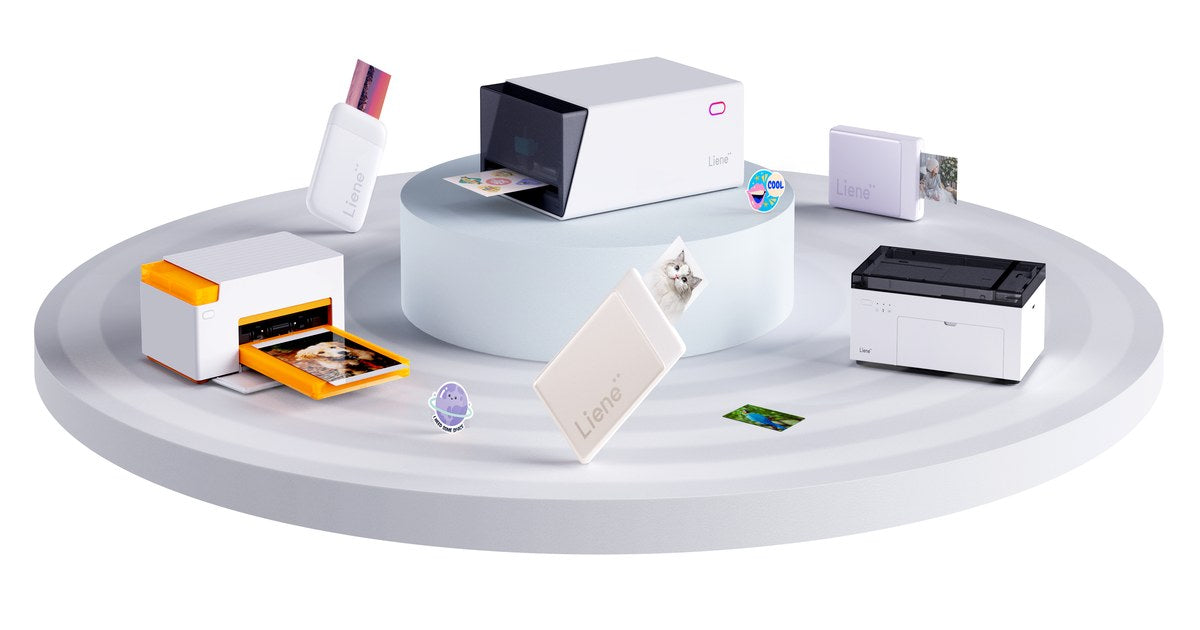
For proper 4x6 prints at home, the kind that end up in albums and frames, the machine to look at is a dye-sublimation printer, and ours is the Liene Amber. Small photos are a different shopping trip entirely: the Liene Pearl prints 2x3 photos that fit in a pocket and stick where you put them. And if you print twelve photos a year, honestly, a print service might still be your best friend, and we'll say so below. This guide sorts the 2026 field by what you plan to print, because that one question settles more than any spec sheet will. Quick Picks Best 4x6 photo printer for home: the Liene Amber M100 $159.99 bundle includes 100 sheets and three cartridges. Refills work out to about $0.40 per 4×6 print. Best mini and portable photo printer: the Liene Pearl K100, $99.99 with 50 sheets included, pocket-sized, printing on paper that needs no ink cartridges, with an adhesive back on every photo. Best if you rarely print: no printer. Your phone plus a print service handles a dozen photos a year with no complaints, and a machine you only use twice ends up as a shelf ornament anyway. The Three Routes, Side by Side 4x6 at home (dye-sub) Pocket prints (Zink) Print service Print size 4x6", album and frame ready 2x3", adhesive-backed Any size How it prints Thermal dye-sublimation, laminated finish Inkless Zink paper Lab equipment Lives On a shelf or desk In a bag or pocket Somewhere else entirely Waiting Under a minute per print Moments per print A trip or a shipping window Makes sense when You print albums, frames, gifts You journal, scrapbook, share on the spot You print a handful a year What to Look For in a Photo Printer Five things decide how the purchase goes, and they're worth a minute each before any brand names enter the picture. Print size. 4x6 is the album standard, the frame standard, and close to the aspect ratio your phone already shoots, so if the prints are destined for walls and books, that's your lane. 2x3 is a different kind of object, closer to a keepsake than a print, the sort of thing you hand to someone at a party or stick in a journal that afternoon. Printing technology. This decides how the photo holds up over the years. Dye-sublimation lays color down in continuous tone and seals the print under a laminate, which is why those prints shrug off water, fingerprints and fading. Zink skips ink altogether, forming the color inside the paper itself, and that trick is the whole reason a printer can fit in a pocket. Per-print cost. Deserves more attention than the price tag on the box, because paper is the cost you pay again every month you use the thing. Work out what one finished photo costs on each machine before comparing hardware. Connection style. Wi-Fi suits a family printer that several phones talk to; Bluetooth suits a printer that lives in one person's bag. The software. A good companion app handles the cropping, filters and layout for you, and some go further than you'd expect, printing ID and visa photos at home turns out to be the feature people mention most. Route 1: 4x6 Prints at Home The Liene Amber M100 is a shoebox-sized dye-sublimation printer that turns phone photos into finished 4x6 prints in under a minute each. Dye-sub is the same category of technology photo labs use: color goes on in continuous tone, then an automatic laminate seals the print against water, fingerprints and fading, and it comes out of the machine dry to the touch. No liquid ink anywhere in the process. The practical details, quickly: Wi-Fi with up to five devices at once, so in a household, everyone's phone can print to the same machine without anyone setting anything up twice. The free Liene Photo App works on iOS, Android, Windows and macOS. It includes frames, filters and an ID Photo Mode for printing passport and visa photos at home. The bundle math is the reason we point at the 100-sheet kit: $159.99 with three cartridges included works out to around $0.40 a photo, roughly 60% less than a shop would charge for the same print. Two siblings worth knowing about: the Amber M200 adds a built-in rechargeable battery good for about 40 prints per charge, for households where the printer travels to the party, and the newer Amber M110 trades Wi-Fi for Bluetooth with smarter app editing. Same paper, same finish, across the family. One practical note before a big printing night: the paper cassette holds 20 sheets at a time, so a large batch means reloading every so often rather than walking away for an hour. Dye-sub prints come out laminated and dry to the touch, under a minute each. Route 2: The Pocket Route The Liene Pearl K100 is the other philosophy entirely: $99.99 with 50 sheets in the box, and at 0.4 lb it rides in a pocket or purse. Zink printing, no cartridges. The color forms inside the paper itself, so there are no ribbons and nothing to run out of except the paper. Bluetooth to your phone, about 30 prints per USB-C charge, and you can print while it charges. The detail that changes how people end up using it is the adhesive backing on every print. Photos go straight into journals, onto laptops, water bottles and gift tags, and somewhere along the way the Pearl turns into a scrapbooking tool that happens to be a printer. The paper comes in color and black-and-white, and the app handles borders, filters and enhancements before anything prints. No cartridges in this one, just paper, and each photo peels like a sticker. If the sticker side of that appeals more than the photo side, two of its relatives go further: the Pearl N200 Pro brings dye-sub quality to the same portable sticker format, and the PixCut S1 prints, laminates and cuts full 4x7" sticker sheets at home. Route 3: No Printer at All Some people should not buy a photo printer, and a buying guide that never says so is an ad. If your printing amounts to a dozen photos a year, a print service or the drugstore photo counter costs less than any machine, and the only price is the wait or the trip. The math starts leaning the other way once printing becomes a habit rather than an errand, when there are albums in progress, a journal going, gifts, a wall that keeps growing. Somewhere around there, owning the machine begins paying for itself, partly in money and partly in photos that would otherwise still be sitting on your phone. A table of fresh prints, waiting to be sorted into albums. What a Photo Costs Amber: about $0.40 per 4x6 print using Liene cartridge-and-paper packs, and by Liene's own comparison that runs roughly 60% below typical shop pricing. Pearl: the cost is simply the Zink paper, since there is no ink to buy, ever. Print services: too varied to quote honestly, but the pattern tends to repeat: cheap per print in big batches, noticeably less cheap for small ones once shipping or the trip gets counted, and the photos show up on their schedule rather than yours. FAQ Should I get a 4x6 photo printer or a mini one? Decide where the photos are going. Albums, frames and gifts point at 4x6 and the Amber. Journals, laptops and handing prints to friends at the moment point at 2x3 and the Pearl. Plenty of households eventually end up with one of each, since they don't overlap much. What's the difference between dye-sublimation and Zink? Dye-sub transfers color from a cartridge in continuous tone and seals it under a laminate, which is what gives Amber prints their lab-style finish. Zink forms the color inside the paper itself with heat, no cartridge at all, which is what lets the Pearl fit in a pocket. Both come out dry to the touch and resist water and smudging. Can I print photos straight from my iPhone? Yes, with either printer. The free Liene Photo app does it from an iPhone, and there is an Android version as well. Amber connects over Wi-Fi and holds up to five devices at once. Pearl pairs over Bluetooth and is small enough to live in your bag. Will the prints fade or smear? Amber prints leave the machine already laminated, which is what lets them stand up to water, fingerprints and years on a wall. The Pearl's Zink prints get their durability from the paper itself, water resistant, tear resistant and smudge proof without any coating step. Neither needs drying time. Can I print passport photos at home? You can, and it might be the most quietly useful feature in this whole guide. The Liene Photo App has an ID Photo Mode that formats passport and visa photos to spec, printed on the Amber for a fraction of the photo-counter price. How much does each photo cost to print? Around $0.40 per 4x6 on the Amber with Liene paper-and-cartridge packs. On the Pearl, the per-photo cost is just the Zink paper, since there are no cartridges to replace. Match the Printer to the Photos Buy for the photos you'll print this season rather than the ones you might get to someday. If the plan involves a wall of frames or a family album, that's the Amber. A journaling habit or a life spent mostly out of the house leans Pearl, and a dozen prints a year is a perfectly good reason to keep your money. However you land, the point of any of this is getting photos off your phone and into the room where people can see them. Albums are where the prints finally settle. Shop Amber M100
1 / 1