Blogs

Explore blogs about photo printers topics for the latest tech, creative ideas, and printing tips. Elevate your printing experience and capture moments.

Explore by Topic

12 Creative Photo Display Ideas to Showcase Your Cherished Memories

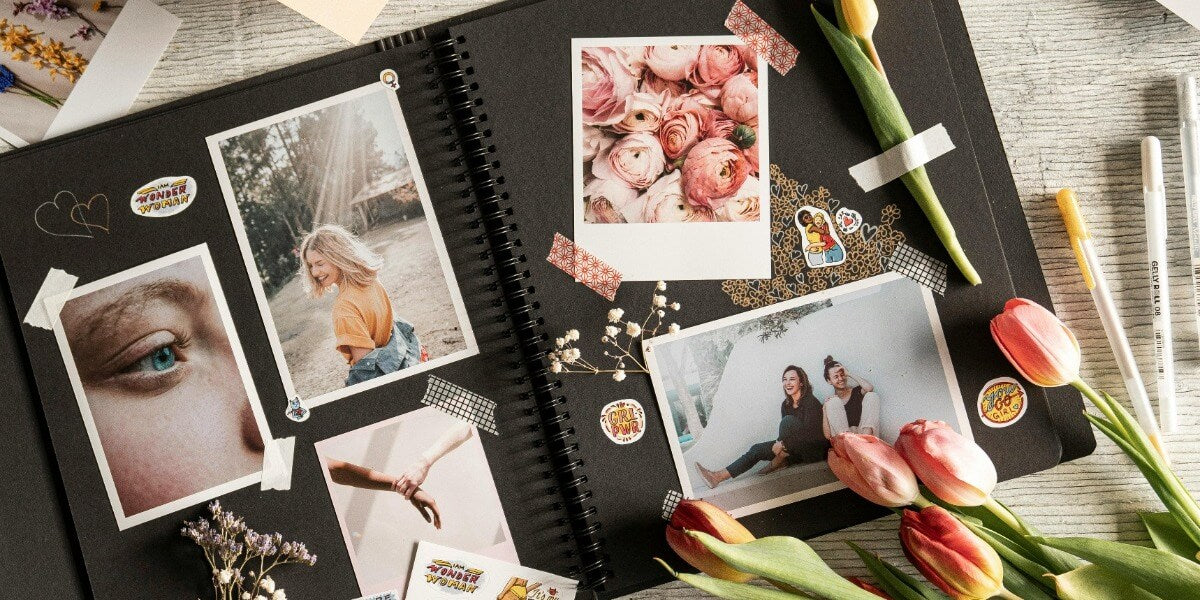
Got a mountain of printed photos tucked away? Hey, you're not alone! We all have those precious snaps hidden in boxes, just waiting for their moment to shine. Why keep them hidden? Let's turn your place into a cozy memory lane with some super creative and downright cool photo display ideas. Think less museum, more your personal cozy corner of the world. From quirky wall art to charming photo strings, we're diving into fun ways to bring those memories out of the shadows and into your daily life. Ready to make your space a storybook of your adventures? Let's get started! 1. Photo Wall Grid The Photo Wall Grid presents a sleek and modern approach to displaying photos, utilizing a metal grid panel where photos are attached using clips. This method is not only aesthetically pleasing for its industrial vibe and clean lines but also remarkably easy to set up. All you need is a metal grid, some clips, and hooks to hang it on the wall. It's versatile enough to fit any wall space, standing out for its modular design that allows for effortless updates and customization, blending functionality with chic style seamlessly.     Alternatively, you can affix your photos directly onto the wall in a grid pattern using adhesive tapes or glue for a more straightforward approach, bypassing the need for a physical grid, clips, and hooks. For those seeking an even simpler solution, the Liene Pearl K100 Portable Photo Printer offers a convenient option. It prints photos with a sticky back, enabling you to easily stick your prints on the wall without the need for additional adhesives or glue. 2. String Lights Display The String Lights Display offers a magical twist to photo showcasing. By clipping photos onto illuminated string lights, this display creates a warm, inviting ambiance that transforms any room into a cozy haven. The setup is straightforward, requiring just the string lights and small clips. Ideal for draping across walls, headboards, or windows, this approach stands out for its ability to bring a soft, enchanting glow to your cherished memories, making it perfect for bedrooms or intimate gathering spaces. 3. Washi Tape Frames Here is a simpler yet creative method —— Washi Tape Frames, allowing for a playful and damage-free way to display photos. This method involves sticking photos directly onto the wall and framing them with colorful washi tape. Washi Tape Frames transform photo displays into an artful collage, blending the simplicity of paper tape with the complexity of memories, creating a vibrant, textured canvas that narrates life's moments with whimsical charm. It's an incredibly easy setup, requiring nothing more than your favorite photos and some decorative tape. This method shines in its ability to inject personality and color into your space, offering endless creativity without leaving any marks on your walls. 4. Photo Garland The Photo Garland weaves together your memories in a string of visual storytelling that's as charming as it is simple. Imagine a line of your favorite photos, each clipped to a twine, ribbon, or string, draped gracefully across a mantle, window, or along a wall. This approach offers an aesthetic that's both rustic and heartwarming, effortlessly bringing a personal touch to any space. To set this up, you only need to pick a strong and good-looking string, clips or clothespins, and your collection of photos. It’s an ideal choice for those who appreciate the beauty in simplicity and seek a versatile display that can be adapted for various occasions or spaces. Photo Garland stands out for its handmade appeal and the ease with which it invites seasonal or thematic updates, making it a continually fresh and engaging way to showcase your photographic memories. 5. Corkboard Wall Collage For a more dynamic and textured look, the Corkboard Wall Collage turns an entire wall into a canvas for your memories. By pinning photos onto a corkboard, this collage becomes a living mosaic that you can continually add to or rearrange. In the eye of young generation, collage becomes not just a photo display but a living mood board, showcasing their individuality and the fluid nature of their aspirations and inspirations. Plus, the ease of adding, removing, and rearranging items makes it perfectly suited to the fast-paced and varied lifestyles of the younger generation, offering a unique blend of art, memory, and message board all rolled into one. Though it requires a bit more effort to install the corkboard, the tools and materials are widely available. Positioned in any room, it stands out for its tactile appeal and the rich, evolving story it tells through your collected moments. 6. Doorway Photo Curtain For the Doorway Photo Curtain, envision walking through a cascade of your favorite memories each time you pass from one room to another. This innovative display uses strings of photos hung from a rod or wire above your doorway, creating a literal curtain of snapshots. It’s aesthetically unique, offering a personal touch that’s both visually captivating and easy to set up. All you need are strings, a rod or wire, and clips for the photos. Perfect for entryways or transitions between spaces, it stands out for its immersive experience, inviting anyone who walks through to pause and reflect on the moments captured. 7. Photo Puzzle The Photo Puzzle takes a beloved image and transforms it into a large-scale, interactive art piece. By printing a single photo across multiple canvases or frames that, when assembled, reveal the complete image, it creates a visually stunning mosaic. This setup might require a bit more effort, including precise alignment and mounting of each piece, but the impact is worth it. Necessary materials include segmented photo prints and a method for hanging. Ideal for a statement wall, this display is remarkable for its artistic flair and the way it draws viewers into the picture, piece by piece. 8. Travel Map Display The Travel Map Display combines your wanderlust with your photo memories, pinning pictures to the locations on a map where they were taken. This visually striking setup is not only a beautiful way to decorate your space but also a deeply personal record of your travels. With a map, pushpins or stickers, and your photos, it’s relatively easy to create. Suitable for a study, hallway, or living room, this method stands out for its storytelling capacity, turning a simple map into a vivid diary of adventures and experiences. Remember to bring along your portable companion, Liene Amber 4x6" Instant Photo Printer, allowing you to print your memories instantly right on the go! 9. Binder Clip Stands Transforming everyday items into art, Binder Clip Stands offer a minimalist yet striking way to display photos. By simply clipping a photo and standing it on any flat surface, this method turns your snapshots into standalone pieces of decor. Ideal for desks, shelves, or mantles, it's a testament to the beauty of simplicity, showcasing photos without the distraction of elaborate frames. This approach not only highlights the photo itself but also adds an industrial chic to your space, allowing for an ever-changing gallery that's as dynamic as it is personal. 10. Albums and Scrapbooks Creating an album or scrapbook, aptly termed Memory Chronicles, is a deeply personal journey through time. This traditional yet evergreen method of preserving memories allows for a tactile experience, where each page turn reveals a story, a feeling, or a forgotten moment. Beyond photos, it invites the inclusion of mementos, notes, and embellishments, making each album a unique artifact of one's life. It's a creative process that not only organizes memories but also makes them accessible, inviting revisitation and reflection, perfect for those who cherish depth and detail in their reminiscences.     11. Parchment Tape Vignettes Utilizing a tiny piece of parchment-color tape to affix photos onto walls or personal items like your computer transforms ordinary spaces into Parchment Tape Vignettes. This method brings a subtle, vintage touch to photo displays, with the soft, natural hue of the tape complementing the imagery. It's an effortlessly chic way to personalize and enliven your surroundings, turning them into a curated exhibition of your favorite moments. Ideal for those who appreciate a touch of nostalgia and simplicity, it's a gentle reminder of cherished times, seamlessly integrated into daily life. 12. Making Photos into Bookmarks For those overwhelmed by an abundance of photos, transforming them into bookmarks — Literary Keepsakes — offers a novel solution. It's a practical and sentimental way to keep your memories close, turning every reading session into a moment of personal connection. Each photo becomes a marker not just of where you left off in your book, but of a moment in time, infusing your reading experience with warmth and nostalgia. Perfect for avid readers and photo enthusiasts alike, this idea marries the love for books with the joy of reminiscing, making each photo a cherished companion through your literary adventures. Summing up And there you have it, a collection of fascinating photo display ideas that go beyond the conventional, breathing new life into your cherished memories. They remind us that photographs are more than just images; they are stories, emotions, and connections waiting to be rediscovered and celebrated. So, gather your memories and let your creativity flow, transforming your living spaces into vibrant galleries of your personal journey. After all, each photo tells a story, and how you choose to display them can make those stories come alive in the most beautiful ways.

What are the Most Common Bluetooth Printer for iPhone Usage Scenarios?

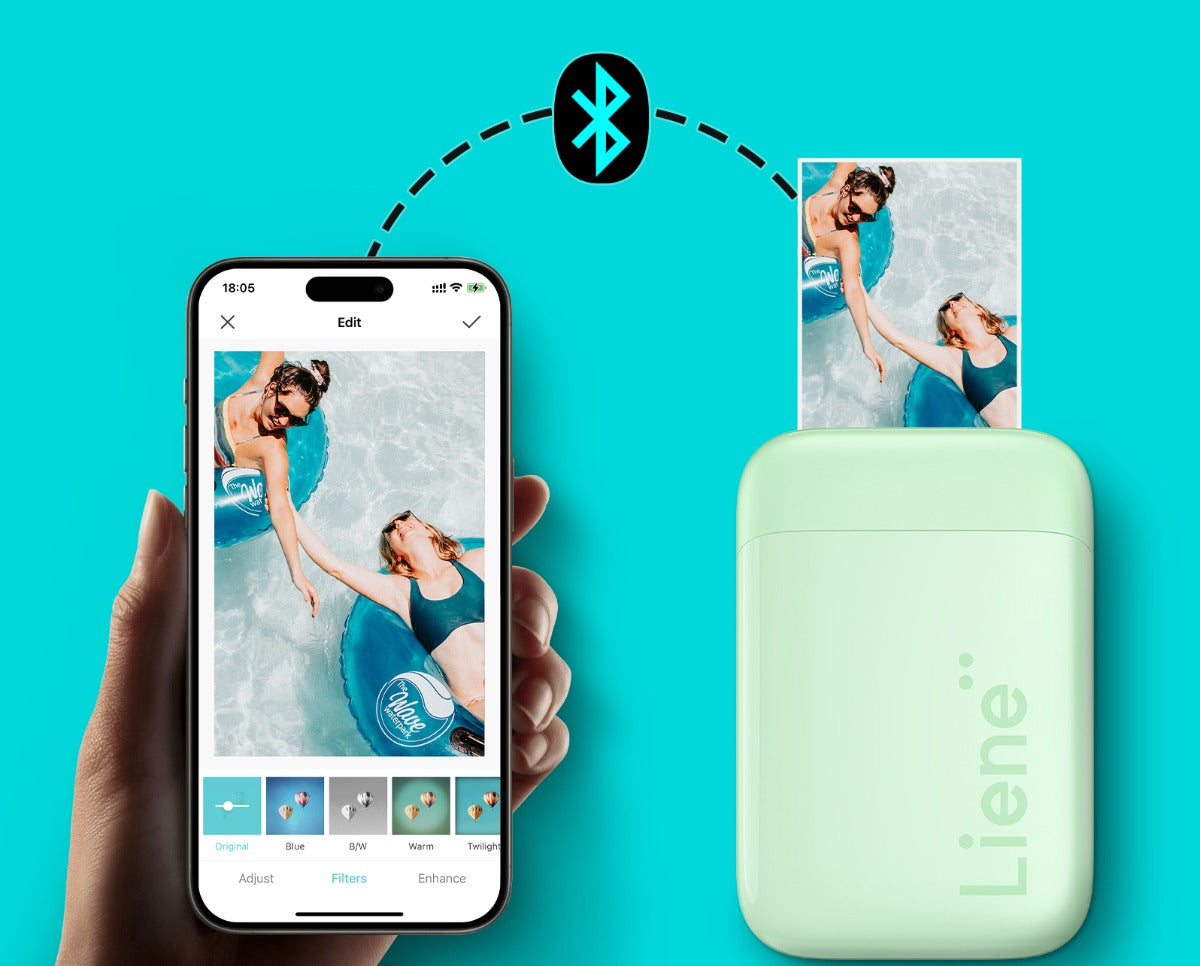
Bluetooth printers have become helpful friends for people who use iPhones. They do a lot of different jobs, making it easier for us to print things from our phones. Imagine a world where you can print pictures or important papers directly from your iPhone without any wires, that's what Bluetooth printers do. This makes life more convenient for busy people who need to print stuff while they're out and about. iPhones are super important in our daily lives, and now, with Bluetooth printers, we can do even more with them. These printers are like magic helpers that make it simple for us to print things whenever we need to. Whether you're a busy professional, a business owner, or just someone who wants to print things quickly, Bluetooth printers like Liene photo printers are here to make it easy and efficient. Let's explore some of the common bluetooth printers that are specially designed for iPhone users. What is the Environmental Impact of Bluetooth Printer? The environmental impact of Bluetooth printers encompasses both positive and negative aspects that reflect the broader sustainability considerations of electronic devices. Bluetooth printers contribute to a reduction in paper wastage and energy consumption compared to traditional wired printers. The wireless nature of Bluetooth technology eliminates the need for extensive cabling and minimizes the environmental footprint associated with the production and disposal of such materials. The efficiency of Bluetooth printers in enabling mobile printing aligns with the contemporary emphasis on digitalization and encourages a shift toward paperless practices and reducing the demand for paper resources. Bluetooth printers undergo a production process that involves the extraction and processing of raw materials that contribute to resource depletion and environmental degradation. The use of certain materials, such as plastics and metals, in Bluetooth printer construction raises concerns about their end-of-life impact and the potential to contribute to electronic waste concerns. The manufacturing phase and the eventual disposal of these devices also pose challenges. To mitigate these environmental effects, responsible manufacturing practices, recycling initiatives, and eco-friendly materials should be prioritized in the production and disposal of Bluetooth printers that ensure a more sustainable life cycle for these devices. Usage Scenarios of Bluetooth Printers In an era characterized by the ubiquity of mobile devices, Bluetooth printers have revolutionized the way we approach printing tasks across various sectors. But some of the scenarios that occur as a result of Bluetooth printers are given below. 1. In Education Field Nowadays, where mobile devices are everywhere, Bluetooth printers have truly transformed the way we handle printing tasks in various sectors. The impact of Bluetooth printers is particularly significant in the education field, where they have not only revolutionized but also diversified the printing landscape. Bluetooth printers in the education field enhance flexibility and accessibility. From mobile learning materials to student projects and on-the-spot document printing, these printers contribute to a more dynamic and efficient educational experience hence aligning with the evolving technological landscape in schools and academic institutions. ● Mobile Learning Materials Bluetooth printers have become essential tools in education by enabling the immediate printing of mobile learning materials. This has revolutionized the way teachers and students access educational resources. With the ability to effortlessly print handouts, worksheets, or study guides directly from their mobile devices, Bluetooth printers enhance the overall accessibility of learning materials. This not only simplifies the teaching process but also empowers students with on-demand access to educational content. ● Student Projects and Presentations Nowadays, student projects and presentations are common and Bluetooth printers emerge as valuable assets. They offer a convenient solution for producing hard copies of visual aids, reports, or supporting documents. Whether in a traditional classroom setting or during collaborative projects, students can seamlessly print materials directly from their smartphones or tablets. This ensures that their work is not only well-prepared but also professionally presented hence contributing to a more impactful educational experience. ● On-the-Spot Document Printing One of the standout features of Bluetooth printers in education is their ability to fulfil immediate needs. By enabling on-the-spot document printing, these printers respond swiftly to the requirements of educators and students alike. Whether it involves printing important announcements, last-minute materials, or reference documents, Bluetooth printers provide a quick and efficient solution. This responsiveness aligns with the dynamic nature of educational settings, where adaptability and prompt access to printed materials are crucial for a seamless learning experience. 2. In Business Field Bluetooth printers have evolved into indispensable assets that redefine how professionals handle various tasks on the go. Let's explore some crucial scenarios where Bluetooth printers have become game-changers in the business field. ● Mobile Printing for Professionals Bluetooth printers have become indispensable tools for professionals in the business field as they offer the convenience of mobile printing on the go. Executives, sales representatives, and field professionals can seamlessly print important documents, contracts, or presentations directly from their smartphones or tablets. ● Instant Receipts and Invoices In the field of business transactions, Bluetooth printers play a pivotal role in generating instant receipts and invoices. Retailers, service providers, and businesses engaged in point-of-sale activities can efficiently print transaction records on the spot. This not only expedites the checkout process but also enhances customer service by providing tangible documentation immediately. ● Portable Label Printing Another noteworthy application of Bluetooth printers in the business field is portable label printing. Businesses, especially those involved in retail, logistics, or inventory management, benefit from the on-the-fly label printing capability of Bluetooth printers. This feature streamlines workflow efficiency, allowing for quick and accurate labelling of products, packages, or organizational items. 3. In Healthcare Industry In the healthcare industry, Bluetooth printers have emerged as transformative tools. Here are some of its applications in this industry: ● Quick Access to Patient Records Bluetooth printers facilitate quick access to patient records and hence prove to be invaluable in busy healthcare settings. Medical professionals, nurses, and administrative staff can easily print and retrieve patient records directly from their mobile devices. This ensures that essential information is readily available and contributes to more efficient and accurate patient care. ● Efficient Prescription Printing Bluetooth printers offer an efficient solution for healthcare professionals. Doctors can seamlessly print prescriptions from their smartphones or tablets which enhances the prescription fulfilment process. This not only saves time but also minimizes the risk of errors associated with manual writing. ● Digitization of Healthcare Processes From printing electronic medical records to generating digital imaging reports, these printers support the transition toward a paperless healthcare environment. The digitization of processes not only reduces administrative burdens but also improves the accessibility and security of patient information. 4. In Daily Life In our daily lives, Bluetooth printers have woven themselves into various aspects, providing convenient solutions for common tasks. Some of its applications in daily life include: ● Personalized Photo Printing Bluetooth printers add a touch of magic to our memories by offering personalized photo printing. Whether it's capturing a special moment on a smartphone or tablet, these Bluetooth photo printers enable us to instantly transform digital photos into tangible prints. This scenario is perfect for creating personalized photo albums and decorating spaces with cherished memories or sharing physical copies with loved ones. ● Quick Document Access In the hustle and bustle of daily life, quick access to essential documents is crucial. Bluetooth printers facilitate this by allowing us to print important documents directly from our smartphones or tablets. Whether it's a boarding pass before a trip, a work-related report, or a last-minute document needed for a meeting, Bluetooth printers offer a swift and efficient solution. ● Convenient Note-Taking Bluetooth printers enhance the convenience of note-taking in daily life. Whether it's jotting down important information, creating to-do lists, or capturing ideas on a mobile device, these printers enable the easy conversion of digital notes into physical copies. 5. In Events and Social Gatherings Bluetooth printers have become integral tools in the realm of events and social gatherings and elevate the overall experience for organizers and attendees alike. ● Instant Photo Prints for Memorable Souvenirs Whether it's a wedding, a corporate event, or a birthday party, these printers enable on-the-spot printing of photos captured during the event. Attendees can take home tangible memories, fostering a sense of connection and appreciation for the experience. The instant creation of personalized keepsakes adds a delightful and interactive element to events, creating a lasting impact. ● Enhancing Interactivity at Events Bluetooth printers contribute to enhancing interactivity at events by providing immediate and tangible outputs. Attendees can engage in activities such as on-the-spot contests, interactive games, or photo booths, with the ability to print their creations instantly. ● On-the-Spot Printing for Various Occasions Bluetooth printers offer on-the-spot printing for various occasions. This versatility allows organizers to streamline logistical processes, such as providing agendas, schedules, or informational materials directly to attendees. The convenience of on-the-spot printing ensures that events run smoothly, and attendees have immediate access to relevant information. Conclusion Bluetooth printers for iPhone users have transformed the landscape of mobile printing. Whether swiftly preserving precious memories with instant photo prints or streamlining business operations through effective receipt and label printing, these printers offer a diverse range of applications.

How to Print Locket Photos with Portable Photo Printers

Locket photos hold a special place in the realm of personal adornments, encapsulating memories, love, and cherished moments in a compact, wearable form. These tiny, intimate portraits offer a unique way to keep loved ones close, serving not only as a piece of jewelry but as a personal treasure imbued with sentiment and history. Learning how to print locket photos in today's fast-paced world has been revolutionized by the advent of portable photo printers. These devices marry convenience with technology, allowing anyone to easily transform digital memories into tangible keepsakes. With just a few clicks, portable photo printers simplify the task of personalizing lockets with special photos, making this cherished form of expression more accessible than ever. How to print locket photos step by step Creating the perfect locket photo is a blend of art and precision, turning digital memories into physical tokens of affection. This step-by-step guide on how to print locket photos ensures that anyone can achieve professional-looking results right at home, using portable photo printers for maximum convenience. Measuring the Locket Space: Begin with precise measurements of your locket's photo compartment using a ruler or measuring tape. This accuracy is key to a seamless fit, eliminating unsightly gaps. Choosing an Ideal Photo: Opt for a photo of high resolution where the focal point is well positioned. Clarity, brightness, and a thoughtful composition are crucial for maximizing the limited space of a locket. Adjusting Photo Size: Employ photo editing software or tools to scale your image to match the locket's specifications. Resources like Adobe Photoshop or various free online platforms can assist in resizing without compromising image quality. Perfecting the Image: Enhance your photo by modulating brightness, contrast, and color saturation levels. This refinement step guarantees a vibrant and lucid print that faithfully reproduces every nuance. Selecting a Suitable Portable Photo Printer: Search for portable printers renowned for their superior print quality, compatibility with smaller photo formats, and straightforward connectivity features. Preference should be given to models lauded for their efficiency in photo printing. Optimizing Printing Conditions: Choose the highest-grade photo paper compatible with your printer and fine-tune the printing settings to achieve a high-resolution output. This attention to detail ensures your photo emerges sharp and colorful. Trimming and Inserting the Photo: With precision, trim the printed photo along the previously determined dimensions. A sharp pair of scissors is essential for accurate cuts. Subsequently, place the photo into your locket, making sure it fits securely. Adhering to these steps allows for the conversion of any digital photograph into an exquisite locket photo, crafting an everlasting piece of jewelry or a deeply moving present. Why choose a portable photo printer to print locket-size photos In the realm of personal keepsakes, locket photos hold a dear place, offering a tangible connection to moments and loved ones. The advent of portable photo printers has revolutionized how we bring these tiny treasures to life. Here’s why a portable photo printer is your best ally for creating the perfect locket photo. 1. Tailored for Locket Photos Precision Printing: Portable photo printers offer the capability to print at the exact dimensions required for locket photos, ensuring a perfect fit every time without the need for extensive trimming. High-Resolution Output: These printers produce clear, detailed images crucial for the small scale of locket photos, capturing every smile and glance with vivid clarity. 2. Flexibility and Convenience Print Anytime, Anywhere: Capture a moment on your phone and print it directly into a photo ready to be placed in a locket, whether you're at a family event, on a trip, or cozy at home. Easy to Carry: Their compact size means you can easily bring your printer with you, making it possible to print and update locket photos whenever you wish. 3. Personal Touch: Custom Editing: Before printing, photos can be edited to perfection, ensuring the image not only fits the locket’s size but also reflects the desired mood and tone, making each locket photo deeply personal. With the Liene K100 Portable photo printer, you can print on professional photo paper, either color or black and white, and the photo paper is designed with adhesive backing and can be pasted. 4. Economical and Efficient: Cost-Effective: Printing photos at home reduces the need for professional printing services, offering a more economical way to frequently update locket photos. Immediate Results: Avoid the wait times associated with professional services, printing photos as soon as they’re chosen and edited. Compared to traditional printing methods and professional services, portable photo printers deliver a level of immediacy, customization, and intimacy perfectly suited for the creation of locket photos. They empower individuals to bring their cherished memories to life in a form that's not only portable but deeply personal, ensuring that your locket remains a dynamic, ever-evolving token of love and memory. For your convenience, here is a guide on how to print photos from Android phones and how to choose portable printers for iPhone-users. Creative Ideas for Locket Photos Locket photos are a timeless way to carry memories close to your heart, but with the evolution of photo technology, there are now more creative avenues to personalize these miniature keepsakes. Do you know how to print locket photos in a creative way? Here are some innovative ideas for making locket photos even more special, perfect for gifting or commemorating significant moments: Innovating with Photo Enhancements Filters for Mood Setting Apply filters to give your locket photo a vintage look, a warm glow, or a black-and-white classic feel, enhancing the emotional impact of the memory it holds. Creating a Mini Collage Use photo editing software to combine several images into a single, cohesive mini collage. This is especially poignant for lockets, as it allows you to carry multiple memories or represent multiple loved ones within the same space. Text Overlay for Personal Messages Overlay a meaningful date, name, or short message on the photo before printing. This can add a layer of personal significance, making the locket photo a message and a memory. Memorable Occasion and Gifting Ideas Commemorative Keepsakes For anniversaries, create a locket photo from the wedding day and pair it with a current photo to symbolize the journey together. For graduations, a cap-and-gown photo with a motivational quote overlay can inspire and commemorate the achievement. Personalized Lockets for Every Relationship For friends, blend photos of shared adventures or inside jokes into a collage that captures the essence of your friendship. For parents and children, a photo capturing a candid moment together, enhanced with a soft filter, can make a heartwarming gift that carries the warmth of family bonds. Seasonal and Thematic Creativity Seasonal lockets can rotate photos with seasonal themes, such as autumn leaves or snowy landscapes, keeping the locket in tune with the time of year. Thematic lockets for hobbyists, incorporating images related to their passions (e.g., musical notes for musicians, written words for writers) with subtle background textures to match. Implementation Tips Use High-Quality Images: To ensure that your creative efforts translate well into the small format of a locket photo, start with the highest quality image possible. Experiment Before Printing: Take advantage of photo editing software to try different ideas before settling on the final version for print. Consider the Locket's Shape: Whether it's round, oval, or heart-shaped, design your photo or collage to complement the locket's form for a visually harmonious effect. By infusing creativity into your locket photos, you transform a simple image into a multifaceted story, deepening the emotional value of the locket and making it an even more treasured item. Whether for yourself or as a personalized gift, these creative ideas can turn lockets into unique, meaningful keepsakes that capture not just a moment, but a rich tapestry of memories and sentiments. Troubleshooting common issues of printing Printing locket photos with a portable photo printer should be a seamless process, but occasionally, you might encounter some hitches. Here are troubleshooting tips for common issues and advice for maintaining your printer to ensure it continues to produce high-quality prints. 1. Color Inaccuracies Calibration: Ensure your printer is calibrated for color accuracy. Many printers come with a calibration function that can be performed via the printer's settings or a connected app. Monitor and Printer Alignment: The colors on your screen might not always match your print output due to differences in device color profiles. Adjust your monitor settings and use printer profiles that match your paper type to improve color accuracy. 2. Paper Jams Proper Loading: Ensure the paper is loaded correctly according to your printer's guidelines. Avoid overfilling the paper tray and ensure that the paper is not bent or damaged. Regular Cleaning: Clean your printer's rollers regularly to prevent paper dust buildup, which can cause jams. Consult your printer's manual for the recommended cleaning procedure. 3. Size Mismatches Check Printer Settings: Before printing, double-check that the print size settings on your printer or in the printing app match the dimensions needed for your locket photo. Software Accuracy: Use reliable photo editing software to resize your images accurately. Ensure that the dimensions and resolution are correctly set before printing. By addressing common printing issues promptly, you can enjoy consistent, high-quality prints from your portable photo printer for years to come. Keeping your device in top condition ensures that every locket photo you print captures the essence of your cherished memories perfectly. Crafting Locket Memories with Portable Printers Embracing the art of how to print locket photos using a portable photo printer is a blend of convenience and personal expression. This process turns digital memories into tangible mementos, deepening the emotional value embedded in each locket. Let’s delve into creativity and customization, making every locket photo a distinct gem. Seize the chance to keep cherished moments close to your heart and share this heartfelt expression of affection and remembrance with others, all through the convenience and excellence of portable printing.

5 Creative Ideas for Your Personalized Photo Album

Memories are the bookmarks to our life's story, and what better way to preserve these moments than in a personalized photo album? But let's face it, flipping through pages of photos can become a tad monotonous if that's all there is to it. Why not jazz things up a bit? Below are five creative ideas to elevate your personalized photo albums, from simple collections of images to captivating treasures of memories. Idea 1: Themed Albums Embracing the theme of your personalized photo album can transform it into a captivating narrative, weaving together your most cherished memories with creative flair. Here are some ideas to inspire your themed photo album project, ensuring each page resonates with the moments you hold dear. Selecting a Theme Vacations: Capture the essence of your travels, from weekend getaways to international adventures. Milestones: Document significant life events such as graduations, weddings, or birthdays. Everyday Moments: Cherish the beauty in daily life, from spontaneous outings to quiet evenings at home. Organizing Photos Around the Theme Chronological Order: Arrange photos in the sequence they were taken to tell a story as it unfolded. Emotional Impact: Group photos by the emotions they evoke, creating sections of joy, contemplation, or excitement. Color Themes: Organize photos based on dominant colors for a visually cohesive look. Themed Decorations and Album Covers Vacation Albums: Use maps, tickets, and postcards as decorations. Cover design could feature a map or a memorable photo from the trip. Milestone Albums: Decorate with symbols of the event (e.g., graduation caps, wedding rings). Consider a cover that reflects the milestone's significance. Everyday Albums: Incorporate everyday items like ticket stubs, dried flowers, or handwritten notes. Choose a cover that represents the simplicity and beauty of daily life. By carefully selecting a theme and organizing photos with thoughtful decorations and covers, your themed album can become a treasured keepsake that captures the essence of your memories. Idea 2: Scrapbook Fusion Merging the timeless appeal of photo albums with the creative versatility of scrapbooking gives rise to the innovative concept of Scrapbook Fusion. Here's how you can blend the traditional photo album with scrapbooking elements to create a memorable and personalized keepsake. Incorporating Memorabilia Tickets and Postcards: Embed tickets from concerts, trains, planes, or events, along with postcards from travels, to add a narrative layer to your photos. Handwritten Notes: Include personal notes, quotes, or captions written by hand to give a personal touch and context to the images. Enhancing Visuals with Scrapbooking Supplies Decorative Paper: Use various patterns and textures as backgrounds to frame your photos or as separators between different sections. Stickers: Select stickers that complement your theme, adding fun and color to the pages without overshadowing the photos. Washi Tape: This decorative tape can be used to border photos, secure memorabilia, or simply add a splash of design and color. By intertwining the tactile richness of scrapbooking with your personalized photo albums, you create a multi-dimensional narrative that celebrates your memories with both visual appeal and emotional resonance. This fusion approach not only preserves your moments but elevates them into a personalized artwork that can be cherished for years to come. Idea 3: Seasonal Albums Seasonal Albums provide a charming method to record the progression of time, encapsulating the quintessence of every season along with its festive occasions. This guide will show you how to create a seasonal album that does more than just catalogue your moments—it captures the soul of each season. Creating Albums for Seasons and Events Seasons: Design an album for each of the four seasons, focusing on the natural beauty and activities that define them. Annual Events: Create albums for significant events such as holidays, family traditions, the first day of school, or annual family vacations. Seasonal Decorations and Photo Organization Seasonal Decorations: Use colors, patterns, and motifs that reflect each season (e.g., fall leaves, winter snowflakes, spring flowers, summer sun). Photo Organization: Arrange photos to follow the progression of the season or event, starting with the initial signs and culminating in the season's or event's peak moments. Capturing the Essence of Each Season Photography Tips: Focus on capturing the unique elements of each season, such as the changing landscapes, celebrations, and family traditions. Album Design: Incorporate natural elements, seasonal colors, and thematic decorations to enhance the visual storytelling of your album. Seasonal Albums not only serve as a beautiful reminder of the year's changing rhythms but also as a creative outlet to express the unique characteristics of each season and the personal moments that make them special. Through thoughtful photography and design, these albums can become cherished collections that celebrate the passage of time and the memories made along the way. Idea 4: Interactive Albums Interactive Albums take the concept of photo preservation to an exciting new level, inviting engagement and discovery through dynamic elements that go beyond traditional photo viewing. Here's how to infuse your personalized photo album with these creative touches, making each page a discovery waiting to unfold. Introduction to Interactive Features Pockets: Perfect for storing additional photos, notes, or small memorabilia that complement the story. Fold-Outs: Use fold-out pages to create panoramic views or reveal a series of photos and narratives gradually. QR Codes: Link to digital content such as videos, music, or an online photo gallery, adding a multimedia dimension to your album. Building Interactive Elements: A Detailed Guide Layout Design: Choose the locations and methods for adding interactive features to your album, aiming to complement the narrative without cluttering the page. Making Pockets and Fold-Outs: Select sturdy materials. Precisely cut and fold them to blend smoothly with your album's pages. Adding QR Codes: Create QR codes for online content. Verify their functionality and incorporate them thoughtfully into your album. Making the Album an Engaging Experience Thematic Consistency: Ensure interactive elements align with the album's theme, using consistent colors, patterns, and textures. Surprise Elements: Incorporate unexpected features, like hidden messages or photos, that encourage viewers to explore every corner of the album. Personal Touches: Include elements that invite personal interaction, such as spaces for viewers to write their thoughts or add their own photos. Interactive Albums not only preserve memories but also invite a deeper connection with them, turning every page turn into an opportunity for engagement and surprise. By thoughtfully integrating interactive features, you create an album that offers a more enriching and personal experience for anyone who explores it. Idea 5: Journey Through Time The "Journey Through Time" album theme masterfully highlights the dynamics of change and growth, narrating the tale of personal transformation or the evolution of a relationship through the years. Below is a guide on crafting an engaging album that chronicles this voyage, focusing on the transitions and key moments throughout the period. Conceptualizing the Album Personal Growth: Focus on significant periods of change, such as a baby's first year, adolescence to adulthood, or career milestones. Relationship Evolution: Chronicle the development of a relationship from its beginning to the present, including friendships, romantic relationships, or family dynamics. Chronological Organization and Milestone Highlights Timeline Layout: Organize the album in chronological order, starting from the beginning of the journey and progressing to the current day or the journey's end. Milestone Markers: Clearly mark significant milestones or turning points with special emphasis, such as a first step, graduations, engagements, or anniversaries. Selecting Photos for Progression and Change         Before and After Shots: Include photos that clearly show the starting point and the current stage or conclusion of the journey. Consistent Framing: Whenever possible, take photos in a similar setting or pose to emphasize change over time. Narrative Captions: Use captions to explain the context, date, and significance of each photo, guiding the viewer through the journey. By thoughtfully organizing and selecting photos that emphasize progression, this album becomes a cherished narrative of our journey through life. Crafting Memorable Photo Albums with Liene's Printers For those who cherish the art of creating photo albums, Liene's Pearl and Amber photo printers emerge as ideal companions, each uniquely suited to bring your visual narratives to life. Whether you're compiling a vibrant travel diary or a heartfelt family keepsake, these printers offer distinct features tailored to the needs of photo album enthusiasts. Liene Pearl 2x3 Photo Printer: The Traveler's Delight Perfect for adventurers and travel enthusiasts, Liene Pearl 2x3 Photo Printer is a compact, portable marvel that ensures your journey's memories can be printed and added to your album on-the-go. With its lightweight design and ability to produce sticky-back prints, the Pearl model allows you to capture and preserve every spontaneous moment. Its convenience and ease of use make it an excellent choice for those who love to document their travels and turn them into beautiful photo albums. Liene Amber 4x6 Photo Printer: For the Detail-Oriented Album Creator Liene Amber 4X6 Photo Printer, with its advanced connectivity and superb print quality, is suited for the meticulous album creator who treasures precision and depth in their photo collections. Whether it's a family gathering or a series of landscapes, the Amber printer brings each scene to life with vivid colors and sharp details. It's designed for those who not only love to compile photo albums but also insist on each page telling a vibrant, visually stunning story. Summing up We've explored creative ideas from themed and scrapbook fusion albums to seasonal, interactive, and journey-through-time concepts, each offering unique ways to cherish memories. Let these ideas inspire you to start a personalized photo album project, embracing the profound value of preserving life's moments in a creative, tangible form that lasts forever.

Printer Not Showing Up on iPhone - Steps to Resolve Connectivity Issues

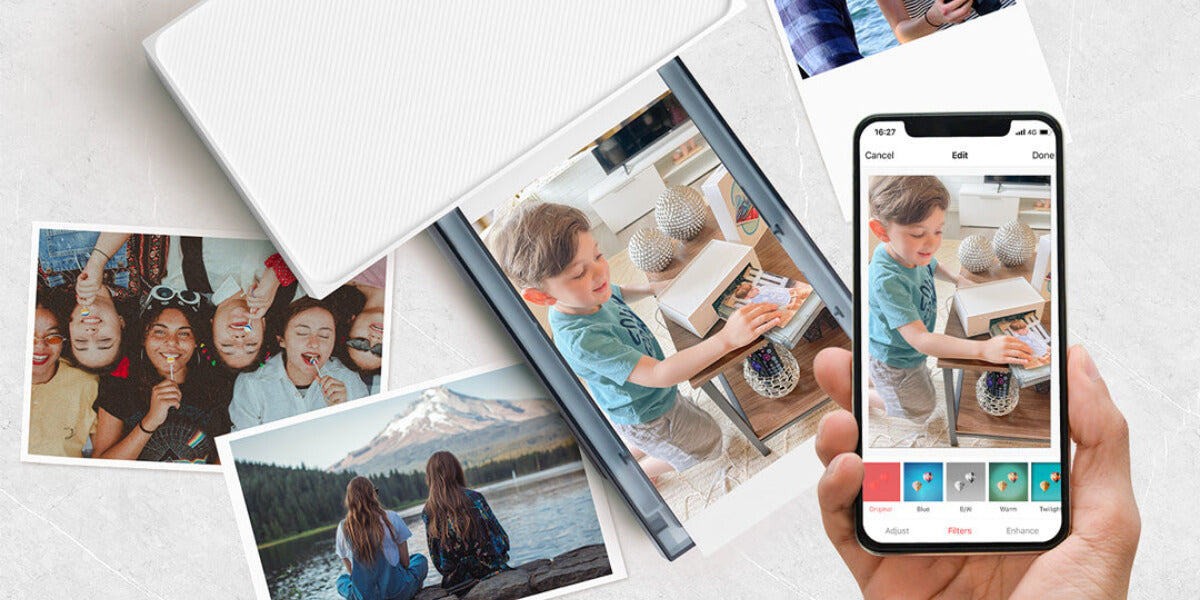
In today's digital age, the ability to instantly print photos directly from our smartphones is a convenience many of us enjoy. However, it's not uncommon to encounter a snag of your instant photo printer not showing up on iPhone. This issue can be perplexing and frustrating, especially when you're eager to print out memories from your phone. But worry not! In this blog, we'll guide you through simple steps to resolve this connectivity issue and get your printer up and running with your iPhone. Find Out the Possible Causes When you face a situation where your printer isn't being recognized by an iPhone, it's significant to recognize that such an issue doesn't arise without reasons. "Printer Not Showing Up on iPhone," like any other tech-related challenge, this problem stems from certain underlying factors. Understanding that there are concrete reasons behind this issue is the first step towards finding a solution. In the realm of technology, particularly in the interaction between different devices like printers and smartphones, everything operates based on defined protocols and settings. When an issue surfaces, it's a signal that one or more factors in this complex interaction aren't aligning as they should. This misalignment can be influenced by a variety of factors inherent to either the printer, the iPhone, or the way they are set up to communicate. First and foremost, incorrect Wi-Fi or Bluetooth settings can hinder the connection between your iPhone and the printer. It's essential to ensure that both devices are correctly set up for communication, whether it’s through a Wi-Fi network or via Bluetooth. Another potential issue could be compatibility between your printer and your iPhone. Not all printers are designed to seamlessly interact with iOS devices, so verifying compatibility is a crucial step. Software or firmware updates are another area to consider. Outdated software on either your iPhone or the printer can lead to connectivity problems. Ensuring that both devices are running the latest software versions can often resolve these issues. Lastly, signal interference or range issues could be the culprit. If the printer is too far from your iPhone or if there are obstructions or other electronic devices interfering with the signal, this could prevent your printer from appearing on your iPhone. Acknowledging and understanding these potential disruptors are critical in troubleshooting and resolving the issue. By methodically examining each aspect – from software compatibility and network settings to physical setup and device configuration – users can identify the root cause of the problem. This approach not only helps in resolving the current issue but also enhances one’s overall understanding of how such devices interact, leading to a more informed and smoother user experience in the future. In the following sections, we'll delve into each of these possible causes in more detail and explore solutions to get your instant photo printing back on track. Troubleshooting Steps When faced with connectivity issues between your iPhone and an instant photo printer, a systematic approach to troubleshooting can often resolve the problem. Here are some key steps you can follow: Checking Wi-Fi/Bluetooth Settings on the Device: For Wi-Fi Printers: Ensure your iPhone is connected to the same Wi-Fi network as the printer. Navigate to Settings > Wi-Fi on your iPhone and verify the network. For Bluetooth Printers: Go to Settings > Bluetooth and ensure Bluetooth is turned on. Check if the printer is listed under "My Devices" and if not, set your printer to pairing mode and try to connect. Verifying Printer Compatibility with the Device: Check the printer's manual or the manufacturer's website to confirm that it's compatible with iOS devices. Some printers might require specific settings or apps to work with iPhones. Updating the Needed App, Printer Firmware, and Device Software: App Updates: If your printer requires a specific app, open the App Store and update it to the latest version. Printer Firmware: Visit the manufacturer's website for instructions on how to update your printer's firmware. Device Software: Keep your iPhone updated with the latest iOS version (Settings > General > Software Update). If these steps don’t resolve the issue, it might be time to contact customer support. This could be the support team for your printer or Apple Support for your iPhone. They can provide more detailed guidance, especially for issues related to specific models or technical glitches beyond basic troubleshooting. By following these steps methodically, you stand a good chance of resolving connectivity issues between your iPhone and instant photo printer. Remember, patience and attention to detail are key in troubleshooting tech devices. Introducing Liene Amber Instant Photo Printer As technology progresses, ensuring seamless device connectivity has become more crucial than ever. This is especially relevant for Liene Amber Printer users, particularly those with iPhones, who might wonder if they will encounter the "Printer Not Showing Up on iPhone" issue. It's important to address these concerns and provide clarity on the compatibility and ease of use of the Liene Amber Printer with Apple devices. Let's explore this topic to assure users about the reliable integration they can anticipate between their iPhone and the Liene Amber Printer. What Makes Liene Amber Instant Photo Printer an Excellent Choice? The Liene Amber Instant Photo Printer stands out for its advanced thermal dye sublimation technology, delivering high-resolution 300 DPI prints in the classic 4x6 inch size. This feature ensures that your photographs are not only vibrant but also rich in detail, replicating professional-quality printing. Adding to its appeal is its broad compatibility, seamlessly working with iPhones, Android devices, and PCs. This flexibility makes it an ideal choice for a diverse range of users. Its Wi-Fi functionality supports connections for up to five users simultaneously, making it perfect for group events or family activities. The communal aspect of the printer fosters a shared experience, enhancing social gatherings. The Liene App further enriches this experience by providing user-friendly editing tools. This feature allows you to add a personal touch to your prints, whether they're from casual outings or special occasions. The package, inclusive of 100 photo papers and three ink cartridges, equips you with everything needed to start printing right away. This readiness, combined with its quick, smear-free printing capability, positions the Liene Amber as an essential tool for those who cherish capturing and preserving moments. Whether at home or on the move, its practicality and ease of use make it the best home-use photo printer for photography enthusiasts and casual users alike. Why Liene Amber Printer Stands Out for iPhone Users Liene Amber Printer is renowned for its user-friendly connectivity, designed to ensure effortless pairing with a variety of devices, including iPhones. While the occurrence of connectivity issues is rare, Liene Amber Printer has taken steps to ensure the issues of “my printer not showing up on iPhone” are easily resolvable. Key Features for Seamless Connectivity Frequent Firmware Updates: The Liene Amber Printer regularly updates its firmware to stay in sync with the latest iOS updates, significantly reducing compatibility issues. User-Friendly Setup: Connecting your Liene Amber Printer to an iPhone is straightforward and hassle-free, thanks to its intuitive setup process. Robust Support System: In the unlikely event of a connection issue, Liene Amber Printer's dedicated customer support team is ready to provide step-by-step assistance. Comprehensive Online Resources: The Liene Amber Printer offers extensive online guides and FAQs to walk users through the iPhone connection process. Positive Customer Feedback: A large number of iPhone users have shared their satisfaction with the Liene Amber Printer, highlighting its reliability and ease of use. To guarantee a smooth printing experience with your iPhone, Liene Amber Printer has focused on key areas such as compatibility checks, maintaining a stable connectivity with Wi-Fi (for Amber Instant Photo Printer) or Bluetooth (for Pearl Portable Photo Printer), and providing clear instructions for both setup and troubleshooting. So rest assured, the Liene Amber Printer is committed to providing a seamless printing experience for iPhone users. With it boasting user-centric design, ongoing software updates, and reliable customer support, users can enjoy their printing experience without being haunted by the thought “why my printer not showing up on iPhone”. Thus, it can be said that the Liene Amber Printer stands as a top choice for Apple device users seeking hassle-free printing solutions. Conclusion In conclusion, while the challenge of “printer not showing up on iPhone” can be a common concern, the solutions are often straightforward and effective. By understanding the potential causes and following the outlined troubleshooting steps, most connectivity issues can be resolved swiftly. The Liene Amber Instant Photo Printer distinguishes itself as a dependable and user-friendly option for iPhone users, thanks to its intuitive design, strong support system, and regular firmware updates. This printer not only delivers exceptional print quality but also guarantees a smooth connection with iOS devices. Tailored for both photography aficionados and those who cherish capturing daily life, the Liene Amber Printer is crafted to blend effortlessly into your digital world. It simplifies the task of turning your digital memories into tangible prints. Embrace the convenience of technology, which is designed to streamline our daily routines. With the correct approach, you can easily overcome any technical challenges. Here's to enjoyable and trouble-free printing!

What are the Key Advantages of a Phone Picture Printer?

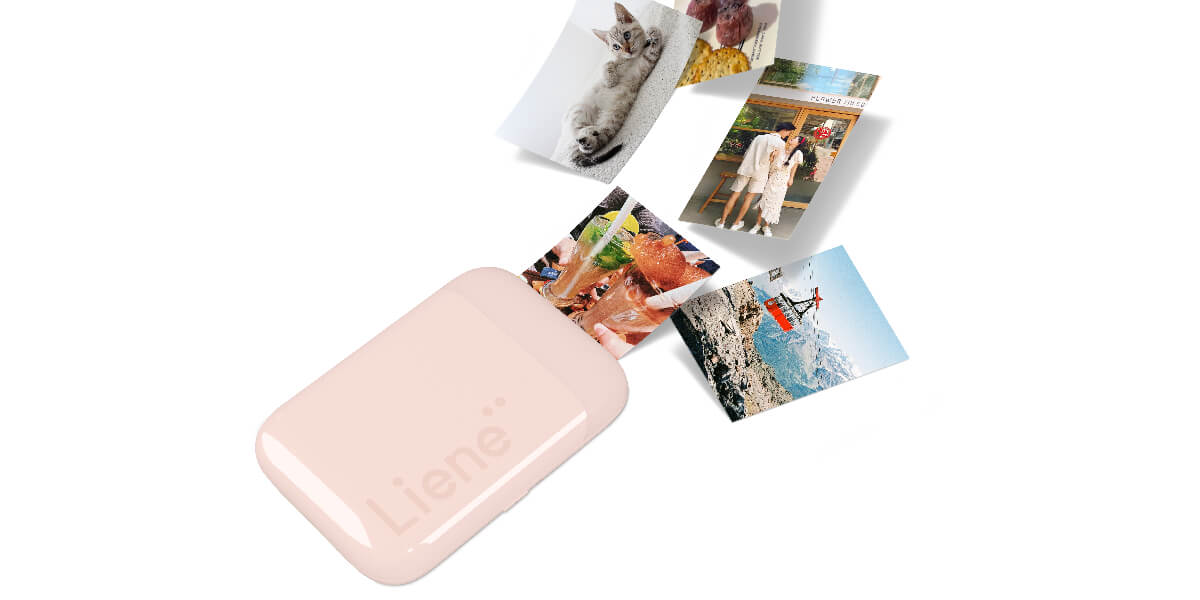
Phone picture printers have successfully made their distinct position in an era that is dominated by digital imagery and have emerged as revolutionary devices. These devices are playing a vital role in bridging the gap between the tangible world of physical photographs and the intangible digital era. They are not only compact but also portable; hence, they have become indispensable tools for the users who are looking to transform their digital memories into tangible keepsakes. The amazing fact is that its features not only revolve around convenience but also encapsulate a spectrum of benefits like memory preservation, instant gratification, and versatile printing options. Now these devices are listed among the tools that have become beacons of joy and allow all the users to witness their digital snapshots materialized into physical friends in a short time. Every phone picture printer, amber instant photo printer or pearl portable photo printer comes with significant service and benefits for facilitating the users.   Why iPhone Picture Printers are Preferred Here arises the most important query why do most people prefer the iPhone picture printer? Here are some of the factors that show why people prefer iPhone picture printers as compared to other available traditional printers: iPhone picture printers are highly recommended because of their effortless compatibility with Apple devices which ensures a straightforward and smooth printing process. Because of seamless integration, users always find these printers convenient. This device provides an intuitive and cohesive user experience because of its synchronized design as well as a user-friendly interface. Because of having this facility every kind of technical complexity is reduced and the printing process becomes accessible to individuals with different technical expertise. The appeal of iPhone picture printers increases because of their compatibility with Apple's AirPrint technology. In this way wireless printing is facilitated from Apple devices and the need for additional cables and printing experience is eliminated. Another common reason why people prefer iPhone picture printers is their wireless functionality that aligns with the contemporary demand for a cable-free experience. The convenience of wireless printing is always appreciated by the users which also contributes to the preference for these printers. Most of the iPhone picture printers benefit from regular updates as well as optimizations aligned with the evolving technology of Apple. These painters allow users to enjoy the latest advancements and features without concerns about compatibility issues and hence ensure a positive and evolving printing experience. Key Advantages of a Phone Picture Printer We all know that smartphones have become primary cameras and the wish to transform memorable moments into tangible keepsakes has fueled the popularity of phone picture printers. Here are a few of the key advantages that are offered by phone picture printers to their users: ● Compact and Portable Printing One of the primary benefits of phone picture printers like pearl portable photo printer is its portable design and compact role. They are specially engineered for on-the-go printing that assists users in transforming their digital memories into tangible photographs anytime and anywhere. They are highly recommended for events and family gatherings where quick but convenient printing is needed. Doesn't matter if you are attending a family gathering or on a vacation, the portability of a phone picture printer will always and sure that you can easily preserve as well as share the perfect moments in real time. Therefore because of having portable and compact design, these printers are always preferred for the perfect user experience. ● Instant Gratification Phone picture printers are perfect for delivering instant gratification by providing tangible copies of photographs in a short period. The capability of instant printing adds next-level excitement to social events because people can share physical copies of their favourite and interesting moments immediately. Because of having this amazing feature the overall experience of capturing and sharing memories is enhanced and IT results in posting a sense of connection among family members and friends. ● Memory Preservation Now you are going to discuss another common but perfect key advantage of the phone picture printer. Phone picture printers offer users a tangible means of preserving memories, especially in the era where photos are always lost in the vastness of cloud storage and smartphone galleries. Moreover holding a physical photograph creates a more lasting and profound connection to the moment that evolved nostalgia and sentimentality that digital images may not capturefully. Because of this amazing feature of memory preservation, users find these printers their only partner. ● Versatility in Printing Options Versatile printing options have been offered by phone picture printers that result in allowing users to experiment with a variety of formats, creative styles, and sizes. These phone picture printers allow individuals to customize their friends from standard photo prints to collage prints and even sticker photos based on their personal preferences. ● Integration with Mobile Devices One of the standout benefits of the phone picture printer is its seamless integration with mobile devices. Users are given the great benefit of connecting their smartphone to the printer easily through Wi-Fi or Bluetooth. This integration results in enabling a hassle-free and perfect printing experience. Moreover, because of this same integration with mobile devices, it is made sure that the printing process is kept accessible and user-friendly even for individuals who have no basic or advanced technical skills. ● Preserving Aesthetic Quality In addition to the compact size of phone picture printing, they are designed to preserve the aesthetic quality of the photographs. By using advanced printing technology and specialised photo paper it is made sure that the final prints boast vibrant colors, professional finish, and sharp details. The overall value of the printed photographs is enhanced because of this commitment to aesthetic quality. ● Efficiency and Cost-Effectiveness Now you are going to discuss the last three advantages of phone photo printers and that is their efficiency and cost-effectiveness. These printers require minimal setup, operate efficiently, and produce prints quickly. Moreover, these printers utilize cost-effective consumer balls like ink cartridges and thermal paper that result making them an economical choice for people who want to enjoy the benefits of physical photo friends without affecting their budget. What are the Essential Components of a Picture Printer? The phone picture printer is an advanced invention of the modern world. It converts high-quality digital images into hard form within seconds. A picture printer consists of different components in the prominent ones are discussed below. ● Thermal Printer Mechanism The thermal printer mechanism is referred to as the hearth or the main component of a picture printer which makes possible the conversion of digital images into hand-form pictures. This process includes the heating process for transferring colour onto the specified photo paper quickly. It also makes sure the precision or clarity of the image. ● Rechargeable Battery This is another main component that makes on-the-go printing possible as it powers the picture printer so that there is no need for any external electrical source. This is a beneficial thing especially when you are on a trip or any special event where you can easily capture images and print them without any electrical source.   ● Connectivity Option The connectivity option means a wireless connection i.e. mostly bluetooth or Wifi so that you can capture images and send them directly to the picture printer wirelessly. This makes the picture printer a more convenient, popular, and demanding option while travelling. Its wireless connection also gets rid of carrying cumbersome cables. ● Easy Interface The picture printer is a very user-friendly instrument that can be used easily without any skill or effort. This printer typically contains a button or touch screen to control the settings of the printer. This is a helpful thing for most of the new users or the uneducated people who want to make memories of their trip or event. ● Specialized Photo Paper or Film Cartridges The quality of the picture is also dependent on the type of Specialized photo paper or film cartridges you are using. The conversion of photo colour by thermal printer mechanism, sharpness of the photo, the aesthetic quality, etc all depend on the Specialized photo paper or film cartridges you use. ● Easy To Carry The phone picture printer is designed in such a way that they are listed among the most demanding and compatible options for on-the-go printing or a trip with your loved ones where instant printing is demanded. They are lightweight and are small so that they can be put in your pockets. ● Compatibility Phone picture printer is a highly compatible thing as you can connect it with your iOS or any Android version. It is designed in such a way that it can be used in any condition with any phone. This is also one of the main purposes why most photographers carry phone picture printers along with them. Conclusion The above discussion shows that key advantages of phone picture printers have gone beyond convenience and are offering transformative ways of engaging with and preserving our terrorist memories. These printers have successfully become valuable companions in our journey with a combination of instant gratification portability and creative versatility.

Finding the Best Portable Printer iPhone Users Love - 2024 Guide

In today's fast-paced world, portable printers have become an indispensable tool for iPhone users, offering the convenience of printing documents, photos, and more on-the-go. The evolution of portable photo printing technology has kept pace with the advancements in smartphones, making it easier than ever to print directly from an iPhone. As we step into 2024, the relevance of these compact, efficient devices continues to grow, catering to the needs of professionals, students, and anyone in need of immediate printing solutions. This guide explores the best portable printer iPhone users love, highlighting how these devices have become a must-have accessory in our increasingly mobile lifestyle. Why iPhone Users Need Portable Printers For professionals on the move, students with dynamic project needs, and anyone in between, the ability to print on-the-go from an iPhone is not just a convenience — it's a game changer. Imagine the ease of printing a contract right after a client meeting in a coffee shop, or a student generating a last-minute assignment before class. The best portable printer iPhone users love is designed to eliminate the hassle of finding a printing service, offering immediate solutions in various scenarios, such as sales pitches, outdoor events, or even personal travels where capturing and printing memories becomes part of the adventure. In essence, these devices empower iPhone users with the freedom to manage document and photo printing anytime, anywhere, making them indispensable tools in both professional and personal contexts. What to consider when choosing a portable printer for iPhone Selecting the perfect portable printer for your iPhone involves evaluating several critical features to ensure it meets your needs for mobility, quality, and convenience. Compatibility with iOS Seamless Connectivity: The printer must offer straightforward connectivity with your iPhone, preferably supporting Apple's AirPrint to enable direct printing from iOS devices without the need for additional drivers. Print Quality Resolution and Color Accuracy: Opt for printers that deliver high resolution and accurate color reproduction to ensure your prints—whether documents or photos—are clear, sharp, and vibrant. Size and Portability Compactness for Mobility: The ideal portable printer should be light and compact enough to easily carry in a bag or backpack, making it perfect for travel, office, or home use without sacrificing print capability. Battery Life Operational Duration: Consider how long the printer can operate on a single charge. A longer battery life is essential for those times when you're away from power sources, ensuring you can print whenever needed. Connectivity Options Flexible Connections: Beyond AirPrint, the printer should offer various connectivity options such as Wi-Fi and Bluetooth, allowing for easy printing from your iPhone or other devices even without a direct internet connection. Price and Warranty Value and Protection: While affordability is important, balance the initial cost with the printer's quality and the warranty's comprehensiveness. A robust warranty can safeguard your investment against defects and malfunctions. In sum, when choosing the best portable printer iPhone users love, it's essential to consider these six key features. They ensure the printer not only works seamlessly with your device but also meets your expectations for print quality, portability, battery life, connectivity, and overall value. Best portable photo printers for iPhone in 2024 When it comes to the best portable printer iPhone users like, the market in 2024 showcases innovative models that blend quality, convenience, and efficiency. Highlighting the three best portable photo printers: 1. Polaroid Hi-Print 2x3 Pocket Photo Printer Polaroid Hi-Print 2x3 Pocket Photo Printer, a portable Bluetooth printer, turns your digital photos into 2x3” sticky-back prints. Ideal for creative projects and sharing memories on the go. 2. Canon IVY 2 Mini Photo Printer Canon IVY 2 Mini Photo Printer offers creative printing solutions with its 2"x3" peel & stick back photos, connecting via Bluetooth. Features include collage and tile print, enhancing fun and personal expression. 3. Liene Pearl K100 2x3" Portable Photo Printer Liene Pearl K100 2x3" Portable Photo Printer, compact and lightweight, uses ZINK technology to produce colorful/monochrome and waterproof 2x3” sticker photos, easily connecting to smartphones for instant printing. Comparison Table Feature Polaroid Hi-Print Canon IVY 2 Liene Pearl K100 Technology ZINK "Zero Ink" ZINK "Zero Ink" ZINK "Zero Ink" Print Size 2.1x3.4" 2x3" 2x3" Connectivity Bluetooth® Bluetooth® 5.0 Bluetooth® 5.0 Printer Output color color Color/Monochrome Print Paper Coming with 20 sheets Coming with 10 sheets Coming with 50 sheets Battery 20 prints per charge 20 prints per charge 30 prints per charge Special Features Peel and stick photos Built-in Frame & Stickers, Collage & Tile Print Water/tear-resistant, prints act as stickers Price $99.99 $99.99 $97.99 App Polaroid Hi·Print app Canon Mini Print app Liene Photo app  This table offers a snapshot of how each model compares in key areas important to iPhone users looking for portable printing solutions in 2024. Whether it's for professional use, academic purposes, or personal projects, each of these printers has unique strengths that cater to different user needs. How to set up and use your portable printer with your iPhone Setting up and using a portable printer for iPhones is straightforward. Follow these steps for a seamless experience: Charge Your Printer: Ensure your portable printer is fully charged or connected to a power source. Enable Wi-Fi or Bluetooth on Your iPhone: Go to Settings and turn on Wi-Fi or Bluetooth, depending on your printer’s connectivity options. Connect the Printer: For Wi-Fi, connect your iPhone to the printer’s network. For Bluetooth, pair your devices through the Bluetooth settings menu. Install Any Required Apps: Download the printer’s app from the App Store if necessary for advanced features and easier management. Print: Open the photo or document you wish to print, select the share icon, then choose “Print” or use the printer’s app to start printing. Troubleshooting Tips: If the printer doesn’t connect, restart both your iPhone and the printer and try again. Ensure the printer’s firmware is up to date for optimal compatibility. Check for any specific app requirements or settings that may be needed for your printer model. Following these steps should help you enjoy mobile printing with minimal hassle. Creative uses of portable photo printing Exploring the creative potential of portable photo printing can transform ordinary activities into memorable and personalized experiences. Here are some inventive applications: Instant Wall Art: Turn your digital photos into an ever-changing gallery wall. Print your favorite shots directly from your iPhone and create a dynamic display in your living space. Customized Gifts: Personalize gifts by printing photos for custom photo albums, framed pictures, or photo collages. A printed photo from a special moment makes for a heartfelt present. Travel Journals: Enhance your travel journals by including instant prints of the places you visit. It's a great way to capture the essence of your travels and keep memories alive. Educational Flashcards: Create visual learning aids for children by printing images related to educational themes. These can be used for language learning, historical facts, or science topics. DIY Decorations: Print photos for DIY projects like personalized calendars, birthday banners, or party invitations. It adds a unique touch to any celebration. Scrapbooking: Elevate your scrapbooking projects with instant prints. Incorporate photos into your layouts along with other embellishments for a rich, personalized storybook. Art Projects: Use printed photos in mixed media art projects. Experiment with overlays, paint, or markers to create original artwork that combines photography with traditional artistic elements. Business Portfolios: Showcase your work or products in a physical portfolio. Instant prints offer a tangible way to present your achievements or offerings to clients and partners. These creative uses for portable photo printing demonstrate how technology can enhance our artistic expressions, personal connections, and professional presentations, making every print meaningful. How to maintain and care for your portable printer To ensure your portable printer remains in top condition, extending its lifespan and maintaining its performance, follow these maintenance and care practices: Regular Cleaning: Dust and debris can affect print quality. Use a soft, dry cloth to gently wipe the exterior of your printer. For the interior and print head, follow the manufacturer’s instructions, often involving a damp cloth or specific cleaning tools to prevent damage. Proper Ink Management: Use genuine cartridges or recommended ink types to prevent clogging and ensure optimal print quality. Replace ink cartridges before they dry out completely to avoid damage to the print heads. Battery Care: To maximize battery life, avoid letting the battery fully deplete before recharging. Store the printer with a partial charge in a cool, dry place if not in use for extended periods. Follow the manufacturer’s guidelines for battery maintenance. Avoid Overloading: Do not exceed the printer’s recommended paper capacity. Using the correct paper size and type helps prevent paper jams and wear on the printer’s mechanisms. Firmware Updates: Regularly check for and install firmware updates from the manufacturer. These updates can improve performance, add new features, and fix known issues. Protective Case: When transporting your printer, use a protective case to shield it from bumps, drops, and environmental factors like dust and moisture. Storage Conditions: Store your printer in a dry, temperature-controlled environment. Extreme cold or heat can affect battery life and print quality. By adhering to these best practices for maintenance and care, you can significantly extend the life of your portable printer, ensuring it continues to provide reliable service wherever you go. Summing up Choosing the right portable printer for iPhone users is crucial for those who value convenience, quality, and efficiency in their printing needs. By carefully considering the features, compatibility, and reviews outlined in this guide, users can make an informed decision that best suits their lifestyle and requirements. Embrace the freedom and creativity that a portable printer brings to your iPhone experience, ensuring you're always prepared, whether for professional tasks, educational purposes, or personal projects. Let the best portable printer iPhone users love amplify your productivity and creativity on the go.

How to Use Small Photo Printers to Print Small Pictures - A Comprehensive Guide

In recent years, the charm of printing photos at home has seen a remarkable resurgence, capturing the hearts of photography enthusiasts and casual snappers alike. Amidst this revival, a fascinating trend has emerged: the allure of smaller-sized prints, particularly the compact and versatile 2x3 inches format. These pint-sized pictures are not just a nod to nostalgia but represent a significant leap in the personalization and innovation of photo printing. In this guide, we’ll discuss how to use small photo printers to print small pictures, exploring how this seemingly modest innovation is redefining the way we capture and cherish our memories. Join us in uncovering the unique appeal of small-scale photo printing. 1. Understanding small photo printers To learn how to use small photo printers to print small pictures, we need to understand how these printers work first. We're going to delve into the essence of small photo printers, the innovative technologies that power them, and the myriad benefits they offer to photography enthusiasts and casual users alike. What are small photo printers? Small photo printers are compact, portable printing devices designed to print photos directly from your mobile devices. Unlike their larger counterparts, these printers emphasize convenience and immediacy, allowing us to print photos on-the-go. The technology behind small photo printers Inkjet Technology Among the most prevalent options, inkjet printers operate by ejecting minuscule ink droplets onto paper. These printers are renowned for their capability to generate top-notch prints, characterized by vibrant colors and intricate details. ZINK Technology ZINK (Zero Ink) technology signifies a revolutionary leap in printing. ZINK printers diverge from conventional ink cartridges, employing unique paper embedded with color crystals that activate and infuse with color when subjected to heat. This innovation ensures a more portable and less messy printing experience. Dye Sublimation Another technology utilized in small photo printers is dye sublimation. These printers work by heating dye on a ribbon to transfer it onto the photo paper, resulting in durable and high-quality photographic prints. Benefits of using a small photo printer Portability One of the biggest advantages of small photo printers is their compact size, making it easy to take them anywhere. Whether you're at a party, on vacation, or simply hanging out with friends, you can print your memories on the spot. Ease of Use Designed with simplicity in mind, these printers can be easily connected to your devices via Bluetooth or Wi-Fi. With intuitive apps and software, selecting and printing your favorite photos is a breeze. Instant Printing Capabilities The joy of holding a physical photo moments after taking it is unmatched. Small photo printers bring back the nostalgia of instant photography with the convenience of modern technology, allowing you to share tangible memories with friends and family instantly. 2. Preparing to print Learning how to use small photo printers to print small pictures, preparation is important. This involves selecting the right printer, choosing high-quality images, and making necessary edits to your photos. Choosing the right printer When it comes to printing 2x3-inch or other small-size photos, not all printers are created equal. Here's a brief overview of popular models known for their ability to deliver high-quality small prints: Liene Pearl K100 2x3" Portable Photo Printer: Using ZINK technology, it prints 2x3-inch photos with sticky back, allowing user to take their photos as stickers. Polaroid ZIP Mobile Printer: It utilizes ZINK zero ink technology for instant, colorful prints directly from your smartphone. Kodak Mini 2 HD Wireless Mobile Instant Photo Printer: It offers easy Bluetooth connectivity and uses dye sublimation technology for high-quality prints. HP Sprocket Portable Photo Printer: It is another favorite that uses ZINK technology, known for its sleek design and user-friendly app. Each of these printers has its unique features, from inkless printing to connectivity options. Consider what's most important to you, whether it's print quality, ease of use, or portability, when choosing the right model. Selecting photos To ensure your 2x3 prints look their best, follow these tips when selecting photos: Resolution Matters: Choose high-resolution images to avoid pixelation. A higher pixel count will ensure your small prints are clear and detailed. Consider Composition: Since you're working with a smaller canvas, select photos with simple compositions or close-up shots for the best visual impact. Lighting is Key: Well-lit photos tend to print better. Look for images with good natural lighting or well-balanced artificial lighting. Editing photos A little editing can go a long way in enhancing your photos for printing. Here are some basic adjustments to consider: Cropping: Adjust the crop to fit the 2x3-inch format. This can also help you focus on the photo's main subject or eliminate unwanted elements. Brightness, Contrast, and Saturation: Play around with these settings to bring out the best in your photo. Increasing brightness can make your photo appear more vibrant, while adjusting contrast can add depth. Saturation enhances colors, making them more vivid. Use Editing Apps: There are many user-friendly photo editing apps available that can help you make these adjustments easily. Look for apps with good reviews and intuitive interfaces.   3. The printing process Now let’s move to the exact process of how to use small photo printers to print small pictures. Follow this step-by-step guide to ensure a smooth printing experience. Loading the paper Open the paper tray: Most small photo printers have a dedicated compartment or tray for photo paper. Open it according to the manufacturer's instructions. Prepare the paper: If your printer uses ZINK paper, make sure the barcode side faces down. For other types of photo paper, ensure the glossy side is facing the correct direction. Insert the paper: Place the 2x3-inch photo paper into the tray. Avoid touching the glossy surface as much as possible to prevent smudges. Close the tray: Securely close the paper tray or compartment. Ensure it's properly locked in place to avoid any printing errors. Connecting to the printer Bluetooth: Turn on the printer and enable Bluetooth on your smartphone or computer. Select the printer from the list of available devices to pair. Wi-Fi: For Wi-Fi-enabled printers, connect your printer and device to the same Wi-Fi network. Follow any on-screen instructions to complete the connection. Cable Connection: If your printer supports cable connections, simply connect the printer to your device using the appropriate cable, usually USB. Using the printer's app or software Download and Open the App: Download the printer's app from the App Store or Google Play, or install the software on your computer. If you’re using Liene’s printers, Liene Photo App is available. Select Your Photo: Browse your photo library within the app/software and select the image you wish to print. Make Adjustments: Use the app's editing tools to crop, adjust brightness, contrast, and saturation, or apply filters. Choose Print Settings: Select the 2x3-inch size option and any other relevant settings, such as print quality. Now you can print small photos from your instant photo printer! Troubleshooting common issues Paper Jams: Gently remove any stuck paper from the printer. Check the manufacturer's instructions for the best way to clear a jam. Low Print Quality: Ensure the photo paper is loaded correctly and that you're using the right type of paper. Also, check for low battery or ink levels, if applicable. Connectivity Issues: Restart the printer and your device. Make sure Bluetooth or Wi-Fi is enabled and functioning properly. Re-pair or reconnect as needed. Creative uses for 2x3-inch prints 2x3-inch prints are not just photos; they're a canvas for creativity. Whether you're looking to add a personal touch to your space, craft unique gifts, or undertake fun projects, these small prints offer endless possibilities. Here are some creative ways to use them. Scrapbooks: Integrate 2x3 prints into scrapbooks as part of a visual diary. Combine them with notes, stickers, and other memorabilia to capture memories in a creative and personalized way. Some photo papers, designed with sticky back, allow users to use their printed photos as stickers. Photo Walls: Create a dynamic photo wall by arranging 2x3 prints in various patterns. Use washi tape for a damage-free way to display your photos and easily swap them out. Greeting Cards: Use these prints to craft personalized greeting cards. Glue a photo to the front of a blank card and add your message inside for a personal touch that stands out. Desk Decor: Stand your 2x3 prints on your desk using mini easels or clip them to small stands. This is a great way to keep loved ones and cherished memories in sight during your day. Maintenance and care Taking proper care of your small photo printer and the 2x3-inch prints you create ensures longevity and consistent print quality. To ensure the longevity of both your printer and 2x3-inch prints, proper maintenance and photo care are essential. For printer maintenance, routinely clean the printhead and paper path using a soft, lint-free cloth, following the manufacturer's cleaning guidelines. When your printer is not in use, store it in a cool, dry location, away from direct sunlight, to prevent dust buildup and exposure to extreme temperatures that can impact performance. For photo care, protect your prints by storing them in acid-free photo albums or archival-quality sleeves to prevent fading and discoloration. Handle prints with care to avoid fingerprints or scratches, and store them in a dark, cool environment with controlled humidity to prevent deterioration. Regularly inspect your stored prints for damage and consider creating digital backups to safeguard your cherished memories. Summing up In conclusion, small photo printers offer the delightful convenience of instant 2x3-inch picture printing, bringing cherished memories to life. And that’s why many people are asking how to use small photo printers to print small pictures. This size of photos embodies portability, simplicity, and immediate gratification. Embrace the creative potential of these compact marvels by embarking on personal projects, crafting unique gifts, and transforming your living space with mini works of art. The possibilities are boundless, and the joy of seeing your photos materialize in an instant is truly captivating. So, dive into the world of small photo printers, ignite your creativity, and relish the tangible essence of your treasured moments. Happy printing!

How to Print Photos at Home - A Step-by-Step Guide

In today's digital age, the art of printing photos at home brings a unique joy and a personal touch to our memories. The ability to hold a tangible representation of a cherished moment adds an emotional depth that viewing photos on a screen can't match. Home printing allows for instant gratification and customization, enabling you to select and embellish your favorite shots right from your living room. But how to print photos at home without any hassle is still questioned by some people. In this blog, we’ll introduce all you need to know about printing photos at home. Now let’s dive in. Choosing the right equipment When considering how to print photos at home, it's crucial to focus on the key elements such as printers, ink, and photo paper. These components significantly influence the efficiency, quality, and overall enjoyment of your home photo printing experience. Printers The technology behind small photo printers Inkjet Technology Among the most prevalent options, inkjet printers operate by ejecting minuscule ink droplets onto paper. These printers are renowned for their capability to generate top-notch prints, characterized by vibrant colors and intricate details. ZINK Technology ZINK (Zero Ink) technology signifies a revolutionary leap in printing. ZINK printers diverge from conventional ink cartridges, employing unique paper embedded with color crystals that activate and infuse with color when subjected to heat. This innovation ensures a more portable and less messy printing experience. Dye Sublimation Another technology utilized in small photo printers is dye sublimation. These printers work by heating dye on a ribbon to transfer it onto the photo paper, resulting in durable and high-quality photographic prints. Inkjet vs. Laser: The first major decision in selecting a photo printer is choosing between an inkjet and a laser printer. Inkjet printers are widely regarded as the superior choice for high-quality photo prints. They work by spraying tiny droplets of ink onto the paper, allowing for a broad spectrum of colors and smooth gradations, essential for capturing the nuances of photographs. Laser printers, on the other hand, are better suited for text-heavy documents. They use toner and are excellent for fast, high-volume printing, but generally don't match the color depth and detail that inkjets can achieve for photos. Key features to look for: Resolution is a critical aspect of photo printers, defined by dots per inch (DPI). A higher DPI value ensures more intricate detailing in images. Aim for photo printers offering at least 4800 x 1200 dpi to ensure sharp, high-quality prints. The color palette a printer can produce is directly tied to the number of color cartridges it uses. Advanced photo printers often come equipped with up to 8 or 9 different ink cartridges. This range, including shades such as light magenta and light cyan, enables finer color transitions and more lifelike skin tones. Depending on your needs, consider the print size and speed. If you're planning to print large format photos or want faster print times, these factors become increasingly important. Contemporary printers provide a range of connectivity choices, such as USB, Wi-Fi, and cloud printing capabilities. These functionalities enhance user convenience, particularly when printing from several devices or directly from smartphones and tablets. Ink if needed Ink Varieties:In the realm of photo printing, there are primarily two types of ink: dye-based and pigment-based. Dye-based inks stand out for their rich color saturation and depth, perfect for producing vivid photo prints. On the other hand, pigment-based inks, though less vibrant, offer greater resistance to fading and water damage, making them a preferable choice for prints that require long-term preservation. Manufacturer vs. Third-Party Inks: Manufacturer inks are specifically formulated for their respective printers, ensuring optimal print quality and reliability. However, they can be more expensive. Third-party inks offer a more budget-friendly option but can sometimes lead to inconsistent quality, potential compatibility issues, and might even void your printer’s warranty. Photo paper Types of Photo Paper: The main types of photo paper are glossy, matte, and luster. Glossy paper is highly reflective, making colors pop and details sharp, but can suffer from glare under direct light. Matte paper, with its non-reflective finish, is great for softer, more subtle images and is often chosen for black and white photographs. Luster paper falls somewhere in between, with a slight gloss and texture, offering some of the vibrancy of glossy paper without the shine. Impact on Final Print: The choice of paper affects not just the look but also the feel of the printed photo. Glossy paper tends to accentuate colors and contrast, making images appear sharper. Matte papers provide a more understated, artistic look. The texture of the paper also plays a role in how the photo is perceived. Additionally, the longevity and fade resistance of your print can vary based on the type of paper used. Preparing Your Photos for Printing Image Resolution Check the Resolution:Most image editing software allows you to view the resolution. In software like Adobe Photoshop, this can be found under the image size settings. Avoid Over-Enlargement:Enlarging a photo beyond its resolution capacity can lead to pixelation. If the original image is low-res, consider printing it at a smaller size. Enhancing Resolution:Some software, like Adobe Lightroom, offers features to increase resolution while maintaining image quality. Use these tools cautiously to avoid artificial-looking results. Editing and Enhancements Editing is crucial to bring out the best in your photos: Brightness, Contrast, and Color Balance: Adjust these settings to ensure your photo looks natural and vibrant. Tools in editing software can help correct underexposed or overexposed images and balance colors to reflect the original scene accurately. Recommended Photo-Editing Software/Apps: Adobe Photoshop and Lightroom:Industry-standard tools offering comprehensive editing features. GIMP: A free, open-source alternative with a range of editing capabilities. Snapseed: A powerful mobile app for quick, on-the-go edits. VSCO: Popular for its array of filters and basic editing tools. Specific Apps of the brands:Some brands have their own photo-editing Apps specifically designed for their printers, such as Liene Photo App, with which users of Liene’s photo printers can edit and print photos directly on their mobile phones. By carefully preparing your images with the right resolution settings and thoughtful editing, you can significantly enhance the quality of your home-printed photos, making them look professional and visually appealing. Post-Printing Care and Display This guide won't delve into specific printing instructions due to the diverse printing processes found across various printer models. For optimal results, it's advised to adhere to the instructions that come with your specific printer. In discussing how to print photos at home, it's equally important to consider the proper handling and storage of your printed photos to maintain their quality and longevity over time. Proper handling and storage are key to preserving the quality of printed photos: Always handle photos by the edges to avoid fingerprints and smudges. Use clean, dry hands or, ideally, cotton gloves. Store photos in a cool, dry place, away from direct sunlight and high humidity. Use acid-free albums or storage boxes. Plastic sleeves can also protect photos from dust and scratches. There are numerous creative ways to display your printed photos: Traditional Frames: Classic and versatile, frames protect photos and can be easily matched with home decor. Photo Walls: Create a photo wall collage using a mix of sizes and frame styles for a personalized touch. Photo Strings and Clips: Hang photos using string lights and clips for a more casual and dynamic display. Photo Albums or Scrapbooks: Perfect for organizing and thematically grouping photos, allowing for storytelling through images. DIY Projects: Use printed photos in crafts like personalized calendars, greeting cards, or even integrate them into furniture and home decor for a unique touch. Recommended photo printers: It’s always important to purchase a great printer that meets your need when you are wonder how to print photos at home. Here we recommend Liene’s photo printers. 1. Liene Amber 4x6 Photo Printer The Liene Amber Instant Photo Printer is distinguished by its use of thermal dye sublimation technology, which assures outstanding print quality with vivid, true-to-life colors and sharp details in each 4x6 print. The additional lamination of prints enhances their durability and guards against fading. This printer is not only notable for its high-quality prints but also for its user-friendly design. It supports connectivity with a diverse range of devices including iOS, Android, laptops, and PCs, and can simultaneously connect with multiple users, making it a versatile choice for various printing needs. Included in the package are 100 photo papers and cartridges, ensuring that you have everything you need for a seamless printing experience right from the start. The compact design of the printer and the accompanying Liene Photo APP, which offers a range of creative editing options, further enhance its appeal for those looking to capture and preserve their memories with ease and style. Liene Pearl K100 2x3" Portable Photo Printer The Liene Pearl Portable Photo Printer is an elegantly designed, compact device, ideal for those who love to print and share memories on the go. Its small, lightweight build makes it highly portable, fitting easily into bags or even pockets, thus providing a convenient solution for instant printing wherever you are. The printer's capability to produce 2x3 inch photos adds to its charm, offering just the right size for capturing memorable moments in a cute, shareable format. These prints come with a sticky back, a creative twist that transforms your photos into personalized stickers. This feature is perfect for customizing journals, laptops, or personalizing gifts and scrapbooks. The Pearl's user-friendly design, combined with its distinctive sticker feature, renders it an appealing option for everyone from casual photographers to dedicated enthusiasts, as well as crafters and those who wish to personalize their spaces and belongings. Summing Up Now that you're equipped with the know-how on how to print photos at home, you're ready to bring your digital memories to life. Enjoy the process of creating lasting physical mementos that you and your loved ones can cherish for years to come.

2 / 5