


Photo Stickers at Home: What a Photo Sticker Printer Does (and What to Look For)
A photo printed on sticker paper isn't a sticker yet. Here's how to make photo stickers at home, and what a photo sticker printer does that a photo printer can't.
Explore blogs about photo printers topics for the latest tech, creative ideas, and printing tips. Elevate your printing experience and capture moments.
A photo printed on sticker paper isn't a sticker yet. Here's how to make photo stickers at home, and what a photo sticker printer does that a photo printer can't.

Somewhere between the first "can I buy that?" at a market table and the fiftieth online order, sticker making stops being a hobby with byproducts and turns into a business with costs. The machine question changes at that point too. A hobbyist can shrug off a wasted sheet or a fussy workflow. A business feels both, week after week, in margin and in evenings. So this guide works through the choice the way a seller has to: what one sticker costs to make, what the consumables add up to over a season, how much desk the setup claims, and where each route stops making sense. What Changes When You Start Selling Three things, mainly. Volume goes up, so the cost of a single sticker matters in a way it never did when you were decorating your own planner. Consistency starts to matter, because a customer who reorders expects the second batch to match the first. And waste turns into a line item: a crooked cut or a smudged sheet used to be a shrug, and now it is materials you paid for producing nothing you can sell. None of that requires industrial equipment. Most sticker businesses at the market-table and online-shop stage run on the same desktop machines hobbyists use. It just means the buying decision leans harder on the numbers, so that is where to start. Most sticker businesses start exactly here: a planner, a pile of designs, and the first sheets other people ask to buy. Price One Sticker Before You Price Any Machine On the Liene PixCut S1, the math is short. Refills run $42.99 for 72 sheets with the ink cartridges in the pack, which lands near $0.60 a sheet, laminated and cut. How many stickers a sheet becomes depends on how densely you pack it, and packing sheets densely is a skill sellers pick up fast. The two-machine route prices out as a stack instead: sticker paper at $23.99 to $29.99 for 50 sheets at Cricut's own prices, inkjet ink on top, laminate sheets where waterproofing matters, and $9.99 a month for Cricut Access if you want its sticker tool doing layout. None of those numbers is scary on its own. The bookkeeping is the difference: one route is a single refill SKU you reorder when the box runs low, the other is four or five supplies that run out on their own schedules. At tax time, or just on a Sunday night when you are counting what a fair paid you after supplies, the single line item is worth something. There is a third route, and a business post should say so: ordering from a print shop. When we ran the numbers on it, home printing stayed cheaper up to roughly 2,200 sheets in a single order. Below that line, which is where nearly every market-table and small-shop seller lives, printing your own wins. Past it, you have outgrown this article and should be negotiating with a print shop. One refill box against the four-supply stack: the reorder list is the difference your bookkeeping feels. Count the Machines on the Desk A sticker machine for a small business earns its desk space or it doesn't, and most sellers are working from a corner of a room rather than a studio. The PixCut S1 is one box about the size of a shoebox: it prints at 300 DPI in dye-sublimation, seals the sheet under a four-layer laminate, and kiss cuts around each design in the same pass. Design happens in the free app, which carries more than 50,000 templates plus AI background removal, and the machine holds a Bluetooth connection with up to three devices. The alternative is a chain: an inkjet to print, a cutting machine to cut, laminate applied by hand or by a laminator in between. It produces sellable stickers, and plenty of shops run this way. What changes at business volume is the cost of the seams. Every handoff between machines is a place where alignment can drift, and a drifted cut at hobby scale is an annoyance, while at business scale it is scrap you paid for. The one-machine route removes the handoffs rather than managing them, which is most of its pitch to a seller. One shoebox-sized machine, one workflow: sheets, strips and a phone case's worth of stickers between orders. What Your Customers End Up Holding Sticker buyers have held a lot of stickers, and they can tell. Two things read as quality in the hand. The first is the laminate: PixCut sheets come out under a four-layer coat that stands up to water, scratches and fading, so the laptop sticker survives the commute and fingerprints wipe clean instead of wearing in. The second is the printing itself. Dye-sublimation lays color down in continuous tone rather than sprayed dots, which is why photo designs keep looking like photos, and why smooth gradients stay smooth on the finished product. Kiss-cut sheets also hand you a small merchandising bonus, since the backing stays whole and a mixed sheet reads like the ones in a stationery shop, with your designs on it. Make: magazine's review made the seller case directly, calling the machine a strong fit for sellers customizing stickers for customers at in-person events. Printing a buyer's name onto a design while they browse the rest of the table is the kind of trick that gets remembered. Where sold stickers end up living: a laptop that leaves the house every day. Printing to Order Instead of Holding Stock The quiet advantage of making stickers in-house is what it does to inventory. A shop that orders 500 of a design is betting the design sells. A shop that prints its own can run 20, watch what happens, and let the market vote before committing a full box of anything. Slow designs die cheaply. Strong ones get printed the night before the next fair, in whatever quantity the last fair suggested. The same logic covers custom work. Personalized orders, name variants, one-off requests: when a full printed sheet costs about $0.60, there is room to say yes to small custom jobs that a print-shop minimum would turn into a loss. And on the durability side, the machine is rated for the long haul, tested through 5,000+ continuous prints, which at small-business volume is a lot of market days. Print twenty, see what sells: small runs make every design a cheap experiment. Where This Setup Stops An honest edge map, because a machine bought for the wrong business is dead weight. If your product line runs past stickers into vinyl decals, iron-on shirts or cardstock, a cutting machine belongs in the plan, since the PixCut only makes its own sticker and photo sheets. If your orders are heading toward true bulk, hundreds of identical sheets at a time, a print shop's pricing eventually beats any desktop machine, ours included. And if you are still deciding what kind of maker business you are, the full buying guide compares every route without the business framing. For the selling side itself, pricing, listings and where the first customers come from, our guide to selling stickers online picks up where the hardware question ends. Organizer and label sheets are a product line of their own, and a steady one at market tables. FAQ What is the best sticker printer for a small business? For a business that is mostly stickers, an all-in-one sticker printer and cutter, and the PixCut S1 specifically: about $0.60 a sheet in supplies from a single refill SKU, laminated output customers can tell apart from paper stickers, and one machine's worth of desk space. Businesses whose product line runs past stickers are better served adding a cutting machine. How much does it cost to make stickers to sell? About $0.60 per printed sheet on the PixCut S1, from refill packs at $42.99 for 72 sheets with ink included. That covers printing, lamination and cutting, and your per-sticker cost is that sheet divided by however many designs you fit on it. Is the print quality good enough to charge money for? Laminated dye-sub output is the same category of printing photo labs use, and the kiss-cut sheets handle like store-bought ones. Quality complaints in this hobby usually trace to unlaminated inkjet prints meeting water, which is the failure the built-in laminate exists to prevent. Do I need a cutting machine to start a sticker business? Not for stickers themselves, since an all-in-one sticker printer and cutter does its own cutting. A cutting machine earns its place when the product line grows into vinyl, iron-on or cardstock, and some shops eventually run both machines side by side for different products. How many stickers does one refill box produce? A box is 72 sheets, and the count depends on how you lay them out. Small designs pack twenty or more to a 4x7" sheet, big die-cut-style designs run four to six, so a single box covers anywhere from a few hundred stickers to well past a thousand. Start With One Market Day Skip the hypothetical business plan and price a real day instead: one fair table, or one week of shop orders. Count the sheets it would take, multiply by $0.60, compare that against what you charge, and the right sticker machine for your small business mostly picks itself. The PixCut S1 starts at $279.99 with 18 sticker sheets and 18 photo sheets in the box, which is enough paper to find out what your customers reach for before the first refill order. Shop PixCut S1

Three machines crafters cross-shop, three different jobs. How the Maker 5, the SELPHY CP1500 and the PixCut S1 compare for making stickers.

Halloween is the stickiest holiday on the calendar, and that is meant literally. Candy bags need sealing, costume pieces need names on them, pumpkins need faces, and the planner wants a countdown. One 4x7" sheet covers a surprising amount of that, at about $0.20 a sticker when you print your own. Here are 40 Halloween sticker ideas, sorted by where they end up, from the front door to the school notebook. The house rule matters double in October: stick to art and photos you made yourself. Halloween is crowded with characters that belong to movie studios, and not one idea below needs them. Ghosts, bats, pumpkins and black cats have been public property for centuries, and a wobbly hand-drawn ghost beats a licensed one on a kid's lunchbox every time. Sketching October sticker designs, on paper and on the tablet. Costume and Prop Labels Costumes come with a lot of loose parts, and the parts start wandering off the moment the season begins. 1. Name labels for costume pieces. Put a small name sticker inside the hat, the cape and anything else that detaches before the school party. Costume pieces turn up in lost-and-found bins, and a name inside is what gets them home. 2. Left shoe, right shoe dots. Useful for little kids whose boots look identical from above. A pumpkin in the left one and a bat in the right settles the question without any reading involved. 3. Prop bin labels. One printed label per storage tub for wigs, makeup and capes. Add the year in small type and next October you will know which wig has already done two Halloweens. 4. A "this is part of a costume" tag. For the week when the living room fills with strange objects nobody is allowed to throw away, and a tag on each one saves the explaining. 5. Costume care notes. A small sticker on the hanger: hand wash, do not tumble, glue is still drying. Candy Bag Seals The candy side of the holiday runs on small round stickers. One sheet prints a party's worth, and a circle seals a paper fold no matter how crooked the fold is. 6. Treat bag seals. A pumpkin or ghost to close each paper treat bag. It holds the fold shut on the walk home, and it looks better than tape. 7. "Boo!" delivery stickers. For the neighbourhood boo-basket tradition, a seal for the note that says you have been booed. The custom says anonymous, so homemade fits the assignment better than store-bought. 8. Allergy-aware markers. A clear nut-free or no-gelatin dot for treat bags headed to school parties. Parents of allergic kids read these first, so keep the text large and the design plain. 9. Guess-the-count jar seal. One large sticker sealing the candy jar for the guessing game, with a blank line for the winner's name. 10. Leftover candy dater. A small date sticker for the post-Halloween stash, mostly so future-you knows which year's candy corn this is. Halloween candy already comes in circles, and seal stickers print the same way. Party and Table Decor A Halloween party looks expensive or homemade depending on the small stuff, and the small stuff is mostly labels. Print the table set the night before and decorating takes one pass around the room. 11. Cup markers. Small spooky designs so guests can tell their cups apart, for less than themed party cups cost. 12. Napkin wraps. A printed strip wrapped around each rolled napkin dresses up a plain stack. Fifteen minutes of wrapping covers a full table. 13. Food tent labels. Witch fingers, monster eyes, swamp punch. Spooky menu names carry a lot of the atmosphere, and a printed label reads better in dim party lighting than marker on a sticky note. 14. Photo-corner stickers. Bats and webs for the corners of a DIY photo wall, which is what makes a bedsheet backdrop look intentional. 15. Game prize seals. A gold-ish pumpkin on the winner's bag from each party game. Kids take prize stickers seriously, so print more than you think you need. One evening of designing turns into a counter's worth of October stickers. Pumpkins and the Front Door Outdoor stickers have to deal with actual weather. Sheets from the PixCut S1 come out under a four-layer laminate, which handles porch drizzle and damp pumpkin skin, and candy fingerprints wipe off the surface. 16. No-carve pumpkin faces. Printed eyes, mouths and eyebrows that get arranged and moved around until the pumpkin looks right. Small kids build the face themselves, and no carving tools come out of the drawer. 17. Door numbers, haunted edition. Your house number in a spooky style near the doorbell, so trick-or-treaters and their parents find the right porch. 18. A "take one please" bowl sign. A big sticker for the unattended candy bowl. It enforces nothing, but the bowl looks more official. 19. Window silhouettes. Bats and cats along a window edge, printed in plain black. With a lamp behind them at dusk, they read from the street surprisingly well. 20. Countdown door dots. Ten numbered dots by the door, one peeled off each morning starting on the 22nd. Like an advent calendar, only shorter and with more bats. Decorated pumpkins without any carving: lettering and doodles do the work. Notebooks, Planners and the October Spread The planner crowd owns October. Orange and black is the one colour scheme that makes a weekly spread look decorated instead of busy. 21. A countdown strip for the weekly spread. Thirty-one small marks across the top of the October spread, filled in or peeled off one day at a time. 22. Party planning icons. A cauldron for the shopping list, a mask for costume errands. Once the icons exist in the app they come back every October without redrawing. 23. Spooky movie night log. One ticket-shaped sticker for each spooky movie watched this season, with the title written in by hand. 24. Trick-or-treat route markers. For families who take the route seriously, small dots on a hand-drawn map of the streets with the good candy. 25. A November 1st recovery sticker. One sticker for the day after, marking out couch time and leftover candy. Water Bottles, Laptops and Everything Else Seasonal stickers work best on the things you carry every day, because those get seen by everyone and swapped out without guilt. Smooth surfaces hold them best, so glass, steel and painted plastic all work. 26. Seasonal bottle swap. A ghost or pumpkin on the school water bottle for October, peeled clean in November. Our water bottle sticker ideas covers the year-round version of this habit. 27. Laptop pumpkin, October only. A single small pumpkin on the corner of the laptop, gone again in early November. Easier to commit to than a permanent one on a work machine. 28. Teacher treat tags. A small printed tag for whatever goes to the teacher this season, with space left for a handwritten line. 29. Pet photo, Halloween frame. Your own pet's photo with bat wings or a witch hat added in the app. The sticker version of a pet costume stays on all night. 30. Candy-grade thank you stickers. For the houses handing out full-size bars, a thank-you sticker on a note through the mail slot. Those neighbours earned it. Glass takes a laminated sticker well, which makes the party glassware fair game. Spooky Mail and Treat Deliveries Not every treat gets handed over in person. The mailable side of the holiday has its own sticker needs, and most of them are small, round and printed twenty at a time. 31. Envelope seals for Halloween cards. A bat or web on the back flap of each card you send. Most mail is bills, so a sealed orange envelope tends to get opened first. 32. Treat jar gift tags. A printed to-and-from tag for jars of candy going to neighbours and coworkers. Write the names in by hand and the jar needs no card. 33. Wax-seal-look stickers. A printed circle designed to look like a pressed wax seal, in deep orange or black. Ceremony without the melted wax. 34. College care-package stickers. For the box of candy heading to a student too far away to trick-or-treat. A few stickers inside the flap make a cardboard box read as a package from home. 35. Party invitation seals. Small stickers closing paper invitations for whatever gathering October brings. Paper invitations are rare enough now that people hold onto them. The Classroom Party Teachers and room parents run a parallel Halloween, usually on a tight budget and a tighter schedule. Printed stickers cover a lot of that ground cheaply, and a design can be run again the week it runs out. 36. October reward stickers. A teacher's own reward designs for the month, with ghosts standing in for gold stars. A sheet of fifty costs about as much as one coffee. 37. Class party cup and pencil tags. Name stickers for cups and pencils at the class party, printed from the roster ahead of time. Twenty-five names fit on one sheet with room to spare. 38. Goodie-bag assembly stickers. Matching seals for the class goodie bags, printed in one batch and split between room parents. 39. Pumpkin contest badges. Small award stickers for a classroom pumpkin-decorating contest, with enough categories that most entries win something. Spookiest, silliest, most glitter. 40. Reading month bookmarks. October bookmark stickers for the classroom library corner, on cardstock cut from whatever is in the supply cupboard. How to Print Them at Home The workflow is short. Design in the free Liene app, which carries more than 50,000 templates alongside your own photos and art, then tap print. The PixCut S1 prints at 300 DPI, laminates and kiss cuts the sheet in one pass, with the print itself running 59 seconds. Kiss cut means each sticker peels off while the backing stays whole, so a mixed sheet survives being carried to a party and handed around. Original designs can start anywhere, and a tablet sketch imports straight into the app. Two practical notes for October. Mixing sizes on one sheet works fine, so a big bowl sign can share space with twenty candy seals, and the cost stays around $0.20 per finished sticker either way. Over-print the small round designs, since seals and dots disappear fastest once a party starts. The lamination is also what lets these live outdoors on damp pumpkins, with no separate sealing step to remember. If this list puts you in a seasonal mood, the same approach runs all year: our back to school sticker ideas covers September, and planner stickers for the school year keeps the notebook side going through June. FAQ What are good Halloween stickers to make at home? The ones that get used up fastest are a good start, meaning candy bag seals, cup markers and name labels for costumes. They print by the dozen on a single sheet. Are printed Halloween stickers waterproof? Laminated ones handle October fine. PixCut S1 sheets come out under a four-layer laminate, which covers porch weather, damp pumpkin skin and sticky fingers. For anything outdoors all month, press firmly onto a clean dry surface. Can I use Halloween movie characters on my stickers? For stickers you sell or share widely, no, those characters belong to studios. For the home crowd, original ghosts, witches, bats and pumpkins are safer, and they come out looking like yours. Do Halloween stickers work on pumpkins? Real pumpkin skin is smooth enough for a good press, and laminated stickers hold on well for the season. Wipe the surface dry first, and expect the pumpkin to give out before the sticker does. How much does a sheet of Halloween stickers cost to print? About $0.20 per finished sticker on the PixCut S1, from refill packs at $42.99 for 72 sheets with the cartridges included. A single sheet covers a party's worth of candy seals with room left over. Print the October Sheet Pick a handful of ideas that match your actual October plans and print one mixed sheet this week. The season is short, a sheet costs a few dollars, and whichever stickers get peeled first will tell you what to print more of next year. The PixCut S1 handles the printing, laminating and cutting, and October takes care of the rest of the calendar. Shop PixCut S1
All blog articles could not be loaded. Only this blog is shown.

A photo printed on sticker paper isn't a sticker yet. Here's how to make photo stickers at home, and what a photo sticker printer does that a photo printer can't.

Somewhere between the first "can I buy that?" at a market table and the fiftieth online order, sticker making stops being a hobby with byproducts and turns into a business with costs. The machine question changes at that point too. A hobbyist can shrug off a wasted sheet or a fussy workflow. A business feels both, week after week, in margin and in evenings. So this guide works through the choice the way a seller has to: what one sticker costs to make, what the consumables add up to over a season, how much desk the setup claims, and where each route stops making sense. What Changes When You Start Selling Three things, mainly. Volume goes up, so the cost of a single sticker matters in a way it never did when you were decorating your own planner. Consistency starts to matter, because a customer who reorders expects the second batch to match the first. And waste turns into a line item: a crooked cut or a smudged sheet used to be a shrug, and now it is materials you paid for producing nothing you can sell. None of that requires industrial equipment. Most sticker businesses at the market-table and online-shop stage run on the same desktop machines hobbyists use. It just means the buying decision leans harder on the numbers, so that is where to start. Most sticker businesses start exactly here: a planner, a pile of designs, and the first sheets other people ask to buy. Price One Sticker Before You Price Any Machine On the Liene PixCut S1, the math is short. Refills run $42.99 for 72 sheets with the ink cartridges in the pack, which lands near $0.60 a sheet, laminated and cut. How many stickers a sheet becomes depends on how densely you pack it, and packing sheets densely is a skill sellers pick up fast. The two-machine route prices out as a stack instead: sticker paper at $23.99 to $29.99 for 50 sheets at Cricut's own prices, inkjet ink on top, laminate sheets where waterproofing matters, and $9.99 a month for Cricut Access if you want its sticker tool doing layout. None of those numbers is scary on its own. The bookkeeping is the difference: one route is a single refill SKU you reorder when the box runs low, the other is four or five supplies that run out on their own schedules. At tax time, or just on a Sunday night when you are counting what a fair paid you after supplies, the single line item is worth something. There is a third route, and a business post should say so: ordering from a print shop. When we ran the numbers on it, home printing stayed cheaper up to roughly 2,200 sheets in a single order. Below that line, which is where nearly every market-table and small-shop seller lives, printing your own wins. Past it, you have outgrown this article and should be negotiating with a print shop. One refill box against the four-supply stack: the reorder list is the difference your bookkeeping feels. Count the Machines on the Desk A sticker machine for a small business earns its desk space or it doesn't, and most sellers are working from a corner of a room rather than a studio. The PixCut S1 is one box about the size of a shoebox: it prints at 300 DPI in dye-sublimation, seals the sheet under a four-layer laminate, and kiss cuts around each design in the same pass. Design happens in the free app, which carries more than 50,000 templates plus AI background removal, and the machine holds a Bluetooth connection with up to three devices. The alternative is a chain: an inkjet to print, a cutting machine to cut, laminate applied by hand or by a laminator in between. It produces sellable stickers, and plenty of shops run this way. What changes at business volume is the cost of the seams. Every handoff between machines is a place where alignment can drift, and a drifted cut at hobby scale is an annoyance, while at business scale it is scrap you paid for. The one-machine route removes the handoffs rather than managing them, which is most of its pitch to a seller. One shoebox-sized machine, one workflow: sheets, strips and a phone case's worth of stickers between orders. What Your Customers End Up Holding Sticker buyers have held a lot of stickers, and they can tell. Two things read as quality in the hand. The first is the laminate: PixCut sheets come out under a four-layer coat that stands up to water, scratches and fading, so the laptop sticker survives the commute and fingerprints wipe clean instead of wearing in. The second is the printing itself. Dye-sublimation lays color down in continuous tone rather than sprayed dots, which is why photo designs keep looking like photos, and why smooth gradients stay smooth on the finished product. Kiss-cut sheets also hand you a small merchandising bonus, since the backing stays whole and a mixed sheet reads like the ones in a stationery shop, with your designs on it. Make: magazine's review made the seller case directly, calling the machine a strong fit for sellers customizing stickers for customers at in-person events. Printing a buyer's name onto a design while they browse the rest of the table is the kind of trick that gets remembered. Where sold stickers end up living: a laptop that leaves the house every day. Printing to Order Instead of Holding Stock The quiet advantage of making stickers in-house is what it does to inventory. A shop that orders 500 of a design is betting the design sells. A shop that prints its own can run 20, watch what happens, and let the market vote before committing a full box of anything. Slow designs die cheaply. Strong ones get printed the night before the next fair, in whatever quantity the last fair suggested. The same logic covers custom work. Personalized orders, name variants, one-off requests: when a full printed sheet costs about $0.60, there is room to say yes to small custom jobs that a print-shop minimum would turn into a loss. And on the durability side, the machine is rated for the long haul, tested through 5,000+ continuous prints, which at small-business volume is a lot of market days. Print twenty, see what sells: small runs make every design a cheap experiment. Where This Setup Stops An honest edge map, because a machine bought for the wrong business is dead weight. If your product line runs past stickers into vinyl decals, iron-on shirts or cardstock, a cutting machine belongs in the plan, since the PixCut only makes its own sticker and photo sheets. If your orders are heading toward true bulk, hundreds of identical sheets at a time, a print shop's pricing eventually beats any desktop machine, ours included. And if you are still deciding what kind of maker business you are, the full buying guide compares every route without the business framing. For the selling side itself, pricing, listings and where the first customers come from, our guide to selling stickers online picks up where the hardware question ends. Organizer and label sheets are a product line of their own, and a steady one at market tables. FAQ What is the best sticker printer for a small business? For a business that is mostly stickers, an all-in-one sticker printer and cutter, and the PixCut S1 specifically: about $0.60 a sheet in supplies from a single refill SKU, laminated output customers can tell apart from paper stickers, and one machine's worth of desk space. Businesses whose product line runs past stickers are better served adding a cutting machine. How much does it cost to make stickers to sell? About $0.60 per printed sheet on the PixCut S1, from refill packs at $42.99 for 72 sheets with ink included. That covers printing, lamination and cutting, and your per-sticker cost is that sheet divided by however many designs you fit on it. Is the print quality good enough to charge money for? Laminated dye-sub output is the same category of printing photo labs use, and the kiss-cut sheets handle like store-bought ones. Quality complaints in this hobby usually trace to unlaminated inkjet prints meeting water, which is the failure the built-in laminate exists to prevent. Do I need a cutting machine to start a sticker business? Not for stickers themselves, since an all-in-one sticker printer and cutter does its own cutting. A cutting machine earns its place when the product line grows into vinyl, iron-on or cardstock, and some shops eventually run both machines side by side for different products. How many stickers does one refill box produce? A box is 72 sheets, and the count depends on how you lay them out. Small designs pack twenty or more to a 4x7" sheet, big die-cut-style designs run four to six, so a single box covers anywhere from a few hundred stickers to well past a thousand. Start With One Market Day Skip the hypothetical business plan and price a real day instead: one fair table, or one week of shop orders. Count the sheets it would take, multiply by $0.60, compare that against what you charge, and the right sticker machine for your small business mostly picks itself. The PixCut S1 starts at $279.99 with 18 sticker sheets and 18 photo sheets in the box, which is enough paper to find out what your customers reach for before the first refill order. Shop PixCut S1

Three machines crafters cross-shop, three different jobs. How the Maker 5, the SELPHY CP1500 and the PixCut S1 compare for making stickers.

Halloween is the stickiest holiday on the calendar, and that is meant literally. Candy bags need sealing, costume pieces need names on them, pumpkins need faces, and the planner wants a countdown. One 4x7" sheet covers a surprising amount of that, at about $0.20 a sticker when you print your own. Here are 40 Halloween sticker ideas, sorted by where they end up, from the front door to the school notebook. The house rule matters double in October: stick to art and photos you made yourself. Halloween is crowded with characters that belong to movie studios, and not one idea below needs them. Ghosts, bats, pumpkins and black cats have been public property for centuries, and a wobbly hand-drawn ghost beats a licensed one on a kid's lunchbox every time. Sketching October sticker designs, on paper and on the tablet. Costume and Prop Labels Costumes come with a lot of loose parts, and the parts start wandering off the moment the season begins. 1. Name labels for costume pieces. Put a small name sticker inside the hat, the cape and anything else that detaches before the school party. Costume pieces turn up in lost-and-found bins, and a name inside is what gets them home. 2. Left shoe, right shoe dots. Useful for little kids whose boots look identical from above. A pumpkin in the left one and a bat in the right settles the question without any reading involved. 3. Prop bin labels. One printed label per storage tub for wigs, makeup and capes. Add the year in small type and next October you will know which wig has already done two Halloweens. 4. A "this is part of a costume" tag. For the week when the living room fills with strange objects nobody is allowed to throw away, and a tag on each one saves the explaining. 5. Costume care notes. A small sticker on the hanger: hand wash, do not tumble, glue is still drying. Candy Bag Seals The candy side of the holiday runs on small round stickers. One sheet prints a party's worth, and a circle seals a paper fold no matter how crooked the fold is. 6. Treat bag seals. A pumpkin or ghost to close each paper treat bag. It holds the fold shut on the walk home, and it looks better than tape. 7. "Boo!" delivery stickers. For the neighbourhood boo-basket tradition, a seal for the note that says you have been booed. The custom says anonymous, so homemade fits the assignment better than store-bought. 8. Allergy-aware markers. A clear nut-free or no-gelatin dot for treat bags headed to school parties. Parents of allergic kids read these first, so keep the text large and the design plain. 9. Guess-the-count jar seal. One large sticker sealing the candy jar for the guessing game, with a blank line for the winner's name. 10. Leftover candy dater. A small date sticker for the post-Halloween stash, mostly so future-you knows which year's candy corn this is. Halloween candy already comes in circles, and seal stickers print the same way. Party and Table Decor A Halloween party looks expensive or homemade depending on the small stuff, and the small stuff is mostly labels. Print the table set the night before and decorating takes one pass around the room. 11. Cup markers. Small spooky designs so guests can tell their cups apart, for less than themed party cups cost. 12. Napkin wraps. A printed strip wrapped around each rolled napkin dresses up a plain stack. Fifteen minutes of wrapping covers a full table. 13. Food tent labels. Witch fingers, monster eyes, swamp punch. Spooky menu names carry a lot of the atmosphere, and a printed label reads better in dim party lighting than marker on a sticky note. 14. Photo-corner stickers. Bats and webs for the corners of a DIY photo wall, which is what makes a bedsheet backdrop look intentional. 15. Game prize seals. A gold-ish pumpkin on the winner's bag from each party game. Kids take prize stickers seriously, so print more than you think you need. One evening of designing turns into a counter's worth of October stickers. Pumpkins and the Front Door Outdoor stickers have to deal with actual weather. Sheets from the PixCut S1 come out under a four-layer laminate, which handles porch drizzle and damp pumpkin skin, and candy fingerprints wipe off the surface. 16. No-carve pumpkin faces. Printed eyes, mouths and eyebrows that get arranged and moved around until the pumpkin looks right. Small kids build the face themselves, and no carving tools come out of the drawer. 17. Door numbers, haunted edition. Your house number in a spooky style near the doorbell, so trick-or-treaters and their parents find the right porch. 18. A "take one please" bowl sign. A big sticker for the unattended candy bowl. It enforces nothing, but the bowl looks more official. 19. Window silhouettes. Bats and cats along a window edge, printed in plain black. With a lamp behind them at dusk, they read from the street surprisingly well. 20. Countdown door dots. Ten numbered dots by the door, one peeled off each morning starting on the 22nd. Like an advent calendar, only shorter and with more bats. Decorated pumpkins without any carving: lettering and doodles do the work. Notebooks, Planners and the October Spread The planner crowd owns October. Orange and black is the one colour scheme that makes a weekly spread look decorated instead of busy. 21. A countdown strip for the weekly spread. Thirty-one small marks across the top of the October spread, filled in or peeled off one day at a time. 22. Party planning icons. A cauldron for the shopping list, a mask for costume errands. Once the icons exist in the app they come back every October without redrawing. 23. Spooky movie night log. One ticket-shaped sticker for each spooky movie watched this season, with the title written in by hand. 24. Trick-or-treat route markers. For families who take the route seriously, small dots on a hand-drawn map of the streets with the good candy. 25. A November 1st recovery sticker. One sticker for the day after, marking out couch time and leftover candy. Water Bottles, Laptops and Everything Else Seasonal stickers work best on the things you carry every day, because those get seen by everyone and swapped out without guilt. Smooth surfaces hold them best, so glass, steel and painted plastic all work. 26. Seasonal bottle swap. A ghost or pumpkin on the school water bottle for October, peeled clean in November. Our water bottle sticker ideas covers the year-round version of this habit. 27. Laptop pumpkin, October only. A single small pumpkin on the corner of the laptop, gone again in early November. Easier to commit to than a permanent one on a work machine. 28. Teacher treat tags. A small printed tag for whatever goes to the teacher this season, with space left for a handwritten line. 29. Pet photo, Halloween frame. Your own pet's photo with bat wings or a witch hat added in the app. The sticker version of a pet costume stays on all night. 30. Candy-grade thank you stickers. For the houses handing out full-size bars, a thank-you sticker on a note through the mail slot. Those neighbours earned it. Glass takes a laminated sticker well, which makes the party glassware fair game. Spooky Mail and Treat Deliveries Not every treat gets handed over in person. The mailable side of the holiday has its own sticker needs, and most of them are small, round and printed twenty at a time. 31. Envelope seals for Halloween cards. A bat or web on the back flap of each card you send. Most mail is bills, so a sealed orange envelope tends to get opened first. 32. Treat jar gift tags. A printed to-and-from tag for jars of candy going to neighbours and coworkers. Write the names in by hand and the jar needs no card. 33. Wax-seal-look stickers. A printed circle designed to look like a pressed wax seal, in deep orange or black. Ceremony without the melted wax. 34. College care-package stickers. For the box of candy heading to a student too far away to trick-or-treat. A few stickers inside the flap make a cardboard box read as a package from home. 35. Party invitation seals. Small stickers closing paper invitations for whatever gathering October brings. Paper invitations are rare enough now that people hold onto them. The Classroom Party Teachers and room parents run a parallel Halloween, usually on a tight budget and a tighter schedule. Printed stickers cover a lot of that ground cheaply, and a design can be run again the week it runs out. 36. October reward stickers. A teacher's own reward designs for the month, with ghosts standing in for gold stars. A sheet of fifty costs about as much as one coffee. 37. Class party cup and pencil tags. Name stickers for cups and pencils at the class party, printed from the roster ahead of time. Twenty-five names fit on one sheet with room to spare. 38. Goodie-bag assembly stickers. Matching seals for the class goodie bags, printed in one batch and split between room parents. 39. Pumpkin contest badges. Small award stickers for a classroom pumpkin-decorating contest, with enough categories that most entries win something. Spookiest, silliest, most glitter. 40. Reading month bookmarks. October bookmark stickers for the classroom library corner, on cardstock cut from whatever is in the supply cupboard. How to Print Them at Home The workflow is short. Design in the free Liene app, which carries more than 50,000 templates alongside your own photos and art, then tap print. The PixCut S1 prints at 300 DPI, laminates and kiss cuts the sheet in one pass, with the print itself running 59 seconds. Kiss cut means each sticker peels off while the backing stays whole, so a mixed sheet survives being carried to a party and handed around. Original designs can start anywhere, and a tablet sketch imports straight into the app. Two practical notes for October. Mixing sizes on one sheet works fine, so a big bowl sign can share space with twenty candy seals, and the cost stays around $0.20 per finished sticker either way. Over-print the small round designs, since seals and dots disappear fastest once a party starts. The lamination is also what lets these live outdoors on damp pumpkins, with no separate sealing step to remember. If this list puts you in a seasonal mood, the same approach runs all year: our back to school sticker ideas covers September, and planner stickers for the school year keeps the notebook side going through June. FAQ What are good Halloween stickers to make at home? The ones that get used up fastest are a good start, meaning candy bag seals, cup markers and name labels for costumes. They print by the dozen on a single sheet. Are printed Halloween stickers waterproof? Laminated ones handle October fine. PixCut S1 sheets come out under a four-layer laminate, which covers porch weather, damp pumpkin skin and sticky fingers. For anything outdoors all month, press firmly onto a clean dry surface. Can I use Halloween movie characters on my stickers? For stickers you sell or share widely, no, those characters belong to studios. For the home crowd, original ghosts, witches, bats and pumpkins are safer, and they come out looking like yours. Do Halloween stickers work on pumpkins? Real pumpkin skin is smooth enough for a good press, and laminated stickers hold on well for the season. Wipe the surface dry first, and expect the pumpkin to give out before the sticker does. How much does a sheet of Halloween stickers cost to print? About $0.20 per finished sticker on the PixCut S1, from refill packs at $42.99 for 72 sheets with the cartridges included. A single sheet covers a party's worth of candy seals with room left over. Print the October Sheet Pick a handful of ideas that match your actual October plans and print one mixed sheet this week. The season is short, a sheet costs a few dollars, and whichever stickers get peeled first will tell you what to print more of next year. The PixCut S1 handles the printing, laminating and cutting, and October takes care of the rest of the calendar. Shop PixCut S1

Custom signifiers, date-dot strips, year-in-pixels grids and junk journal layers: 25 bullet journal sticker ideas, all printable at home.
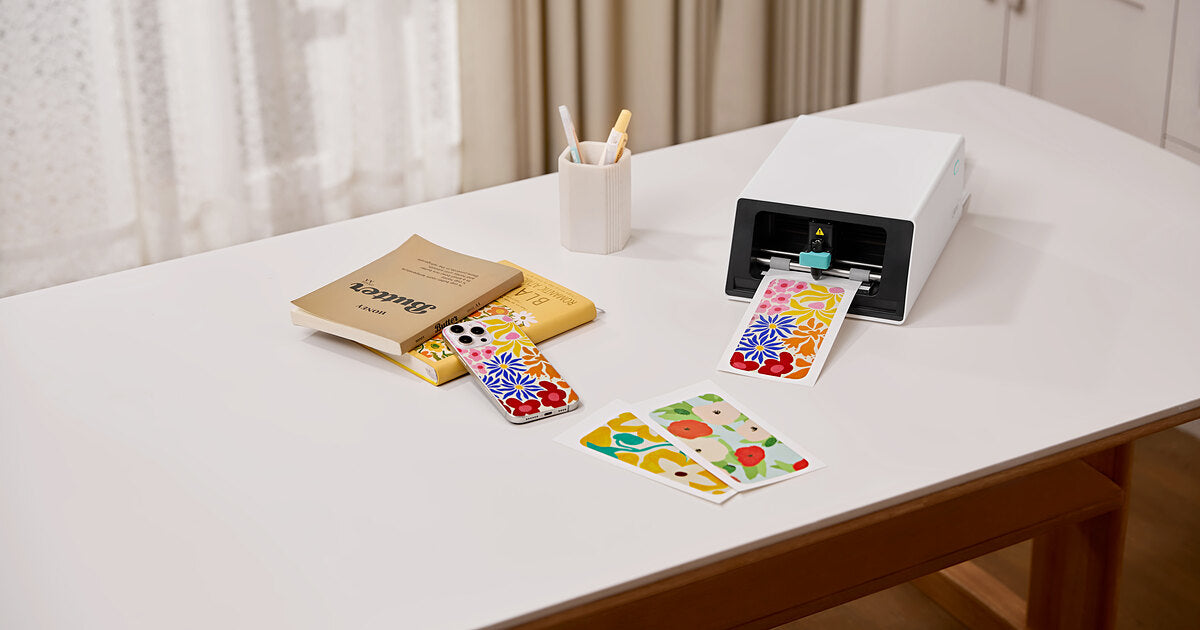
For home users who want custom-shaped, laminated stickers from one device, our pick for the best sticker printer is the Liene PixCut S1, currently starting at $279.99. Choose an inkjet-and-cutter setup for larger sheets and mixed crafting, or a battery-powered Canon SELPHY QX20 for small photo stickers on the go. This guide is published by Liene, the maker of PixCut S1. Recommendations are based on published specifications and suitability for different projects. Quick Picks: Best Sticker Printers by Use Best For Product Printing Cutting Approx. Price Best overall for home sticker making Liene PixCut S1 300 DPI dye-sublimation with protective overcoat Automatic contour kiss-cutting From $279.99, Starter Kit Best all-in-one for custom-shaped stickers Liene PixCut S1 Prints and adds a protective finish in the machine Cuts around individual designs From $279.99 All-in-one alternative for Design Space users Cricut StickerPix Print + Cut 300 DPI dye-sublimation with lamination Custom-shape kiss-cutting €279.99, Essential Bundle, Ireland For sticker businesses needing larger sheets Epson EcoTank ET-2850 + a compatible cutting machine Refillable-tank inkjet; compatible sticker media required Separate cutter required $349.99 printer list price, plus cutter and supplies Best portable photo sticker printer Canon SELPHY QX20 Dye-sublimation on square or card-size adhesive media No automatic cutting From $189.99 Best photo-first printer with sticker options Canon SELPHY CP1500 Dye-sublimation; standard photos and compatible fixed-format sticker media No automatic cutting About $179.99, plus sticker media and card-size cassette Best for pre-cut stickers in Design Space Cricut StickerPix Print 300 DPI dye-sublimation with lamination No cutter; uses pre-cut sticker sheets €179.99, Essential Bundle, Ireland Best budget route if you own a printer Existing color inkjet + compatible sticker paper Depends on your printer and paper Scissors or a paper trimmer Sticker paper and finishing supplies only Prices checked October 2, 2026. US prices are in USD; the two StickerPix prices are Irish listings in euros. Bundles, taxes, availability, and promotions vary. These figures are not a direct price comparison across markets. See current Liene pricing, StickerPix Print + Cut pricing, StickerPix Print pricing, Epson pricing, and Canon pricing. The PixCut S1 covers both our overall and all-in-one recommendations for home sticker making. Larger sheets, mixed crafting materials, and battery-powered printing call for different equipment, which is why the alternatives below serve different purposes. Which Sticker Printing Setup Do You Need? Most home sticker setups follow one of three routes: an all-in-one printer and cutter, a printer paired with a separate cutter, or a printer with manual cutting. Pre-cut sticker printers are another option when fixed shapes suit your designs. A Cricut Explore or Maker is a cutting machine and needs a separate printer for printed stickers. Cricut StickerPix is a different product family: both models print, and StickerPix Print + Cut also cuts. Check the complete model name before buying. For a closer look at separate printers and cutters, read Sticker Printer vs Cutting Machine. What to Look For in a Sticker Maker Machine Start with the output you need. A rectangular photo sticker, a mixed planner sheet, and an individually trimmed logo sticker can require different equipment. Cut type and shape. A kiss-cut slices the sticker layer while keeping the backing intact. A die-cut goes through the backing as well. A pre-cut sheet fixes the available shapes before you print. Our die-cut vs. kiss-cut guide explains how those formats affect presentation and peeling. Usable print area. Compare the printable area, rather than just the paper dimensions. Larger sheets may accommodate more designs, but a separate cutter's registration marks also take up space. Finish. A built-in protective coating saves a separate finishing step. For inkjet stickers, durability depends on the ink, compatible media, and any laminate you apply. Test the finished combination before promising customers water resistance. Running cost. Count paper, ink or dye ribbon, finishing materials, and wasted sheets. Divide by the number of usable stickers your layout produces. A per-sheet figure alone cannot tell you the cost of each design. Software and workspace. Check device compatibility, which features require a subscription, and how much room the complete setup needs. Allow space for paper movement as well as the machine itself. Route 1: The All-in-One Sticker Printer and Cutter Liene PixCut S1: Best Overall and Best All-in-One for Home Stickers The PixCut S1 suits people whose main projects are photo stickers, labels, and custom-shaped sticker sheets. It prints, applies a protective overcoat, and kiss-cuts around designs inside one machine, removing the transfer from printer to cutting mat. The Starter Kit currently starts at $279.99 and includes 18 sticker sheets and 18 photo sheets. Sticker paper is 4 × 7 inches; photo paper is 4 × 6 inches. The app provides design tools and background removal for preparing custom outlines. View the PixCut S1. Liene's specifications list 300 × 300 DPI dye-sublimation and a 59-second printing speed. That figure describes printing only. Cutting adds time according to the design, so it is not the total time for a finished, cut sticker sheet. See PixCut S1 specifications. Its main limit is format: this is a desktop sticker and photo system using dedicated media. Choose a separate cutting machine if your projects also require adhesive vinyl, iron-on, or cardstock. Kiss-cut output keeps individual designs on their backing sheet until you are ready to use them. You can peel a sticker for a journal, gift label, or other project while keeping the remaining designs together. Cricut StickerPix Print + Cut: An All-in-One Alternative Cricut StickerPix Print + Cut is a direct alternative for buyers who prefer working in Design Space. It prints, laminates, and cuts custom outlines, with 4 × 7-inch sticker sheets and 4 × 6-inch photo paper. Cricut specifies 300 DPI dye-sublimation and kiss-cut output, leaving the backing intact. The Essential Bundle is listed at €279.99 in Ireland. Design Space is required; Cricut Access is optional, although certain software features and the full content library require payment. Consider the tools you plan to use when comparing ongoing costs. See StickerPix Print + Cut details. This is a sticker-focused machine, separate from Cricut's general-purpose cutters. It offers an integrated workflow for people who want custom-cut stickers within the Cricut software ecosystem. Route 2: An Inkjet Printer Plus a Cutting Machine Epson EcoTank ET-2850: For Businesses That Need Larger Sheets An inkjet-and-cutter setup is worth considering when larger sheets and material choice matter more than keeping everything in one device. The Epson EcoTank ET-2850 uses refillable ink tanks and also handles everyday printing, scanning, and copying. Epson lists the printer at $349.99 before promotions. See Epson ET-2850 product details. It does not cut or laminate stickers. You need inkjet-compatible adhesive media within its feed specifications, plus a cutter for automated shapes and finishing materials where your product requires them. Test the exact paper-and-ink combination before building a product line around it. For cutting, the Cricut Explore 5 supports Print Then Cut and starts at $199 according to Cricut's published pricing. It also handles projects using other compatible crafting materials. That makes the pairing useful for a shop selling stickers alongside cards or vinyl projects. See Explore 5 capabilities and its starting price. The tradeoff is handling: printing, any separate finishing, and cutting happen in distinct stages. Budget for the complete setup, including mats, replacement blades, media, and the time you spend moving sheets between steps. If your business mainly sells small personalized kiss-cut sheets, an all-in-one may be a better fit. Our guide to choosing a sticker printing machine for your small business looks more closely at supplies, workspace, and printing to order. Route 3: An Inkjet and Scissors Best Budget Choice: Use the Printer You Already Own For an occasional gift label or a first sheet of planner stickers, start with a compatible color inkjet, adhesive paper, and scissors. A paper trimmer helps with straight-sided labels. This route lets you test designs without buying another machine. It also reveals whether you enjoy making stickers enough to justify an upgrade. Check your printer's media requirements and choose adhesive paper made for its printing technology. Manual cutting becomes less convenient when designs have detailed outlines or you need many identical pieces. If that becomes the bottleneck, compare a separate cutter with an all-in-one before deciding whether you need a new printer. A craft project can combine printed images, cut-out lettering, and stickers without requiring every element to have a custom machine-cut outline. Best Portable Sticker Printer: Canon SELPHY QX20 The Canon SELPHY QX20 is a practical choice for printing small adhesive-backed photos away from a desk. It weighs about one pound, has a built-in battery, and charges over USB-C. Canon lists it from $189.99. It uses dye-sublimation and supports square and card-size sticker media. There is no cutter, so your photo takes the format of the adhesive sheet. That suits travel journals, scrapbooks, and sharing photo stickers at gatherings. See Canon QX20 specifications. Choose it for battery-powered photo printing when fixed shapes are enough. A compact mains-powered printer can be easy to transport too, but it still needs a suitable power source. Best Photo-First Printer with Sticker Options: Canon SELPHY CP1500 If you mainly want standard photo prints and occasionally want stickers, consider the Canon SELPHY CP1500. Canon's current catalog lists it around $179.99. It prints 4 × 6-inch photos and supports compatible fixed-format sticker media, but cannot cut custom outlines. Budget for the appropriate sticker media and card-size paper cassette separately. The supplied postcard-size cassette does not cover every sticker format. See Canon CP1500 details and compatible accessories. For a household printing albums, gifts, and occasional adhesive photos, that versatility may matter more than custom cutting. For a sticker-focused collection, compare the available sticker formats carefully before choosing it. Cricut StickerPix Print: For Pre-Cut Stickers and Labels StickerPix Print is the lower-priced model in Cricut's sticker printer family, listed at €179.99 for the Essential Bundle in Ireland. It prints and laminates onto pre-cut sticker sheets. It does not cut around your artwork. That makes it suitable for photos and labels in preset shapes. If you want an outline that follows a pet, flower, or illustrated character, look at StickerPix Print + Cut instead. See StickerPix Print pricing and model specifications. Cricut sells dedicated refill sets for each model. The Print and Print + Cut materials are not cross-compatible, so check the full model name when ordering. Read Cricut's material compatibility guidance. What Does a Finished Sticker Cost? For the PixCut S1, the currently listed refill pack costs $42.99 for 72 sticker sheets with two cartridges. That works out to approximately $0.60 per sheet. View the current refill pack. As an illustration, a layout yielding three usable stickers would cost about $0.20 per sticker in refill supplies. A layout yielding six would cost about $0.10 each. Those examples exclude the machine, waste, packaging, and your labor; they are not a fixed cost for every sticker. For inkjet setups, add paper, ink, any laminate, and cutter consumables. For StickerPix, use the price and sheet count of the refill available in your region. Compare refill prices for the same market and calculate the cost per usable sticker. A lower machine price alone does not establish a lower running cost. If you plan to sell stickers, print a sample order before setting your prices. Record the supplies used, any rejected sheets, and the time needed to finish and package the order. That gives you a more useful cost estimate than the printer's purchase price alone. Frequently Asked Questions What is the best sticker printer for beginners? For beginners who want custom-shaped stickers with fewer handling steps, our recommendation is the PixCut S1. If you already own a compatible inkjet and want to try simple labels first, adhesive paper and manual cutting are the cheaper starting point. Does every sticker printer cut stickers? No. PixCut S1 and Cricut StickerPix Print + Cut include automatic cutting. StickerPix Print and the Canon SELPHY models discussed here print onto adhesive media without cutting custom outlines. Can a Cricut print stickers? The answer depends on the model. Cricut Explore and Maker machines cut and need a separate printer for printed stickers. Cricut StickerPix Print prints and laminates; StickerPix Print + Cut prints, laminates, and cuts. Which sticker maker machine is best for a small business? Match it to your product format. A larger-sheet inkjet-and-cutter setup suits businesses needing varied media and mixed crafting. A desktop all-in-one suits small personalized kiss-cut sheets. Price a sample order using your actual layout, waste, and handling time before buying. Are home-printed stickers waterproof? Durability depends on the complete printing system. Liene describes PixCut S1 stickers as waterproof; Cricut describes StickerPix prints as water-resistant. Inkjet results vary with ink, media, and finishing. Those claims do not automatically establish dishwasher safety or suitability for prolonged outdoor use. See Liene product information and Cricut finish information. Can these machines produce individually die-cut stickers? StickerPix Print + Cut specifies kiss-cutting, and the PixCut S1 recommendation here is for kiss-cut sheets. If your product needs the backing cut into separate shapes as well, choose equipment and media that explicitly support that output. How fast does the PixCut S1 print? Liene lists a printing speed of 59 seconds. This is a printing specification, not the total time for design preparation, printing, and cutting. See official specifications. Choose the Printer for the Stickers You Plan to Make Start with one representative design: its dimensions, intended shape, finish, and quantity. Use that project to compare the finished output and the supplies each setup needs. For custom-shaped home stickers from one device, the PixCut S1 brings printing, protective finishing, and contour cutting into one desktop setup. Explore the Liene PixCut S1 and available bundles. If your priority is larger sheets, mixed crafting, or battery-powered photo printing, compare the alternatives above against those requirements. The right printer is the one that produces the stickers you want in a format you can use.

If you own a sticker printer, bottle stickers cost about $0.20 apiece to make, so this list leans generous: 30 ideas, sorted by what the sticker is for. Labeling a kid’s bottle so it comes back from school. Tracking how much you actually drink. Decorating a gym bottle, or printing a matching set as a gift for someone. Everything here prints at home, and on the Liene PixCut S1 the sheets come out laminated, which matters more than usual on an object that gets rinsed a couple of times a day. Quick note on materials before the list starts: use your own art, your own photos and your own words. Cartoon characters and brand logos are someone else’s property, and none of these ideas need them anyway. Name Labels That Come Home from School The lost-and-found bin at every school is full of unlabeled bottles, so start here. 1. First name, big letters. Go bigger than feels right, since the label has to read from across a classroom, not from your kitchen table. 2. Name plus class. Something like Maya, Room 12. Half the bottles in a school look identical, and the class line is the part the teacher actually uses. 3. Your kid’s own drawing as the label. Photograph it in decent light, let the app trace around it, and the label is one of a kind by definition. Works for the awkward middle-school years too, when a store-bought name label absolutely will not fly. 4. An “If found, return to…” band with a family name or a phone number. A little formal for a seven-year-old, and fine on your own bottle as well. 5. Allergy alerts. “Nut-free lunch” or “Dairy allergy” in a bold color, on the bottle rather than buried in a folder somewhere. Teachers see the bottle every single day. More back-to-school labeling ideas, notebooks and lockers included, are in our back to school sticker ideas roundup. Stickers That Do a Job This group is less about decorating and more about the sticker doing something useful. 6. Hydration tracker dots. A column of eight or ten small circles down one side that you mark or peel as the day goes. Low-tech, and that’s sort of why it works. 7. Time markers. 8 AM near the top, noon in the middle, 5 PM near the bottom, so the water level doubles as a schedule. Print the times small; they don’t need to dominate the bottle. 8. Ounce or milliliter lines, for bottles that don’t print their own measurements. Useful for recipes, formula mixing, or just counting refills honestly. 9. A “wash me” reminder on the base. You only see it when the bottle is empty and tipped over, which is exactly the right moment. 10. Medication or supplement reminders. A small AM and PM icon pair for the bottle that lives next to the pill organizer. Plain icons tend to work better than words here, since words you see daily stop registering after a while. Gym, Sports and Team Bottles 11. Jersey number and last name. Number big, name small underneath, and the bottle stops disappearing at tournaments. 12. Team sets. A 4×7” sheet holds several designs at once, so a roster’s worth of numbers prints in a few sheets. Do the whole team in one run while the layout file is open. 13. Your personal record, in numbers only you understand. A small “5K · 26:40” near the cap. When you beat it, you print a new one, and peeling the old one off turns out to be a decent little ritual. 14. Position or lane labels for shared gear. More for coaches than players, and cheaper than the label maker the club keeps losing. 15. A grip-height stripe. A band of pattern right where you actually hold the bottle, which also happens to be where the scuffs collect anyway. Photos, Pets and Faces Photo stickers are where dye-sublimation earns its keep. 300 DPI continuous-tone printing keeps a photo looking like a photo rather than a grainy print, and the PixCut S1’s app lifts the subject off the background and builds the cut line on its own. 16. Your dog. The background removal pulls the dog off the couch photo and hands the machine an outline, so the whole thing takes about as long as choosing which photo. Dye-sublimation at 300 DPI keeps a pet photo looking like a photo at sticker size. 17. A family photo strip, three small photos stacked vertically like a photo booth print, wrapped onto the flat side of the bottle. 18. Baby’s face on the parents’ bottles. Sentimental, sure. It still ends up on every bottle in the diaper bag. 19. Vacation snapshots, one small photo per trip, added over time. The bottle slowly turns into a travel log, assuming you manage not to lose the bottle. 20. Grandparent gift edition. Grandkids’ faces on grandma’s bottle, printed and cut in an afternoon. If you want more gift-shaped ideas, our 20 creative sticker ideas has a batch of them. Words You Wrote Yourself The trick with quote stickers is using your own lines rather than famous ones, partly for copyright reasons and mostly because they hold up better. 21. The family inside joke. Five people will get it, and those are the five who see the bottle. 22. A one-word theme for the year, if you’re the type. “Slower.” “Outside.” Small type and lowercase, somewhere off-center, reads better than a big declaration across the middle. 23. Handwriting, scanned. Your own cursive, or a note from someone you love, photographed and cut into a sticker. Skip the fonts entirely on this one. 24. The training mantra, on the bottle you’re holding when you need it. Nobody else has to understand what it means. 25. Kids’ quotes, transcribed exactly, misspellings included. “I did not licked the dog” is a real genre of sentence and it belongs on a bottle. Matching Sets and Gifts 26. Bridesmaid or bachelorette sets, same design with different names, all printed in one run. Considerably cheaper than the etched tumblers everyone defaults to. 27. Teacher gift bottles. A custom sticker on a decent bottle lands better than mug number nine. “World’s okayest plant keeper” is available as a starting sentiment, but the teacher’s actual catchphrase is better if you can get it out of your kid. 28. Office or club sets, one shared design plus a name each. Settles the whose-bottle-is-in-the-fridge question without an email thread. 29. Holiday stocking stuffers. A sheet of small personalized stickers runs about $0.20 a sticker to make, and a themed sheet per kid packs flatter than nearly anything else going into a stocking. 30. Sell them. Personalized bottle sticker sets do sell, at markets and in online shops, and if the idea keeps nagging at you, our guide to selling stickers online covers pricing and the practical side. How to Print Them at Home The workflow is short enough to describe in one sentence: design in the free Liene app, which has more than 50,000 templates if you’d rather not start from a blank canvas, tap print, and the machine prints, laminates and kiss cuts the sheet in a single pass that takes a couple of minutes. Kiss cut means the sticker peels off while the backing sheet stays whole; there’s a plain-English explainer at kiss cut vs die cut if the terms are new to you. A few practical notes from the settings side: leave about 4 mm between designs, give mostly-white designs some contrast so the auto-cut has an edge to find, and mix sizes freely, since one big label and a dozen tracker dots can share the same 4×7” sheet. Paper and colour load together in one cassette, so a sheet costs the same whether you fill it or not. The lamination is the reason this whole list survives on a bottle. A four-layer protective coat goes on as the sheet prints, no separate step, and that’s what lets a sticker take water, scratches and sun. The full beginner walkthrough is in how to design and print your own stickers. See how the PixCut S1 works FAQ How do I make stickers for a water bottle? Design, print, cut, in that order on any route. On an all-in-one sticker printer and cutter it collapses into a single pass: the PixCut S1 prints the sheet, laminates it and cuts around each design, and you peel the result off the backing. Are homemade water bottle stickers waterproof? Laminated ones are. The PixCut S1 applies a four-layer laminate as the sheet prints, which covers water, scratches and sun. Stickers from a regular inkjet need laminate sheets added by hand before they’re safe around water. Can water bottle stickers go in the dishwasher? We’d say hand-wash. The lamination shrugs off splashes, rinsing and daily refills, but dishwasher heat cycles are rough on any sticker, and there’s no real reason to test it. Will the stickers stay on the bottle? They hold best on smooth, clean surfaces, so wipe the bottle down first and press firmly. Textured or powder-coated areas are harder going for any sticker, this one included. What size should a water bottle sticker be? Two to three inches suits a main design on most bottles, and trackers or labels can go smaller. Since a 4×7” sheet fits several sizes at once, the cheapest answer is to print a range and see what looks right on your bottle. How much does it cost to make them? About $0.20 per finished sticker, working from refill paper at $42.99 for 72 sheets, lamination included. Density is free, so a sheet packed with small designs costs the same as one big label. Start with One Bottle Start with whichever bottle you look at most. Print one mixed test sheet, a name label, some tracker dots, one photo sticker, and give it a week of real use before settling on a look. At about $0.20 a sticker, changing your mind later costs almost nothing. The PixCut S1 covers the printing, laminating and cutting, and the list above should cover the blank-page problem. Shop PixCut S1 Browse Sticker Paper Refills

Print your own journaling stickers, then put them to work: 20 layout ideas from habit trackers and photo spreads to your own handwriting as decoration.

Planner stickers get treated like decoration, and then October hits. 30 ideas for the school year, sorted into six groups, all printable at home for about $0.20 a sticker.
1 / 3