


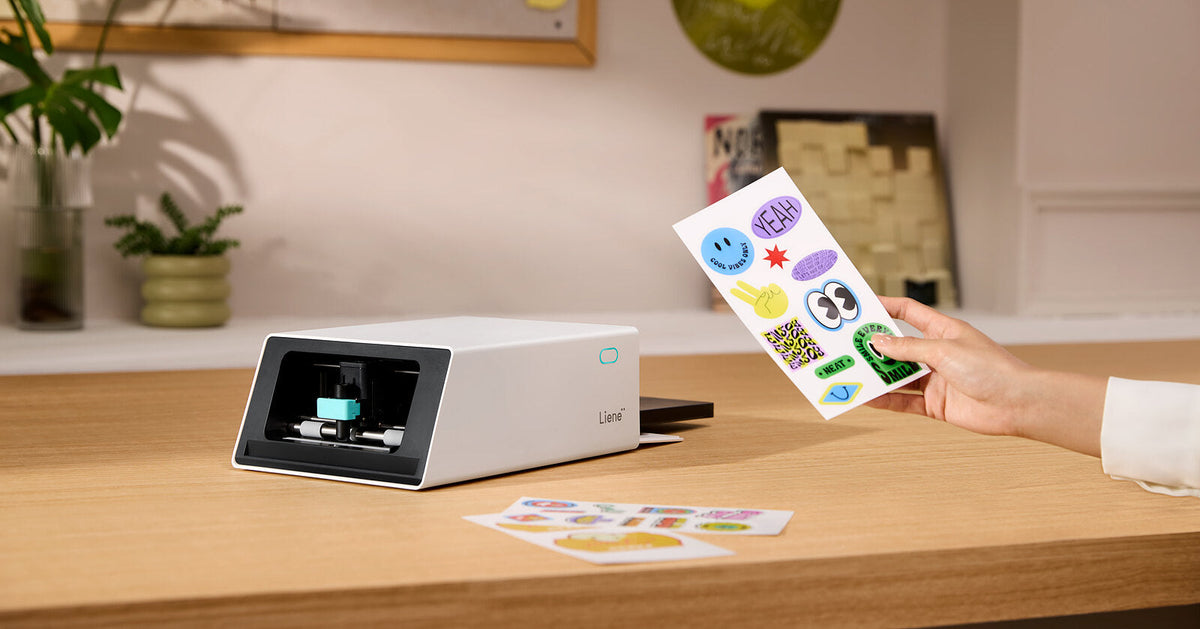
Making stickers at home used to take more machines than it should.
A sticker printer prints your design and cuts it out in one pass. A cutting machine only cuts, so it needs a printer working beside it. For years that was the only way to do it, and it meant two machines and seven steps:
Print the sheet on an inkjet. Wait for the ink to dry. Line it up on a cutting mat. Load the mat. Let the sensor hunt for the registration marks. Weed the offcuts. Laminate the stickers, if you want them to survive a water bottle.
An all-in-one sticker printer and cutter does the same job in three: design, print, peel. It has been on sale for 700 days now, which is long enough to know whether that actually holds up.
Below: what each setup really costs, where a cutting machine still wins, and how the one-machine version has held up

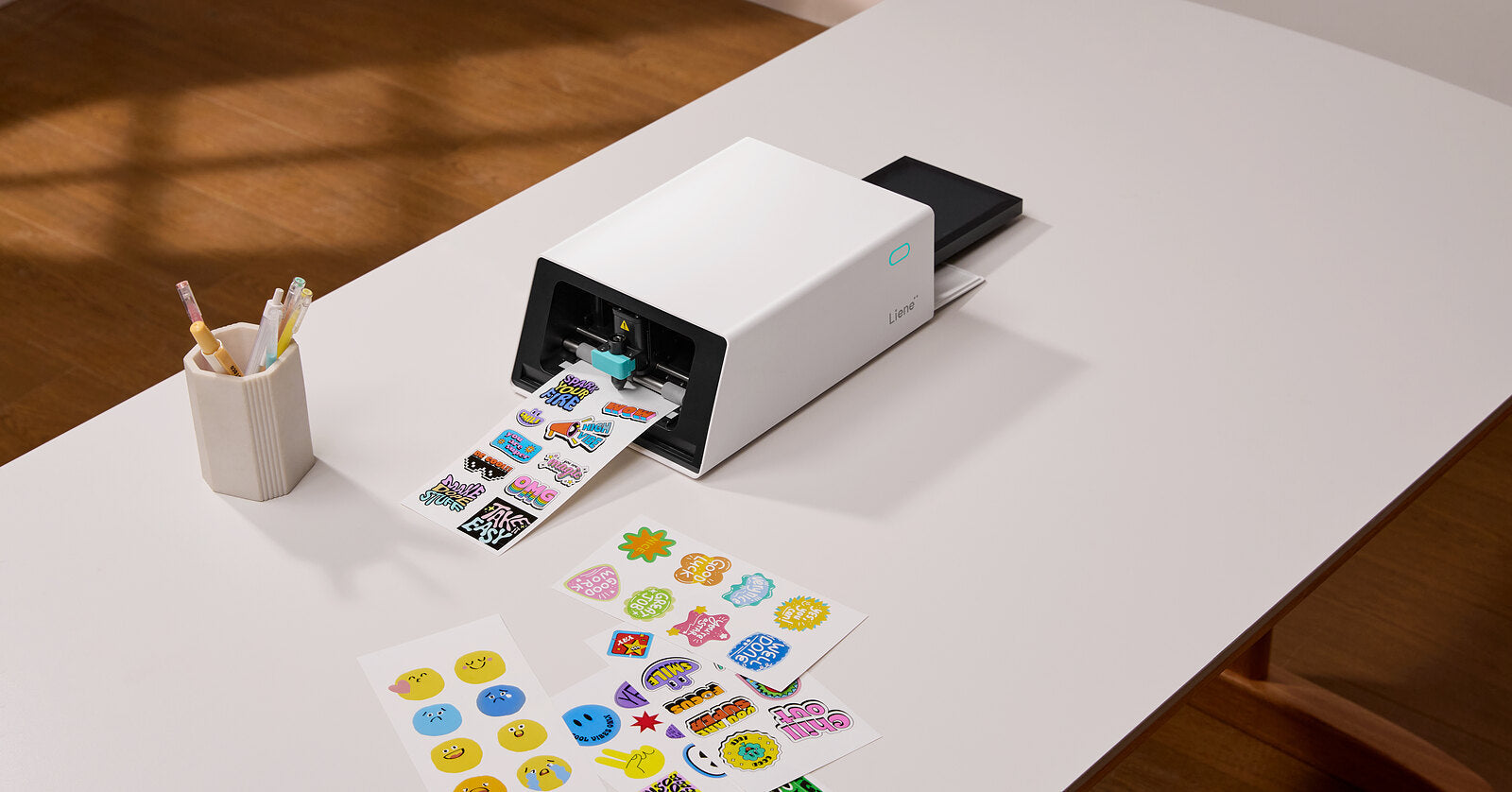
Every sheet on this table came out of the one machine at the top of it.
What a Cutting Machine Does (and What It Doesn't)
This is the root of it, and it catches people out constantly. A cutting machine is a plotter with a blade in it. You give it a shape and it cuts that shape out of whatever you've loaded: vinyl, cardstock, iron-on, sticker paper. There is no ink inside it. Cricut's entry and mid-range machines run from the Joy 2 at $99 to the Explore 5 at $199. Silhouette and xTool sell comparable machines. None of them can put color on a page.
So the color has to come from somewhere else, and that second machine is where the work multiplies.
You still need a printer, and here's how print-then-cut works
Every cutting machine solves this the same way, by borrowing a printer you already own. Cricut calls the feature Print Then Cut, Silhouette calls it Print & Cut, and both work like this: the software surrounds your design with black registration marks, you print the sheet on your own inkjet, you stick it to a cutting mat, and an optical sensor hunts for those marks to work out where the design landed before the blade moves.
It works. Once calibrated, it's reliable. But the machine is guessing at something it never saw printed, and that guess is sensitive to room lighting, paper color, and how square you got the sheet on the mat. When it drifts, you get a sliver of white down one edge and a sheet in the bin.
There's a size cost too. On a Cricut, the usable Print Then Cut area on US Letter is 7.44" × 9.94". The rest of the page belongs to the registration marks.o
What the two-machine setup actually costs
Most people budget for the cutting machine and stop there. It's usually the smallest number in the stack.
-
The cutting machine. $99 to $199 for a current entry or mid-range model.
-
An inkjet printer. $60 to $200 if you don't already own one.
-
Ink. The line nobody budgets for. Sticker designs are full-bleed color at photo quality, which is the most ink-hungry thing a home printer does. A sheet of stickers is not a sheet of text.
-
Printable sticker paper. A 50-sheet US Letter pack runs about $24 to $30, so roughly $0.48 to $0.60 a sheet. Inkjet only, always. Laser heat melts the adhesive.
-
Mats and blades. Mats lose their grip after a few dozen loads. Blades dull.
-
Laminate sheets, if you want stickers that survive being handled.
A cutting machine is a good buy if you'll cut more than stickers with it. It's a platform. But if stickers are the whole reason you're shopping, you're paying for a lot of capability you'll never load, and running a seven-step process to get one sheet.
What an All-in-One Sticker Printer Does
An all-in-one sticker printer and cutter collapses the whole chain into a single paper path. The sheet is printed, laminated and cut without ever leaving the machine, which means there is nothing to align, because nothing was ever moved.
Seven steps become three: design, print, peel.
|
|
Two machines |
All-in-one sticker printer |
|
Steps to a finished sticker |
7 |
3 |
|
Devices |
Printer + cutter + laptop |
1 |
|
Alignment |
Registration marks and an optical sensor |
None |
|
Ink |
Cartridges or tanks, ongoing |
None |
|
Lamination |
Separate step, separate sheets |
Automatic, on the same pass |
Print and cut in one pass, with no alignment step
The Liene PixCut S1 prints at 300 DPI using thermal dye-sublimation with a 1280-dot thermal print head then runs an AI pass that lifts your subject off its background and hands the blade an outline to follow, accurate to ±0.5 mm. Because the printing and the cutting happen inside the same machine on the same sheet, there are no registration marks and no calibration. The machine already knows where the ink went.
A four-layer protective laminate goes on automatically as each sheet prints, so stickers come off already sealed. That's the step you'd otherwise be doing by hand with laminate sheets.
It connects over Bluetooth 5.0 and pairs with up to three devices at once. The Liene Photo app runs on iOS and Android phones and tablets, so you can lay a sheet out on a tablet's bigger screen and send it straight to the machine.

Send the design from your phone. Print, laminate and cut happen without another step from you.
How the PixCut S1 does it
The Liene PixCut S1 prints at 300 DPI using thermal dye-sublimation with a 1280-dot thermal print head, laying down 16.7 million colors in continuous tone. No dots, no banding.
The app finds your subject, lifts it off its background, and hands the blade an exact outline to follow. Cuts land within ±0.5 mm. Because the print head and the blade share one paper path, the machine already knows where the ink went, so there is no registration step to get wrong.
A four-layer protective laminate goes on automatically as each sheet prints. That's the step you'd otherwise be doing by hand, and it's what makes the stickers water-resistant, scratch-resistant and slow to fade.

The sheet comes out printed, sealed and cut to the outline, with nothing to line up.
It pairs with up to three devices over Bluetooth 5.0, and the app runs on iOS, Android, iPad, Android tablets, Windows and Mac, so you can lay a sheet out on a big screen and send it without moving files to your phone first.
No ink, and what a sticker costs
Dye-sublimation means there's no ink to buy, dry out, or clog. Color comes from the ribbon inside the paper refill, so paper and color arrive as one purchase, and a full-bleed sheet costs exactly the same as a sparse one.
Refills are $42.99 for 72 4×7" sticker sheets, about $0.60 a sheet, or roughly $0.20 a sticker once you've filled the page.

Paper and colour arrive in the same refill, so there is nothing else to buy.
For anyone selling stickers online, the comparison that matters isn't two machines but making versus ordering. A PixCut sheet costs $0.60 whether you print one or a thousand, while print services price in tiers: around $2 a sheet at 50, falling toward $0.60 only as you approach a couple of thousand.
|
Order size |
Print service |
PixCut S1 consumables |
You save |
|
50 sheets |
~$101 |
$29.85 |
70% |
|
100 sheets |
~$153 |
$59.71 |
61% |
|
500 sheets |
~$438 |
$298.54 |
32% |
700 days of people actually using one
The all-in-one isn't a concept. The PixCut S1 has been shipping for 700 days. That matters more than a spec sheet.
The two-machine workflow is a known quantity: people have run it for fifteen years and every failure mode is written down somewhere. A single paper path shared by a print head and a blade only earns trust by running for a long time, in a lot of different rooms, on a lot of different designs.
Reviewing it for Tested, Norm from Adam Savage's Tested youtube channel called it the first device of its kind he'd seen in this market, and what caught his eye was the step that isn't there: "No need to take a printed sticker sheet, align it, register it on some type of vinyl cutter and then cut them out. Does it all at once." TechRadar scored it 4.5 out of 5.
Frequently Asked Questions
Do I need a cutting machine to make stickers?
No. A cutting machine can't print, so on its own it can't produce a printed sticker at all. It needs a printer feeding it. An all-in-one sticker printer does both jobs in one device, with no separate printer required.
Can a sticker printer cut shapes?
The PixCut S1 lifts your subject off its background automatically and cuts the outline to within ±0.5 mm. A plain photo printer can't. It only prints, and you'd be cutting by hand or feeding the sheet to a separate cutter.
What's the cheapest way to make stickers at home?
If you already own a color inkjet, printable sticker paper and a pair of scissors is the cheapest start, at roughly $0.50 a sheet with no new hardware. It's slow, and the edges show it. The cheapest setup that produces stickers you'd actually sell or give away is an all-in-one at around $300 with no ink to replace. The most expensive route is the one people don't see coming: a cutting machine plus a new printer plus ink, mats, and blades.
Is it cheaper to print stickers myself or order them?
Below a couple of thousand sheets per order, printing them yourself is cheaper per sheet, and the machine pays for itself in roughly 66 sheets at typical selling prices. Above that, volume discounts make ordering cheaper. The other half of the answer is inventory: printing yourself means no minimum order and nothing sitting unsold.
Is a sticker printer the same thing as a sticker machine?
"Sticker machine" gets used for both categories, which is where most of the confusion starts. Before you buy anything, check one thing on the product page. Does it print in color, or does it only cut?
Can I use a laser printer to make stickers?
No. Printable sticker paper is made for inkjet printers. A laser printer fuses toner with heat, which can melt the adhesive and the backing, damaging the sheet and sometimes the printer with it. Sticker paper brands carry this warning on the pack.
Want to skip the two-device setup? The Liene PixCut S1 prints and cuts in one pass, with no ink, no mats, and no subscription. Have a look at 20 ways people are using theirs, or read how to turn any image into a sticker.


laissez un commentaire
Tous les commentaires sont modérés avant d'être publiés.
Ce site est protégé par hCaptcha, et la Politique de confidentialité et les Conditions de service de hCaptcha s’appliquent.