Blogs

Explore blogs about photo printers topics for the latest tech, creative ideas, and printing tips. Elevate your printing experience and capture moments.

Best Sticker Printers in 2026: Full Buying Guide

For home users who want custom-shaped, laminated stickers from one device, our pick for the best sticker printer is the Liene PixCut S1, currently starting at $279.99. Choose an inkjet-and-cutter setup for larger sheets and mixed crafting, or a battery-powered Canon SELPHY QX20 for small photo stickers on the go. This guide is published by Liene, the maker of PixCut S1. Recommendations are based on published specifications and suitability for different projects. Quick Picks: Best Sticker Printers by Use Best For Product Printing Cutting App & Cost Approx. Price Best overall for home sticker making and custom-shaped stickers Liene PixCut S1 300 DPI dye-sublimation with protective overcoat, all in the machine Automatic contour kiss-cutting around individual designs Liene Photo app for phone, tablet, Windows and Mac; free From $279.99, Starter Kit All-in-one alternative for Design Space users Cricut StickerPix Print + Cut 300 DPI dye-sublimation with lamination Custom-shape kiss-cutting Design Space required; Cricut Access optional, from $9.99/month in the US €279.99, Essential Bundle, Ireland For sticker businesses needing larger sheets Epson EcoTank ET-2850 + a compatible cutting machine Refillable-tank inkjet; compatible sticker media required Separate cutter required Epson Smart Panel, free; your cutter's software for cutting (Design Space for a Cricut Explore 5) $349.99 printer list price, plus cutter and supplies Best portable photo sticker printer Canon SELPHY QX20 Dye-sublimation on square or card-size adhesive media No automatic cutting SELPHY Photo Layout, free From $189.99 Best photo-first printer with sticker options Canon SELPHY CP1500 Dye-sublimation; standard photos and compatible fixed-format sticker media No automatic cutting SELPHY Photo Layout, free About $179.99, plus sticker media and card-size cassette Best for pre-cut stickers in Design Space Cricut StickerPix Print 300 DPI dye-sublimation with lamination No cutter; uses pre-cut sticker sheets Design Space required; Cricut Access optional, from $9.99/month in the US €179.99, Essential Bundle, Ireland Best budget route if you own a printer Existing color inkjet + compatible sticker paper Depends on your printer and paper Scissors or a paper trimmer Your printer's own software or any design app you already use Sticker paper and finishing supplies only Prices checked October 2, 2026; app and subscription details checked October 8, 2026. US prices are in USD; the two StickerPix prices are Irish listings in euros. Bundles, taxes, availability, and promotions vary. These figures are not a direct price comparison across markets. See current Liene pricing, StickerPix Print + Cut pricing, StickerPix Print pricing, Epson pricing, Canon pricing, and Cricut Access pricing. The PixCut S1 is our overall pick for home sticker making because it prints, finishes, and cuts custom-shaped stickers in one machine. Larger sheets, mixed crafting materials, and battery-powered printing call for different equipment, which is why the alternatives below serve different purposes. Which Sticker Printing Setup Do You Need? Most home sticker setups follow one of three routes: an all-in-one printer and cutter, a printer paired with a separate cutter, or a printer with manual cutting. Pre-cut sticker printers are another option when fixed shapes suit your designs. A Cricut Explore or Maker is a cutting machine and needs a separate printer for printed stickers. Cricut StickerPix is a different product family: both models print, and StickerPix Print + Cut also cuts. Check the complete model name before buying. For a closer look at separate printers and cutters, read Sticker Printer vs Cutting Machine. What to Look For in a Sticker Maker Machine Start with the output you need. A rectangular photo sticker, a mixed planner sheet, and an individually trimmed logo sticker can require different equipment. Cut type and shape. A kiss-cut slices the sticker layer while keeping the backing intact. A die-cut goes through the backing as well. A pre-cut sheet fixes the available shapes before you print. Our die-cut vs. kiss-cut guide explains how those formats affect presentation and peeling. Usable print area. Compare the printable area, rather than just the paper dimensions. Larger sheets may accommodate more designs, but a separate cutter's registration marks also take up space. Finish. A built-in protective coating saves a separate finishing step. For inkjet stickers, durability depends on the ink, compatible media, and any laminate you apply. Test the finished combination before promising customers water resistance. Running cost. Count paper, ink or dye ribbon, finishing materials, and wasted sheets. Divide by the number of usable stickers your layout produces. A per-sheet figure alone cannot tell you the cost of each design. Software and workspace. Check device compatibility, which features require a subscription, and how much room the complete setup needs. Allow space for paper movement as well as the machine itself. Route 1: The All-in-One Sticker Printer and Cutter Liene PixCut S1: Best Overall for Home Sticker Making The PixCut S1 suits people whose main projects are photo stickers, labels, and custom-shaped sticker sheets. It prints, applies a protective overcoat, and kiss-cuts around designs inside one machine, removing the transfer from printer to cutting mat. The Starter Kit currently starts at $279.99 and includes 18 sticker sheets and 18 photo sheets. Sticker paper is 4 × 7 inches; photo paper is 4 × 6 inches. The app provides design tools and background removal for preparing custom outlines. View the PixCut S1. Liene's specifications list 300 × 300 DPI dye-sublimation and a 59-second printing speed. That figure describes printing only. Cutting adds time according to the design, so it is not the total time for a finished, cut sticker sheet. See PixCut S1 specifications. Its main limit is format: this is a desktop sticker and photo system using dedicated media. Choose a separate cutting machine if your projects also require adhesive vinyl, iron-on, or cardstock. Kiss-cut output keeps individual designs on their backing sheet until you are ready to use them. You can peel a sticker for a journal, gift label, or other project while keeping the remaining designs together. Cricut StickerPix Print + Cut: An All-in-One Alternative Cricut StickerPix Print + Cut is a direct alternative for buyers who prefer working in Design Space. It prints, laminates, and cuts custom outlines, with 4 × 7-inch sticker sheets and 4 × 6-inch photo paper. Cricut specifies 300 DPI dye-sublimation and kiss-cut output, leaving the backing intact. The Essential Bundle is listed at €279.99 in Ireland. Design Space is required; Cricut Access is optional, although certain software features and the full content library require payment. Consider the tools you plan to use when comparing ongoing costs. See StickerPix Print + Cut details. This is a sticker-focused machine, separate from Cricut's general-purpose cutters. It offers an integrated workflow for people who want custom-cut stickers within the Cricut software ecosystem. Route 2: An Inkjet Printer Plus a Cutting Machine Epson EcoTank ET-2850: For Businesses That Need Larger Sheets An inkjet-and-cutter setup is worth considering when larger sheets and material choice matter more than keeping everything in one device. The Epson EcoTank ET-2850 uses refillable ink tanks and also handles everyday printing, scanning, and copying. Epson lists the printer at $349.99 before promotions. See Epson ET-2850 product details. It does not cut or laminate stickers. You need inkjet-compatible adhesive media within its feed specifications, plus a cutter for automated shapes and finishing materials where your product requires them. Test the exact paper-and-ink combination before building a product line around it. For cutting, the Cricut Explore 5 supports Print Then Cut and starts at $199 according to Cricut's published pricing. It also handles projects using other compatible crafting materials. That makes the pairing useful for a shop selling stickers alongside cards or vinyl projects. See Explore 5 capabilities and its starting price. The tradeoff is handling: printing, any separate finishing, and cutting happen in distinct stages. Budget for the complete setup, including mats, replacement blades, media, and the time you spend moving sheets between steps. If your business mainly sells small personalized kiss-cut sheets, an all-in-one may be a better fit. Our guide to choosing a sticker printing machine for your small business looks more closely at supplies, workspace, and printing to order. Route 3: An Inkjet and Scissors Best Budget Choice: Use the Printer You Already Own For an occasional gift label or a first sheet of planner stickers, start with a compatible color inkjet, adhesive paper, and scissors. A paper trimmer helps with straight-sided labels. This route lets you test designs without buying another machine. It also reveals whether you enjoy making stickers enough to justify an upgrade. Check your printer's media requirements and choose adhesive paper made for its printing technology. Manual cutting becomes less convenient when designs have detailed outlines or you need many identical pieces. If that becomes the bottleneck, compare a separate cutter with an all-in-one before deciding whether you need a new printer. A craft project can combine printed images, cut-out lettering, and stickers without requiring every element to have a custom machine-cut outline. Best Portable Sticker Printer: Canon SELPHY QX20 The Canon SELPHY QX20 is a practical choice for printing small adhesive-backed photos away from a desk. It weighs about one pound, has a built-in battery, and charges over USB-C. Canon lists it from $189.99. It uses dye-sublimation and supports square and card-size sticker media. There is no cutter, so your photo takes the format of the adhesive sheet. That suits travel journals, scrapbooks, and sharing photo stickers at gatherings. See Canon QX20 specifications. Choose it for battery-powered photo printing when fixed shapes are enough. A compact mains-powered printer can be easy to transport too, but it still needs a suitable power source. Best Photo-First Printer with Sticker Options: Canon SELPHY CP1500 If you mainly want standard photo prints and occasionally want stickers, consider the Canon SELPHY CP1500. Canon's current catalog lists it around $179.99. It prints 4 × 6-inch photos and supports compatible fixed-format sticker media, but cannot cut custom outlines. Budget for the appropriate sticker media and card-size paper cassette separately. The supplied postcard-size cassette does not cover every sticker format. See Canon CP1500 details and compatible accessories. For a household printing albums, gifts, and occasional adhesive photos, that versatility may matter more than custom cutting. For a sticker-focused collection, compare the available sticker formats carefully before choosing it. Cricut StickerPix Print: For Pre-Cut Stickers and Labels StickerPix Print is the lower-priced model in Cricut's sticker printer family, listed at €179.99 for the Essential Bundle in Ireland. It prints and laminates onto pre-cut sticker sheets. It does not cut around your artwork. That makes it suitable for photos and labels in preset shapes. If you want an outline that follows a pet, flower, or illustrated character, look at StickerPix Print + Cut instead. See StickerPix Print pricing and model specifications. Cricut sells dedicated refill sets for each model. The Print and Print + Cut materials are not cross-compatible, so check the full model name when ordering. Read Cricut's material compatibility guidance. What Does a Finished Sticker Cost? For the PixCut S1, the currently listed refill pack costs $42.99 for 72 sticker sheets with two cartridges. That works out to approximately $0.60 per sheet. View the current refill pack. As an illustration, a layout yielding three usable stickers would cost about $0.20 per sticker in refill supplies. A layout yielding six would cost about $0.10 each. Those examples exclude the machine, waste, packaging, and your labor; they are not a fixed cost for every sticker. For inkjet setups, add paper, ink, any laminate, and cutter consumables. For StickerPix, use the price and sheet count of the refill available in your region. Compare refill prices for the same market and calculate the cost per usable sticker. A lower machine price alone does not establish a lower running cost. If you plan to sell stickers, print a sample order before setting your prices. Record the supplies used, any rejected sheets, and the time needed to finish and package the order. That gives you a more useful cost estimate than the printer's purchase price alone. Frequently Asked Questions What is the best sticker printer for beginners? For beginners who want custom-shaped stickers with fewer handling steps, our recommendation is the PixCut S1. If you already own a compatible inkjet and want to try simple labels first, adhesive paper and manual cutting are the cheaper starting point. Does every sticker printer cut stickers? No. PixCut S1 and Cricut StickerPix Print + Cut include automatic cutting. StickerPix Print and the Canon SELPHY models discussed here print onto adhesive media without cutting custom outlines. Can a Cricut print stickers? The answer depends on the model. Cricut Explore and Maker machines cut and need a separate printer for printed stickers. Cricut StickerPix Print prints and laminates; StickerPix Print + Cut prints, laminates, and cuts. Which sticker maker machine is best for a small business? Match it to your product format. A larger-sheet inkjet-and-cutter setup suits businesses needing varied media and mixed crafting. A desktop all-in-one suits small personalized kiss-cut sheets. Price a sample order using your actual layout, waste, and handling time before buying. Are home-printed stickers waterproof? Durability depends on the complete printing system. Liene describes PixCut S1 stickers as waterproof; Cricut describes StickerPix prints as water-resistant. Inkjet results vary with ink, media, and finishing. Those claims do not automatically establish dishwasher safety or suitability for prolonged outdoor use. See Liene product information and Cricut finish information. Can these machines produce individually die-cut stickers? StickerPix Print + Cut specifies kiss-cutting, and the PixCut S1 recommendation here is for kiss-cut sheets. If your product needs the backing cut into separate shapes as well, choose equipment and media that explicitly support that output. How fast does the PixCut S1 print? Liene lists a printing speed of 59 seconds. This is a printing specification, not the total time for design preparation, printing, and cutting. See official specifications. Choose the Printer for the Stickers You Plan to Make Start with one representative design: its dimensions, intended shape, finish, and quantity. Use that project to compare the finished output and the supplies each setup needs. For custom-shaped home stickers from one device, the PixCut S1 brings printing, protective finishing, and contour cutting into one desktop setup. Explore the Liene PixCut S1 and available bundles. If your priority is larger sheets, mixed crafting, or battery-powered photo printing, compare the alternatives above against those requirements. The right printer is the one that produces the stickers you want in a format you can use.

Explore by Topic

5 Reasons Why We Choose 4x6 Photo Paper for Instant Printers

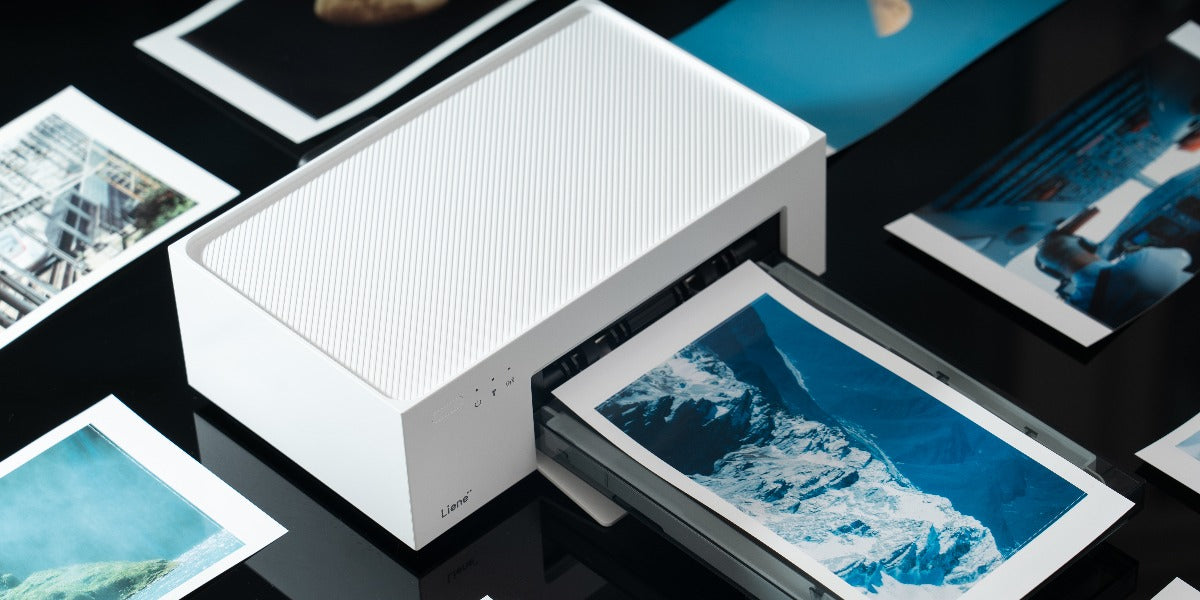
In the digital age, where screens dominate our lives, the value of physical prints has only grown more profound. These tangible memories offer a sensory experience that digital images cannot replicate, allowing us to hold, display, and share our cherished moments in a way that feels real and enduring. Amidst this renaissance of physical photography, instant printers have emerged as a beloved tool for their ability to bridge the gap between digital convenience and the classic joy of print. The size of 4x6 photo paper, in particular, remains a popular choice for its perfect balance of portability and detail, fitting seamlessly into our lives as the standard for albums, frames, and personal keepsakes. This enduring popularity underscores the timeless appeal of printed photos and the modern versatility of instant printing technology. Let’s see why 4x6 photo papers are an excellent choice for your instant photo printers. 1. Balancing size and versatility Compact yet Detailed The 4x6 inch photo size embodies an ideal balance, offering detailed imagery within a compact form factor. This size is not just about convenience; it represents a perfect compromise that maintains the integrity of a photograph's details while ensuring the print is portable and easy to handle. The compact nature of 4x6 prints makes them perfect for a myriad of uses, ranging from casual snapshots to curated photo albums, without sacrificing the ability to capture the vividness and depth of each moment. Standard for Frames and Albums 4x6 inches is recognized as the standard size for photo frames and albums, reflecting its deep integration into the realm of photographic preservation. This universality means that finding display options for 4x6 prints is straightforward, with an abundance of off-the-shelf frames and albums readily available. This ease of integration into both formal and informal display settings highlights the practicality of the 4x6 size, making it a favored choice for organizing and showcasing photographic memories in a variety of contexts. 2. Cost-effective and accessible Affordability Choosing 4x6 photo paper brings significant cost benefits, particularly noticeable in the cost per print, which is lower than larger formats. This affordability makes it an attractive option for both casual and professional use, allowing for the printing of large volumes without financial burden. The reduced cost per print encourages photographers to experiment and print a diverse array of images, making high-quality physical memories more accessible. Availability The widespread availability of 4x6 photo paper boosts its attractiveness, as users can conveniently restock their supply both online and in physical stores. Its universal compatibility with a range of printers highlights its practicality, establishing it as a top choice for both instant and conventional photo printing requirements. 3. Maintaining high-quality clarity and color High-Quality Prints 4x6 photo paper is available in multiple finishes like glossy, matte, and luster, catering to different preferences and ensuring high-quality outcomes. Each finish offers distinct advantages, from vibrant colors on glossy finishes to glare-free elegance on matte, enabling photographers to achieve the desired aesthetic effect for their prints. Professional Look The compact 4x6 prints can deliver a professional appearance, suitable for portfolios or exhibitions when printed with advanced technology. This size maintains clarity and color accuracy, producing detailed and professional-looking images that reflect the photographer's vision, making it an excellent choice for showcasing artistic work. 4. Ideal for instant printers Compatibility and Convenience 4x6 photo paper is the ideal match for instant printers, embodying the perfect blend of convenience and quality. This size is not only widely compatible with various instant printer models but also optimizes the printing process, allowing users to swiftly turn their digital memories into physical keepsakes. The ease of use and the quick printing capabilities of instant printers, paired with the universal appeal of 4x6 photo paper, provide a seamless experience for capturing life's moments in a tangible form instantly. Personalization and Creativity The versatility of 4x6 photo paper extends to personalization and creative expression. Users can easily add a personal touch to their prints by incorporating borders, captions, or applying filters directly through the features offered by instant printers. This ability to customize prints on-the-fly enhances the value of each photo, making it not just a memory, but a personalized artifact. The combination of instant printers and 4x6 photo paper empowers users to creatively showcase their individual style and memories in a uniquely tangible way. 5. Making memories tangible Instant Gratification The ability to print photos instantly offers a unique joy, transforming digital snapshots into tangible memories within moments. This instant gratification enriches life's experiences, whether it's capturing the laughter at family gatherings, the breathtaking views on a travel adventure, or the candid moments at events. The immediacy of printing with a 4x6 instant printer amplifies the pleasure of photography, allowing individuals to hold and relish their captured memories, adding a physical dimension to the digital age. Sharing and Gifting 4x6 prints embody the perfect medium for sharing and gifting, striking a balance between a personal touch and the ease of sharing. Their compact size makes them ideal for slipping into greeting cards, framing as thoughtful gifts, or simply handing out as mementos of shared experiences. Whether it's a birthday, an anniversary, or a spontaneous gesture of friendship, a 4x6 photo print carries with it the personal essence of the moment it represents. This size fosters a sense of closeness and personal connection, making each shared or gifted photo a meaningful exchange that strengthens bonds and keeps memories alive. Why choose Liene Amber 4x6” Instant Photo Printer The Liene Amber 4x6 Instant Photo Printer is a cutting-edge device that combines convenience with technology to bring your memories to life in stunning detail. With features like thermal dye sublimation for vivid prints, compatibility across devices, and the ability to connect up to five users simultaneously, it offers unparalleled printing capabilities. Its sleek design is not only space-saving but also portable, ensuring you can capture moments anywhere. The printer's built-in Wi-Fi hotspot ensures stable and fast printing, free from reliance on external networks. Moreover, its 4-layer technology and automatic lamination promise long-lasting, durable photos. The Liene Photo APP provides an all-in-one solution for editing and printing, making it an essential tool for anyone looking to preserve their memories in vibrant, tangible forms. Let’s break down its main features and functions, so that we can know it more. Full-Color Instant Printing: Tailored for creating vivid, full-color images, this printer excels in producing prints that burst with life and precise color accuracy, ensuring every photograph looks as real as the moment it captures. Thermal Dye Sublimation: At the core of its superior printing capabilities, this method uses heat to transfer dye onto paper, creating prints that are not only bright and lively but also long-lasting, guaranteeing your memories endure over time. Cross-Device Compatibility: The printer's compatibility across various devices underscores its versatility. Whether you're using an iOS or Android smartphone, a laptop, or a PC, it ensures seamless printing, making it accessible and convenient for everyone. Stable, Fast Wi-Fi Printing: Its Wi-Fi capability exceeds the performance of traditional Bluetooth connections, offering a stable and fast way to print photos without any lag, enhancing the overall user experience. Proprietary Cartridges and Paper: The printer's dedication to quality is evident in its exclusive use of specially designed cartridges and paper. This unique pairing guarantees each print is of the utmost fidelity and color precision. Comprehensive Liene Photo APP: Offering more than just printing, the Liene Photo APP serves as an all-encompassing tool that enables creative photo editing. Users can personalize their images with a variety of filters, frames, and effects, adding a distinct touch to every print. Compact and Portable Design: The printer's design is both aesthetically pleasing and functional. Its compactness does not compromise on quality, and the inclusion of a top tray for paper storage along with magnetic components for secure storage speaks to its innovative design. 4-Layer Technology: This feature represents a sophisticated approach to photo quality enhancement. Through a process that layers colors meticulously before adding a sealing layer, it ensures that each photo is not just beautiful but also protected. Protective Automatic Lamination: Like armoring each photo, the lamination process ensures prints are waterproof, dustproof, resistant to fingerprints, and protected from oxidation, safeguarding the beauty and integrity of your photographs. Cutting-Edge Wi-Fi Hotspot Connectivity: Revolutionizing mobile printing, the built-in Wi-Fi hotspot allows for direct printing from devices anywhere, anytime, providing unmatched convenience for printing during outdoor activities, travels, and beyond. Each of these features is designed to enhance the photo printing experience, making the Liene Amber 4x6 Instant Photo Printer a top choice for capturing and preserving your precious memories with ease and style. Summing up In conclusion, the 4x6 photo paper, especially when used with devices like the Liene Amber Instant Photo Printer, epitomizes the perfect blend of modern convenience and traditional sentimentality in photography. This size is not just about producing images; it's about crafting memories that fit perfectly into our lives—be it through personal albums, frames, or cherished gifts. The affordability, accessibility, and the high-quality output of 4x6 prints make them an unbeatable choice for capturing life's moments. Moreover, the ease of printing and the ability to instantly share and gift tangible memories add a layer of personal connection to our digital experiences. Embrace the 4x6 photo paper with the Liene Amber printer to keep the essence of your memories alive in a format that's both practical and profound, ensuring that every snapshot is a step back into the moments that define us.

Discover the Best Instant Photo Printer for Home Use: Liene's Amber 4x6 Printer

When it comes to instant photo printers designed for home use, the process of choosing an ideal printer encompasses a combination of convenience, print quality, and user-friendly features. With the proliferation of digital memories, there is a growing desire for accessible and high-quality photo prints. This article investigates the realm of instant photo printers, examining aspects such as portability, connectivity, and printing capabilities. By comprehending these crucial considerations, you can effectively navigate the market to discover the perfect instant photo printer 4x6 that seamlessly fits into your home environment. Criteria for the Best Instant Photo Printer When determining the best instant photo printer, several criteria play a crucial role in evaluating its overall performance and user experience. ● Print Quality Print quality stands out as a primary criterion, emphasizing the importance of vibrant, sharp, and detailed prints. The ability of the printer to faithfully reproduce the colors and nuances of digital memories is a key factor in its effectiveness. ● User-Friendly Design A user-friendly design contributes significantly to the overall experience. Intuitive controls, a straightforward interface, and easy navigation enhance the convenience of operation, ensuring that users can enjoy a hassle-free printing process. ● Connectivity Options Connectivity options are pivotal. With wireless technologies such as Bluetooth connectivity, which our another product portable 2x3 instant photo printer supports, provide seamless integration with smartphones and tablets. The availability of various connectivity features enhances flexibility, allowing users to print from a range of devices effortlessly. ● Compatibility Compatibility is another critical criterion, focusing on the printer's ability to work with different devices and operating systems. A versatile printer that supports various platforms ensures a broader user base and increased convenience for individuals with diverse technological preferences. Best Instant Photo Printer for Home Use The Amber Instant Photo Printer from Liene stands out as an excellent choice for home use, seamlessly integrating cutting-edge technology with user-friendly features. This sleek and compact device offers unparalleled convenience, enabling users to effortlessly convert their digital memories into tangible keepsakes within the comfort of their homes. Renowned for its impressive print quality, the Amber Instant Photo Printer captures vibrant and detailed images with precision. Its versatility is showcased through the ability to produce 4x6-inch prints, catering to a diverse range of occasions. The user-friendly interface ensures a smooth printing experience, and wireless connectivity options like Wi-Fi connection enhance the convenience of seamless integration with smartphones. Crafted for modern homes, the instant photo printer for mobile harmonizes with contemporary aesthetics while evoking a touch of nostalgia through its instant printing capability. Its compact design facilitates easy storage, and compatibility with various devices, including smartphones and tablets, adds to its adaptability. Features of Amber Instant Photo Printer  The Amber Instant Photo Printer by Liene boasts a range of features that contribute to its exceptional performance and user-friendly experience. Some of them are discussed below. ● Seamless Design for Dust Resistance One standout feature is its seamless design, engineered for dust resistance, ensuring that the internal components remain protected and functional over time. This design not only enhances the printer's longevity but also contributes to maintaining the quality of prints. ● Compact and Portable In terms of portability, the Amber Instant Photo Printer is compact and lightweight, making it an ideal companion for on-the-go printing. Its size and weight make it easy to store and transport, allowing users to capture and print memories wherever they go. ● Wireless Connectivity Wireless connectivity is a pivotal feature, enabling seamless integration with smartphones and tablets. The printer is able to be connected to Wi-Fi networks, providing users with a hassle-free way to print directly from their mobile devices, eliminating the need for cumbersome cables or complex setups. ● High Print Quality The high print quality delivered by the Amber Instant Photo Printer is a testament to its advanced printing technology. It can reach 300 DPI print resolution, 16.7 Million wide color gamut and has 1280 print heating heads for faster printing speed. Users can expect sharp, vibrant, and detailed prints that faithfully reproduce the colours and nuances of their digital memories. ● User-Friendly Interface The user-friendly interface is designed to simplify the printing process. With intuitive controls and easy navigation, users can effortlessly operate the printer, ensuring a smooth and enjoyable experience from start to finish. ● Versatile Compatibility Versatile compatibility is another key feature, as the Amber Instant Photo Printer is designed to work with a variety of devices. Whether using a iOS & Android smartphone, tablet, computer or other compatible devices, users can easily connect and print their favourite memories. Print Quality and Technology behind Amber The Amber Instant Photo Printer, crafted by Liene, integrates state-of-the-art printing technology to guarantee exceptional photo quality. Leveraging high-resolution printing mechanisms, it delivers prints characterized by sharpness, vibrancy, and intricate detailing. This amalgamation of precise colour reproduction and meticulous detailing breathes life into digital memories, presenting them in a tangible and captivating format. Liene's Amber employs advanced thermal printing technology, renowned for its efficiency and speed. This cutting-edge technology ensures a rapid printing process while maintaining the integrity of the prints. Conclusion Finding the best instant photo printer for home use involves considering factors like print quality, connectivity, and user-friendly features. Whether prioritizing portability or advanced editing options, the ideal printer complements your preferences. Explore reputable brands and models to discover the perfect fit for transforming digital memories into tangible keepsakes at home.

2023 Christmas Gifts for Friends and Yourself - Liene Amber and Pearl Printers

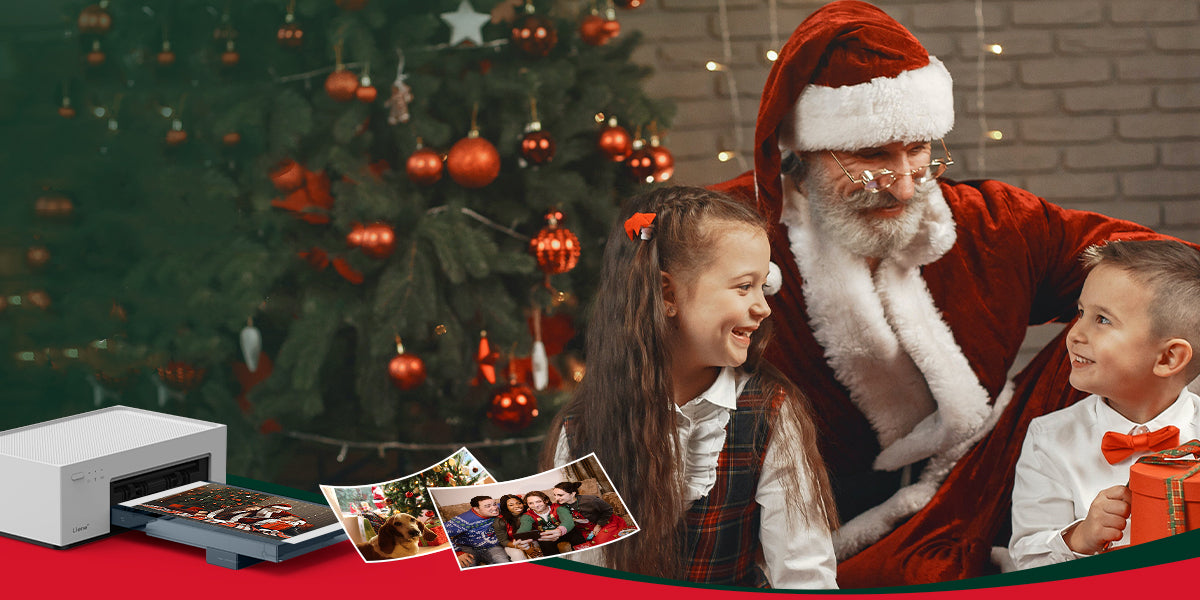
The holiday season is upon us, bringing with it the joy of giving and receiving. Christmas, in particular, holds a special place in our hearts as a time for celebration, reflection, and the creation of lasting memories. In this comprehensive gift guide, we delve into the world of Liene’s two unique products: amber instant photo printers and pearl portable photo printers, offering you insights into why these innovative devices make for exceptional Christmas gifts. Amber 4x6 Instant Photo Printer Introducing Amber 4x6 Instant Photo Printer, an innovative solution for on-the-go printing enthusiasts. This compact and portable device combines convenience with high-quality printing to transform your cherished moments into tangible memories. With user-friendly features and advanced Thermal-Dye Sublimation Printing Technology, the Amber 4x6 Instant Photo Printer ensures that your photos come to life with vibrant colors and sharp details. Say goodbye to the hassle of traditional printing methods and embrace the simplicity and efficiency of the Amber 4x6 Instant Photo Printer for all your instant photo needs. Capture, print, and share your memories anytime, anywhere. ● Key Recommendation Ideal for Families, Parents, and Photography Enthusiasts, the Amber 4x6 Instant Photo Printer makes for an unforgettable Christmas gift. This innovative device caters to the diverse interests of families and parents who want to capture and preserve precious moments with their loved ones. For photography enthusiasts, it offers a seamless way to bring their creative visions to life. Consider gifting the Liene Amber printer to families and friends, especially those who value preserving the essence of Christmas through visual storytelling. The Amber printer stands out as a thoughtful and practical gift that adds a personal touch to the holiday festivities. ● Why Choose Amber The Liene Amber printer boasts exceptional print quality, ensuring that every photo captures the true spirit of the moment. Its user-friendly design makes it accessible to all, including those who may not be tech-savvy. The printer becomes a catalyst for strengthening connections between family and friends by providing a means to share and preserve precious memories. Positioned within the $100-$160 price range, the Liene Amber printer stands as a valuable choice for a Christmas gift during the Black Friday sale. Falling within this range, the Amber printer offers a balance of affordability and high-end printing quality, making it an ideal gift for families and photography enthusiasts looking to capture their Christmas memories in stunning detail. ● Creating Christmas Memories Unleash the full potential of the Liene Amber printer by incorporating it into your Christmas celebrations. Print out snapshots of family gatherings, unwrapping presents, or the joyous chaos of decorating the Christmas tree. Use these prints to create personalized albums or festive decorations, turning your home into a gallery of cherished memories. ● Gift Wrapping Suggestions Enhance the appeal of the Liene Amber printer by incorporating creative and festive wrapping ideas. Consider a thematic approach by wrapping it in festive paper adorned with miniature photo prints. This not only adds an element of surprise but also sets the tone for the gift as a portal to capturing and reliving Christmas moments. Additionally, including a personalized note that highlights the potential for creating lasting memories with the Liene Amber printer adds an emotional touch. Share a brief note of how the device has brought joy to other families during the holiday season, creating a sense of anticipation and excitement for the recipient. ● Creative Features Diving deeper into the Liene Amber 4x6 Instant Photo Printer, let's explore its printing prowess. The device employs cutting-edge printing technology to produce vivid and high-quality prints. The color accuracy and detail capture ensure that each photo encapsulates the genuine emotions of the moment. The ease of use is a standout feature of the Liene Amber printer. Its user-friendly interface ensures that even those with limited technical expertise can effortlessly navigate the printing process. This accessibility makes it an excellent gift for parents and grandparents, fostering inclusivity in capturing and preserving family memories.   Pearl K100 2x3" Portable Photo Printer Pearl K100 2x3" Portable Photo Printer is a lightweight and compact device that utilizes Zink zero ink technology for mess-free printing. With 2*3" adhesive photo paper, keep your most amazing moments close to your heart. With wireless connectivity via Bluetooth 5.0, it allows instant printing of high-quality 2x3" photos from iOS and Android devices, making it convenient for on-the-go photo printing. Now let’s see how this can be a valuable asset for you to be gifted on Christmas. ● Key Recommendation The Liene’s pearl portable photo printers are an enchanting gift choice, crafted with a distinct audience in mind. Tailored for girlfriends, colleagues, or children, this portable printer is perfect for individuals who appreciate the beauty of spontaneous moments and want to express their creativity instantly. Whether used to create personalized gifts, decorate workspaces, or enhance playtime for children, this portable photo printer is sure to bring smiles and joy to its diverse audience. ● Pearl's Portable Charm The Liene Pearl K100 2x3" Portable Photo Printer possesses a distinctive allure rooted in its compact design and instant printing features, making it an ideal companion for those who are constantly on the move. Its sleek and portable design ensures that the Pearl seamlessly integrates into travel adventures, allowing users to capture and print memorable moments on the go. ● Pearl's Portable Charm The Liene Pearl K100 2x3" Portable Photo Printer possesses a distinctive allure rooted in its compact design and instant printing features, making it an ideal companion for those who are constantly on the move. Its sleek and portable design ensures that the Pearl seamlessly integrates into travel adventures, allowing users to capture and print memorable moments on the go. ● Christmas Creative Uses Discover the endless possibilities of the Liene Pearl Portable Photo Printer as it seamlessly integrates into your Christmas festivities. Leverage its instant printing capabilities to craft personalized Christmas cards that capture the warmth of the season. Elevate your decorations by printing festive snapshots and adorning your space with a touch of personal flair. Take spontaneity to the next level by using the Pearl to create impromptu photo walls at holiday gatherings, turning every moment into a lasting memory. ● Tailored for Creative Individuals The Liene Pearl Portable Photo Printer is not merely a device; it's a creative companion tailored for artists, journal enthusiasts, and DIY lovers. Its portable charm and instant printing features cater to the spontaneous creativity of individuals. Whether it's adding a personalized touch to journal entries, creating on-the-spot DIY decorations, or expressing artistic flair through printed visuals, the Pearl meets the diverse needs of those who find joy in crafting their unique narratives. ● Pairing Gift Suggestions For an added touch of festive flair, envision pairing the Liene Pearl printer with an assortment of decorating materials – think vibrant markers, festive stickers, and glittering embellishments. This dynamic duo not only encourages creativity but transforms the act of printing into a personalized and joyous holiday crafting experience. Consider coupling the Pearl with a beautifully crafted photo album, providing the recipient with a ready canvas to curate their instant prints into a visual narrative of their Christmas celebrations. ● Features of Portable Photo Printer The Pearl K100 2x3" Portable Photo Printer is a compact and lightweight device designed for on-the-go photo printing. The Liene Pearl K100, with its innovative Zink zero ink technology, is a remarkable choice for a Christmas gift that falls within the $60-$99 price range. This range makes the Pearl a budget-friendly option, perfect for those looking for a thoughtful yet affordable gift during the festive season. Its portability and creative potential make it an excellent choice for capturing spontaneous holiday moments. Conclusion: Boosting Your Christmas Experience Both the Liene Amber and Pearl printers offer unique features that make them ideal Christmas gifts for different audiences. When choosing between the two, consider the recipient's preferences, interests, and how they might best utilize the printer. Whether it's capturing family moments or fueling creative expression, both the Liene Amber and Pearl printers contribute to the magic of Christmas by turning fleeting moments into tangible memories.

Ultimate Guide to 4x6 Photo Printing from iPhone with Liene Amber Series Instant Photo Printer

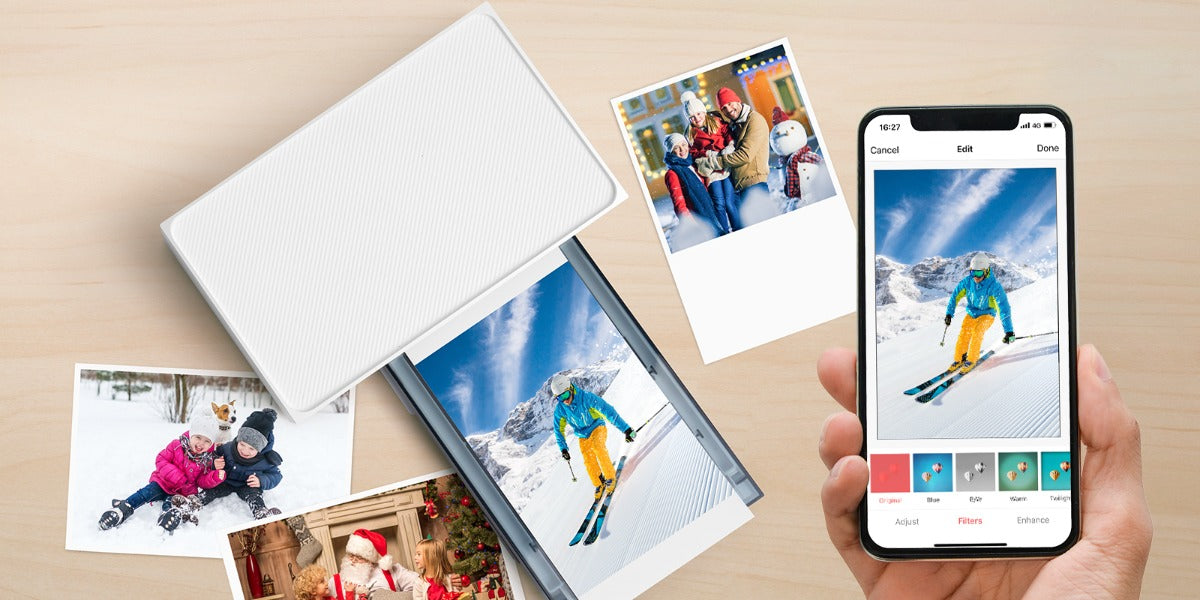
In our fast-changing technology world, preserving special moments is a timeless wish. Smartphones, especially iPhones, have redefined how we capture life. While storing memories digitally is handy, there's something magical about holding actual photos. Enter the captivating world of 4x6 photo printers, focusing on the growing popularity of instant printers connecting effortlessly with iPhones. This article will delve into a deep study of photo printers and the step-by-step guide to printing photos using instant photo printers. Navigating the Universe of 4x6 Photo Printers At the core of photo printing lies the 4x6 photo printer, a device specifically engineered to produce prints of 4 inches by 6 inches—a popular and versatile size for snapshots. These printers vary in technology, with inkjet and thermal dye sublimation printers being two prominent contenders. ● Inkjet Printers: A Versatile Option Inkjet printers utilize the ingenious mechanism of propelling tiny droplets of ink onto the paper. Renowned for their ability to produce vibrant and detailed prints, inkjet printers have been a staple in photo printing for years. However, considerations such as print speed and the cost of ink cartridges come into play. ● Thermal Dye Sublimation Printers: Efficiency Personified On the other hand, thermal dye sublimation printers operate by using heat to transfer dye onto the photo paper. This method often results in prints that are not only visually striking but also resistant to fading. These printers are known for their speed and user-friendly experience, making them an attractive choice for those seeking efficiency in their photo printing endeavors. The Symbiosis of Photo Paper and Cartridges Getting the best prints from your photo printer involves two main partners: the right photo paper and compatible cartridges. Just like a good dance partner, premium photo paper is essential for keeping your prints vibrant and long-lasting. On the other hand, compatible cartridges are like the rhythm of the music, playing a crucial role in maintaining the printer's performance and making sure every step (or print) is of the highest quality. So, when choosing your supplies, think of it as picking the perfect dance shoes and music for a flawless performance! Exceptional Features of Liene Amber 4x6 Instant Photo Printer Amidst the myriad options in the market, Liene Amber 4x6 Instant Photo Printer emerges as a noteworthy contender. Boasting features that prioritize both quality and convenience, this printer has garnered attention for its seamless integration with iPhones.Let's delve into the features that set the Liene Amber apart in the realm of instant photo printers: ● Thermal Dye Sublimation Technology The Liene Amber's innovative thermal dye sublimation technology infuses prints with remarkable vibrancy, creating images that not only captivate the eye but also stand the test of time. This cutting-edge technology ensures that your digital memories are preserved in a form that maintains their vividness and brilliance, offering a timeless quality that transcends the fleeting nature of moments. ● Wireless Connectivity No longer confined by the limitations of wired connections, the Liene Amber's wireless prowess extends beyond iOS devices embracing a diverse spectrum of digital platforms. This broad compatibility ensures that users can effortlessly navigate their digital libraries and transform cherished moments into tangible 4x6 prints, all without the hassles of cables or complicated setups. The freedom bestowed by the Liene Amber's built-in WiFi not only simplifies the printing process but also opens a gateway to a seamless, wireless world of photo printing possibilities. ● Versatile Print Bundle Option Recognizing the diverse needs of users, the Liene Amber is available in various packages. Whether you opt for the printer with 20 sheets and 1 cartridge or the bundle with 100 sheets and 3 cartridges, you have the flexibility to choose the option that aligns with your printing requirements. ● Built-in Rechargeable Battery For the wanderers and explorers, the Liene Amber Instant Photo Printer White with its built-in rechargeable battery is a game-changer. This feature adds a level of portability that traditional printers often lack, allowing you to print your photos anytime, anywhere. ● Pricing and Savings Understanding the pricing structure and potential savings is crucial for consumers. The Liene Amber Instant Photo Printer is competitively priced, with occasional discounts and promotions. For example, a printer bundle with 100 sheets and 3 cartridges can provide you substantial savings from the regular price. Printing 4x6 Photos from iPhone Using Liene Amber: A Step-by-Step Guide Now that we've explored the features of the Liene amber instant photo printers, let's walk through the steps to print your cherished 4x6 photos from your iPhone: ● Step 1: Unboxing and Setup Upon receiving your Liene Amber Instant Photo Printer, embark on the exciting journey of unboxing. Carefully inspect all components, ensuring that the photo papers and cartridges are present. Follow the step-by-step setup instructions provided in the user manual to prepare your printer for its inaugural print. ● Step 2: Print from the iOS Device Liene Desktop Printer allows you to print directly from your iPhone album without any other app assistance. Make sure that the device is connected to the printer Wi-Fi hotspot, and the Wi-Fi hotspot indicator lights on in blue, confirm that you agree to use this network. Open the album and select the photos, then select the printer, adjust the printing parameters, and print. Or Print within the Liene Mobile App ● Step 1: Install Liene Mobile App To streamline the printing process, navigate to the app store on your iPhone and download the Liene mobile app. This app serves as the bridge between your iPhone and the Liene Amber Instant Photo Printer, offering a user-friendly interface for selecting and editing your photos. ● Step 2: Connect Your iPhone to the Printer With the Liene Amber powered on, ensure that it's in wireless printing mode. Open the Liene app on your iPhone and follow the on-screen instructions to establish a Wi-Fi connection between your iPhone and the printer. Once the connection is established, you're primed and ready to commence the printing journey. ● Step 3: Select and Edit Photos Enter the captivating realm of your iPhone's photo gallery within the Liene app. Browse through your collection and select the 4x6 photos that hold a special place in your heart. Utilize the app's editing features to fine-tune aspects such as brightness, contrast, and color saturation, adding a personal touch to your prints. ● Step 4: Initiate the Printing Process With your photos selected and edited to perfection, it's time to bring them to life. Hit the print button within the Liene app, triggering the Liene Amber Instant Photo Printer into action. Witness the magic of thermal dye sublimation technology as your 4x6 prints materialize with a level of detail and vibrancy that pays homage to the original moment. Addressing Common Queries: Liene Amber FAQ As with any technological innovation, users may have questions and concerns. Here are answers to some frequently asked questions about the Liene Amber 4x6 Instant Photo Printer: ● Q1: Why buy from the Liene Store? A: The Liene Store offers compelling reasons to choose its products, making it more than a transaction; it's an experience. The store boasts a 30-day Free Return Policy, Fast and Free Shipping Storewide, and a reassuring 1-Year Warranty on Products. Additionally, all products are backed by Lifetime Customer Support. ● Q2: How long does it take for the Liene Amber to print a 4x6 photo? A: The printing time can vary, but generally, Liene Amber's thermal dye sublimation technology ensures relatively fast printing. The exact time may depend on factors such as the complexity of the image and the printer settings. ● Q3: Are there any special maintenance requirements for the Liene Amber? A: The Liene Amber is designed for user-friendly operation with minimal maintenance. Regularly cleaning the printhead and ensuring the device is stored in a cool, dry place can contribute to optimal performance. Specific maintenance instructions can be found in the user manual. ● Q4: Can I print black and white photos with the Liene Amber? A: Yes, the Liene Amber supports both color and black-and-white printing. You can choose the printing mode within the Liene app when selecting and editing your photos. ● Q5: Can I return or exchange a product? A: Absolutely. The Liene Store understands the dynamic nature of consumer needs. As such, they offer a 30-day Free Return Policy. Details regarding the Return and Exchange Policy can be found on the official website. Conclusion: Bridging the Digital and Tangible Gap As we traverse the ever-evolving landscape of technology, the allure of holding a tangible photograph remains timeless. The Liene Amber 4x6 Instant Photo Printer serves as a bridge between the digital and tangible, offering a user-friendly and efficient means of turning your digital memories into lasting prints. Whether you're printing a single snapshot or curating a collection of cherished moments, the combination of thermal dye sublimation technology, wireless connectivity, and user-centric features positions the Liene Amber as a reliable companion in the quest to immortalize your memories.

A Comprehensive Guide For Printing Photos Using Liene 4x6 Photo Printer

In today's digital age, capturing memories on our smartphones has become second nature. However, there's a unique joy in holding a physical photograph. The Liene 4x6 Photo Printer bridges the gap between the digital and physical worlds, offering a convenient and efficient way to print your cherished photos.In this comprehensive guide, we will take you through the process of setting up the printer, preparing for printing, and utilizing different methods to print your 4x6 photos. In addition, we’ll inspire you to infuse your digital memories with the tangible charm of printed photographs. Setting the Stage: Unveiling the Liene 4x6 Photo Printer The unboxing experience of the Liene 4x6 Photo Printer marks the beginning of a journey into the world of instant photography. Each component in the carefully curated package serves a specific purpose, emphasizing the attention to detail in the design and functionality of the device. The user manual becomes your guiding companion, unraveling the printer's features and unraveling its full potential. Let’s first discover the components of this unique Photo printer and see what it has to offer before diving into to guide of using this printer. Unboxing Delight: Contents of the Package Before diving into the printing process, let's familiarize ourselves with the contents of the Liene 4x6 Photo Printer package. Ensuring you have all the components is crucial for a smooth setup and printing experience. ● User Manual The user manual is your key to understanding the features and functionalities of the Liene 4x6 Photo Printer. It provides step-by-step instructions for setup and troubleshooting, making it an essential reference throughout your printing journey. ● 20 pcs of Photo Paper Included in the package are 20 pieces of high-quality photo paper. The inclusion of 20 pieces of high-quality photo paper ensures that you can embark on your printing journey immediately. This paper is specifically designed to produce vibrant and durable prints, ensuring that your memories are preserved in the best possible way. ● Paper Cassette The paper cassette, a seemingly simple component, plays a vital role in the organization and feeding of photo paper, contributing to the overall efficiency of the printing process. The paper cassette is an integral part of the printer, providing a convenient and organized way to load your photo paper. Proper installation of the paper cassette is crucial for smooth printing operations. ● Photo Printer The central component of the package is, of course, the Liene 4x6 Photo Printer itself. Compact and user-friendly, this device brings your digital photos to life in a matter of seconds. ● Ink Cartridge With the ink cartridge at the heart of color reproduction, the Liene 4x6 Photo Printer guarantees vivid and lifelike prints that capture the essence of your digital memories. The ink cartridge is a crucial part of the printing process, providing the necessary colors for your photos. Installing the cartridge correctly is crucial for achieving the best print quality. ● Power Adapter To power up your printer, the package includes a dedicated power adapter. This component ensures a stable and reliable power supply for consistent printing performance. Ready, Set, Print: Essential Preparations Now that you've unpacked your Liene 4x6 Photo Printer, let's walk through the necessary steps to prepare for printing. ● Install Cartridge Begin by installing the ink cartridge into its designated slot in the printer. Consult the user manual for specific instructions, ensuring a secure and proper installation. Properly installed cartridges contribute to the longevity of your printer and the quality of your prints. ● Refill Photo Paper Load the provided photo paper into the paper cassette. Pay close attention to any loading guidelines outlined in the user manual to prevent paper jams and ensure smooth printing operations. The quality of your prints is directly affected by the type and condition of the photo paper used. ● Power Up Connect the power adapter to the designated power socket at the back of the printer. Press the power button for three seconds until the printer enters idle status, indicated by an orange light. This step ensures that the printer is ready for operation. ● Install Paper Cassette Insert the paper cassette into the printer. Ensure that it clicks into place securely, guaranteeing that the paper feed is smooth and free of interruptions during the printing process. ● Connect to Wi-Fi To enable wireless printing capabilities, connect your device to the Liene Photo Printer's Wi-Fi network. Locate the network named "Liene Photo Printer [xxxx]" and enter the default password: 12345678. Once connected, your printer is ready for use, providing the flexibility to print from various devices without the need for direct connections. Mastering the Art of Printing: A Step-by-Step Guide Now that your Liene 4x6 Photo Printer is set up, let's explore the various methods of printing, catering to different preferences and devices. ● 1- Print from App For users who prefer a mobile-centric approach, the Liene Photo App provides a seamless printing experience. Download Liene Photo App: Start by scanning the QR code provided in the user manual to download Liene Photo App to your smartphone. Connect to Printer: With the printer in idle status (indicated by an orange light), open the app. The blue light on the printer indicates a successful connection. Select Printing Mode: Choose between "Classic Photos" or "Print ID Photo," depending on your preference. Choose Photos and Edit: Select the photos you want to print, utilize the app's editing features if desired, and click "Print" to start the printing process. Once you click the Print button, the printer sets on its task and will provide you with high-quality print within a few seconds that will make you delighted. ● 2- Print from Phone (iOS & Android) Printing directly from your smartphone is quick and easy, offering a straightforward way to bring your digital photos to life. Connect to Printer: Ensure your phone is connected to the printer, as indicated by the blue light on the printer. Open Album: Navigate to your photo album on your smartphone. Select Photos: Choose the photos you want to print by tapping on them. Print: Look for the print option, which may vary depending on your phone model and operating system. If you can't find it, refer to the user manual for guidance or search for help within your device's settings. Once all set, click on the print button and you will be astonished by the exceptional quality of print within no time. ● 3- Print from Laptop/PC (Wireless) For those who prefer the convenience of printing from a computer, the Liene Photo Printer supports wireless printing. Note that Windows-based systems require a designated driver for this method. Download Driver: Visit the official website of Liene Life to download the necessary driver. Follow the provided instructions to install the driver on your computer. Connect via Wi-Fi: Connect your laptop or PC to the printer's Wi-Fi network using the default password: 12345678. Select Printer: On your computer, choose "Liene Photo Printer [xxxx]-Wi-Fi" as your designated printer. Print: Select the photos you want to print and initiate the printing process. The wireless connection allows you to print seamlessly without the need for physical cables. ● 4- Print Laptop/PC via Cable For a direct connection between your computer and the Liene 4x6 Photo Printer, a Type-C cable can be used. This method is efficient and ensures a stable and fast connection. Download Driver: Visit the official website of the product to download the required driver for Type-C printing. Follow the provided instructions to install the driver on your computer. Connect via Type-C: Using a Type-C cable, connect the printer to your laptop or PC. Ensure that the connection is secure. Select Printer: On your computer, choose "Liene Photo Printer" as the designated printer for Type-C printing. Print: Once connected, select the photos you want to print and initiate the printing process. This direct connection ensures a fast and reliable printing experience. Conclusion: Your Complete Guide to Picture-Perfect Prints The Liene 4x6 Photo Printer stands as a testament to the evolution of photography, providing a bridge between the digital and physical realms. This comprehensive guide has walked you through the unboxing, setup, and various printing methods available with this compact and user-friendly printer. Whether you choose to print from a mobile app, smartphone, or computer, the Liene Photo Printer offers a versatile and convenient solution for turning your digital memories into tangible keepsakes. Embrace the joy of holding your memories in your hands with the Liene 4x6 Photo Printer!

Liene Amber vs Kodak Dock Plus vs HP Sprocket Studio: Who has the Best Deal for a Photo Printer?

Purchasing a photo printer is very practical for people nowadays, after all, do-it-yourself printing is much more convenient than going to a print store. It is important to choose a cost-effective printer. But how to pick a cost-effective photo printer is not easy, you must not want to regret purchasing, after all the machine body itself is not a consumable, and indeed the photo paper is consumable, so you have to select a brand that has both a high-quality body and high-quality photo paper. Liene has built up a reputation in the market, especially for the quality of its photo prints, and has received much recognition from many customers and influencers. To give you a better idea of the competitive advantages of Liene, we make a table of how the amber series instant photo printer of Liene stacks up against the Kodak Dock Plus and the HP Sprocket Studio Photo Printer. Subject Liene Amber Kodak Dock Plus HP Sprocket Studio Price $134.99 $139.99 $129.99 Dock Adapter for iPhone  × √ × Power Breaks Size Small Very Big Very Big Photo Papers in the Box Design/Appearance One piece magnetic design prevents dust, compact, sleek, guarantee print quality. Paper exposure, affects photo quality Separated, Open Design. Affects photo quality Printing technology Dye Sublimation Dye Sublimation Dye Sublimation Printer Size 8.07 x 4.91 x 3.36 inches 4 x 7 x 3 inches 10.75 x 6.65 x 2.68 inches Connection Wifi hotspot, High speed Type C Bluetooth, Doc on phone Bluetooth, no USB App √ √ √ Print Options Laptops, PC, IOS/Android smartphones, Tablets, Liene App iOS, Android, Tablets iOS and Android, sprocket app (ios App store, Google Play), Tablets Print Speed 50s 80s 90s Print Quality Photo Size 4X6 4X6 4X6 PRICE Affordability could be the deal breaker for some people. These three products are not much different in price yet still slight differences. Liene Amber The Liene Amber is undoubtedly the most cost-effective one. Compared to the other two models that come with only 10 sheets of photo paper, the Liene Amber comes with 20 sheets. Kodak Dock Plus Kodak Dock Plus is the most expensive in comparison and includes only ten sheets of photo paper. HP Sprocket Studio The HP Sprocket Studio is the cheapest one with 10 sheets of photo paper which is hard to meet the printing needs of multiple photos without buying additional photo paper. DESIGN/APPEARANCE Liene Amber One-piece magnetic design with a sealed-up body and paper dock, the Liene Amber makes it impossible for the dust to go inside and dye into the photos. When you're not using it, just magnetize the paper dock on top of the body,  the whole thing looks sleek just like one whole piece.   Kodak Dock Plus The body of the Kodak Dock Plus can close up so dust doesn’t get into the machine. And the body clicks onto the paper dock which makes it manageable to place and move around. However, the open design of the paper dock exposed the paper to the air, letting dust go inside easily.   HP Sprocket Studio HP Sprocket Studio Photo Printer uses a separate lock-in paper dock design. When the dock is separate from the body, the part where the paper goes in and out is fully exposed permanently, which dust and hair would go inside and pile up on the rollers, and easily go straight into your photos.   POWER BREAKS SIZE Liene Amber Liene's has the smallest power break, which is the most convenient to take out on trips or use at home. Kodak Dock Plus The power break of The Kodak Dock Plus is relatively much larger and heavier, not convenient to bring along. HP Sprocket Studio The HP Sprocket Studio power break is basically the same size as the Kodak Dock Plus. CONNECTION Liene Amber Liene Amber uses a Wifi hotspot to connect and print. It also supports a USB connection, so you can connect to your computer for printing. Bluetooth technology is also used in another line of our products, the portable photo printer of the Liene Pearl series. Kodak Dock Plus The Kodak Dock Plus connects via Bluetooth as well as the doc on top so that you can plug your phone into it and be able to print away photos. HP Sprocket Studio The HP Sprocket Studio uses Bluetooth to print photos and that is its only connection method.  PRINT QUALITY  Above all the categories, print quality is really what matters most. These three photo printers all use dye-sub printing technology, the quality of the printed photos is still a little different. Liene Amber Liene Amber prints tack sharp, true to photo. Despite some unavoidable brightness differences, color-wise Liene Amber's prints look very close to the original photo in the phone. Kodak Dock Plus The photo that the Kodak Dock Plus printed looks colorful but a lot more saturated than the rest of the photos. Yet surprisingly it performs much better printing low-pixel photos. HP Sprocket Studio The HP Sprocket Studio prints photos clear but a lot sharper, making the photo look like it has a little pixelation. Ultimately, we hope this photo printer comparison is helpful for you when deciding on the best brand to buy. As is clear from the data and specs, the Liene Amber matches up well against both the Kodak Dock Plus and HP Sprocket Studio, surpassing it in many categories.

Easily Print High-Quality Photos with Liene 4×6 Instant Photo Printer

One of the most beautiful things about printed photos is that they can be retained in a physical way to appreciate and jog the memories, and the best about the Liene 4×6” Photo Printer  is that you can start to do it at the very moment that you want to grasp, well, technically 59sec after that moment. Of course, you may have concerns about portability, cost, operation, photo quality, etc. The Liene 4×6 instant photo printer should solve these concerns for you. The Liene 4×6” Desktop Printer has dimensions of 205 x 124.6 x 85.4mm, which is at a portable size and at the same time outcomes 4×6 inch of photos. This size can clearly present each face in a multi-person photo and is also a good size for displaying at home or hanging on the wall. With a 24.84Wh 10.8V 2300mAh capacity of the internal battery, the Liene 4×6” Desktop Printer can print about 40 photos at a time when the power is full, which can meet the needs of more than one family on one trip. Compared to traditional photo printers, it is easy to set up and use  and has multiple methods to print. You can: -Print from iOS device -Print from Android device -Print via USB from a computer -Print via WI-FI from a computer -Print with “Liene Photo” APP With all these options, you definitely don’t need to buy a new phone or something for this. In addition to regular 4×6 inch photos, you can also print ID photos, you can choose the standard size of ID photos corresponding to your country to print, and you can retouch your photos before printing them. When you need ID photos urgently, you don't need to run around to find a print store, which is fast and saves money. Although you get a photo through very simple steps, the quality of the picture is definitely not compromised. Our equipment is powered by the Japanese original engine, paper feed accuracy is 1.15 μM. We use dye-sub print technology, CMY color model, and 256 color scale, the picture performs natural and the skin tone is delicate. We use high precision thermal print technology with 1280 print heating heads on one device, precision up to 8.54 microns. It can produce 16.7 million colors, and the resolution of pictures is 300x300 dpi. All of the above will ensure the clarity and authenticity of your photos. To the naked eye, the printed photo looks exactly the same as what you see in the shooting device. In addition to the presentation of pictures, we also managed to ensure that photos are not easily damaged. The automatic photo over coating allows the color to last longer and makes the photos scratch resistance, fingerprint protection, waterproof, and oxidation protection. This way even if you have little kids or pets at home, you don't have to worry about them ruining your precious photos. For a fine photo print like this, you don't need to spend much. In addition to the machine itself, the cost of each print can be reduced to $0.37 if you buy 80pack refills. And if you buy 40pack, the cost of each print will not be more than $0.50. Simple and sophisticated body design, easy operation, high-quality photos, multiple printing options, and low cost. This is definitely a high-quality-price ratio device.

1 / 1