


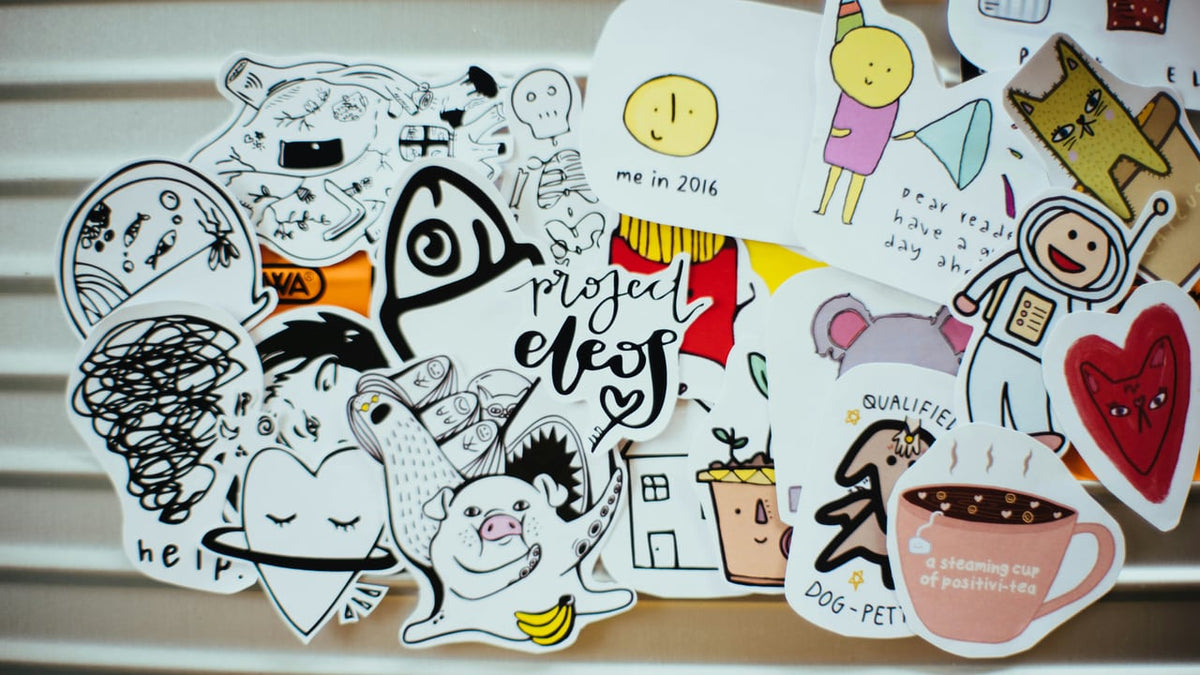
A Cricut alternative could be a dedicated sticker printer, a general-purpose cutter, or the printer and scissors you already own. For custom photo stickers, consider Liene PixCut S1. For vinyl and mixed crafts, look at Silhouette Cameo 5α; for scanned drawings and paper projects, Brother ScanNCut DX SDX125E offers a different way to work.
Start with the thing you want to finish. A sheet of pet stickers and iron-on lettering for a tote bag ask very different things of the equipment.
Choose Your Cricut Alternative by Project
Find your next project in the table, then check what you would need to make it.
| Your project | Route to consider | Separate printer? | Main limitation |
|---|---|---|---|
| Custom photo stickers and labels | PixCut S1: design, print, laminate, and cut | No | Dedicated compatible media; not a general vinyl cutter |
| Vinyl lettering and iron-on designs | Cameo 5α: prepare cut paths, cut material, weed, and apply | Not for plain colored vinyl; yes for printed artwork | Correct blade and material settings; heat application for iron-on |
| Paper crafts and scanned drawings | ScanNCut DX SDX125E: scan or select a design, then cut | Not for cutting existing artwork; yes to print new artwork | Mat, blade, material, and scan contrast affect the result |
| A few simple stickers | Existing printer, compatible sticker paper, scissors or trimmer | Use the printer you own | Manual cutting and material-dependent finishing |
| A larger outsourced batch | Print service: submit artwork, approve a proof, order | No home printer needed | Order quantities, finishing options, and delivery time |
For a broader explanation of these workflows, see sticker printers versus cutting machines.

Which Cricut Are You Replacing?
An Explore, Maker, or Joy-family cutting machine is a different starting point from a StickerPix printer. On supported cutters, Print Then Cut uses a separate printer for the artwork before the cutter follows its outline.
Cricut now also sells StickerPix Print, which prints photos and pre-cut stickers, and StickerPix Print + Cut, which prints and cuts custom-shaped stickers. Cricut’s introduction to StickerPix explains that distinction. Saying “Cricut doesn’t print” would miss an entire product line.
For a Cricut Joy Xtra alternative, decide whether you still need vinyl and cards alongside stickers. That answer changes which category you should shop.
For Custom Stickers: Liene PixCut S1
If your projects are pet stickers, journal decorations, or small gift labels, a dedicated sticker printer and cutter can cover the printing and cutting in one device. The Liene PixCut S1 uses dye-sublimation printing with a protective lamination layer and automatic contour cutting. Its kiss-cut stickers peel from an intact backing sheet.

The Liene Photo app provides the design-to-print workflow, with mobile and desktop options. Import your artwork, arrange the sheet, and check the cutting preview.
Use compatible Liene media, including its dedicated 4×7-inch sticker sheets. PixCut S1 is not a replacement for cutting ordinary adhesive-vinyl rolls, heat-transfer vinyl, or thick cardstock. Choose it for the photo and sticker work it is designed to do.
For other sticker formats and equipment choices, browse our sticker printer buying guide.
For Vinyl and Mixed Crafts: A General-Purpose Cutter
If the craft table moves from a design on a shirt to a decoration on paper to a vinyl label on a jar, examine the general cutters.
The Silhouette Cameo 5α is a current example in Silhouette’s 12-inch cutting category. Select a blade, mat, and settings suited to the material. Iron-on projects also need suitable heat-application equipment.
It does not print your artwork. For full-color stickers, Silhouette’s Print & Cut workflow sends the design to a separate printer, then uses registration marks to align the cut. You will be moving the printed sheet from the printer to the cutter.
Silhouette Studio is the editing program which runs on Windows and Mac operating systems. Please ensure that your computer meets its system requirements before using this program; Studio itself does not run on phones.
For Paper Crafts and Scanned Designs: A Scan-and-Cut Route
A scanner is useful when the design starts on paper: a hand-drawn flower, stamped image, or existing shape you want to cut around.
The Brother ScanNCut DX SDX125E combines a built-in scanner with touchscreen editing and standalone cutting. You can handle basic scanning and cutting on the machine without a computer. It does not print new color artwork.
Brother also offers CanvasWorkspace for Windows and Mac for creating and editing cutting data. Its current documentation says the web version has been discontinued.
Look up the specifications rather than assuming that all machines have the same features. Brother suggests running a test cut to ensure the materials can be used. If your pencil line or stamp is not clear, check the outline detection before cutting.
For Occasional Projects: Tools You Already Own or a Print Service
For six gift labels, try what you already have first. If you already own a compatible printer, try sticker paper approved for it and cut simple shapes by hand. Allow for any drying or finishing required by the paper manufacturer.
In the case of a larger order, please get a quotation for the printing services including the real dimensions, number, material, and finish. Also include time required for shipping and proof approval. Outsourcing can be the way to go, although not necessarily less expensive.
Our PixCut S1, Cricut Maker 5, and Canon SELPHY comparison explains why a photo printer, cutter, and integrated sticker machine serve different jobs.
Compare the Whole Setup
Put one actual project in the budget. Use the same quantity, finished dimensions, and required materials for each option.

Hardware, Media, Ink or Ribbon, and Waste
In case of printed stickers, you have to supply a printer, cutter (if not the same machine), ink or ribbon, compatible paper, and possibly a protective coating. Replacement blades and cutting mats may also be needed, depending on the machine.
Divide material spending by the number of usable stickers, not the number you hoped to fit. Keep hardware and labor separate so you can see what each contributes. Compare current offers in the same currency and market; a cutter-only box is not equivalent to a bundle with printing supplies.
Software and Optional Subscriptions
Cricut Design Space is free to use with your own uploaded images and system fonts. Cricut Access adds paid content and features; it is not a requirement for every project.
Silhouette Studio Basic is free, with optional one-time edition upgrades. Opening SVG files in Studio requires Designer Edition or above. The Design Store subscription is a separate content purchase option.
Check the exact feature you need. A free download does not mean every asset, import format, or editing tool is included.
Print Area, Cut Type, and Material Limits
Check the usable layout area in the software. Registration marks, margins, and spacing reduce what fits on a sheet.
Also decide whether you want stickers that peel from a backing sheet or individually separated pieces. Kiss-cutting, cutting through the backing, and cutting vinyl lettering are different jobs. A printed sticker’s appearance does not tell you whether it will suit outdoor use or repeated washing.

When Keeping Your Cricut Makes More Sense
Keep using an existing cutter, if it is effective for your cards, vinyl and all other materials. Changing the platform means learning how to use a new system and which items accompany you into that system.
If subscriptions are the concern, review which paid features you actually use before replacing the hardware. For some crafters, using their own designs in free software solves the problem.
A dedicated sticker printer can also sit alongside an existing cutter. You do not have to ask one machine to handle every project.
FAQ
What Can Replace a Cricut?
For general cutting, consider a machine such as Cameo 5α or ScanNCut DX SDX125E. For dedicated photo stickers, consider PixCut S1. Simple projects may only need hand tools or a print service.
Which Cricut Alternative Suits Stickers?
The PixCut S1 is suitable for print-and-cut processes on its compatible materials. With a different printer and compatible cutter, one can take another path in case more material options are needed.
Does a Cricut Alternative Need a Separate Printer?
General cutters need one for newly printed color artwork. Cutting colored vinyl or existing paper designs does not. PixCut S1 includes printing, while ScanNCut’s scanner reads artwork without printing it.
Can PixCut S1 Cut Vinyl?
It is designed for its supported photo and sticker media, not general-purpose vinyl or iron-on cutting. Use an appropriately equipped cutter for those projects.
Do I Need a Paid Subscription?
Not every workflow requires a paid subscription. There are free tools that can handle various tasks, but particular functions, information, or file types may necessitate a paid version. Check the need for your particular task.
Choose for Your Next Project
Pick the project you want to make next week. Open its artwork, check its dimensions, and list the materials it needs. That is a more useful shopping list than a machine’s longest feature list.
If photo stickers and custom labels are the work you want to bring home, explore PixCut S1 and its compatible supplies.

Hinterlasse einen Kommentar
Diese Website ist durch hCaptcha geschützt und es gelten die allgemeinen Geschäftsbedingungen und Datenschutzbestimmungen von hCaptcha.